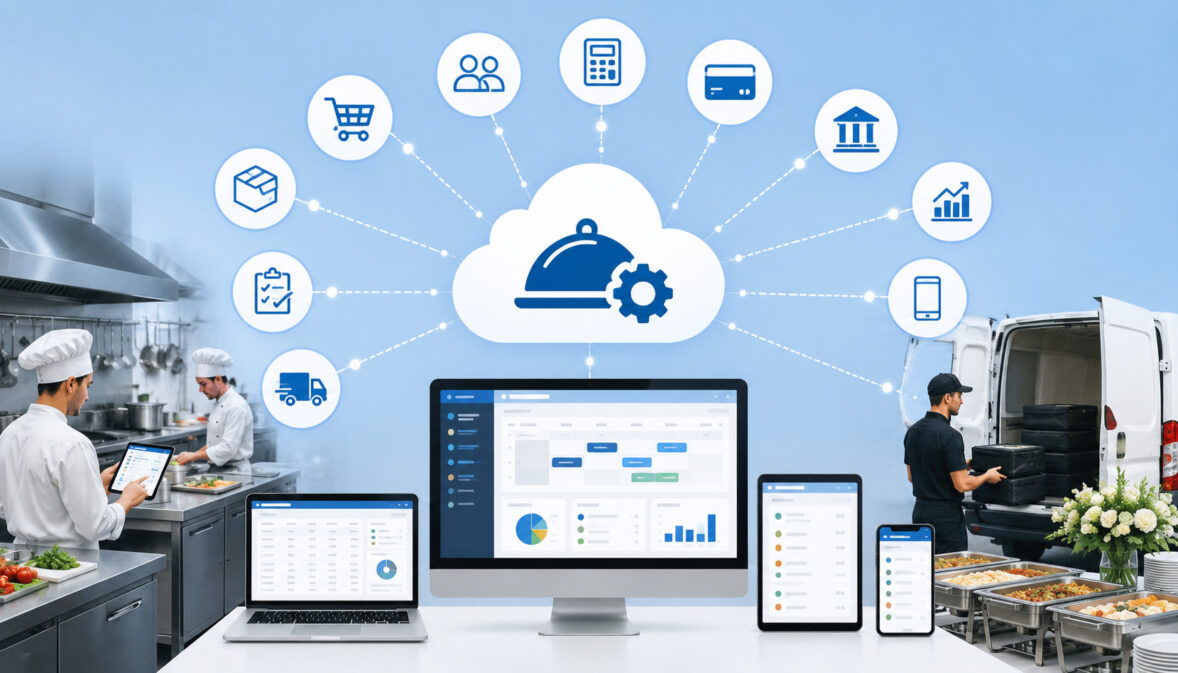
Catering operations rarely run through one system. A typical team may use separate tools for inquiries, customer records, proposals, contracts, payment links, accounting, calendars, menu management, kitchen production, staff scheduling, online ordering, delivery planning, and business reporting.
When those tools do not communicate, employees often copy the same information from one place to another. A guest count may be updated in a proposal but not on the kitchen production sheet. A deposit may be collected but remain marked as unpaid in the event record. A delivery address may change without reaching the driver.
The integration capabilities of cloud catering platforms determine how effectively these systems can exchange information. Well-planned integrations can connect customer inquiries to event orders, payments to invoices, menus to production sheets, and delivery updates to management dashboards.
However, more integrations do not automatically create better operations. Every connection needs a clear purpose, reliable data mapping, appropriate permissions, testing, and an owner who understands what information moves between systems.
This cloud catering software integration guide explains how common connections work, which integrations may be most valuable, what implementation challenges to expect, and how catering teams can evaluate integration features before choosing a platform.
The information is general educational guidance. Businesses should consult appropriate professionals regarding specific legal, tax, accounting, payroll, employment, food safety, privacy, cybersecurity, or compliance requirements.
What Are Cloud Catering Platform Integrations?
Cloud catering platform integrations are connections that allow catering software to send, receive, or synchronize information with another system. Instead of treating every application as an isolated tool, integrations create a connected workflow.
For example, an online catering request may automatically create a lead. Once approved, the lead may become an event order. A payment connection may then collect the deposit and update the invoice, while a calendar connection adds the event date and production deadlines to shared schedules.
Cloud catering software integrations may connect with:
- Point-of-sale systems
- Payment processing tools
- Accounting applications
- Customer relationship management tools
- Email and SMS platforms
- Shared calendars
- Online ordering systems
- Inventory applications
- Staff scheduling tools
- Delivery and route-planning systems
- Reporting dashboards
- Custom websites and internal business systems
The objective is not to eliminate every manual action. It is to reduce unnecessary re-entry while preserving the reviews and approvals that require human judgment.
How Catering Software Integrations Work
Some catering software integrations are built directly into the platform. A user selects the external application, signs in, grants approved permissions, and chooses synchronization settings. These are often the easiest connections to configure and maintain.
Other integrations use application programming interfaces, commonly called APIs. An API provides a structured way for two systems to request and exchange specific data. Catering platform API integrations may transfer customer records, event details, invoices, payment status, menu items, or reporting data.
Additional connection methods include:
- Imports: Data is uploaded through a spreadsheet or structured file.
- Exports: Information is downloaded for accounting, reporting, backup, or migration.
- Webhooks: One system sends an immediate notification when an event occurs.
- Middleware: A third-party connector transfers information between applications.
- Scheduled syncs: Data moves at set intervals rather than immediately.
- Embedded tools: A payment form, order form, or customer portal appears within another application.
Each method has different setup, maintenance, security, and timing requirements. Catering teams should understand whether a connection is one-way or two-way, what fields it supports, and how frequently it updates.
Why Integrations Matter in Catering Operations
Catering events involve details that affect several departments. Customer names, event dates, guest counts, menu selections, dietary requests, payment status, service times, delivery instructions, and staffing plans may all be used by different employees.
Without connected systems, each department may create its own version of the event. Sales may trust a proposal, the kitchen may use a printed banquet event order, and delivery may rely on a message thread. Conflicting versions make it difficult to determine which information is current.
Effective catering software integrations can:
- Reduce duplicate data entry
- Improve consistency between departments
- Make event changes visible sooner
- Create clearer payment and invoice records
- Support more accurate production planning
- Improve customer follow-up
- Simplify reporting
- Reduce dependence on disconnected spreadsheets
- Create more repeatable workflows
Why Integration Capabilities Matter for Growing Catering Businesses
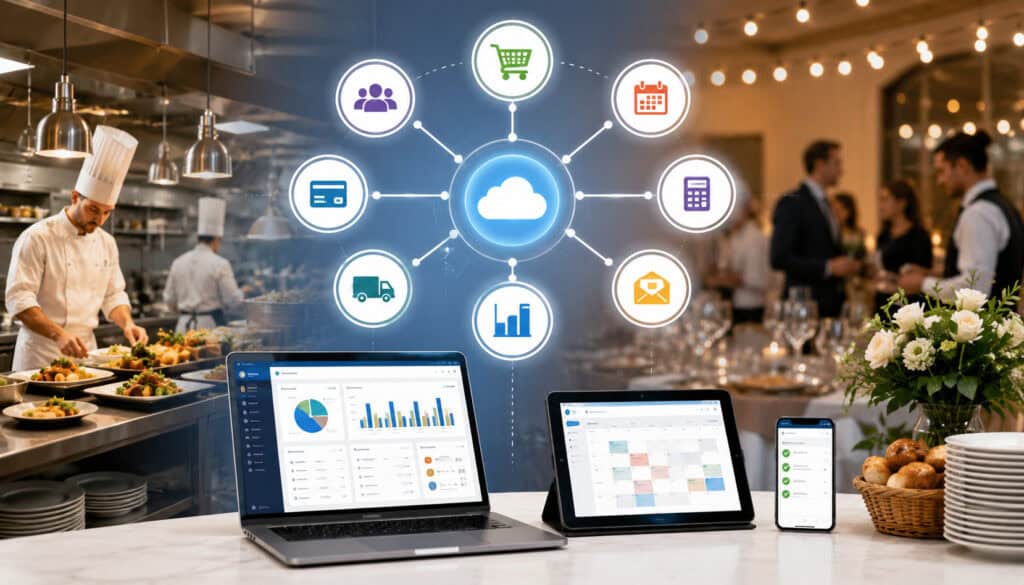
A small catering operation may be able to manage a limited number of events through calendars, spreadsheets, email, and paper documents. As order volume increases, that approach becomes more difficult to maintain.
Growth usually brings more customers, event changes, deposits, staff users, menu combinations, delivery routes, and reporting requirements. Teams may also add online ordering, multiple sales channels, recurring accounts, additional kitchens, or new service areas.
The integration capabilities of cloud catering platforms become increasingly important because disconnected workflows tend to create more work as volume grows. A process that requires only a few manual updates each week may require dozens of updates each day after the business expands.
Connected systems help create a shared operational structure. Sales can see whether a deposit has been received. Kitchen managers can review confirmed guest counts. Delivery coordinators can access current addresses and arrival windows. Finance teams can review invoice and payment records without rebuilding reports from multiple files.
Reducing Manual Data Entry
Manual data entry is not always avoidable, but repeated entry should be questioned. Typing the same customer name, phone number, event address, guest count, and order total into several systems consumes time and increases the chance of inconsistency.
A connected workflow might allow an inquiry to create a customer record, proposal, event file, calendar entry, and follow-up task. Once the customer accepts the proposal, the system may create an invoice and payment link without requiring employees to rebuild the order.
Useful synchronization may include:
- Customer contact information
- Event dates and locations
- Menu selections and quantities
- Proposal and contract status
- Deposits and balances
- Delivery instructions
- Calendar deadlines
- Lead sources
- Event classifications
- Invoice references
Automation should still include validation. An integration can transfer incorrect information just as efficiently as correct information, so required fields, approval steps, and exception reports remain important.
Improving Workflow Visibility
Visibility means employees can see the information required for their responsibilities without searching through several applications. Integration features can bring selected data into shared dashboards, calendars, customer records, or event summaries.
A manager may use connected information to review:
- New inquiries
- Proposals awaiting approval
- Events missing deposits
- Upcoming final-count deadlines
- Kitchen production volume
- Deliveries by route or time
- Unpaid balances
- Revenue by event category
- Quote conversion rates
- Events with incomplete details
Better visibility can also improve accountability. When event status, task ownership, payment history, and change timestamps are available, employees are less likely to assume someone else completed a step.
A useful catering software setup checklist can help teams identify the records, roles, workflows, and integrations that should be configured before launch.
Cloud Catering Software Integrations at a Glance
Different integrations support different parts of a catering operation. The following table can help teams identify which connections are relevant to their business model.
| Integration Type | What It Connects | Why It Matters | Best Use Case |
| POS integration | Menu, sales, customer, and order data | Reduces duplicate order entry | Restaurant catering teams |
| Payment integration | Deposits, invoices, payment links, and refunds | Improves payment visibility | Booked events |
| Accounting integration | Invoices, payments, refunds, and financial exports | Supports reconciliation and review | Finance workflows |
| Calendar integration | Event dates, meetings, deadlines, and delivery times | Improves scheduling visibility | Event planning |
| Email integration | Inquiries, confirmations, proposals, and follow-ups | Keeps communication connected | Sales and customer service |
| Online ordering integration | Web forms, menus, order details, and payments | Supports customer self-service | Drop-off catering |
| CRM integration | Leads, contacts, activity, and event history | Improves sales follow-up | Repeat and corporate clients |
| Inventory integration | Menu demand, ingredients, stock, and purchasing | Supports kitchen planning | Production-focused teams |
| Delivery integration | Addresses, routes, driver notes, and status | Improves event execution | Multi-event delivery days |
| Scheduling integration | Events, shifts, roles, and assignments | Supports labor planning | Full-service events |
| Reporting integration | Sales, payment, production, and customer data | Creates broader business visibility | Growing operations |
| API integration | Custom websites and internal systems | Supports specialized workflows | Complex or multi-location operations |
How to Use the Integration Table
Start by marking each integration as must-have, useful later, or unnecessary. A must-have connection should support a workflow that affects revenue, customer service, event accuracy, payment visibility, or production reliability.
Next, identify the systems your team already uses. An integration has little value if it connects to an application that employees plan to replace. It may be more important to confirm compatibility with existing accounting, payment, POS, and calendar tools than to review a long marketplace of unrelated applications.
Also consider the direction of the data flow. A calendar connection that only sends events outward may be sufficient. A menu connection may require carefully controlled two-way updates. An accounting connection may need invoices and payments to move in one direction while adjustments remain under finance control.
Finally, ask how errors are handled. Strong cloud catering platform integration features should make failed syncs, duplicate records, missing fields, and rejected transactions visible.
Why Integration Needs Differ by Business Model
Drop-off catering may prioritize online ordering, payment links, menu availability, order cutoffs, production quantities, and delivery routing. These businesses often process a higher number of standardized orders and benefit from fast, repeatable data movement.
Full-service caterers may place more importance on lead management, proposals, contracts, deposits, banquet event orders, timelines, staffing, rentals, production sheets, and customer communication.
Restaurant catering teams may need close coordination between their POS system and catering platform. Commissary kitchens may prioritize recipe scaling, ingredient planning, production scheduling, and inventory. Wedding caterers may need proposal revisions, payment schedules, tastings, documents, and detailed event timelines.
Corporate catering operations may require recurring orders, account-level contacts, purchase references, invoice terms, reporting by location, and customer portals. Multi-location businesses may need APIs, centralized reporting, standardized menus, role-based permissions, and location-specific data rules.
The best integration capabilities for catering software are therefore the capabilities that fit the company’s actual order types, service model, staffing structure, and reporting needs.
Customer, Sales, Payment, and Accounting Integrations
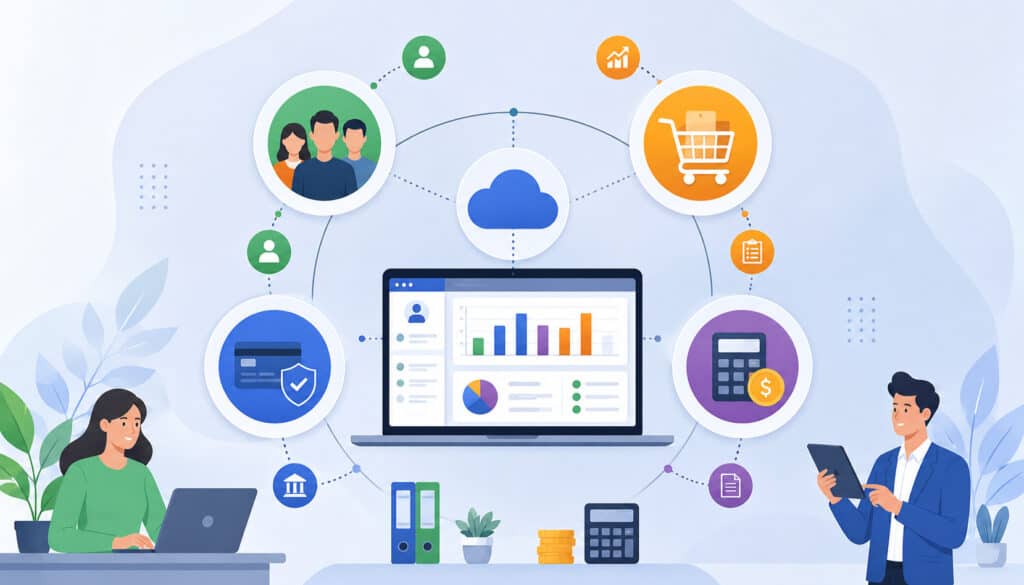
The customer-to-payment workflow is one of the most important areas for catering business software integrations. It begins when an inquiry arrives and continues through qualification, proposal creation, contract approval, deposit collection, event execution, final invoicing, and customer follow-up.
Integrations in this workflow must preserve the relationship between the customer, event, proposal, invoice, and payment. When those records become separated, employees may struggle to identify what has been approved, paid, changed, or completed.
Catering Software POS Integration
A catering software POS integration can connect catering orders with the system used for restaurant sales, takeout orders, menu management, customer payments, or sales reporting.
This may be especially useful when a restaurant handles daily transactions and larger catering orders through different workflows. A connection can reduce the need to rebuild confirmed catering orders inside the POS or manually combine sales reports.
Important POS integration questions include:
- Which menu items can synchronize?
- Are modifiers and package components supported?
- Can catering orders be scheduled for a future date?
- How are deposits represented?
- Will an order appear twice if it is edited?
- Which system controls pricing?
- How are discounts, fees, tips, and refunds categorized?
- Can catering sales be separated from regular restaurant sales?
Menu mapping is a common challenge. A package in catering software may contain several items that are represented differently in the POS. Teams should test custom packages, modifiers, future orders, partial payments, and cancellations before relying on the connection.
Payment and Accounting Integration
A catering software payment integration may support payment links, deposits, partial payments, final balances, refunds, card payments, bank payments, digital wallets, receipts, and payment-status updates.
When properly configured, the event record can show whether the required deposit has been received and how much remains due. This helps sales, operations, and finance work from the same payment status.
A catering software accounting integration may then transfer invoices, payment records, refunds, customer balances, or categorized sales data into the accounting workflow. The objective is to reduce duplicate entry without removing financial review.
Teams should confirm how the connection handles:
- Deposits
- Final payments
- Partial refunds
- Credits
- Processing fees
- Tips
- Delivery charges
- Service charges
- Discounts
- Adjustments
- Sales categories
- Customer balances
Revenue categories must be mapped carefully. Food, beverages, rentals, staffing, delivery, service charges, and other items may require different classifications. The configuration should be reviewed by the business’s finance and accounting professionals.
This guide to organizing deposits, invoices, and event changes provides additional context for keeping financial and operational records aligned.
Secure Payment Workflows
Employees should not place raw payment credentials in customer notes, emails, spreadsheets, banquet event orders, or shared event records. Payment integrations should direct customers through an appropriately secured payment form or hosted payment page.
Industry merchant payment-security resources explain that payment-data protection depends on people, processes, and technology. Businesses should work with qualified payment and security professionals to determine the requirements that apply to their specific systems.
When evaluating payment connections, ask:
- Does the platform use secure hosted payment fields or pages?
- What payment information is visible to employees?
- Which users can issue refunds?
- Are payment actions recorded in an audit log?
- Can payment permissions be limited by role?
- How are failed payments communicated?
- What happens when an integration is disconnected?
- Can customers receive automatic receipts?
Calendar, Email, Online Ordering, and CRM Integrations
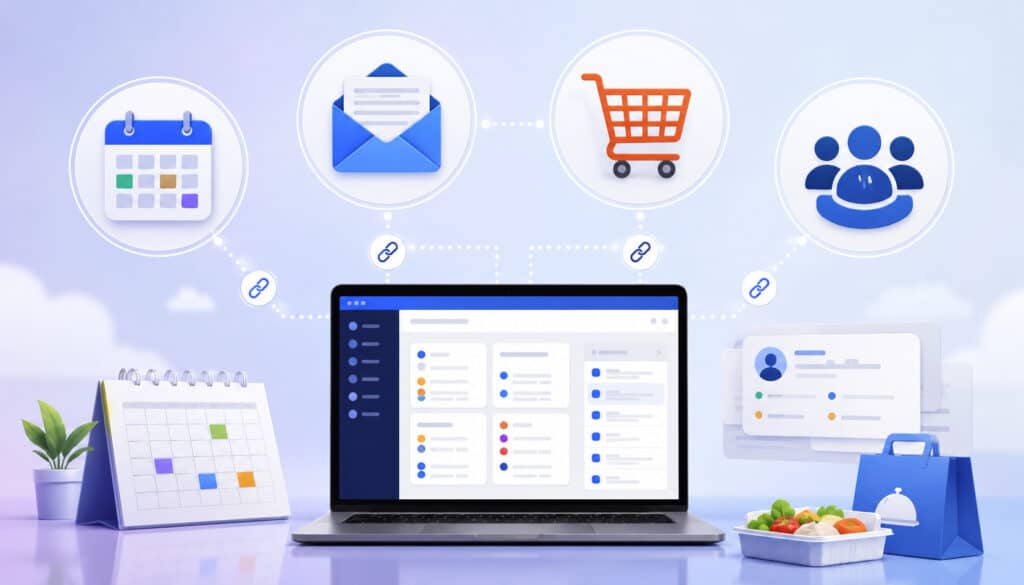
Customer communication and event scheduling are closely connected. An inquiry may lead to a consultation, proposal deadline, tasting, deposit due date, final guest count, production date, delivery window, and post-event follow-up.
Calendar, communication, ordering, and CRM integrations help turn these milestones into a coordinated workflow rather than a collection of isolated reminders.
Catering Software Calendar and Email Integration
A catering software calendar integration may send event dates, appointments, delivery times, deadlines, and tasks to shared calendars. Some connections are one-way, while others allow selected updates to return to the catering platform.
Calendar visibility can reduce double-booking and missed deadlines, but only when employees understand what appears automatically. Teams should know whether tentative events, canceled events, task deadlines, and updated times synchronize.
A catering software email integration can connect inquiries, proposal delivery, confirmations, reminders, and post-event communication to customer or event records. This gives authorized employees access to relevant communication history without searching another person’s inbox.
Automated workflows may send:
- Inquiry acknowledgments
- Consultation reminders
- Proposal follow-ups
- Deposit reminders
- Final-count requests
- Event confirmations
- Delivery updates
- Balance reminders
- Thank-you messages
Automation should use clear timing and appropriate review rules. Sensitive, unusual, or high-value communications may still require manual approval.
Online Ordering and Customer Portals
A catering software online ordering integration can connect website forms, digital menus, customer portals, payment collection, and order records. It is particularly useful for standardized drop-off catering, boxed meals, office lunches, and repeat orders.
Online forms may collect:
- Customer and company information
- Event date and service time
- Delivery or pickup preference
- Address and access instructions
- Guest count
- Menu selections
- Dietary requests
- Equipment or serviceware needs
- Billing information
- Internal reference numbers
The online menu must remain consistent with the catering record. Pricing, minimums, availability, lead times, order cutoffs, serving quantities, and modifiers should not conflict between systems.
A customer portal may allow clients to review proposals, approve changes, sign documents, submit payments, download receipts, or update selected event information. Businesses should control which fields customers can change and when changes require staff approval.
Catering CRM Integration
A catering CRM integration connects leads, customer records, communication history, proposals, events, and follow-up activity. It can help teams move an inquiry into an event record without re-entering contact details.
Useful CRM data may include:
- Lead source
- Sales owner
- Customer type
- Company contacts
- Event history
- Proposal status
- Estimated value
- Communication activity
- Preferences
- Follow-up date
- Lost-sale reason
- Repeat-order patterns
The CRM and event system should have clear ownership rules. Employees need to know where contact details are edited, how duplicate accounts are handled, and whether one company can have multiple event contacts.
Reviewing the must-have features in event catering software can help teams compare CRM, scheduling, payment, production, and reporting requirements as part of one workflow.
Inventory, Menu, Recipe, and Kitchen Production Integrations
Back-of-house integrations connect confirmed event orders with the work required to produce them. This may include recipes, portions, ingredients, prep lists, production sheets, packaging, equipment, station assignments, and purchasing requirements.
These connections are valuable because changes made by sales can affect several operational calculations. A guest-count increase may change ingredient demand, batch quantities, packaging, labor needs, and delivery capacity.
Connecting Event Orders to Inventory and Recipes
An inventory integration can use confirmed menus, quantities, and guest counts to estimate ingredient requirements. Recipe records may define yields, units, portion sizes, preparation instructions, and ingredient quantities.
For example, increasing an event from 80 to 100 guests may update the required number of portions and generate revised ingredient estimates. The system may then compare those estimates with stock levels or purchasing plans.
Useful data connections include:
- Menu item to recipe
- Recipe to ingredient list
- Guest count to serving quantity
- Ingredient to unit of measure
- Ingredient to vendor item
- Vendor item to cost
- Event date to purchasing deadline
- Order quantity to production batch
Inventory calculations are only as reliable as the recipes, yields, units, and stock records behind them. Teams should account for waste, substitutions, minimum purchase quantities, and items that are not tracked in detail.
Menu, Costing, and Portion Updates
Menu integration features can connect packages, individual items, custom menus, dietary notes, allergens, serving sizes, recipe costs, and production quantities.
Recipe costing connections may help managers compare estimated ingredient cost with menu pricing. However, costing data must be maintained consistently. Vendor prices, recipe yields, packaging, waste assumptions, and portion sizes can change over time.
Guest-count updates should flow through carefully. A final count may affect:
- Portions
- Batch recipes
- Ingredient demand
- Production sheets
- Packaging quantities
- Serving equipment
- Delivery space
- Service staff estimates
Not every field should update automatically after production begins. Platforms should support cutoffs, approvals, version history, or alerts so late changes do not silently overwrite an active kitchen plan.
Production Sheets and Kitchen Task Visibility
Kitchen production integrations convert event information into actionable work. Event dates, menus, guest counts, special requests, service times, and packaging instructions may feed production sheets, prep lists, station assignments, and packing lists.
A useful production output should show more than menu names. Kitchen employees may need quantities, recipe batches, preparation methods, holding instructions, allergen notes, labels, containers, service utensils, and completion deadlines.
Managers may use connected dashboards to see:
- Items requiring preparation
- Tasks assigned by station
- Production due by day
- Events missing final counts
- Menus with unresolved substitutions
- Packing status
- Items waiting for approval
- Orders ready for dispatch
Printed sheets may still be useful in some kitchens. When paper is used, establish a process for printing current versions and marking changes so outdated instructions do not remain in circulation.
Delivery, Route, and Staff Scheduling Integrations
Event execution depends on having the correct order, employees, equipment, and delivery information in the right place at the right time. Delivery and staff scheduling connections help translate event requirements into practical assignments.
The integrations should provide enough detail for execution without exposing unrelated customer, financial, or administrative information.
Catering Software Delivery Integration
A catering software delivery integration may connect event records with route-planning, dispatch, mapping, or driver applications. It can transfer addresses, arrival windows, contacts, order size, setup instructions, vehicle requirements, and delivery status.
Route planning becomes particularly valuable when several events leave the kitchen within a short period. Coordinators may need to consider preparation completion, loading time, traffic, vehicle capacity, unloading, elevator access, parking, and setup duration.
A driver view may include:
- Delivery address
- Scheduled departure
- Arrival window
- On-site contact
- Phone number
- Loading or entrance instructions
- Order and equipment checklist
- Setup requirements
- Return items
- Status updates
Event-day delivery visibility can help managers answer customer questions and adjust plans when schedules change. Status updates should be simple enough that drivers can use them safely and consistently.
Staff Scheduling and Labor Planning
Staff scheduling integrations can connect event types, service styles, guest counts, locations, and timelines with estimated staffing needs. Events may require kitchen employees, packers, drivers, setup crews, servers, bartenders, captains, or cleanup teams.
The system may create open shifts, suggest roles, send assignment notifications, or export approved schedules to another workforce tool. Managers should review availability, qualifications, travel requirements, and event complexity before finalizing assignments.
Connected labor reports may help compare:
- Planned and assigned roles
- Events with staffing gaps
- Labor hours by event type
- Kitchen workload by day
- Delivery coverage
- Recurring scheduling patterns
- Estimated labor requirements
- Actual hours imported from approved records
These tools support operational planning but do not replace professional advice regarding payroll, employment, scheduling, overtime, classification, or labor requirements.
Reporting and Analytics Integrations
Catering reporting integration brings information from sales, events, payments, production, delivery, and customer activity into dashboards or analysis tools. It can reduce the need to combine multiple exports manually.
Useful reports depend on consistent categories and dependable data flow. If one system uses “corporate lunch” and another uses “business delivery” for the same event type, combined reports may fragment the results.
Centralized Reporting Dashboards
A centralized dashboard may show:
- Inquiry volume
- Quote conversion
- Booked revenue
- Collected revenue
- Outstanding deposits
- Unpaid balances
- Revenue by event type
- Revenue by sales source
- Production volume
- Delivery performance
- Repeat-customer activity
- Menu item performance
- Estimated event profitability
The dashboard should distinguish between estimates and completed financial results. Proposed revenue, booked revenue, invoiced revenue, and collected revenue represent different stages.
Users should also understand update timing. A dashboard connected through a nightly sync may not show a payment collected a few minutes ago. Labels such as “last updated” help prevent incorrect assumptions.
Turning Integration Data Into Decisions
Reporting becomes valuable when it supports a specific decision. Sales reports may reveal which inquiry sources generate confirmed events. Menu reports may show frequently ordered items. Delivery reports may identify recurring route bottlenecks.
Connected data may help managers review:
- Which event types require the most revisions
- Where deposits are commonly delayed
- Which menu packages are frequently customized
- When kitchen volume reaches capacity
- Which delivery windows create conflicts
- Which customers place repeat orders
- How proposal follow-up affects conversion
- Where incomplete fields create reporting gaps
Reports should be reviewed for accuracy before they are used for pricing, staffing, purchasing, forecasting, or financial decisions. A visually polished dashboard can still be misleading when the underlying fields are incomplete or mapped incorrectly.
API, Import, Export, and Synchronization Capabilities
Not every useful integration is available as a built-in connection. Some businesses require custom websites, internal dashboards, proprietary ordering tools, specialized reporting, or multi-location data flows.
Catering platform API integrations, import tools, exports, webhooks, and middleware can support those requirements. They also require more technical planning than a simple built-in connection.
When Catering Platform API Integrations Are Useful
An API may be useful when a business needs to:
- Send website inquiries into the catering platform
- Display current menu information on another system
- Create events from a proprietary ordering portal
- Retrieve event data for an internal dashboard
- Connect several locations to centralized reporting
- Trigger custom customer notifications
- Send delivery information to a specialized application
- Connect with a system that has no built-in integration
Before relying on an API, ask about documentation, authentication, supported records, required fields, rate limits, pagination, webhooks, error messages, testing environments, version changes, developer access, and technical support.
Businesses should also evaluate how API credentials are stored and who can access them. Federal API protection guidance emphasizes identifying and managing risks throughout the API lifecycle.
Import and Export Capabilities
Imports are useful for initial migration, bulk updates, and systems that do not support direct connections. Common imports include customer lists, menu items, upcoming events, product records, and pricing data.
Exports remain important even when direct integrations are available. Teams may need files for:
- Accounting review
- Custom reporting
- Record retention
- Data validation
- Migration
- Backup processes
- Audits
- Operational analysis
- Troubleshooting
The platform should provide common, documented formats and clear field labels. Businesses should confirm whether exports include attachments, notes, custom fields, payment references, timestamps, status history, and archived records.
Exported files may contain sensitive customer, employee, event, or financial information. Access, storage, sharing, retention, and disposal should follow the business’s approved security and privacy practices.
Real-Time Sync Versus Scheduled Sync
Real-time sync transfers information immediately or within a short period after an action occurs. It may be important for payment status, event changes, customer approvals, delivery notes, or order confirmations.
Scheduled sync transfers information at defined intervals, such as hourly or nightly. It may be sufficient for accounting exports, periodic dashboards, batch customer updates, or historical reporting.
Neither option is automatically better. Real-time connections provide fresher information but may require more error handling and monitoring. Scheduled updates may be simpler but can create temporary differences between systems.
Ask these questions:
- How quickly must the data appear?
- What happens if the receiving system is unavailable?
- Will failed records retry automatically?
- Can users see the last successful sync?
- Are changes sent individually or in batches?
- Could two systems overwrite each other?
- Who receives failure alerts?
Data Mapping, Testing, Security, and Privacy
An integration is not complete simply because two systems connect. The fields must match, the permissions must be appropriate, and the workflow must be tested under realistic conditions.
Data mapping defines where each piece of information goes. Integration testing confirms that the information arrives correctly and remains usable after changes, cancellations, refunds, or exceptions.
Data Mapping and Integration Testing
Common mapping fields include:
- Customer name
- Company name
- Email address
- Event date
- Service time
- Invoice number
- Payment status
- Menu item
- Quantity
- Revenue category
- Event type
- Lead source
- Delivery address
- Sales owner
- Location
- Order status
Poor mapping can create duplicates, missing payments, incorrect reporting categories, or disconnected event records. For example, one system may identify customers by email while another uses an account number. Without a consistent matching rule, repeat customers may appear as new records.
Testing should include realistic scenarios rather than only simple sample records. Create a lead, proposal, contract, deposit, event update, guest-count change, menu revision, final payment, delivery note, refund, and completed-event report.
Document the expected result at every step. If the result is incorrect, determine whether the issue comes from configuration, mapping, unsupported fields, timing, or staff procedure.
Security, Permissions, and Connected Apps
Integrations extend access between systems. Businesses should review what each connected application can read, create, edit, or delete.
Important controls may include:
- Role-based access
- Unique user accounts
- Multi-factor authentication
- API credential protection
- Connection logs
- Audit trails
- Limited payment permissions
- Export restrictions
- Account deactivation procedures
- Periodic access reviews
Connected apps should be reviewed regularly. A system that was needed during implementation may no longer be used, but its connection could remain active.
Businesses should collect and share only the information required for the workflow. General business data-security guidance encourages organizations to understand what sensitive information they hold, protect it appropriately, and dispose of it securely when it is no longer needed.
Professional review may be necessary for specific privacy, cybersecurity, payment-security, contractual, or regulatory questions.
Common Integration Mistakes to Avoid
Integration problems are often caused by unclear workflows rather than by the connection itself. A technically functional integration can still create operational confusion if employees do not know what it does.
The following mistakes are especially common:
- Connecting too many tools at once
- Importing unclean data
- Failing to define a source of truth
- Ignoring duplicate records
- Skipping realistic tests
- Giving integrations excessive permissions
- Assuming every field synchronizes
- Failing to train users
- Not documenting manual steps
- Ignoring sync errors
- Removing export options
- Choosing software without reviewing future API needs
Over-Integrating Too Early
Activating every available connection at the beginning can make implementation harder. When several integrations create records, trigger messages, and update statuses simultaneously, it becomes difficult to identify the source of an error.
Start with workflows that have the greatest operational impact. Payment, accounting, calendar, customer, and reporting connections are often logical priorities, but the correct sequence depends on the business model.
Introduce integrations in stages:
- Clean the relevant data.
- Configure one connection.
- Test realistic workflows.
- Review the results.
- Train affected employees.
- Monitor errors.
- Add the next connection.
This approach creates a clearer troubleshooting path and allows employees to understand each workflow before another layer of automation is added.
Not Testing Real Catering Workflows
A basic test may confirm that a customer name moves from one system to another. It does not confirm that the integration can handle real catering activity.
Test scenarios should include:
- Multiple event contacts
- Custom menu packages
- Dietary requests
- Guest-count changes
- Deposit and balance payments
- Partial refunds
- Date changes
- Cancellations
- Duplicate customers
- Delivery notes
- Event status changes
- Accounting exports
- Failed transactions
- Reporting updates
Testing should involve sales, operations, kitchen, delivery, and finance employees. Each department sees different details and may identify problems that are not visible to the implementation lead.
A broader guide to integrating catering software into business workflows can help teams connect implementation decisions with sales, operations, payments, and performance reporting.
Cloud Catering Software Integration Checklist
The following checklist can be used during software demonstrations, implementation planning, or a review of existing cloud-based catering software integrations.
| Integration Area | What to Review | Why It Matters | Typical Priority |
| POS | Menu, modifier, order, payment, and sales-data flow | Supports restaurant catering | Medium to high |
| Payments | Deposits, balances, refunds, receipts, and permissions | Improves payment visibility | High |
| Accounting | Invoices, payments, categories, and exports | Supports finance review | High |
| Calendar | Events, deadlines, meetings, and delivery times | Reduces scheduling gaps | High |
| Messages, templates, history, and automation | Improves follow-up | Medium to high | |
| Online ordering | Forms, menus, cutoffs, availability, and payments | Supports digital orders | Medium to high |
| CRM | Leads, contacts, activity, and event history | Improves sales continuity | Medium to high |
| Inventory | Recipes, ingredients, units, and stock requirements | Supports purchasing | Medium to high |
| Production | Guest counts, prep sheets, tasks, and packing lists | Improves kitchen execution | High |
| Delivery | Addresses, routes, notes, drivers, and status | Supports event-day service | Medium to high |
| Scheduling | Roles, assignments, shifts, and workload | Supports staffing visibility | Medium |
| Reporting | Revenue, payments, conversion, and event performance | Guides decisions | High |
| API | Documentation, webhooks, authentication, and limits | Supports custom workflows | Optional or advanced |
| Export | File formats, fields, history, and accessibility | Supports review and migration | High |
How to Use the Checklist
During a software demonstration, ask the presenter to show the actual integration workflow rather than only confirming that a connection exists. Request a demonstration using an event similar to one your team handles.
For each integration, record:
- Whether it is built in or custom
- Whether additional fees apply
- Which fields are supported
- Whether sync is one-way or two-way
- How frequently it updates
- How errors are displayed
- Whether historical data is included
- Which permissions are required
- Who provides support
- How the connection can be disconnected
- Whether export alternatives exist
Rank each integration according to operational importance. A connection affecting every confirmed event should receive more attention than one used only for occasional reporting.
Records to Review Before Connecting Systems
Data should be reviewed before it is imported or synchronized. Otherwise, a new integration may spread existing errors across several systems.
Review:
- Customer records
- Duplicate contacts
- Upcoming events
- Menu names
- Item identifiers
- Recipes and units
- Pricing
- Invoices
- Deposits
- Payment status
- Calendar events
- Accounting categories
- Delivery addresses
- Event types
- Lead sources
- User accounts
- Permission levels
- Reporting fields
Decide which system will own each record type. Customer details may belong in the CRM, while payment status may be controlled by the payment system. The catering platform may remain the operational source for event dates, menus, guest counts, and production instructions.
Best Practices for Cloud Catering Software Integrations
Reliable integrations are built around clear workflows, clean data, realistic testing, and ongoing ownership. They should make daily work easier without hiding important exceptions or approvals.
Practical best practices include:
- Start with the most important workflows.
- Clean records before connecting systems.
- Define a source of truth for each data type.
- Map fields carefully.
- Test with real event examples.
- Document one-way and two-way syncs.
- Limit access according to job responsibilities.
- Train employees on what updates automatically.
- Explain what still requires manual review.
- Monitor integration errors after launch.
- Review connected applications regularly.
- Protect downloaded exports.
- Keep backup export options available.
- Use custom APIs only when the workflow justifies them.
- Review integrations after major software updates.
- Seek qualified professional guidance for specialized compliance questions.
Creating a Practical Integration Plan
Begin by listing every system currently used for catering operations. Include spreadsheets, shared inboxes, online forms, calendars, payment pages, accounting applications, POS systems, delivery tools, and reporting files.
Then map the movement of information. A basic flow may look like this:
Inquiry → Customer record → Proposal → Contract → Deposit → Confirmed event → Production → Delivery → Final invoice → Reporting
For every transition, identify:
- The sending system
- The receiving system
- Required fields
- Update timing
- Approval requirements
- Integration owner
- Error-handling process
- Manual backup procedure
Assign responsibility for testing and ongoing monitoring. Technical support may maintain the connection, but an operational owner should confirm that the results remain accurate.
Building Long-Term Integration Reliability
Cloud catering software integrations require maintenance because the business and its tools change. Menus are revised, payment methods are added, employees change roles, accounting categories evolve, and third-party applications update their APIs.
Schedule periodic reviews to confirm:
- Connections are still active
- Syncs are completing successfully
- Permissions remain appropriate
- Former employees no longer have access
- New fields are mapped
- Reports reconcile with source records
- Duplicate rates remain low
- Export processes still work
- Documentation is current
- Employees understand the workflow
Monitor small warning signs. An increase in duplicate customers, missing payment statuses, unexplained report differences, or repeated manual corrections may indicate that an integration needs attention.
How to Choose Cloud Catering Platforms With Strong Integrations
A platform should be evaluated according to how well it supports the workflows the business actually uses. A large integration directory is less valuable when the important connections are limited, unreliable, expensive, or difficult to configure.
Review built-in integrations, API availability, import and export tools, payment workflows, accounting connections, POS compatibility, customer portals, online ordering, calendar sync, delivery support, reporting, user permissions, setup effort, training, support, and total cost.
Questions to Ask Before Choosing a Platform
Ask practical questions such as:
- Which payment methods and workflows are supported?
- Can deposits, partial payments, balances, and refunds update the event?
- Which accounting records can synchronize?
- How are sales categories and deposits mapped?
- Which POS systems connect directly?
- Can menu items and modifiers be mapped?
- Does calendar sync work in one direction or both?
- Can customer emails be connected to event history?
- Does online ordering use current menus, prices, and cutoffs?
- Can delivery addresses and notes transfer to route tools?
- Are customer portal changes subject to approval?
- Is API documentation available?
- Does the API support webhooks?
- Are rate limits disclosed?
- Is a test environment available?
- Which import and export formats are supported?
- Can custom fields be imported and exported?
- How are failed syncs reported?
- Can permissions be limited by role?
- Who assists with implementation?
- What training is included?
- Are integration fees separate?
- What happens if the business changes a connected application?
- Can all important records be exported before cancellation?
Ask for demonstrations using representative workflows rather than idealized examples.
Comparing Workflow Fit Over Integration Count
The best platform is not necessarily the one with the most integrations. It is the one that moves the right information reliably through the business’s real workflows.
Compare platforms based on:
- Ease of use for employees
- Accuracy of data flow
- Support for event changes
- Payment visibility
- Reporting clarity
- Production usefulness
- Customer communication
- Permission controls
- Troubleshooting tools
- Export availability
- Implementation effort
- Long-term adaptability
A platform with five dependable connections may provide more value than one advertising hundreds of integrations that the team never uses.
The final decision should account for the entire workflow from inquiry through event completion. Integrations should support staff rather than forcing employees to maintain side spreadsheets, duplicate records, or undocumented workarounds.
Frequently Asked Questions
What are integration capabilities of cloud catering platforms?
They are the features that allow cloud catering software to exchange information with POS systems, payment tools, accounting applications, calendars, email platforms, online ordering systems, inventory tools, delivery applications, reporting dashboards, and other business systems.
These capabilities may use built-in connections, APIs, webhooks, middleware, imports, exports, or scheduled data synchronization.
Why do cloud catering platform integrations matter?
Integrations can reduce repeated data entry and help departments work from more consistent customer, event, payment, menu, production, and delivery information.
They are particularly useful as event volume grows and more employees need access to current information. Their value depends on clean data, correct configuration, testing, and staff training.
What are the most important cloud catering software integrations?
Payment, accounting, calendar, customer, reporting, and production connections are common priorities. Restaurant catering teams may also need POS integration, while drop-off catering businesses may prioritize online ordering and delivery tools. The most important integrations are those that improve frequent, high-impact workflows.
How does catering software payment integration help businesses?
Payment integration can connect payment links, deposits, partial payments, final balances, refunds, receipts, and payment status with the event or invoice.
This gives authorized employees clearer visibility into what has been paid and what remains due. Secure payment methods and professional review remain essential.
Why is accounting integration important for catering software?
Accounting integration may reduce duplicate entry by transferring invoices, payments, refunds, and categorized sales information into an accounting workflow.
It can support reconciliation and financial review, but categories, deposits, fees, adjustments, and tax-related fields must be mapped carefully with guidance from qualified finance and accounting professionals.
What should businesses know about catering platform API integrations?
APIs can support custom websites, internal dashboards, proprietary ordering tools, multi-location reporting, and specialized connections.
Businesses should review documentation, authentication, supported data, webhooks, rate limits, error handling, developer access, version changes, support, and security before depending on an API.
What mistakes should businesses avoid with catering software integrations?
Common mistakes include connecting too many systems at once, importing unclean records, failing to define a source of truth, skipping realistic tests, overlooking permissions, and assuming every field updates automatically.
Teams should also avoid relying on an integration without monitoring errors or maintaining an alternative export process.
Conclusion
The integration capabilities of cloud catering platforms can connect customer inquiries, event orders, proposals, contracts, payments, accounting records, calendars, online ordering, inventory, kitchen production, staff schedules, delivery workflows, and reporting.
The strongest integrations do more than move data. They help sales, kitchen, operations, delivery, finance, and management work from consistent information while preserving appropriate reviews, approvals, and access controls.
Businesses should begin with the workflows that create the most repeated work or operational risk. Clean the underlying records, define which system owns each type of information, map fields carefully, and test realistic events before launch.
Integrations should also be reviewed over time. New menu structures, payment methods, staff roles, software updates, and operational processes can change how data needs to flow.
Ultimately, catering teams should prioritize practical and dependable connections over a long but unused integration list. The right integrations reduce unnecessary work, improve accuracy, support better decisions, protect sensitive information, and reflect how the catering business actually operates.