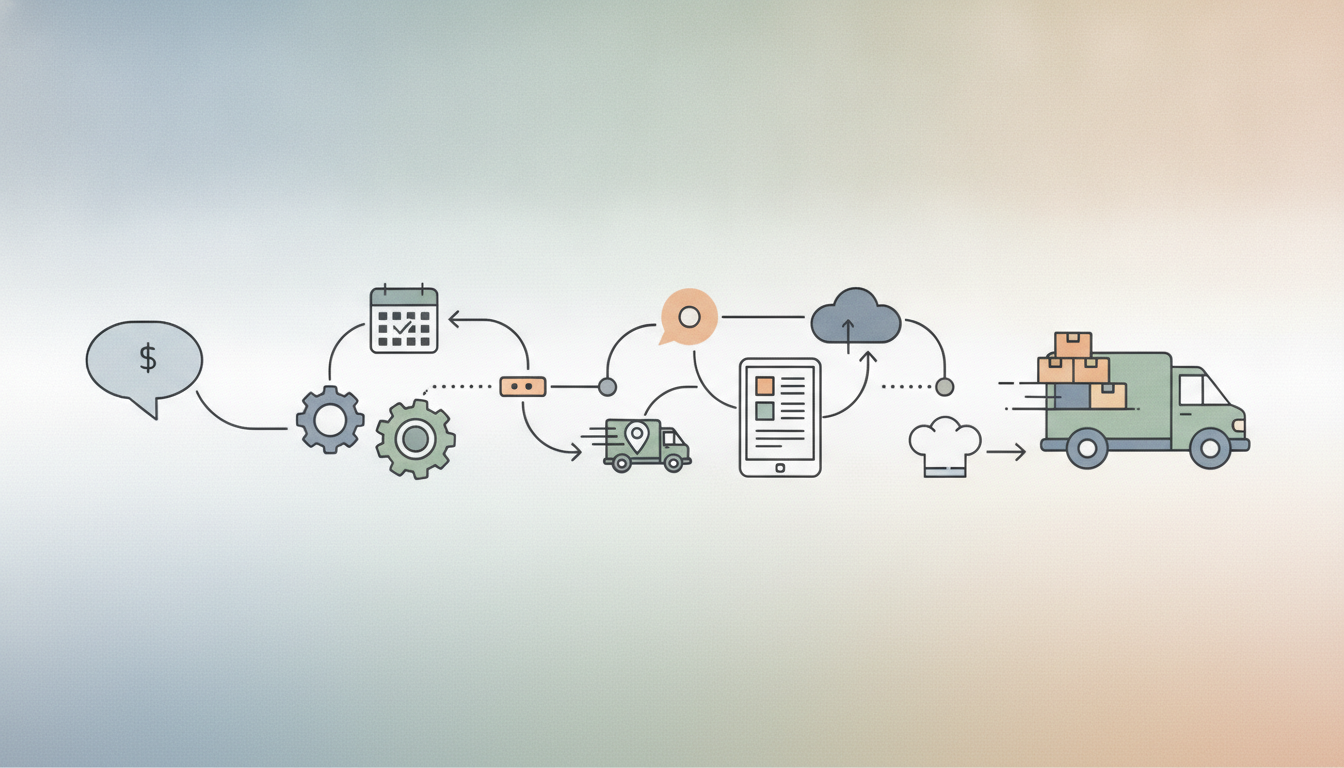
Seven documents separate a sent quote from a loaded van, and good catering software generates every one from a single record rather than seven retyped copies.
The handoff chain: one record, six jobs
Walk the chain in order: priced quote, signed contract with deposit, banquet event order, production and purchase lists, staff assignment, pack and load sheet, and a transport temperature log that survives the drive. Each of those is a handoff. Each handoff is a place where a guest count, an allergy note, or a delivery window can change on one document and stay stale on the other six.
Retyping is where the damage happens. A count moves from 140 to 165 in an email on Thursday afternoon, the BEO gets updated because the coordinator is looking at it, and the purchase list still says 140 because nobody opened it again. Friday morning the chef buys short. Saturday you’re plating 140 portions for 165 people, and no feature on any vendor’s comparison page prevented it.
So the real test isn’t the feature list. It’s whether that 4 p.m. Thursday change rewrites the prep sheet quantities, the purchase list, the staffing call and the pack sheet without a person retyping anything. Ask a vendor to do it live, on a demo event, and watch which documents update. Most tools marketed as the best catering software are excellent up to the signed proposal and thin past the kitchen door, which is exactly the stretch where money leaks. Our list of Key Features to Look for in Catering Software weights that stretch heavily for a reason.
Small operators feel this hardest, because the person retyping is usually the owner at 11 p.m. The Benefits of Using Catering Management Software for Small Businesses are mostly hours returned to that person, not new capability.
The money gate: quote, signature, deposit
An accepted quote is an email. It holds nothing. The software should keep that date in a soft, expiring state until two things happen: the client signs, and the deposit clears. Only then does the record flip to booked and the date come off the availability calendar. If your system marks events confirmed on a verbal yes, you’ll eventually double-book a Saturday in June.
The signed document is also your evidence file. Deposit schedule, final-count deadline and the cancellation tiers belong inside the same record the client signed, with a timestamped copy you can pull up eleven months later without calling anyone. When a card dispute arrives, the issuer reads two things: the descriptor that appeared on the cardholder’s statement and the cancellation language they agreed to. Get both right and most disputes never mature, which is the argument in Catering Deposits and Cancellations: Contract Terms That Hold Up Against Chargebacks.
Then there’s how the balance gets paid. A five-figure corporate invoice run on a card costs you real margin at any card-present or keyed rate, so the platform should default those to ACH and keep cards for deposits and small orders. Getting Corporate Catering Clients to Pay Five-Figure Invoices by ACH Instead of Card covers the wording that gets an AP department to switch.
Before you accept the payment offer bundled into your Catering Software with Integrated Payment Solutions: The Complete, Updated Guide for Modern Catering Businesses, make the processor name every line on a sample statement and say where it comes from. Ask what a percentage-plus-fixed-fee flat rate hides against a disclosed markup over published interchange. Ask whether next-day funding is included or priced, and what time the batch cuts off.
BEO to production: where counts become quantities
The BEO, your banquet event order, has to act as a translation layer after the sale closes. A signed menu and a guest count aren’t production instructions yet. The system should turn each menu line into recipe yields, pull those yields through any sub-recipes, and produce purchase quantities in the units your kitchen buys. It also needs to build the prep timeline from the delivery window, loading time, and hold plan, not from the event start. If drop-off is at 10:30 a.m. for a noon meeting, the kitchen works backward from 10:30.
This is where weak software creates recounting by hand. Say a buffet rises from 160 guests to 200. If mashed potatoes include butter, cream, and seasoning as part of a base recipe, that change should recalculate the butter order immediately. If it doesn’t, someone prints a new sheet, compares versions, and hopes nothing already prepped gets doubled. When you review Must-Have Features in Event Catering Software, look past the sales screen and ask how the math works after the count changes.
Dietary and allergen notes need the same treatment. A gluten-free meal count or a nut allergy note belongs on the prep sheet and on the pan or package label, not buried in a salesperson’s note field. Purchasing also needs more than a raw ingredient total. The system should compare required quantities to par on hand, then add the lead-time buffer for anything ordered from a vendor rather than pulled from stock. Ask one exact question in the demo: does the platform recalculate on change, or only when someone regenerates documents, and does it flag what already went to the kitchen?
Staffing and dispatch: who, when, and in what vehicle
The schedule and the route come off the same event record or they drift apart by Friday. A server needs role, call time, uniform, the on-site contact’s cell number, and where to park or which loading dock to use, pushed to a phone and marked confirmed. An unconfirmed assignment isn’t staffing; it’s a hope. Systems that handle this well track acknowledgment per shift, which is the difference described in How to Manage Staff Scheduling with Catering Software.
The failure we see most often is two events booked onto one van. A calendar that constrains only by date will let it happen every time, so the vehicle and the driver both have to be bookable resources with their own conflicts, a point covered in Best Practices for Catering Event Scheduling. Sequence delivery windows against drive time, then generate the load order backward so the first drop is packed last.
Change notification matters more than the original schedule. A call time that moved and nobody acknowledged is an unstaffed event.
The van: temperatures, times, and the records you have to keep
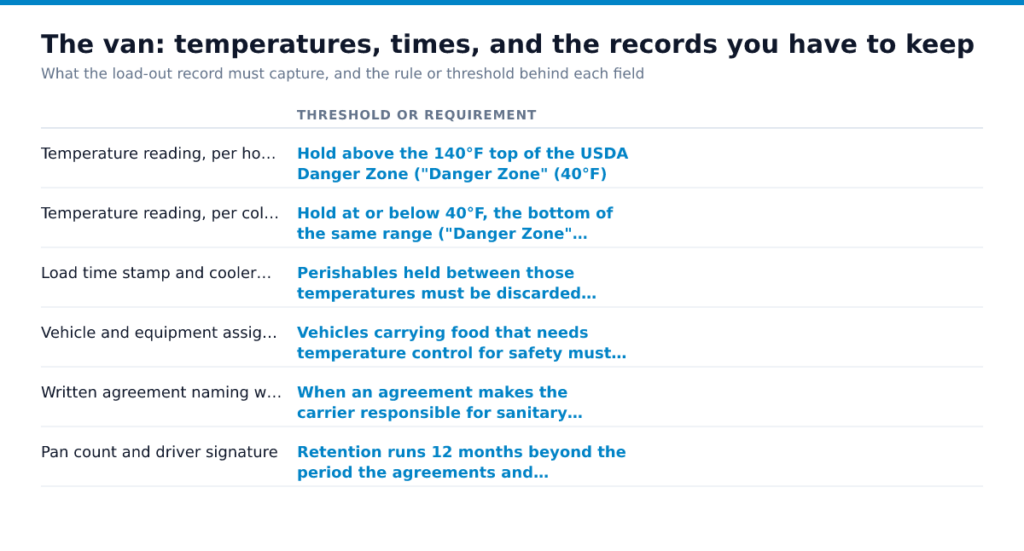
Load-out is the last point where a problem is cheap to fix. Once the doors close, whatever you failed to record is gone. The software’s job here is narrow and unglamorous: capture a handful of fields per event, stamp them with a time and a person, and file them against the BEO so they can be pulled up months later without anybody digging through a clipboard.
| Field captured at load-out | Threshold or requirement |
|---|---|
| Temperature reading, per hot item | Hold above the 140°F top of the USDA Danger Zone (“Danger Zone”) |
| Temperature reading, per cold item | Hold at or below 40°F, the bottom of the same range (“Danger Zone”) |
| Load time stamp and cooler pre-chill time | Perishables held between those temperatures must be discarded after 2 hours, or 1 hour when air temperature tops 90°F (Safe Handling of Take-Out Foods) |
| Vehicle and equipment assigned to the run | Vehicles carrying food that needs temperature control for safety must be equipped to provide it during transport (21 CFR 1.908) |
| Written agreement naming who is responsible | When an agreement makes the carrier responsible for sanitary conditions, the carrier must have written cleaning and inspection procedures (21 CFR Part 1, Subpart O) |
| Pan count and driver signature | Retention runs 12 months beyond the period the agreements and procedures are in use (21 CFR 1.912) |
A photographed thermometer reading attached to the BEO is what separates an apology from a defensible answer when a client calls three weeks later about a sick guest. Store those photos and logs inside the event record, not a phone gallery, and check how your vendor handles Cloud Catering Software Security and Data Protection for records you may need a year out. If you move food in your own vans, confirm which parts of the Sanitary Transportation rule reach you rather than assuming a small-business exemption covers the run.
Test the chain, not the demo
Do this during the free trial, before any sales call, with your own numbers. A scripted demo shows you a happy path someone rehearsed. You want to see what breaks when a client changes their mind on a Thursday. Build the test event from your Essential Setup Checklist for Catering Software so the menus and pans match what you actually run.
- Book a fake 150-guest event with two allergen notes and a 7 a.m. delivery, then send the quote and take a test deposit.
- Change the count to 190 and the delivery to 6:15 a.m., and check what recalculated without you: prep sheet, purchase list, staff call times, pack list.
- Cancel one item and confirm the invoice, kitchen sheet and pan labels all agree.
- Export the transport temperature log and retrieve it against the event record, since carrier and shipper procedure records carry a 12-month retention tail past the agreement itself (21 CFR 1.912).
- Read the termination clause and any hardware lease before the headline monthly rate.
Done looks like one edit rippling to every downstream sheet with nothing retyped. If a step needed a spreadsheet, the chain has a gap, and the fix usually lives in the Integration Capabilities of Cloud Catering Platforms or in a connector described in API Integrations in Catering Software Explained.
Run the 190-guest test on your two shortlisted platforms this week and write down which fields you retyped. Price that retyping in labor hours against the numbers in Cost Savings With Cloud Catering Software before you sign anything.
Frequently Asked Questions
What is the best software for food catering?
There’s no single winner, and the variables that decide it are your events per week, whether you also run a venue or a retail location, and whether you deliver in your own vehicles or hand off to a courier. A shop doing two weddings a month needs proposals, e-signature, and deposits; a corporate drop-off operation doing forty deliveries a day needs routing, driver assignment, and an exportable temperature and delivery record it can produce months later, which is the form regulators expect when transportation records are requested (21 CFR 1.912). Score candidates on how cleanly they push data into the systems you already pay for, accounting, payroll, and your card processor, because re-keying is where margin quietly leaves. Ask each vendor for a named reference doing your volume in your segment, then call them.
What is the best free catering software?
Free catering software is usually one of three things: a limited tier of a paid product, a general tool like a spreadsheet plus a form builder, or a product that’s free because it takes a cut of your payments. The third kind deserves the closest read, since a bundled flat-rate payment cut is a convenience fee that stops being cheap once your average event ticket climbs. If you’re doing a handful of events a month, a well-built spreadsheet with a BEO template and a shared calendar beats a free tier that caps users and locks your event history behind an upgrade. Before you commit, confirm you can export every event, contact, and invoice in a readable file.
What are the 7 P’s of catering?
In catering they translate to your menu, your pricing model, the venues and delivery zones you serve, how you win inquiries, the staff who execute, the steps between an inquiry and a clean van, and everything a guest sees and touches at the event. Software touches four of them directly, and it’s the process and people ones where a system earns or loses its subscription. Treat the other three as decisions you make, not features you buy.