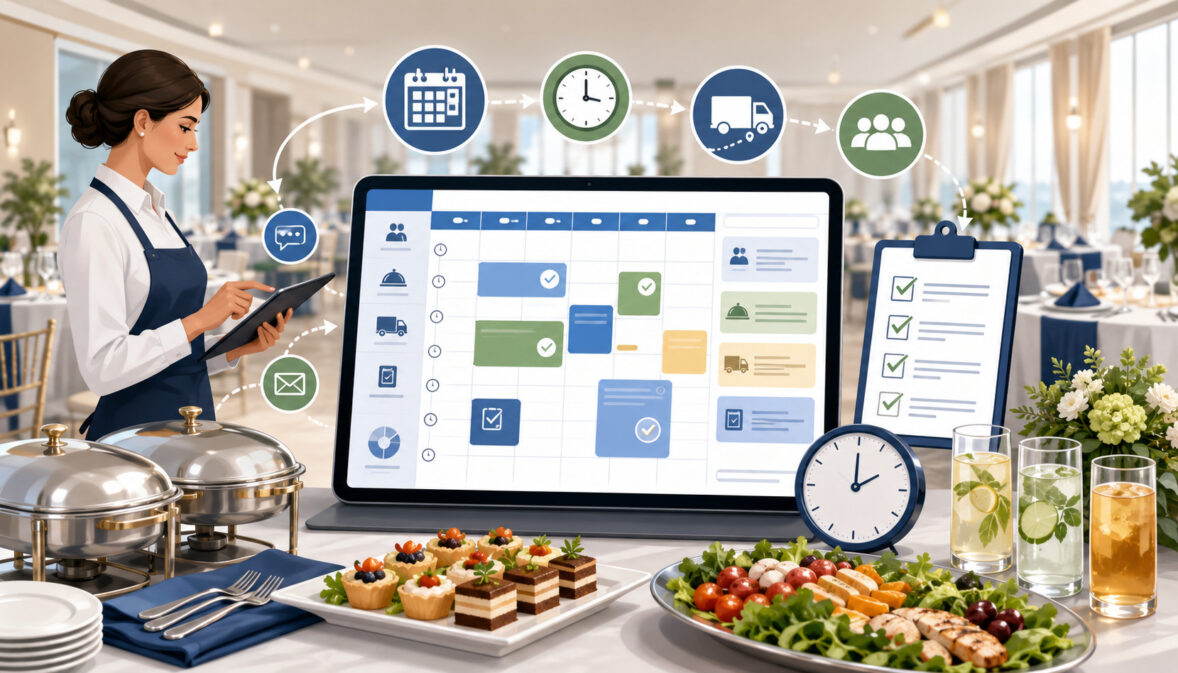
Catering event scheduling is much more than placing a customer’s event on a calendar. Every booking creates a chain of deadlines involving proposals, menu decisions, guest counts, purchasing, kitchen production, staffing, packing, delivery, setup, service, pickup, invoicing, and follow-up.
When those steps are not scheduled clearly, small oversights can quickly become late deliveries, missing equipment, rushed preparation, or confused customers.
A strong scheduling process gives each department the information it needs at the right time. Sales teams can follow up on inquiries, kitchen managers can plan production, service managers can assign the right people, and delivery coordinators can build realistic routes.
Owners and operations managers also gain a clearer view of capacity before accepting additional work.
This guide explains the best practices for catering event scheduling from the first inquiry through the post-event review. It covers simple manual workflows as well as catering scheduling software, cloud access, conflict checks, production planning, staff assignments, delivery buffers, and event-specific checklists.
The goal is to help catering teams create a repeatable process that keeps events organized without making scheduling unnecessarily complicated.
What Is Catering Event Scheduling?
Catering event scheduling is the process of organizing every date, deadline, resource, and responsibility connected to a catering order. The event date and service time are only the final points on a much longer timeline.
Before service begins, teams may need to prepare a quote, receive approval, collect a deposit, confirm the menu, finalize the guest count, purchase ingredients, assign staff, reserve equipment, prepare food, pack the order, travel to the venue, and complete setup.
Effective event scheduling for catering connects those activities to one event record. It also shows which tasks are still pending, who owns each task, and what must happen next. This shared structure reduces reliance on memory, scattered messages, or separate personal calendars.
What Catering Event Scheduling Includes
A catering booking schedule starts with catering order scheduling when an inquiry arrives. Early tasks may include a response deadline, customer call, proposal date, and temporary hold. As the booking develops, the schedule expands to proposal revisions, deposit milestones, menu selections, guest count cutoffs, venue walkthroughs, and final instructions.
Operational deadlines belong in the same event record. These may cover purchasing, rental reservations, prep, batch production, packing, vehicle loading, driver departure, staff arrival, setup, service, cleanup, equipment return, invoicing, and post-event notes.
A simple drop-off order may need only confirmation, preparation, packing, and delivery tasks. A full-service event may require weeks of coordinated work. The purpose is not to create extra administration, but to make required work visible early enough for the team to complete it accurately.
Why Catering Scheduling Is Different From Restaurant Scheduling
Restaurant scheduling often focuses on predictable operating hours, recurring shifts, standard menus, and work performed at one location. Catering involves future-dated projects that may each have a different venue, menu, guest count, service style, staffing plan, equipment list, delivery route, and approval process.
Details also change as the event approaches. A revised guest count, venue access time, menu, or rental window can affect purchasing, production, labor, transportation, and pricing together.
Catering teams therefore need more than a list of dates. They need a catering event planning schedule that connects each booking to its deadlines and resources. Tentative, confirmed, completed, and canceled events should be easy to distinguish so staff do not treat an inquiry as guaranteed work or reserve resources indefinitely.
Why Catering Event Scheduling Matters
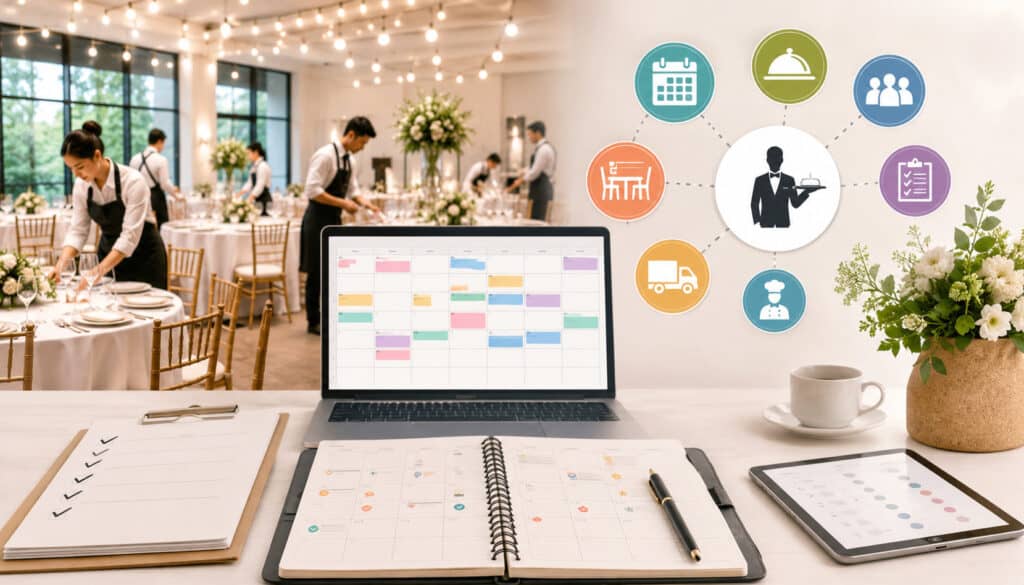
Good catering schedule management improves visibility across the entire operation. It helps the sales team understand available dates, gives the kitchen enough time to prepare, allows managers to assign staff intelligently, and gives drivers realistic delivery windows. It also helps customers understand when decisions and payments are due.
The value becomes especially clear when several events overlap. A calendar may show that three events occur on the same afternoon, but a stronger schedule reveals whether they also require the same oven space, vehicle, event captain, rental inventory, or setup crew. Capacity is based on resources, not just open time on a calendar.
Better Customer Experience and Communication
Customers feel more confident when the planning process is organized. They should know when the proposal will arrive, how long a date can be held, when the deposit is due, and when menu and guest count decisions must be finalized. They also need clear confirmation of the venue, delivery window, setup responsibilities, service time, pickup arrangements, and primary contact.
Scheduled reminders prevent the team from waiting until the last moment for important answers. Written communication creates a dependable reference when details change, reducing reliance on someone’s memory of a call.
This structure does not replace personal service. It supports better service by making conversations more accurate, timely, consistent, easier to follow, and much less likely to cause avoidable operational misunderstandings.
Better Team Coordination and Operational Control
A well-managed catering event calendar aligns sales, kitchen, purchasing, service, delivery, and management around the same event timeline. Each team can see the information relevant to its work and understand how its deadline affects the next department.
For example, purchasing and production depend on an approved menu and reliable guest count, while delivery planning depends on packing completion, venue access, and setup requirements.
Written milestones and regular reviews are practical foundations of business planning. Official guidance on everyday planning milestones emphasizes documenting deadlines and responsibilities, while lean planning guidance supports frequent review and adjustment. Applied to catering, these habits turn a booking list into an active operating schedule.
Catering Event Scheduling at a Glance
A catering schedule should follow the event from the first customer contact to the final review. The following table shows the major scheduling areas and the purpose of each one.
| Scheduling Area | What to Schedule | Why It Matters | Best Practice |
| Inquiry follow-up | Calls, emails, discovery meetings, quote deadlines | Prevents promising leads from being overlooked | Create the next follow-up task immediately |
| Proposal review | Quote approval, revisions, expiration date | Keeps the sales process moving | Track the current version and approval status |
| Deposit milestone | Deposit request and due date | Clarifies booking status | Do not mark the event confirmed until the required step is complete |
| Menu finalization | Final menu and service style | Supports purchasing and production | Set a written cutoff date |
| Guest count deadline | Final headcount and special notes | Guides quantities, staffing, and equipment | Confirm the accepted count in writing |
| Kitchen production | Prep lists, batch work, cooking, holding, packing | Reduces production confusion | Work backward from load-out time |
| Staffing | Kitchen, setup, service, delivery, cleanup | Supports reliable execution | Match roles and arrival times to event needs |
| Delivery and setup | Route, departure, access, unloading, setup | Prevents late arrivals | Add practical buffer time |
| Equipment | Rentals, serving pieces, disposables, return dates | Avoids missing or double-assigned items | Use an event-specific packing list |
| Post-event work | Pickup, invoice, thank-you, notes, review | Completes the event record | Close tasks promptly after service |
How to Use the Scheduling Table
Treat each row as a stage in the event workflow. When a new inquiry is created, schedule the next sales action. When the proposal is approved, update the status and create the deposit and confirmation tasks. Once the booking is firm, add menu, guest count, purchasing, production, staffing, delivery, and equipment deadlines.
Teams can turn the table into a reusable event template. A drop-off template may contain fewer tasks, while a full-service template may include walkthroughs, rental coordination, staffing confirmations, setup diagrams, service briefings, cleanup, and pickup. Templates save time, but they should remain editable because events rarely follow an identical path.
Managers should also use the table during schedule reviews. Instead of asking only, “What events are coming up?” ask whether each scheduling area is ready. This makes missing details easier to identify before they affect production or service.
Why Scheduling Needs Differ by Catering Type
Drop-off catering depends heavily on order cutoffs, packaging, route planning, delivery windows, and customer availability. Full-service catering adds staff arrival, setup, service flow, cleanup, equipment, and venue coordination. Corporate catering may involve recurring orders, restricted office access, firm meeting times, and frequent headcount updates.
Wedding and large-event scheduling usually requires longer lead times, multiple approval points, rentals, tastings, vendor coordination, and detailed event-day timelines. Commissary and multi-location operations must coordinate central production, transfers, receiving teams, shared vehicles, and capacity across sites.
The scheduling framework should therefore be consistent, but the tasks inside it should reflect the actual service model.
A useful guide to online catering scheduling explains how shared calendars, availability rules, and conflict checks can connect operational work to each event. The practical lesson is to standardize the process without forcing every event into the same checklist.
Build a Strong Booking and Calendar Foundation
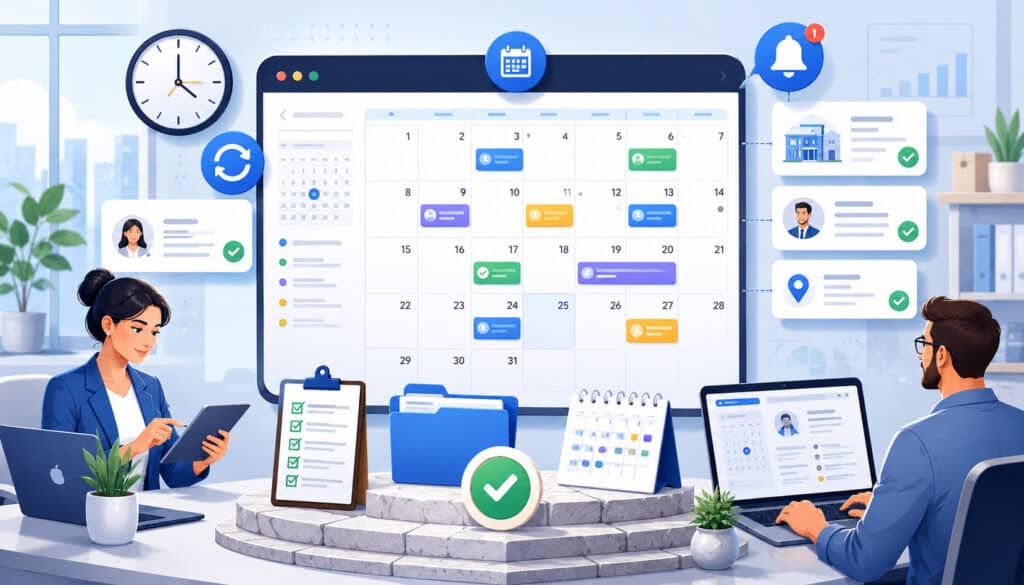
Reliable catering event scheduling starts before an event is sold. The inquiry stage establishes the information, response times, and capacity checks that determine whether the team can fulfill the request. Once the customer is ready to proceed, a central calendar and written confirmation become the foundation for every later task.
Start Scheduling at the Inquiry Stage
Capture the event date, requested time, venue address, estimated guest count, service style, menu interests, delivery or staffing needs, budget range, and decision timeline as soon as possible. These details help the team decide whether the request fits its capacity and whether additional questions are needed before a proposal can be prepared.
Create a follow-up deadline during the same conversation. Do not record an inquiry without recording the next action. The next step might be a discovery call, a proposal draft, a venue question, or a reminder to check whether the customer has made a decision.
Before offering a firm commitment, review the catering event calendar for more than date availability. Check kitchen load, staffing, vehicles, equipment, and nearby delivery windows. A date may appear open while critical resources are already assigned elsewhere.
Use One Central Catering Event Calendar
A central calendar should show every inquiry, hold, confirmed booking, production deadline, delivery window, customer meeting, staffing requirement, and important payment milestone. Teams may use separate views for sales, kitchen, delivery, or staffing, but those views should come from the same event information.
Separate spreadsheets, paper diaries, personal calendars, emails, and messages create version conflicts. One person may update a guest count while the kitchen continues using an older file.
Centralization does not mean every employee can edit every field. Permissions can control approvals, menu changes, staff assignments, and payment updates.
The goal is one dependable source of current information that the entire operation recognizes. This article on catering calendar management provides additional guidance on centralized bookings and logistics.
Confirm Details in Writing and Set Cutoff Dates
Before treating an event as fully confirmed, document the date, start time, service time, venue address, guest count, menu, service style, delivery instructions, setup responsibilities, customer contact, payment milestones, and important deadlines. The customer and internal team should be working from the same approved information.
Set clear cutoff dates for menu changes, final guest counts, rentals, staffing changes, delivery revisions, and other decisions that affect operations. A cutoff should provide enough time for purchasing, prep, schedule adjustments, and customer review. It should not be chosen arbitrarily or copied from another business without considering actual lead times.
When a customer requests a change after a cutoff, document the request, review whether it is operationally realistic, and communicate the approved result to every affected team. Avoid silently updating one document while other schedules remain unchanged.
Plan Lead Times, Kitchen Production, and Purchasing
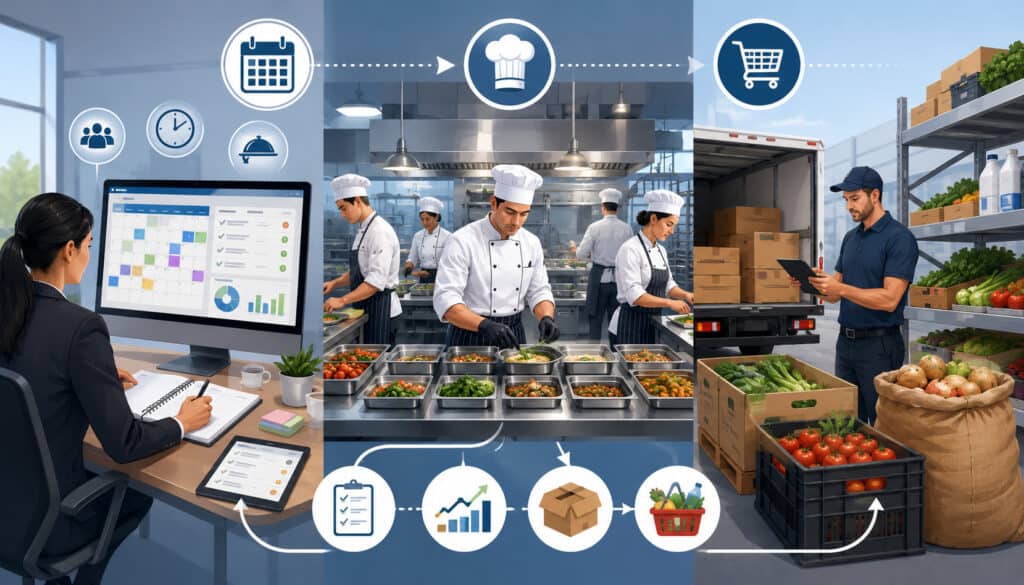
The event date sets the service point, while catering kitchen scheduling determines whether production can finish reliably. Teams should work backward from the required arrival or service time, allowing time for packing, loading, travel, unloading, setup, final finishing, and unexpected delays.
Build Realistic Lead Times
Lead time includes more than cooking. It may include proposal development, customer revisions, deposit processing, menu approval, ingredient ordering, rental reservations, staff confirmation, prep, packaging, route planning, and setup. Each step needs enough time to be completed without forcing the next team into an emergency.
For short-notice orders, use a capacity checklist rather than an automatic yes or no. Consider menu complexity, available inventory, kitchen workload, staffing, packaging, vehicle capacity, and delivery distance. A limited menu or pickup option may be realistic when a customized full-service event is not.
Large or complex events need longer planning windows because they create more dependencies. A delay in finalizing a menu can affect ordering, staffing, rentals, production, and pricing. Build customer approval time into the plan rather than assuming decisions will arrive immediately.
Schedule Kitchen Production Early
Create a catering production schedule once the menu and estimated count are stable enough for planning. Production sheets should show the item, quantity, batch size, assigned station, preparation date, completion deadline, holding or finishing instructions, and destination.
Work backward from load-out. Packing must finish before the vehicle departs, and hot and cold items may require different completion times. Some recipes can be prepared in advance, while others must be finished close to service.
Restaurant catering teams should place catering work alongside regular kitchen demand. Commissary kitchens should compare requirements across all events and locations. Total labor may appear sufficient while one oven, prep table, or packing area remains a bottleneck.
Coordinate Inventory and Purchasing With the Schedule
Menu selections and guest counts should drive purchasing dates and quantities. Review stock on hand, vendor lead times, delivery days, storage capacity, substitutions, packaging needs, beverages, disposables, rentals, and specialty ingredients before finalizing purchase deadlines.
Event-based purchasing helps teams avoid both shortages and unnecessary over-ordering. It also makes upcoming demand visible. If several events use the same ingredient or packaging item, purchasing can consolidate needs while keeping quantities assigned to each event.
Schedule inventory checks before the final ordering deadline. This gives the team time to address discrepancies without emergency purchases. Rental items should be scheduled in the same way, including reservation, delivery, event use, pickup, and return. Equipment availability must be checked before the event is confirmed when the item is essential to service.
Coordinate Staffing, Delivery, Setup, and Equipment
A catering order is not ready simply because the food is prepared. The correct people, vehicles, equipment, packing materials, access details, and setup time must also be scheduled. These resources frequently create conflicts when multiple events occur close together.
Match Staff Roles to Event Complexity
Catering staff scheduling should begin with the work required, not with a fixed staff-to-guest ratio. Consider the menu, service style, venue layout, setup requirements, guest count, service duration, travel distance, stairs or elevators, equipment, cleanup, and customer expectations.
List the roles needed for each event, such as kitchen lead, prep cook, packer, driver, setup crew, event captain, server, beverage service, utility support, and cleanup. Assign arrival times and responsibilities rather than giving everyone the same shift.
Confirm availability before publishing the final schedule and provide event details early enough for staff to prepare. A useful guide to scheduling staff and resources shows how role assignments, availability, and resource allocation can be connected to event records.
Avoid understaffing, but also avoid assigning more people than the work requires. Review past event notes to improve future staffing estimates.
Schedule Delivery and Setup With Buffer Time
A catering delivery schedule should include packing completion, loading, departure, travel, parking, building access, unloading, setup, customer handoff, and driver return. Route planning should consider the time of day, expected traffic, loading restrictions, elevators, security desks, gates, stairs, and distance from the vehicle to the setup area.
Do not treat the requested delivery time as the departure time. Work backward from the customer’s required readiness point. If lunch begins at noon, the order may need to arrive considerably earlier for unloading and setup.
Buffer time should be realistic rather than excessive. Review actual travel and setup history to improve estimates. When several deliveries share a route, confirm that one delay will not make every later stop late. Assign a reachable customer contact and record venue notes where the driver can see them.
Use Event-Specific Packing and Equipment Schedules
Create a packing list for each event. Include food containers, labels, serving utensils, chafers, trays, linens, beverage items, signage, disposables, condiments, cleanup supplies, paperwork, and customer-specific items. Generic templates are useful, but every list should be checked against the actual menu and service plan.
Assign a packing owner and verification step. Label items by event when several orders leave close together.
Reusable equipment and rentals also need pickup or return times. Without a return task, an item may remain at a venue and be unavailable for the next booking. Shared vehicles, hot boxes, beverage dispensers, and specialty serving pieces should be treated as scheduled resources.
Prevent Conflicts and Create Complete Event Timelines
The best time to solve a scheduling conflict is before the booking is confirmed. A conflict may involve dates, but it can also involve kitchen capacity, staff, vehicles, equipment, loading space, or overlapping setup windows.
Check Capacity Before Confirming Events
Build a pre-booking capacity check that covers the resources most likely to limit the operation. Review kitchen production volume, menu complexity, staff availability, vehicle capacity, delivery routes, equipment, packing space, and management oversight.
Capacity should account for timing. Two events may be manageable if their production and delivery windows are separated, but difficult if both require final cooking, packing, and loading at the same hour. Likewise, several small deliveries may create more route pressure than one large local event.
Set practical limits where helpful, such as maximum events per time block, maximum delivery distance during peak periods, minimum lead times, or limits on specific menu items. These rules should guide decisions, not replace experienced judgment. Review them as the business gains better information about actual performance.
Use Conflict Alerts and Review Routines
Manual calendars can work at low volume when they are maintained consistently. As volume grows, catering scheduling software can flag overlapping events, double-assigned staff, unavailable equipment, or unrealistic delivery windows. Alerts are most useful when resource information is current.
Technology does not remove the need for review. Hold a weekly schedule meeting that covers upcoming events, new inquiries, tentative holds, unresolved approvals, final counts, production deadlines, staffing gaps, rentals, delivery routes, and payment status. Run a shorter daily readiness check for events approaching fulfillment.
Teams trying to avoid scheduling conflicts in catering should also review changes, not just new bookings. A guest count increase or venue change may create a conflict even when the original order fit comfortably.
Make the review routine consistent so employees know when conflicts must be raised and resolved.
Build Timelines for Drop-Off and Full-Service Events
A drop-off timeline may include confirmation, menu cutoff, final count, purchasing, preparation, packing, loading, driver departure, arrival, customer handoff, and follow-up. The schedule should show the customer’s requested delivery window as well as the internal deadlines needed to meet it.
Catering service scheduling includes walkthroughs, rentals, staffing, briefings, load-in, setup, guest arrival, beverage service, meal service, clearing, breakdown, cleanup, equipment return, and post-event review. The event captain should have a clear event-day version of the timeline.
Create templates for common event types, then adjust them for actual circumstances. Catering timeline planning is most reliable when each task has a deadline, owner, status, and dependency. When one task changes, review every later task that relies on it and confirm the revised sequence.
Use Software, Cloud Access, and Booking Milestones Wisely
Catering event management software can centralize event calendars, customer records, deadlines, production tasks, staff assignments, delivery notes, reminders, payment milestones, and reports. The purpose is not simply to replace paper. It is to connect information that teams otherwise maintain in separate places.
Know When Spreadsheets Become Too Risky
Spreadsheets may support a small number of straightforward events, especially when one person controls the schedule. Risk increases when several employees make updates, multiple event types are handled, or the same information is copied into sales, production, staffing, and delivery files.
Warning signs include frequent version confusion, missed updates, duplicated data entry, double-booked resources, unclear ownership, and difficulty seeing what changed. When managers spend more time reconciling schedules than reviewing readiness, a more connected system may be appropriate.
A useful overview of event catering software features describes functions such as centralized event details, staff scheduling, production support, customer communication, and mobile access. Teams should evaluate those functions against their real workflow rather than choosing software solely by feature count.
Use Mobile and Cloud Access With Clear Permissions
Cloud catering software can give authorized managers, sales staff, kitchen teams, drivers, and event captains access to current event information from different locations. Mobile access is particularly useful for addresses, contact details, timing, setup notes, assigned tasks, and approved changes.
Access should be role-based. A driver may need delivery instructions without needing permission to edit pricing. Kitchen staff may need menu and quantity details without access to unrelated customer information. Managers may need broader visibility for schedule review and conflict resolution.
Create a clear process for mobile updates. Staff should know which changes they may record, which require approval, and how urgent updates are communicated. Remote access is valuable only when the information is current and employees trust the system as the official source.
Track Payment and Booking Milestones
Scheduling and booking status should be connected. Distinguish between an inquiry, a quoted event, a tentative hold, an approved proposal, a pending deposit, a booked event, a fully confirmed event, a completed event, and a canceled event.
Schedule proposal expiration dates, deposit due dates, balance reminders, and approval deadlines alongside operational tasks. This helps the team avoid preparing for an event that has not completed the required booking steps or overlooking a confirmed event with an unresolved balance.
Payment tracking should remain general operational guidance rather than financial, accounting, tax, or legal advice. Specific terms, documentation, and handling practices should be reviewed with qualified professionals familiar with the business and its location.
Review Schedules and Manage Last-Minute Changes
Catering schedules are living operational plans. They should be reviewed regularly and updated through a controlled process. A schedule that was accurate when the order was booked may become unreliable after guest count, venue, menu, timing, or staffing changes.
Hold Weekly and Daily Readiness Reviews
A weekly catering schedule meeting should bring together the people responsible for sales, kitchen, operations, delivery, service, and payment tracking. Review events far enough ahead to solve problems rather than merely report them.
For each event, confirm booking status, menu approval, guest count, purchasing, production plan, rentals, staffing, vehicle, delivery window, setup, venue contact, customer communication, and unresolved changes. Review tentative events that may affect capacity and release expired holds.
A daily readiness check should focus on near-term execution. Confirm production progress, packing lists, driver assignments, route details, access notes, staff arrival times, weather-related operational concerns where relevant, and customer contacts. Document decisions and assign follow-up tasks before the meeting ends.
Use a standard agenda so the meeting remains focused and no critical scheduling area is skipped.
Create a Clear Change Request Process
Customers may request guest count updates, menu changes, venue changes, revised delivery times, added rentals, or different service arrangements. Staff call-outs, equipment issues, traffic, or supplier changes may also affect the plan.
Require changes to be documented, reviewed for feasibility, approved by the appropriate person, and communicated to every affected team. Update the central event record rather than sending a message that never reaches the production or delivery schedule.
Maintain a visible change history when possible. This helps teams understand which version is current and why quantities, timing, or responsibilities changed.
For broader operational interruptions, official business continuity planning guidance can help organizations think through communication and recovery procedures. Seek appropriate professional guidance for specific employment, food safety, privacy, legal, tax, accounting, payroll, or compliance questions.
Adapt Scheduling to Different Catering Models
The same scheduling principles apply across catering types, but each model has different pressure points. Templates should reflect these differences so staff see the tasks that matter for the service being delivered.
Drop-Off and Corporate Catering
Drop-off catering depends on reliable order cutoffs, packaging, production completion, route planning, customer availability, and delivery windows. Confirm whether the order is delivered to a reception desk, loading area, office suite, residence, venue kitchen, or event room. Record parking, elevator, gate, and contact details.
When several drop-offs occur on the same day, group them by geography and readiness time without creating unrealistic routes. The earliest delivery is not always the first order to load because packaging, temperature control, and unloading sequence may affect vehicle organization.
Corporate catering may include recurring orders, but each occurrence still needs confirmation. Headcounts, meeting rooms, dietary notes, building access, invoice references, and delivery times can change. Use recurring templates to reduce setup work while keeping each order editable.
Full-Service, Wedding, and Large Events
Full-service events require a detailed service timeline. Schedule staff arrival, loading, venue access, setup, briefing, guest arrival, meal periods, clearing, breakdown, cleanup, pickup, and return. Assign an event captain who can coordinate the team and communicate with the customer or planner.
Wedding and large-event schedules often include tastings, walkthroughs, final counts, rentals, floor plans, vendor coordination, speeches, entertainment, venue restrictions, and cleanup deadlines. These events need longer lead times and more approval checkpoints.
Coordinate with other vendors when timing overlaps. Catering setup may depend on tables, linens, power access, room turnover, entertainment sound checks, or venue access. Keep the catering schedule focused on the team’s responsibilities while recording external dependencies that could affect execution.
Record external dependencies clearly and confirm them again as the event approaches.
Commissary and Multi-Location Catering
Commissary operations must schedule central production for several events or locations. Group batch work where practical, but keep quantities and destinations clearly separated. Production sheets should show which location receives each item, when the item must be complete, and who confirms the transfer.
Transfer timing should include packing, loading, travel, receiving availability, storage, and any final preparation at the destination. Shared vehicles and equipment should be reserved in the schedule before production commitments are finalized.
Multi-location managers also need visibility into local capacity. A central kitchen may complete the food on time while a receiving location lacks enough staff or setup time. Schedule both sides of the handoff and require confirmation when the transfer is received.
Use receiving confirmations so the central team knows each handoff was completed.
Pop-Ups and Temporary Events
Temporary events may involve unfamiliar venues, limited utilities, restricted storage, shared loading areas, and tight setup windows. Build additional time for site verification, equipment checks, permits or venue requirements where applicable, and contingency planning.
Confirm power, water, refrigeration, cooking limitations, waste handling, parking, weather exposure, and breakdown deadlines as operational considerations. Do not assume a temporary venue has the same infrastructure as a permanent event space.
Create a compact event-day checklist that staff can access easily. Include arrival instructions, site contact, setup layout, service start, restocking plan, cashless or order procedures where relevant, closing time, cleanup, load-out, and equipment count.
Seek qualified professional advice for any event-specific food safety, employment, legal, privacy, or compliance requirements. Assign one person to verify the site plan before the team departs.
Common Catering Scheduling Mistakes and Checklist
Many scheduling problems come from incomplete information rather than lack of effort. Common mistakes include accepting events without checking resources, using several conflicting calendars, failing to confirm details in writing, overlooking travel and setup time, missing guest count updates, and leaving responsibilities unassigned.
Mistakes to Avoid
Do not overbook the kitchen simply because the event calendar has open space. Production capacity depends on menu complexity, equipment, labor, storage, packing, and timing. Do not schedule drivers based only on travel time; include loading, parking, unloading, access, setup, and customer handoff.
Avoid keeping different versions of the same event in email, spreadsheets, and messages. Do not assume that a verbal change has reached every team. Do not leave tentative events on the calendar without expiration dates, and do not mark bookings confirmed before required approval milestones are complete.
Another common mistake is failing to review completed events. Without post-event notes, the team loses useful information about actual prep hours, staffing, route timing, setup challenges, missing equipment, and customer preferences.
Catering Event Scheduling Checklist
Use this checklist for every event, adjusting it to the service type and complexity.
| Checklist Area | What to Confirm | Why It Matters | Priority |
| Event details | Date, time, address, contact, guest count | Prevents basic misunderstandings | High |
| Booking status | Proposal, approval, deposit milestone | Confirms commitment level | High |
| Menu deadline | Final selections and approved notes | Supports purchasing and prep | High |
| Guest count deadline | Final headcount and accepted changes | Guides quantities and staffing | High |
| Production schedule | Prep lists, batches, completion times | Helps the kitchen sequence work | High |
| Staff schedule | Roles, arrival times, responsibilities | Supports execution | High |
| Delivery schedule | Route, departure, access, setup window | Reduces delays | High |
| Equipment list | Rentals, serving items, packing, returns | Prevents missing resources | Medium/High |
| Customer communication | Reminders, confirmation, delivery notice | Keeps expectations aligned | High |
| Post-event tasks | Pickup, invoice, thank-you, notes | Completes the workflow | Medium |
Keep event orders, approved menus, confirmations, production sheets, staff schedules, delivery notes, packing lists, payment records, changes, and post-event notes together. Organized records make reviews faster and improve future estimates.
Create a Repeatable Workflow and Choose the Right Tools
The most effective catering operations scheduling process is repeatable. Every inquiry should enter the same basic workflow, every confirmed event should receive the correct template, and every team should understand which information it owns.
Create Schedule Ownership Across the Team
Define the handoffs between sales, kitchen, purchasing, staffing, delivery, service, and administration. Sales may own inquiry details and customer approvals. Kitchen leadership may own production timing. Operations may own staffing, vehicles, equipment, and venue logistics. The exact assignments can vary, but ownership should be explicit.
Train employees on where updates belong, which changes require approval, and how urgent information is escalated. New staff should learn the workflow before being expected to maintain it. Periodically audit event records to confirm that the process is being followed.
A repeatable system should still allow judgment. Complex events may need additional steps, while simple orders may not need every task. The workflow is a dependable baseline, not a reason to create unnecessary work.
Review ownership whenever roles, locations, or operating procedures change.
How to Choose Catering Scheduling Software
Evaluate software by running real event scenarios through it. Can the team capture an inquiry, hold a date, prepare a proposal, track approval, record a deposit milestone, finalize a guest count, create production tasks, assign staff, reserve equipment, schedule delivery, send reminders, and close the event without duplicating information?
Review calendar views, catering task scheduling, customer records, production schedules, delivery windows, staff assignments, mobile access, cloud access, reports, permissions, integrations, training, support, and total cost. Ask how the system handles changes, recurring orders, multi-location operations, conflict alerts, event templates, and data export.
Choose workflow fit over the longest feature list. The best system is one employees can use consistently and managers can trust. Before committing, test it with a drop-off order, a full-service event, a last-minute change, a double-booking risk, and a weekly schedule review.
Frequently Asked Questions
What is catering event scheduling?
Catering event scheduling organizes the dates, deadlines, tasks, people, equipment, and communication required for an event.
It starts with the inquiry and continues through booking, menu approval, production, staffing, delivery, service, pickup, invoicing, and follow-up. A complete schedule connects those activities to one event record.
How do you schedule catering events efficiently?
Collect inquiry details, check capacity, use one central calendar, and create deadlines for approvals, guest counts, production, staffing, delivery, and equipment. Work backward from service time, assign each task to an owner, use templates, and review upcoming events regularly.
How can businesses avoid scheduling conflicts in catering?
Check kitchen capacity, staff, vehicles, equipment, loading space, routes, and setup crews before confirming a booking. Use expiring temporary holds, clear event statuses, conflict alerts where available, and weekly reviews. Recheck capacity whenever an important detail changes.
What should be included in a catering event calendar?
Include the date, times, address, contact, guest count, service type, booking status, delivery or setup window, and service time. Also include proposal, deposit, menu, guest count, purchasing, production, staffing, equipment, communication, and payment deadlines linked to the full event record.
How does catering scheduling software help?
Software can centralize calendars, event records, reminders, production tasks, staff assignments, delivery notes, payment milestones, and reports. It reduces duplicate data entry and gives authorized users current information. Some systems also support templates, mobile access, availability rules, and conflict alerts.
Why are guest count deadlines important?
The final guest count affects purchasing, quantities, preparation, staffing, equipment, packaging, and service planning. A deadline gives the team time to adjust connected schedules. Confirm the accepted count in writing and review any late change before approving it.
What scheduling mistakes should catering businesses avoid?
Avoid conflicting calendars, verbal-only changes, unclear booking statuses, unassigned tasks, missing capacity checks, and schedules that ignore packing, travel, setup, or returns. Teams should also release expired holds and review completed events for future improvements.
How should a business choose catering scheduling software?
Document the workflow, then test software with realistic booking, production, staffing, delivery, change, and review scenarios. Compare usability, permissions, mobile access, integrations, reporting, training, support, cost, and data portability. Select a system employees can use consistently.
Conclusion
Best practices for catering event scheduling create a clear path from inquiry to completion. A reliable process begins with complete information, a capacity check, one central catering event calendar, written confirmations, realistic cutoff dates, and clearly defined booking statuses.
From there, teams should connect each event to a catering production schedule, purchasing deadlines, staff assignments, delivery buffers, setup notes, equipment lists, customer reminders, payment milestones, and post-event tasks. Weekly schedule meetings and daily readiness checks help identify missing details while there is still time to act.
The most effective schedule is not the most complicated one. It is the schedule employees use consistently, customers understand, and managers can trust.
Standard templates, task ownership, current records, and appropriate catering scheduling software can help teams schedule catering events efficiently while reducing double-bookings, rushed preparation, missed handoffs, and avoidable last-minute stress.
Strong scheduling also creates useful operating history. Actual preparation times, route durations, staffing levels, equipment needs, and post-event notes can improve future estimates. Over time, those records help managers make more informed capacity decisions, refine event templates, and recognize recurring bottlenecks before they disrupt service.
Every business should adapt these practices to its menu, staffing model, event volume, service types, and local requirements. For specific legal, tax, accounting, payroll, employment, food safety, privacy, or compliance questions, obtain guidance from qualified professionals.