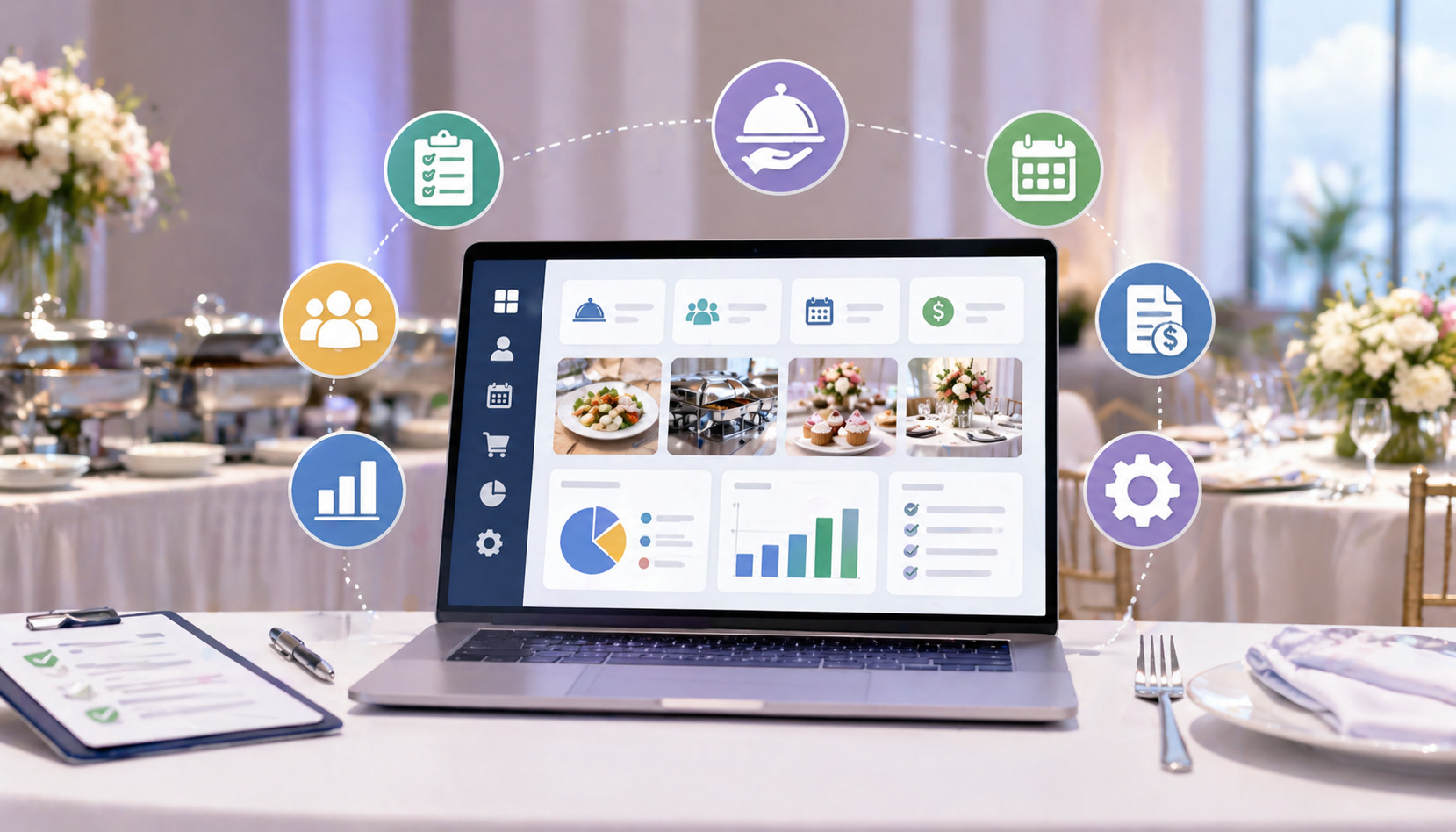
Choosing the right Features in Event Catering Software can change how a catering business handles leads, menus, staffing, deposits, production, delivery, and client communication. Catering is deadline-driven work. A missed detail can affect food cost, staff timing, client trust, and profit.
Event catering software helps bring those moving parts into one connected system. Instead of relying on spreadsheets, sticky notes, email threads, and separate payment tools, teams can manage bookings, proposals, invoices, menus, schedules, inventory, and reports from a central workspace.
For caterers, event planners, restaurant operators, venue managers, and small business owners, the goal is not simply to “go digital.” The goal is to reduce errors, save time, protect margins, and create a smoother client experience from first inquiry to final payment.
What Event Catering Software Is and Why It Matters
Event catering software is a business management platform designed to help catering and event teams organize the full event lifecycle. That lifecycle often starts with an inquiry, moves through quoting and menu planning, continues into contracts, deposits, staffing, production, delivery, service, invoicing, and ends with reporting or follow-up.
A strong event catering management system acts as the operational hub for the business. It keeps event details, client preferences, menu selections, pricing, documents, payment status, staffing assignments, and production notes in one place.
This matters because catering teams work under pressure, often across multiple events, locations, menus, and service styles.
Without the right system, important details can get scattered. One person may have the latest guest count in an email. Another may update a spreadsheet. A manager may have a staffing change in a text message. The kitchen may be working from an older version of the order.
That creates risk. It can lead to incorrect portions, missed rentals, under-scheduled staff, billing delays, and awkward client conversations. Good catering management software features reduce those risks by creating a shared source of information.
The best catering software for events also supports growth. A small caterer may start with simple booking and invoicing needs, but as volume grows, the business may need better scheduling, reporting, menu costing, and customer relationship management.
Useful event catering software features should help teams:
- Capture and track leads
- Build accurate proposals
- Customize menus and packages
- Collect deposits
- Schedule staff and resources
- Track inventory and equipment
- Generate invoices
- Monitor profitability
- Communicate clearly with clients
- Access event details from mobile devices
Pro Tip: Do not evaluate software only by the number of features listed on a sales page. Focus on whether those features match the way your team actually books, prepares, serves, and bills events.
Core Features Every Catering Business Should Look For
The most important Features in Event Catering Software are the ones that remove daily friction. A system should make it easier to sell events, plan menus, manage changes, coordinate people, collect money, and measure results. It should not force your team into a workflow that creates more steps than it removes.
Start by looking for tools that connect the front office, kitchen, operations team, and finance process. A catering booking software platform that captures inquiries but does not connect to proposals, deposits, staffing, and invoices may still leave your team doing double entry.
Core catering management software features should include booking calendars, lead tracking, customer profiles, menu planning, quote building, proposals, contracts, e-signatures, invoices, payment collection, staff schedules, production reports, task lists, inventory tracking, and reporting.
The system should also be flexible. Catering businesses rarely operate in one fixed format. One week may include corporate boxed lunches, a wedding buffet, a venue tasting, a nonprofit gala, and a drop-off breakfast.
Software should support different event types, pricing models, service charges, tax rules, delivery fees, deposits, and payment schedules.
A practical way to evaluate core functionality is to walk through a real event from start to finish. Enter a sample lead. Create a menu. Build a quote. Send a proposal. Add a deposit. Assign staff. Generate prep sheets. Make a change. Send the invoice. Run a profitability report.
If that workflow feels organized and natural, the system may be a strong fit. If it requires constant workarounds, your team may struggle after implementation.
| Feature Area | Why It Matters | What to Look For |
| Booking and calendar | Prevents double-booking and missed deadlines | Shared calendar, event status, reminders, conflict alerts |
| Menu planning | Keeps food, pricing, and portions organized | Custom menus, packages, modifiers, dietary notes |
| Proposals and contracts | Helps close events professionally | Branded proposals, e-signatures, terms, version tracking |
| Invoicing and payments | Improves cash flow | Deposits, partial payments, payment links, invoice status |
| CRM | Improves client relationships | Contact history, preferences, follow-ups, lead stages |
| Scheduling | Coordinates people and resources | Staff roles, task assignments, shift notes, availability |
| Inventory | Controls costs and waste | Ingredient tracking, equipment lists, low-stock alerts |
| Reporting | Shows what is profitable | Sales, margin, event performance, labor and food cost reports |
| Integrations | Reduces duplicate work | POS, accounting, email, payment, calendar connections |
| Security | Protects business and client data | Permissions, audit trails, secure payment handling |
Event Booking and Calendar Management
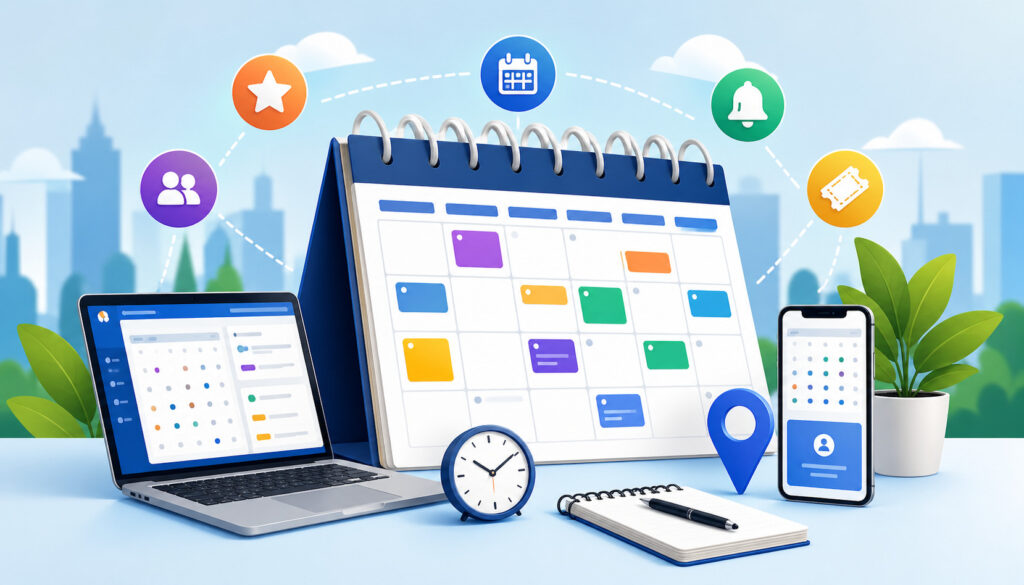
Event booking and calendar management are among the most important event catering software features because catering businesses sell time, capacity, people, kitchen space, vehicles, equipment, and service windows. A booking mistake can create operational stress before the first dish is prepared.
A good calendar should do more than show dates. It should show event type, status, location, guest count, assigned staff, delivery window, service time, kitchen prep deadlines, rental needs, and payment status.
Teams should be able to see what is confirmed, what is pending, what needs a deposit, and what is still only an inquiry.
For busy operators, calendar views should be flexible. Daily views help production teams. Weekly views help managers balance staff and kitchen capacity. Monthly views help owners forecast volume and revenue. Filters by event type, salesperson, venue, status, or location can make the system easier to use.
Event booking tools should also reduce conflicts. If two events need the same vehicle, chef, tent, or equipment set, the system should help flag that problem early. For venues, software should help prevent room conflicts, overlapping setup windows, and missed cleanup blocks.
A strong catering booking software platform also supports inquiry management. New leads should flow into the system with contact details, requested date, event type, estimated guest count, budget notes, and source.
From there, teams should be able to move the lead through stages such as new inquiry, quote sent, tasting scheduled, contract sent, deposit received, confirmed, completed, or lost.
For a deeper look at scheduling workflows, this guide on scheduling staff and resources with catering management software is a useful companion resource.
Booking Statuses, Holds, and Conflict Alerts
Event teams often need to hold dates before an event is fully confirmed. A strong event catering management system should support tentative holds, soft holds, confirmed bookings, waitlisted events, and canceled events. This helps sales teams protect opportunities without accidentally overcommitting the operation.
Conflict alerts are especially valuable when multiple people can book events. The software should warn users when a date, room, staff member, vehicle, or key resource is already committed. It should also make it easy to see whether the conflict is serious or manageable.
For example, two drop-off lunches may be possible on the same day if delivery windows are different. Two full-service weddings with overlapping setup times may not be possible with the same crew and equipment. The system should help managers make that decision with reliable information.
Calendar Views for Sales, Kitchen, and Operations
Different teams need different calendar information. Sales may care about proposal deadlines and follow-ups. The kitchen may care about prep dates, production quantities, and menu details. Operations may care about staffing, delivery, setup, service, and teardown.
Good catering scheduling tools allow calendar views to be customized by role. A salesperson should not have to scroll through kitchen prep notes to see which proposals need attention. A chef should not have to open each event manually to see production needs for the week.
Mobile calendar access is also important. Event managers in the field need to confirm timing, addresses, contacts, parking instructions, and setup notes without calling the office. When changes happen, everyone should see the update quickly.
Menu Planning, Pricing, and Package Customization
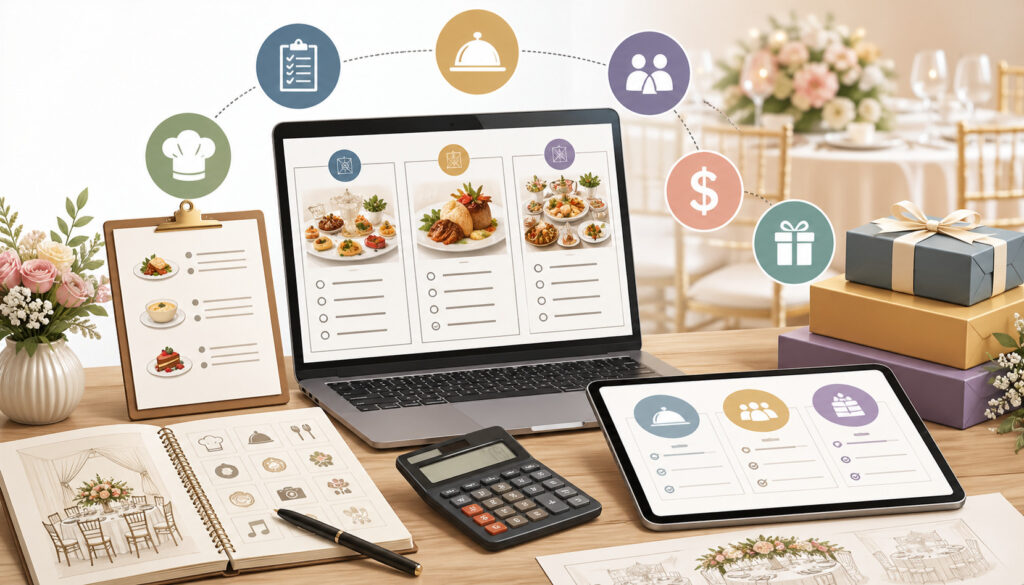
Event menu planning software is one of the most valuable parts of a catering platform because menus affect sales, production, inventory, staffing, and profitability. A menu is not just a list of dishes. It is a pricing engine, a production guide, a client-facing sales tool, and a cost-control document.
The software should let teams create standard menus, seasonal menus, custom menus, packages, add-ons, substitutions, dietary tags, and service styles.
It should also support different pricing models, such as per-person pricing, platter pricing, package pricing, itemized pricing, minimum spend, delivery fees, service charges, rentals, and labor fees.
For caterers, menu flexibility matters. A corporate lunch may need boxed meals with clear dietary labels. A wedding may need cocktail hour, buffet stations, plated entrées, late-night snacks, and bar service.
A venue may need banquet event orders with detailed service timing. A restaurant operator may need catering menus that connect to kitchen prep and POS data.
Strong event catering software features should also help calculate quantities. Guest count changes should update portions, prep sheets, ingredient needs, and pricing when appropriate. This reduces manual recalculation and helps prevent both shortage and waste.
Pricing tools should help protect margins. The system should show food cost, labor cost, rentals, delivery, tax, discounts, service charges, and expected profit. It should make low-margin events easier to spot before a proposal is approved.
Menu Templates and Reusable Packages
Reusable menu templates save time and improve consistency. A business may have standard breakfast packages, corporate lunch bundles, wedding buffet options, bar packages, holiday menus, and venue-specific packages. Instead of rebuilding each quote from scratch, staff can start with a template and customize it.
Templates also help protect brand quality. If every salesperson writes menu descriptions differently, proposals can feel inconsistent. A shared menu library keeps item names, descriptions, allergens, pricing, and portion assumptions aligned.
Customizable packages are equally important. Clients often want a base package with substitutions or add-ons. The software should make it easy to swap sides, upgrade proteins, add desserts, include rentals, or adjust service staff without rebuilding the entire proposal.
Costing, Portions, and Dietary Notes
Menu planning should connect to costing. Ingredient prices change, and small margin leaks can add up quickly. Software should allow teams to track recipes, portion sizes, ingredient quantities, and cost per serving.
Dietary notes should also be easy to manage. Clients may request vegetarian, vegan, gluten-free, dairy-free, nut-free, or allergy-sensitive options. The system should help capture those needs clearly, display them on proposals, and carry them into production notes.
This is especially useful for event teams managing large guest counts. A single missed dietary note can create a poor guest experience and damage client trust. Clear tracking helps both the sales team and kitchen team stay aligned.
Proposal, Contract, and Invoice Tools
Catering proposal software helps turn an inquiry into a professional, accurate, client-ready document. A strong proposal should include event details, menu selections, pricing, service charges, taxes, rental fees, staffing, payment terms, cancellation policies, and next steps.
The best systems allow teams to generate proposals directly from the event record. This reduces duplicate entry and helps ensure the proposal matches the internal order. If a guest count, menu item, or fee changes, the proposal should be easy to update while preserving version history.
Contracts and e-signatures are equally important. Catering events often involve deposits, deadlines, cancellation terms, guest count guarantees, service expectations, venue rules, and liability details. A built-in contract workflow helps make sure clients acknowledge key terms before the event is confirmed.
Catering invoicing software should connect the quote, contract, deposits, partial payments, final balance, refunds, and receipts. This is important for cash flow. Businesses should be able to see which clients have paid, which deposits are overdue, and which final balances need follow-up.
Helpful invoice features include automated payment reminders, payment links, multiple payment stages, tax handling, service charges, discounts, gratuity options, and invoice exports for accounting. For additional detail, this resource on catering billing and invoicing explains how software can simplify billing workflows.
Proposal Accuracy and Version Control
Event details change frequently. Guest counts go up. Menus shift. Service times move. Rentals are added. A strong proposal system should make these changes easy to manage without losing track of what was previously sent.
Version control matters because disputes often come from confusion. A client may remember an earlier menu. A salesperson may have updated pricing. A manager may approve a discount. The software should help teams see what changed, when it changed, and which version the client approved.
Proposal tools should also make internal review easier. Some businesses require manager approval for discounts, custom menus, high-value events, or low-margin orders. Approval workflows can protect profitability while keeping sales moving.
Contracts, E-Signatures, and Payment Milestones
Contracts should be connected to event status. Once a client signs and pays the required deposit, the event should move into a confirmed stage automatically or with a clear manager review step. This prevents events from being treated as confirmed before the business has proper authorization.
Payment milestones are especially important for larger events. The system should support deposits, scheduled payments, progress payments, final balance due dates, and post-event adjustments. Automated reminders can reduce awkward follow-up and improve cash flow.
E-signatures help speed up approvals, but the workflow should still be organized. Staff should be able to see whether a contract is drafted, sent, viewed, signed, declined, or expired. The contract should also remain attached to the event record for future reference.
CRM and Client Communication Features
A catering CRM helps manage relationships before, during, and after the event. It stores client profiles, contact information, event history, preferences, notes, communication records, lead sources, follow-up tasks, and sales stages.
This is valuable because catering is relationship-driven. A corporate client may book monthly lunches. A wedding planner may refer to multiple couples. A venue manager may repeatedly recommend preferred caterers. A family may book a graduation party, then a holiday event, then a milestone celebration.
A strong catering CRM should help teams remember important details. That may include preferred menu styles, allergies, billing contacts, tax-exempt status, delivery preferences, venue restrictions, favorite staff members, or past service issues.
Communication features should reduce scattered messages. Ideally, the system should keep emails, proposal activity, payment reminders, notes, and task history connected to the client and event. This gives anyone on the team enough context to help the client without asking repetitive questions.
Automated communication can also improve service. Examples include inquiry confirmations, proposal follow-ups, tasting reminders, deposit reminders, final guest count reminders, event week confirmations, payment receipts, and post-event thank-you messages.
However, automation should still feel thoughtful. The best systems allow personalization, templates, and manual review where needed.
Lead Tracking and Sales Pipeline Management
Lead tracking helps businesses understand where inquiries come from and how well they convert. Useful lead source options may include website forms, referrals, venues, social media, repeat clients, phone calls, email inquiries, and event marketplaces.
A sales pipeline view can show where each opportunity stands. For example, new inquiry, contacted, proposal in progress, proposal sent, follow-up needed, tasting scheduled, contract sent, deposit due, confirmed, lost, or completed.
This helps owners and sales managers forecast revenue. It also helps prevent leads from slipping through the cracks. If a high-value inquiry has not received a follow-up, the system should make that visible.
Client Portals and Communication History
Client portals can make the customer experience easier. A portal may allow clients to view proposals, approve menus, sign contracts, pay deposits, download invoices, upload documents, or confirm guest counts.
This reduces back-and-forth and gives clients a clear place to find information. It can also reduce errors because approvals and payments are connected directly to the event record.
Communication history is important for accountability. If a client calls with a question, staff should be able to see recent emails, notes, proposal activity, and payment status. This helps the business respond confidently and professionally.
Staff Scheduling and Task Management
Catering depends on the right people being in the right place at the right time. Staff scheduling and task management features help coordinate chefs, prep staff, drivers, servers, bartenders, captains, setup crews, dish teams, and managers.
Catering scheduling tools should support staff availability, roles, shift times, event assignments, location details, call times, uniform notes, task lists, and labor estimates. Managers should be able to see whether an event is fully staffed and whether any shift conflicts exist.
Task management is just as important. Each event may involve tastings, menu approvals, rental orders, final guest count deadlines, shopping lists, prep tasks, packing lists, delivery routes, venue access notes, setup diagrams, and post-event follow-up. A software system should turn those details into trackable tasks.
For small teams, this prevents mental overload. For larger teams, it creates accountability. Everyone can see what needs to happen, who owns it, and when it is due.
Staff scheduling also affects profitability. Labor is one of the biggest event costs. Good software should help compare estimated labor to actual labor so managers can improve future quoting and staffing plans.
Role-Based Scheduling and Shift Notes
Not all staff assignments are the same. A wedding may need a captain, lead chef, bartenders, servers, bussers, setup staff, and breakdown crew. A drop-off lunch may need only prep staff and a driver.
The software should let managers assign roles, not just names. This helps ensure the event has the right coverage before individual staff members are selected. It also helps estimate labor cost during quoting.
Shift notes are useful for event success. Staff may need parking instructions, load-in details, dress code, contact names, service style, menu notes, or venue rules. These notes should be easy to access from mobile devices.
Task Checklists for Prep, Delivery, and Service
Repeatable checklists improve consistency. A catering business can create templates for weddings, corporate lunches, plated dinners, buffets, drop-offs, pop-ups, and venue events.
A prep checklist may include ordering ingredients, confirming rentals, printing labels, preparing sauces, packing disposables, and checking dietary meals.
A delivery checklist may include loading times, route notes, contact information, parking instructions, and proof of delivery. A service checklist may include setup, signage, service timing, guest flow, cleanup, and breakdown.
Checklists help new employees learn the process and help experienced employees avoid missed steps during busy periods. They also give managers visibility into event readiness.
Inventory, Ingredient, and Equipment Tracking
Inventory, ingredient, and equipment tracking are essential catering management software features because food and equipment directly affect cost, quality, and execution.
Catering businesses must know what they have, what they need, what is committed to upcoming events, and what must be ordered or rented.
Inventory tools should help track ingredients, prepared items, disposables, beverages, packaging, serving pieces, linens, smallwares, warmers, chafers, trays, coolers, vehicles, and rental equipment. The more complex the operation, the more valuable this becomes.
Ingredient tracking helps reduce food waste and protect margins. When menu selections and guest counts connect to recipes, the system can estimate ingredient quantities. This helps buyers order more accurately and helps kitchen teams prepare the right amounts.
Equipment tracking is equally important. A missing chafing dish, hot box, serving utensil, or coffee urn can disrupt service. The software should show which equipment is assigned to which event and whether anything overlaps.
Inventory management also supports purchasing. Low-stock alerts, reorder points, vendor lists, and purchasing reports can help teams stay ahead of shortages. For more detail, this article on inventory management in catering software explains how better tracking can reduce waste and improve control.
Ingredient Forecasting and Purchasing Lists
Ingredient forecasting helps connect sales to production. When an event is confirmed, the system should help estimate what ingredients are needed based on recipes, portions, guest count, and menu selections.
Purchasing lists should be easy to generate by event, date range, vendor, category, or kitchen station. This allows teams to consolidate buying across multiple events instead of creating separate lists manually.
Forecasting is especially helpful when guest counts change. If a client increases from 75 guests to 110 guests, the system should update production and purchasing needs. That saves time and reduces the risk of under-ordering.
Equipment, Rentals, and Return Tracking
Equipment tracking helps prevent last-minute surprises. The system should show what equipment is owned, what is rented, what is reserved, what is packed, what is returned, and what is missing or damaged.
For venues and larger caterers, rental coordination can be a major part of operations. Tables, chairs, linens, glassware, china, tents, staging, and specialty equipment may need to be ordered, delivered, counted, and returned.
Return tracking is often overlooked. After an event, staff should be able to mark equipment as returned, missing, broken, or needing cleaning. This helps reduce replacement costs and improves accountability.
Payment Processing and Deposit Collection
Payment processing and deposit collection are central to cash flow. Catering businesses often need money before they commit labor, ingredients, rentals, and production time. A strong system should make it easy to request, collect, track, and reconcile payments.
Catering invoicing software should support deposits, partial payments, final balances, refunds, tips, service charges, taxes, and receipts. Clients should be able to pay through secure payment links, invoices, or client portals. The business should be able to see payment status without checking a separate processor manually.
Integrated payments can reduce administrative work. When a client pays a deposit, the event record should update automatically. The invoice should show the remaining balance. Reports should connect payment activity to the event, client, and revenue category.
Security is also important. Payment information must be handled carefully. Businesses should avoid storing sensitive card data manually or collecting payment details through unsecured channels. A good platform should use secure payment workflows and support clear permissions.
For more practical payment workflow details, this article on catering software with integrated payment solutions provides additional context on deposits, invoices, refunds, and reconciliation.
Deposits, Payment Links, and Partial Payments
Deposits help confirm commitment. The software should allow businesses to set deposit rules by event type, percentage, flat amount, date, or payment schedule. Some events may require a non-refundable deposit, while others may require staged payments.
Payment links make the process easier for clients. Instead of mailing checks or calling with card details, clients can pay from a secure page. This can speed up booking and reduce administrative follow-up.
Partial payments matter for larger events. A client may pay a deposit, then a second installment, then a final balance after the guaranteed guest count is confirmed. The system should show each payment clearly and calculate what remains due.
Refunds, Disputes, and Reconciliation
Refunds and adjustments are part of catering. Guest counts may change, events may cancel, or post-event charges may need correction. The system should help process and document refunds clearly.
Dispute documentation is another consideration. If a client questions a charge, the business should be able to provide the signed contract, approved proposal, invoice, payment receipt, communication history, and event details.
Reconciliation saves finance teams time. Payment reports should connect deposits and final payments to event records, invoices, processing fees, and payout timing. This reduces confusion when matching bank deposits to individual events.
Reporting, Profitability Tracking, and Analytics
Reporting and analytics help owners and managers make better decisions. Catering businesses need to know more than total sales. They need to understand profitability by event type, menu, salesperson, client segment, venue, service style, and date range.
Strong reporting tools should show revenue, deposits collected, outstanding balances, food cost, labor cost, rental cost, delivery fees, discounts, taxes, gross margin, and net profitability. They should also help identify trends, such as which event types are most profitable or which menu items are frequently customized.
Profitability tracking is especially useful before and after events. Before an event, the system should help estimate margin. After the event, it should help compare estimated costs to actual costs. This helps teams improve future pricing and operations.
Analytics should also support sales performance. Reports may show lead sources, conversion rates, average event value, lost opportunities, proposal response times, and repeat customer activity.
For operators comparing software tools more broadly, this overview of catering management tools for modern businesses can help frame the role of reporting alongside other operational features.
Sales, Margin, and Event Performance Reports
Sales reports should be easy to filter. Owners may want to see booked revenue by month, event type, salesperson, location, or client. Finance teams may want to see deposits received, balances due, invoices overdue, and taxes collected.
Margin reports are just as important. A high-revenue event is not always a high-profit event. If food cost, labor, rentals, delivery, and discounts are too high, the event may produce less profit than expected.
Event performance reports help teams learn. After each event, managers can review actual labor hours, client feedback, waste, late changes, and final profitability. Over time, this data can improve pricing, staffing, purchasing, and menu design.
Forecasting and Capacity Planning
Forecasting helps businesses prepare for demand. Software should help show upcoming booked revenue, tentative revenue, staffing needs, production volume, and resource commitments.
Capacity planning is especially useful during peak periods. A business may have enough sales opportunities but not enough kitchen space, vehicles, equipment, or trained staff. A good system helps identify those constraints before the team says yes to too many events.
Forecasting can also guide purchasing and hiring. If the calendar shows heavy weekend volume, managers can schedule earlier prep, secure rentals, and confirm staff availability ahead of time.
Mobile Access and Cloud-Based Workflows
Mobile access and cloud-based workflows are now essential event catering software features because catering work happens in kitchens, offices, venues, delivery vehicles, tasting rooms, and event spaces. Teams need access to current information wherever they are working.
Cloud-based systems allow users to access event details through a browser or app without being tied to one office computer. This helps sales teams respond to inquiries, managers review calendars, chefs check production notes, and event captains confirm details on-site.
Real-time updates are important. If a client changes the guest count, the kitchen and operations team should not be working from outdated information. If a delivery address changes, the driver and event manager should see the update quickly.
Mobile access should be practical, not just available. Staff should be able to view event timelines, contact details, menus, dietary notes, packing lists, floor notes, task lists, and shift details on smaller screens. The interface should be clean enough to use during busy service periods.
Offline access may also matter. Some venues have weak connectivity. Ask vendors what information remains available if the internet connection drops and how updates sync later.
Field Access for Event Teams
Event teams need quick access to the right information. On-site managers may need contact names, venue instructions, timeline details, menu notes, staff assignments, rental lists, and client approvals.
Mobile tools can reduce calls to the office. If staff can check the system directly, they can answer many questions on their own. This is especially valuable when multiple events are happening at the same time.
Photos, notes, and completion updates can also be useful. Staff may upload setup photos, mark tasks complete, report missing equipment, or document client requests. These records can help with follow-up and future planning.
Real-Time Collaboration Across Teams
Cloud workflows help teams collaborate without version confusion. Sales, kitchen, operations, finance, and management should all be working from the same event record.
This reduces the risk of outdated printouts and disconnected spreadsheets. It also improves accountability because changes can be tracked and communicated.
Collaboration features may include internal notes, mentions, task assignments, activity history, status changes, and approval workflows. These tools help teams work together without burying important details in email threads.
Integrations with POS, Accounting, Email, and Payment Tools
Integrations help reduce duplicate work and data errors. A catering business may already use a POS system, accounting software, email platform, payment processor, calendar tool, website forms, marketing software, or payroll system. The right catering software should connect with the tools that matter most.
POS integration can be useful for restaurants that handle both in-house orders and catering. It may help align menu items, sales data, taxes, payments, and reporting. However, catering often requires details that standard POS systems do not handle well, such as proposals, deposits, event timelines, staffing, rentals, and production notes.
Accounting integrations can save time by syncing invoices, payments, taxes, customer records, and revenue categories. This helps finance teams avoid manual entry and improves accuracy.
Email integrations can support client communication, proposal tracking, reminders, and message history. Payment integrations support deposits, balances, refunds, and reconciliation.
Before choosing software, make a list of required integrations and nice-to-have integrations. Then ask whether each connection is native, third-party, one-way, two-way, or manual export.
POS and Restaurant Workflow Connections
Restaurant operators often need catering software that works alongside the POS. A restaurant may use POS for daily dining, takeout, and retail transactions, while catering software manages larger orders and events.
The connection should reduce duplicate menu setup and make reporting cleaner. However, operators should avoid assuming the POS can handle all catering needs. Many catering workflows require more complex scheduling, proposals, deposits, and production planning than standard restaurant transactions.
A useful setup allows catering orders to flow into the right kitchen workflow while still preserving event-specific details. This helps the restaurant serve both regular guests and catering clients without operational confusion.
Accounting, Email, and Payment Integrations
Accounting integrations should support clean bookkeeping. Look for syncing of invoices, customers, payments, taxes, refunds, and categories. Ask how deposits are handled, because advance payments may need special accounting treatment.
Email integrations should help connect client conversations to the event record. This is helpful when multiple team members communicate with the same client.
Payment integrations should be secure and reliable. The system should show transaction status, payment method, processing fees, refunds, and payout information when available. Clear reconciliation helps prevent confusion at month-end.
Security, User Permissions, and Data Protection
Security is a must-have, not an optional feature. Catering software stores client names, contact details, event locations, contracts, invoices, payment records, staff information, and business performance data. This information needs to be protected.
User permissions help control who can see and change information. A salesperson may need access to leads and proposals. A chef may need menus and production reports. A server may need event shift details. A finance manager may need invoices and payment reports. Not everyone needs access to everything.
Role-based permissions reduce risk. They can prevent accidental pricing changes, unauthorized discounts, deleted events, exposed financial data, or unnecessary access to client records.
Data protection also includes backups, secure logins, audit trails, encryption, and vendor reliability. Ask how data is stored, how often it is backed up, whether multi-factor authentication is available, and how user activity is logged.
Payment security deserves special attention. Businesses should avoid systems that encourage manual storage of card numbers or insecure payment handling. Secure hosted payment flows and trusted payment integrations are safer for both the business and client.
Role-Based Access and Approval Controls
Role-based access allows each team member to work with the information they need. This keeps the system easier to use and more secure.
Approval controls can protect sensitive actions. For example, a manager may need to approve large discounts, custom pricing, contract changes, refunds, or event cancellations. This creates oversight without slowing every routine task.
Audit trails are also useful. They show who changed a guest count, updated pricing, sent a proposal, marked a deposit paid, or canceled an event. This helps resolve confusion and improve accountability.
Data Backup, Login Security, and Vendor Reliability
Reliable access matters because catering teams depend on event details. Ask vendors about uptime, backups, support availability, data export options, and disaster recovery practices.
Login security should include strong password policies and ideally multi-factor authentication. If staff leave the business, managers should be able to remove access quickly.
Data ownership is another important question. A business should be able to export key records such as clients, events, invoices, menus, and reports if it changes systems later.
Common Mistakes When Choosing Catering Software
Choosing software is not just a technology decision. It affects sales, operations, finance, kitchen workflows, staff habits, and client experience. Many businesses make the mistake of choosing the system that looks impressive in a demo but does not fit daily operations.
One common mistake is buying for only one department. Sales may love the proposal tool, but the kitchen may still need manual prep sheets. Finance may like invoicing, but operations may struggle with staffing. The best choice should support the full workflow.
Another mistake is ignoring implementation. Even good software can fail if menus, pricing, templates, staff roles, payment rules, and reports are not set up properly. Teams need training and a realistic rollout plan.
Businesses also sometimes focus only on price. Low-cost software may be appealing, but if it creates manual work, missed deposits, poor reporting, or operational errors, the true cost may be higher.
A final mistake is choosing software without testing real events. Demo data often looks clean. Real catering work includes substitutions, discounts, tax rules, dietary notes, last-minute changes, deposits, multiple contacts, rentals, and custom instructions.
Mistake: Choosing Based on Feature Count Alone
More features do not always mean better software. A long feature list can hide a confusing workflow. The right question is not “How many features does it have?” The better question is “Can our team use these features consistently?”
A system should make frequent tasks faster and more accurate. If building a proposal takes too many steps, staff may avoid using the software properly. If reports require too much cleanup, managers may stop trusting the data.
Focus on the features that match your actual business model. A drop-off catering business, full-service wedding caterer, restaurant catering department, and venue team may all need different workflows.
Mistake: Ignoring Team Adoption
Software only works if the team uses it. Staff adoption depends on training, ease of use, role clarity, and leadership support.
If employees are expected to keep using old spreadsheets alongside the new system, adoption will suffer. If managers do not trust the system, staff will not either. If setup is incomplete, users will create workarounds.
Plan the rollout carefully. Start with clean menus, accurate pricing, standard templates, clear permissions, and documented workflows. Train each role based on what they actually need to do.
Practical Examples for Different Catering Operations
The best catering software for events should support different business models. A small caterer, restaurant operator, venue manager, and event team may all use the same general categories of features, but their priorities may differ.
A small caterer may care most about booking, proposals, deposits, invoices, and simple scheduling. A restaurant operator may care about online ordering, menu consistency, POS connection, production timing, and delivery coordination.
A venue manager may care about room calendars, banquet event orders, approved vendor coordination, and event timelines. A large event team may care about staff roles, resource planning, reporting, and multi-location workflows.
The key is to choose software that fits current needs while allowing room to grow. A business should not overbuy complex software that the team cannot manage, but it should also avoid tools that will become limiting after a few months of growth.
Small Caterers and Owner-Operators
Small caterers often need software that reduces admin time. The owner may be selling, cooking, delivering, invoicing, and managing follow-up. A simple, connected system can make a major difference.
Important features include lead capture, client records, proposal templates, menu packages, deposit collection, invoices, calendar reminders, and basic reporting. Mobile access is also valuable because small operators are rarely sitting at a desk all day.
For this group, ease of use matters. If the system is too complex, it may not get used consistently. A clean workflow that saves time is better than an advanced platform that requires constant maintenance.
Restaurants, Venues, and Multi-Event Teams
Restaurants handling catering need tools that connect catering orders to kitchen operations without disrupting daily service. They may need menu controls, production reports, delivery timing, and POS or accounting integrations.
Venues need strong calendar views, room management, event documents, contract tracking, and communication tools. They may also need to coordinate internal teams, outside vendors, and client approvals.
Multi-event teams need resource visibility. They must know which staff, vehicles, equipment, and kitchen capacity are committed. Reporting and forecasting become especially important as event volume grows.
Step-by-Step Checklist for Choosing the Best Catering Software for Events
Choosing the best catering software for events is easier when you follow a structured process. Instead of comparing platforms loosely, create a checklist that reflects your workflow, priorities, and growth plans.
Start by documenting how your business currently handles inquiries, quotes, menus, contracts, payments, staffing, production, delivery, invoicing, and reporting. Identify where mistakes, delays, or duplicate work happen most often.
Next, define your must-have features. These may include catering booking software, event menu planning software, catering proposal software, catering CRM, catering invoicing software, catering scheduling tools, payment processing, inventory tracking, and reporting.
Then evaluate vendors using real examples. Ask each vendor to build a sample event that matches your business. Include a guest count change, menu substitution, deposit, staff assignment, invoice, and report. This reveals how the software handles real work.
Finally, consider implementation. Ask about setup support, data migration, training, templates, integrations, permissions, support response times, and export options.
Buying Checklist
Use this checklist to compare options:
- Does the system manage inquiries, holds, confirmed events, and cancellations?
- Can the calendar show event status, location, timing, staffing, and production needs?
- Can menus, packages, modifiers, and dietary notes be customized?
- Can proposals be created from event details without duplicate entry?
- Does the system support contracts and e-signatures?
- Can invoices include deposits, partial payments, taxes, fees, and final balances?
- Does the CRM track client history, preferences, and follow-ups?
- Can staff be scheduled by role, availability, and event assignment?
- Does the system create prep lists, packing lists, and task checklists?
- Can inventory, ingredients, and equipment be tracked?
- Are payment links and secure deposit collection available?
- Can reports show sales, margins, outstanding balances, and event performance?
- Is mobile access practical for field teams?
- Does it integrate with accounting, POS, email, calendar, or payment tools?
- Are user permissions flexible?
- Can data be exported if needed?
- Is training included?
- Does support match your operating hours and urgency?
Testing the Software Before Committing
A trial or guided test should include real-world scenarios. Do not only click through sample screens. Build an event similar to one your team handles often.
Test a new inquiry, proposal, menu change, contract, deposit, staff assignment, prep report, final invoice, and profitability review. Invite people from sales, kitchen, operations, and finance to provide feedback.
Also test what happens when something changes. Catering is full of changes, so the software must handle them well. Increase the guest count, swap a menu item, add a fee, update the delivery address, and change the payment schedule.
FAQs
What are the most important Features in Event Catering Software?
The most important Features in Event Catering Software include booking management, calendar tools, menu planning, proposal creation, contracts, invoicing, payment collection, CRM, staff scheduling, inventory tracking, reporting, mobile access, integrations, and user permissions. The best combination depends on your business model and daily workflow.
What is the difference between catering software and general event software?
General event software often focuses on registration, ticketing, guest lists, or event planning. Catering software focuses on foodservice operations, menus, pricing, production, staffing, delivery, contracts, invoices, deposits, and event profitability.
Why is menu planning such an important feature?
Menu planning affects pricing, purchasing, prep, staffing, guest experience, and profit. Event menu planning software helps teams build accurate menus, customize packages, track dietary needs, estimate quantities, and protect margins.
Should catering software include payment processing?
Payment processing is highly useful when it connects deposits, invoices, contracts, and event records. It helps businesses collect money faster, reduce manual tracking, and improve cash flow through secure payment links, partial payments, reminders, and reconciliation reports.
How does catering CRM help a business grow?
A catering CRM helps track leads, client history, preferences, communication, follow-ups, and repeat business. It gives sales and service teams the context needed to build stronger relationships and respond faster to client needs.
What reports should catering software provide?
Useful reports include booked revenue, proposal conversion, lead sources, deposits collected, invoices due, event profitability, food cost, labor cost, menu performance, client history, and staff utilization. The most valuable reports connect operations to profit.
Is cloud-based catering software better than desktop software?
Cloud-based software is often more practical for catering teams because it supports access from multiple locations and devices. Sales, kitchen, operations, finance, and field staff can work from updated information in real time.
How do I know if a system is too complex for my team?
A system may be too complex if basic tasks require too many steps, staff need constant help, setup takes longer than expected, or users keep returning to spreadsheets. The best test is to let everyday team members complete common tasks during a trial.
Conclusion
The right Features in Event Catering Software help catering businesses operate with more control, consistency, and confidence. They bring together booking, menus, proposals, contracts, payments, staffing, inventory, communication, and reporting so teams can spend less time chasing details and more time delivering successful events.
A strong system should fit the way your business sells, prepares, serves, and bills events. It should make common tasks easier, reduce errors, protect profit, and improve the client experience. It should also support growth without forcing your team into unnecessary complexity.
When comparing options, look beyond the feature list. Test real workflows. Involve sales, kitchen, operations, finance, and management. Review security, integrations, support, reporting, and mobile usability. Pay attention to how well the software handles changes, because changes are part of catering.
The best event catering software is not simply the one with the most tools. It is the one that helps your team stay organized, serve clients well, control costs, collect payments, and make better decisions event after event.