
By Evan Gray April 27, 2026
Managing one catering event takes focus. Managing several at the same time takes structure, shared visibility, and a reliable way to keep every detail current. A wedding tasting, corporate lunch, venue banquet, birthday party, and last-minute drop-off order may all have different menus, delivery windows, staffing needs, dietary notes, invoices, and client expectations.
Without a centralized system, those details often end up scattered across emails, spreadsheets, text messages, paper prep lists, and someone’s memory.
That is where catering software for multi event management becomes useful. It helps catering teams bring event information into one organized place so sales, kitchen, operations, delivery, and service staff can work from the same source of truth.
Instead of asking, “Which spreadsheet is correct?” or “Did the guest count change?” teams can check the event record, calendar, production sheet, task list, invoice status, and client communication history.
The goal is not to replace good management. Software supports better coordination, but it still depends on clear processes, trained staff, accurate data entry, and operational discipline. A system is only helpful when the team uses it consistently.
For caterers, event planners, venue operators, restaurant catering teams, and business owners, multi event catering software can reduce confusion, improve planning, and make busy event weeks easier to control.
It helps answer practical questions before they become problems: Who is assigned? What needs to be prepped? Which truck is going where? Has the deposit been paid? Did the client approve the revised menu? Are there enough chafers, linens, serving trays, and staff members to cover every event?
What Catering Software for Multi Event Management Actually Does
Catering software for multi event management is a purpose-built system that helps teams plan, schedule, execute, bill, and review several catering events at once. Unlike a basic calendar, it does more than show dates and times.
Unlike a spreadsheet, it connects event details to menus, staffing, production, invoices, contracts, payments, client notes, reminders, and reporting. Unlike generic project management tools, it is designed around how catering work actually flows from inquiry to final invoice.
A basic calendar can tell you that three events are booked on Friday. Multiple catering event management software can show the menu for each event, guest count, delivery window, setup time, kitchen prep deadline, assigned driver, service captain, rental items, deposit status, and client-approved changes. That difference matters when several events share the same kitchen, equipment, vehicles, and people.
A strong event catering management system usually supports:
- Event booking and inquiry tracking
- Shared catering calendar software
- Menu and package management
- Proposal, contract, deposit, and invoice workflows
- Staff scheduling and role assignments
- Production sheets and prep lists
- Delivery, setup, and pickup timelines
- Inventory and equipment coordination
- Client communication history
- Reporting on sales, costs, labor, and margins
For a deeper look at how these connected workflows operate from lead to reporting, this guide on how cloud catering software works provides useful background.
The biggest value is connection. When a guest count changes from 80 to 110, the update should not live only in an email. It should affect the proposal, kitchen prep sheet, ingredient forecast, staffing plan, delivery load, and final invoice. Catering operations software helps those updates flow through the business instead of relying on manual reminders.
Why Managing Multiple Catering Events Becomes Difficult So Quickly

Multi-event catering creates pressure because every event competes for limited resources. The same prep cooks, delivery vans, ovens, refrigeration space, serving equipment, and managers may be needed for several jobs within the same day or weekend. Even when each event is simple by itself, the overlap creates risk.
Double-booking is one of the most common problems. A venue may reserve a delivery slot, a wedding may require the same service captain, and a corporate lunch may need the only available refrigerated van. If those details are tracked separately, the conflict may not appear until it is too late.
Staffing conflicts are another major issue. A person may be scheduled for kitchen prep in the morning and off-site service in the afternoon without enough travel time. A delivery driver may be assigned to two routes with overlapping windows. Without shared visibility, managers may assume coverage exists when it does not.
Menu confusion also grows as event volume increases. One event may require gluten-free meals, another may have nut restrictions, and another may need vegetarian boxed lunches labeled by name. If dietary notes are buried in email threads, the kitchen may miss important details.
Inventory and equipment can become just as challenging. Chafing dishes, platters, coffee urns, linens, serving utensils, insulated carriers, and display pieces often move from one event to another. If no one tracks availability by date and return time, teams may discover shortages during packing.
Last-minute changes add another layer of complexity. Guest counts shift, delivery addresses change, clients approve substitutions, or weather forces a setup adjustment. When several events are active, one missed update can affect food quantities, staffing, timing, and profitability.
How Multi Event Catering Software Centralizes Event Details
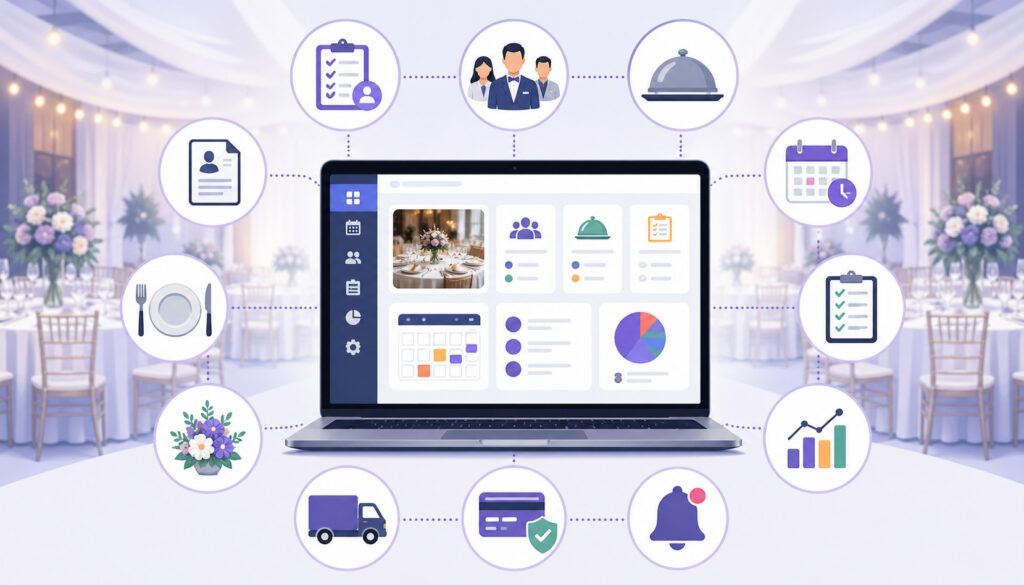
The central record is one of the most important features of multi event catering software. Instead of spreading information across disconnected tools, each event has a single place where the team can find the latest approved details.
That event record may include the client name, contact information, venue, event date, timeline, guest count, menu, dietary notes, proposal, contract, deposit, balance due, staffing assignments, production notes, equipment list, delivery instructions, and message history. When managed well, it becomes the operating hub for that job.
For busy teams, centralization reduces the need to chase information. The kitchen can view prep details. The operations manager can check equipment needs. The delivery team can see address, timing, parking notes, and setup instructions. The sales team can confirm whether the client approved changes. The owner can review profitability after the event.
Centralized records are especially helpful when several events happen close together. A Friday afternoon office lunch, Friday night rehearsal dinner, Saturday wedding, Sunday brunch, and Monday corporate breakfast all require different planning details. A shared system helps teams separate each event clearly while still seeing the bigger operational picture.
This is where catering workflow automation becomes useful. Automation can send reminders, update task lists, trigger payment requests, flag missing information, and help prevent routine steps from being forgotten.
However, automation should support human judgment, not replace it. Someone still needs to review changes, confirm feasibility, and make sure the team is prepared.
Calendar and Scheduling Tools That Keep Events From Colliding
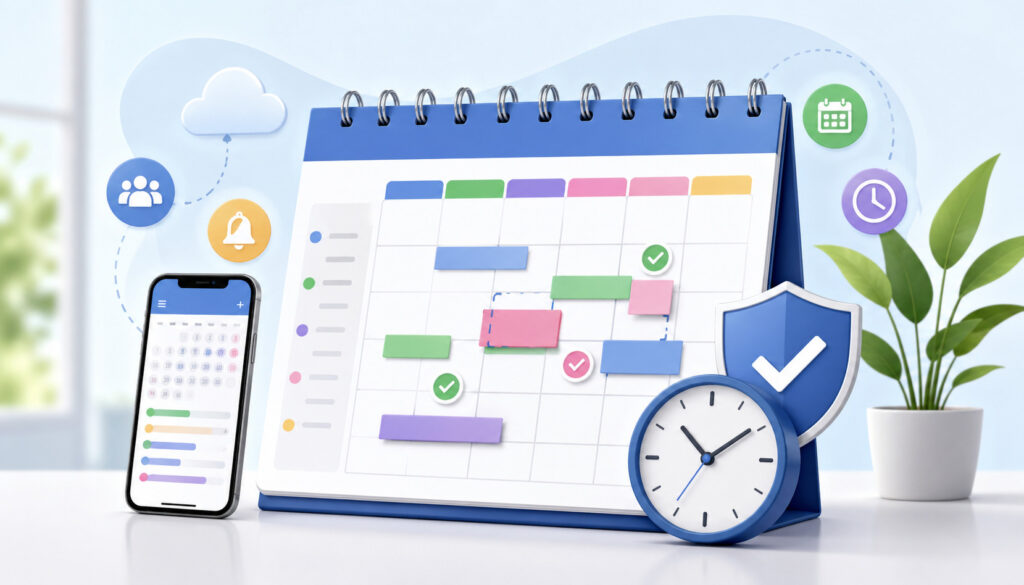
Catering calendar software is more than a date book. For multi-event teams, the calendar becomes a control center for availability, deadlines, production timing, delivery windows, setup requirements, and staffing needs.
A useful catering calendar should show event type, status, location, guest count, assigned team members, and important deadlines. Managers should be able to filter by kitchen production, delivery routes, staffing, venue, or event status. This helps the team understand what is happening today, tomorrow, and across the coming weeks.
Catering scheduling tools are especially valuable for lead times. Some menus require two days of prep. Some specialty ingredients need advance ordering. Some venues require early access for setup.
Some delivery routes need extra time because of parking, elevators, security desks, or loading dock restrictions. When those details are connected to the event schedule, teams can plan with fewer surprises.
Scheduling software can also support reminders for:
- Final guest count deadlines
- Menu approval dates
- Deposit due dates
- Rental order deadlines
- Ingredient ordering cutoff times
- Prep start times
- Delivery departure times
- Setup arrival windows
- Pickup or breakdown times
A helpful related resource is this explanation of online catering scheduling software, which covers how shared calendars and workflow visibility support event planning.
Good scheduling also protects the business from overcommitting. If the kitchen can only support a certain number of hot buffet events in one lunch period, the calendar should make capacity visible. If delivery vehicles are already assigned, the team should know before accepting another order.
Menu Planning, Production Sheets, and Kitchen Coordination
Menu planning becomes more complicated when several events are happening at once. Catering software for multiple events helps teams connect menus to guest counts, packages, dietary notes, ingredient needs, prep lists, and kitchen timelines.
A menu is not just a list of dishes. It affects food cost, prep labor, packaging, equipment, delivery timing, service style, and staffing. When multiple events include similar items, software can help forecast total production needs.
For example, three corporate lunches may all include roasted vegetables, chicken entrées, and dessert trays. Instead of calculating each order separately, the kitchen can view combined prep quantities while still keeping event-specific details separate.
Menu planning tools may support:
- Standard menu packages
- Custom menu edits
- Recipe scaling by guest count
- Ingredient forecasting
- Dietary and allergen notes
- Kitchen prep sheets
- Packing lists
- Service instructions
- Menu pricing and cost estimates
For teams working to improve menu organization, this article on menu planning with catering software offers helpful context.
Production sheets are one of the most practical benefits. A strong event production planning software workflow can generate prep lists by event, date, kitchen station, menu category, or production deadline. This gives chefs and prep teams a clearer picture of what needs to be made, when it needs to be ready, and which event it belongs to.
Dietary notes also need special attention. If one event has vegan meals, another has gluten-sensitive guests, and another requires nut-free desserts, the system should make those details visible on menus, prep sheets, labels, and service notes. This reduces the risk of relying on memory or handwritten reminders.
Staff Scheduling and Catering Team Management
Catering team management is one of the hardest parts of multi-event operations. A busy weekend may require prep cooks, expediters, packers, delivery drivers, setup crews, bartenders, servers, captains, dish support, and managers. Each role needs a schedule, clear instructions, and an event assignment.
Catering software can help managers assign people by role, shift, event, location, and responsibility. Instead of posting a general schedule and hoping everyone understands the details, the system can connect staff assignments to specific events.
A server can see where to report, when to arrive, what uniform is required, who the captain is, and what service style is planned.
Task management is equally important. Multi-event days require hundreds of small actions: confirm rentals, print menus, prepare labels, pack serving utensils, stage beverages, load vans, check hot boxes, verify payments, and send final reminders. When those tasks are assigned in the system, ownership is clearer.
A practical staff workflow may include:
- Event-specific role assignments
- Kitchen prep responsibilities
- Delivery crew schedules
- Service team rosters
- Setup and breakdown tasks
- Shift notes and reporting times
- Manager approvals
- Checklists for event completion
The key is visibility. Staff should not need to search through old messages to understand where they are assigned. Managers should not need to ask five people whether a task is done. Multiple catering event management software helps create accountability by showing who owns each responsibility.
Software also helps prevent overwork and accidental double-booking. If the same team member is assigned to two events with overlapping times, the system should make that conflict easy to spot.
Inventory, Equipment, Rentals, and Packing Lists
Inventory and equipment coordination can make or break a multi-event day. Food may be ready, staff may be scheduled, and clients may be confirmed, but missing serving spoons, chafers, coffee urns, linens, or hot boxes can still create problems.
Catering operations software helps track what each event needs and whether those items are available. This includes food stock, reusable equipment, rentals, vehicles, serviceware, décor items, packaging, and event-specific supplies.
For multi-event operations, the timing of equipment matters as much as the quantity. Ten chafers may be enough if one event ends before another is packed, but not if both need them at the same time.
Event-specific packing lists are especially useful. A packing list should show exactly what leaves the kitchen or warehouse for each event, including food, beverages, disposables, serving tools, signage, labels, rentals, and backup items. The delivery team should be able to check items before departure and again after pickup or breakdown.
Common items to track include:
- Chafing dishes and fuel
- Serving utensils
- Platters, trays, bowls, and risers
- Linens and napkins
- Glassware, flatware, and china
- Beverage dispensers and coffee urns
- Hot boxes and insulated carriers
- Delivery vehicles
- Décor and display pieces
- Disposable packaging
- Rental items
- Leftover containers
Inventory tracking also supports purchasing. If several events need the same ingredients, the system can help forecast total demand. This reduces the risk of under-ordering or making emergency purchases at higher cost.
Client Communication and Change Management
Client communication becomes harder when several events are in motion. One client may be approving a proposal, another may be changing guest count, another may be asking about dietary accommodations, and another may need a payment reminder. If communication is spread across personal inboxes, texts, and phone notes, important updates can be missed.
An event catering management system can centralize communication by storing proposals, confirmations, contracts, messages, approvals, and change notes within the event record. This helps the team see what was requested, what was promised, and what was approved.
Client communication features may include:
- Proposal and quote sharing
- Confirmation emails
- Contract approvals
- Change request tracking
- Guest count updates
- Automated reminders
- Deposit and balance notices
- Event detail confirmation forms
- Centralized message history
Change management is especially important. A client may casually mention, “We may have 20 more guests,” but that should not become an operational change until confirmed. Software can help teams distinguish between pending requests and approved updates. Once approved, the change can update menu quantities, pricing, staffing, and production notes.
Automated reminders can also reduce manual follow-up. For example, the system can remind a client that the final guest count is due by a certain date or that a balance payment is upcoming. This does not eliminate the need for personal service, but it helps keep routine communication on track.
Payments, Deposits, Invoices, and Contracts Across Multiple Events
Financial workflows can become messy when multiple events are booked, revised, deposited, invoiced, and closed at the same time. One client may have paid a deposit, another may need a revised invoice, another may have a contract pending, and another may require final payment before delivery.
Catering software for multiple events helps connect payment status to event status. Managers can see which events are confirmed, which are pending deposit, which require contract approval, and which balances are overdue. This is important because operations teams should not prepare for an event without knowing whether the business requirements have been met.
A good payment workflow may include:
- Proposal creation
- Contract generation
- Deposit tracking
- Payment reminders
- Invoice updates after guest count changes
- Balance due tracking
- Refund or adjustment notes
- Final invoice history
- Sales tax and service charge visibility
- Reporting by event, client, or date range
This is especially useful for venues and restaurant catering teams that handle many smaller events each week. Without connected payment and scheduling tools, a team may accidentally produce an order before a deposit is received or forget to update an invoice after a menu change.
Contracts also benefit from centralization. Event terms, cancellation policies, service fees, delivery charges, rental responsibilities, and payment deadlines should be easy to find. When teams rely on old PDF copies or email attachments, they risk acting on outdated information.
Reporting and Analytics for Profitability and Better Decisions
Reporting is where catering software becomes more than an organizational tool. It can help owners and managers understand which events are profitable, where costs are rising, and where operations are slowing down.
Multi-event reporting should help answer practical business questions. Which event types generate the strongest margins? Are corporate lunches more profitable than weddings after labor is included? Which menus create the most waste? Which venues require more setup time? Which clients frequently make late changes? Which days are consistently over capacity?
Useful analytics may include:
- Revenue by event type
- Food cost by menu or package
- Labor cost by event
- Gross margin by booking
- Average order value
- Deposit and balance tracking
- Booking trends by day or season
- Delivery performance
- Kitchen production volume
- Staff utilization
- Inventory usage
- Change request frequency
Reports are most useful when the underlying data is accurate. If staff hours, ingredient costs, guest counts, and final invoices are not entered consistently, the reports will be limited. That is why strong processes still matter.
For operators comparing platform capabilities, this article on key features to look for in a catering operations platform can help clarify which tools support stronger operational visibility.
Reporting can also reveal bottlenecks. If events regularly run late because packing lists are incomplete, the solution may be process improvement. If food costs are higher on custom menus, pricing may need adjustment. If staff overtime spikes on certain event types, scheduling templates may need review.
A Practical Multi-Event Workflow Example
Imagine a busy weekend with five events. Friday includes a corporate lunch for 120 guests and a rehearsal dinner for 60. Saturday includes two weddings at different venues. Sunday includes a private brunch and a last-minute memorial reception inquiry.
Each event has different menus, service styles, staffing needs, delivery windows, equipment requirements, and payment timelines.
Without multiple catering event management software, the team may need to check a calendar, several spreadsheets, email threads, printed proposals, text messages, and handwritten kitchen notes.
That creates room for mistakes. One guest count may be updated in sales but not production. A driver may not know the venue loading instructions. A rental order may be placed for one wedding but not the other. A brunch menu may be missing dairy-free notes.
With a centralized system, the workflow becomes easier to manage. The sales team updates approved guest counts. The kitchen sees combined production needs. The operations manager checks equipment conflicts. Staff receive event-specific assignments.
The delivery team gets packing lists and route details. The owner can see payment status and expected margins.
Here is a simplified example of how an event management system can support a multi-event weekend:
| Workflow Area | What the Software Helps Organize | Why It Matters for Multiple Events |
| Shared calendar | Event dates, setup times, delivery windows, production deadlines | Prevents scheduling conflicts and unrealistic timelines |
| Menu planning | Guest counts, packages, dietary notes, recipe scaling | Keeps kitchen prep accurate across overlapping events |
| Staffing | Role assignments, shift times, event-specific responsibilities | Reduces double-booking and improves accountability |
| Equipment | Chafers, linens, servingware, vehicles, rentals, packing lists | Helps avoid shortages and last-minute scrambling |
| Client communication | Proposals, approvals, confirmations, change history | Keeps approved updates visible to the whole team |
| Payments | Deposits, balances, invoices, contract status | Helps ensure events are financially ready before production |
| Reporting | Food cost, labor cost, revenue, margins, bottlenecks | Supports better pricing and future planning |
The software does not make the weekend easy by itself. The team still needs accurate inputs, manager review, and disciplined execution. But it gives everyone a better operating picture.
Common Mistakes When Managing Several Catering Events
Many catering businesses grow into complexity before they build systems to manage it. A spreadsheet may work for a few events per month, but it often becomes fragile as volume increases. The issue is not that spreadsheets are useless. The issue is that they depend heavily on manual updates, careful version control, and constant communication.
One common mistake is relying on one person as the information hub. If the catering manager knows every detail, the business may function until that person is unavailable, overwhelmed, or working off-site. A centralized system reduces that risk by making information accessible to the right people.
Another mistake is failing to update guest counts everywhere. A client may increase attendance from 75 to 95. Sales may know, but the kitchen may still prep for 75. The invoice may remain unchanged. Staffing may be too light. Software helps only if the update is entered correctly and connected to the right workflows.
Businesses also overlook equipment conflicts. Two events may both need the same warming cabinets, linens, or display stands. If the equipment list is not tied to the event calendar, the conflict may appear during packing.
Disconnected payment and scheduling tools can also create confusion. An event may look confirmed on the calendar even though the deposit has not been paid. Another may have a revised invoice that operations never sees.
Other common mistakes include:
- Not assigning a clear event owner
- Using vague task lists with no deadlines
- Tracking dietary notes separately from menus
- Accepting last-minute changes without approval
- Failing to build travel and setup time into the schedule
- Not reviewing event profitability afterward
- Letting staff use personal texts as the main communication channel
How to Choose Multiple Catering Event Management Software
Choosing multiple catering event management software should start with your workflow, not the software demo. A system may look impressive, but it needs to support the way your team sells, plans, produces, delivers, serves, bills, and reviews events.
Start by identifying your biggest operational pain points. Are you missing updates? Overbooking staff? Losing track of rentals? Struggling with production sheets? Forgetting payment follow-ups? Spending too much time building proposals? The right system should address the most expensive and stressful problems first.
A practical selection checklist includes:
- Define your event types: weddings, corporate catering, private parties, drop-offs, venue events, recurring orders, or large banquets.
- Map your current process from inquiry to final invoice.
- List required features such as shared calendars, menu planning, staffing, inventory, proposals, invoices, and reporting.
- Check whether the system supports multiple events on the same day.
- Review how guest count changes affect menus, pricing, production, and invoices.
- Test how staff assignments and task lists work.
- Confirm whether production sheets and packing lists are easy to generate.
- Evaluate client communication and approval workflows.
- Review reporting for food cost, labor cost, sales, and margins.
- Ask how data can be exported or reviewed if needed.
- Train the team before relying on the system during peak periods.
- Create internal rules for data entry, approvals, and event status updates.
Implementation matters as much as selection. Teams often buy software but keep old habits. They continue using side spreadsheets, personal notes, and disconnected messages. That weakens the system. To get value, the business needs a clear rollout plan.
Start with a small group of events, clean up menu data, create standard templates, train managers, and review the process weekly. Once the team is comfortable, expand usage across more event types.
How to Use Catering Workflow Automation Without Losing Control
Catering workflow automation can save time, but it should be used thoughtfully. Automation is best for repeatable steps, reminders, status updates, and routine communication. It is not a replacement for judgment, hospitality, or manager review.
For example, automation can remind a client to submit a final guest count. It can notify the kitchen when a menu is approved. It can create a prep task after an event is confirmed. It can send a payment reminder before the due date. It can alert a manager when key details are missing.
However, automation should not blindly approve major changes. If a client increases guest count by 50 people two days before the event, someone needs to review kitchen capacity, staffing, equipment, pricing, and delivery feasibility. Software can flag the issue, but managers still need to make the decision.
Good automation supports consistency. It helps ensure every confirmed event follows the same basic steps: proposal, approval, deposit, menu confirmation, production planning, staffing, packing, delivery, service, final invoice, and post-event review.
The most useful automations often include:
- Inquiry follow-up reminders
- Proposal expiration reminders
- Deposit due alerts
- Final count reminders
- Menu approval notifications
- Internal task creation
- Production deadline alerts
- Delivery schedule notifications
- Balance payment reminders
- Post-event review prompts
Best Practices for Restaurants, Venues, Caterers, and Event Teams
Different catering operations have different needs, but the principles of multi-event management are similar. The team needs a shared source of truth, clear ownership, realistic schedules, accurate menus, visible staffing, controlled changes, and clean financial workflows.
Restaurant catering teams often need strong same-day and advance order management. They may handle office lunches, boxed meals, pickup orders, and private dining events. Their challenge is balancing catering production with normal restaurant service. Software should help protect kitchen capacity and delivery timing.
Wedding caterers need detailed timelines, menu customization, staffing plans, rentals, tastings, proposals, and client approvals. Their events often have long planning cycles and many revisions. Changing history and contract clarity are especially important.
Venue operators may manage in-house catering, outside vendors, room setups, banquet event orders, staffing, and equipment across multiple spaces. They need visibility by room, date, setup style, and service team.
Event planners need communication clarity. They may coordinate between clients, caterers, rental vendors, venues, florists, and entertainment. A centralized event record helps prevent details from being lost between parties.
Business owners need reporting. They need to know whether growth is profitable or simply creating more work. More events are not always better if margins are weak, staff are stretched, or quality suffers.
Across all these teams, software works best when paired with strong habits:
- Review upcoming events at least weekly.
- Confirm guest counts before production begins.
- Assign one owner per event.
- Use standard menu and packing templates.
- Keep all approved changes in the system.
- Track equipment by date and event.
- Review margins after completed events.
- Train new staff on the workflow, not just the software.
FAQs
What is catering software for multi event management?
Catering software for multi event management is a system that helps catering teams organize several events at the same time. It usually includes event calendars, menus, proposals, invoices, staffing, production sheets, packing lists, client communication, and reporting.
How is multi event catering software different from a spreadsheet?
A spreadsheet can store information, but it does not automatically connect menus, staffing, inventory, invoices, reminders, client approvals, and reporting. Multi event catering software is designed to manage the full catering workflow in one centralized system.
Can catering software prevent double-booking?
It can help reduce double-booking by making schedules, staff assignments, delivery windows, rooms, vehicles, and equipment more visible. However, it still depends on accurate setup and consistent use by the team.
Does catering software help with kitchen prep?
Yes. Many catering software systems support kitchen prep sheets, recipe scaling, ingredient forecasts, menu notes, dietary details, and production deadlines. This helps kitchen teams prepare the right quantities for each event.
Is catering software useful for small catering businesses?
Yes. Small catering businesses can benefit from shared calendars, proposal templates, invoice tracking, production lists, and client communication tools, especially when manual systems start causing confusion or missed details.
How does catering software support last-minute event changes?
It gives teams a central place to record approved changes such as guest count updates, menu substitutions, delivery time changes, and dietary notes. These updates can then be reflected in production sheets, invoices, staffing plans, and communication history.
What features matter most for managing multiple catering events?
The most important features usually include a shared event calendar, menu management, staff scheduling, task lists, production sheets, packing lists, inventory tracking, proposal and invoice tools, client communication history, and reporting.
Does software replace event managers or catering coordinators?
No. Catering software supports coordination, but people still make decisions, manage client relationships, train staff, solve problems, and ensure service quality. The best results come from combining good software with strong processes.
How can catering teams improve adoption after choosing software?
Teams can improve adoption by starting with clean data, clear workflows, and proper training. The software should become the official place for event updates, staff assignments, client changes, and production details.
Conclusion
Catering software for multi event management helps teams bring order to one of the most challenging parts of catering: managing many moving events with shared people, equipment, kitchens, vehicles, menus, timelines, and client expectations.
It centralizes information, improves scheduling visibility, supports menu planning, organizes staffing, tracks equipment, strengthens communication, connects payments, and gives managers better reporting.
The real value is not just convenience. It is operational clarity. When teams can see what is booked, what has changed, who is assigned, what needs to be produced, what must be packed, and which events are profitable, they can make better decisions.
Still, software is not a shortcut around discipline. It works best when the business has clear processes, trained staff, accurate data, assigned ownership, and regular review. A strong system can reduce confusion, but people still need to use it consistently.
For caterers, event planners, venues, restaurant catering teams, and owners handling overlapping events, the right event catering management system can turn scattered details into a manageable workflow. That makes busy weeks less reactive, improves client communication, protects margins, and helps every event receive the attention it deserves.