
Catering businesses manage far more than food preparation. Every event may involve an inquiry, proposal, menu, guest count, contract, deposit, staffing plan, ingredient order, production schedule, delivery plan, final invoice, and payment follow-up.
When this information is divided among spreadsheets, email conversations, printed banquet event orders, paper prep lists, and personal calendars, small inefficiencies can become expensive.
Ingredients may be overordered, labor may be scheduled without reliable event details, delivery charges may be omitted, and employees may enter the same customer information several times.
Cost savings with cloud catering software come from improving how these activities are planned, connected, and reviewed. The software may help a catering team see what is being sold, purchased, prepared, delivered, invoiced, and paid without rebuilding the information for every department.
These savings are not limited to cutting expenses. They can also include protecting revenue, reducing administrative work, improving purchasing accuracy, collecting balances more consistently, and identifying events that are less profitable than expected.
Financial visibility is an important part of general business management. Federal small-business finance guidance recommends organizing revenue and expense information so owners can understand costs, cash flow, assets, and business performance.
Cloud catering software can support that process by organizing operational data before it reaches formal accounting records.
This cloud catering software cost savings guide explains where savings may come from, what businesses should measure, and how to evaluate software without relying on unrealistic promises. Actual results will depend on event volume, service style, existing processes, staff adoption, data quality, and the features being used.
What Does Cost Savings With Cloud Catering Software Mean?
Cost savings with cloud catering software means reducing avoidable expenses and preventing operational problems through better information, more consistent workflows, and clearer accountability.
The goal is not simply to spend less. A business can reduce labor too aggressively, purchase lower-quality ingredients, or eliminate important service steps and still create larger problems later. Effective catering business cost savings protect service quality while reducing waste, errors, unnecessary work, and revenue leakage.
Cloud-based catering software can connect the customer record, proposal, event order, kitchen plan, delivery schedule, invoice, and payment status. When information changes in one place, authorized team members can work from the latest record rather than an outdated attachment or printed form.
For example, a guest count change may affect:
- Menu quantities
- Ingredient requirements
- Staffing assumptions
- Rental quantities
- Production sheets
- Delivery capacity
- Setup instructions
- Final pricing
When these effects are visible, the team can adjust before the event rather than absorbing the cost afterward. A detailed guide to how cloud catering software works can provide additional context on how information moves from the initial lead through production, delivery, invoicing, and reporting.
Direct Cost Savings vs. Indirect Cost Savings
Direct savings can usually be connected to a measurable expense or recovered charge. Examples include reducing food spoilage, avoiding duplicate purchases, correcting an underpriced proposal, recovering an omitted delivery fee, or scheduling fewer unnecessary labor hours.
A team may be able to compare these savings with prior periods. It could review waste values, emergency purchases, overtime, invoice adjustments, or missed charges before and after introducing a more organized workflow.
Indirect savings are often related to time, coordination, and risk reduction. A manager may spend less time searching for event details. A salesperson may create a quote from a template instead of rebuilding it. A kitchen manager may receive an updated production sheet without making repeated phone calls.
Indirect benefits can still have measurable value. If employees save several hours each week, that time can be redirected toward customer service, menu development, training, sales follow-up, or event preparation.
The most useful evaluation includes both categories. Direct savings show where money was retained, while indirect savings show how operational capacity improved.
Why Savings Depend on How the Software Is Used
Software does not create savings automatically. A catering cost control software system can only work with the information entered into it and the processes built around it.
Recipe costing will be unreliable when ingredient prices or yields are outdated. Inventory reports will be misleading when receipts and usage are not recorded. Staffing reports will have limited value when scheduled hours are entered but actual hours are never reviewed.
Strong results generally require:
- Accurate menus, recipes, prices, and portions
- Clearly assigned staff responsibilities
- Consistent customer and event records
- Updated guest counts and service details
- Regular waste, purchasing, labor, and invoice reviews
- Training based on each employee’s role
- Management follow-through
Adoption also matters. If the sales team uses the system but the kitchen relies on an unrelated spreadsheet, the business still has disconnected records. The software should become part of the operating process rather than an additional place to enter information.
Cloud Catering Software Cost Savings at a Glance
Catering expenses often result from a series of small breakdowns rather than one major mistake. An inaccurate guest count may lead to excess purchasing, unnecessary preparation, added labor, and leftover food.
A practical way to evaluate cloud catering software cost savings is to connect each problem with a possible software function and a measurable indicator.
| Cost Area | How Costs Happen | How Cloud Catering Software Can Help | What to Track |
| Food waste | Overproduction, spoilage, or incorrect quantities | Connect guest counts with prep lists and production sheets | Waste reasons and estimated value |
| Ingredient costs | Supplier changes are not reflected in pricing | Maintain recipe costs and vendor pricing | Food cost percentage |
| Labor inefficiency | Staffing is not matched to event complexity | Plan kitchen, service, setup, and delivery roles | Labor hours by event |
| Missed charges | Rentals, fees, labor, or add-ons are omitted | Use standardized proposal and invoice line items | Invoice adjustments |
| Unpaid balances | Deposits and final payments are tracked manually | Display payment status and outstanding balances | Receivables by age |
| Manual administration | Information is reentered across several tools | Use one connected event record | Administrative hours |
| Delivery costs | Addresses, routes, and instructions are unclear | Centralize schedules, driver notes, and packing details | Mileage and delivery time |
| Purchasing errors | Items are duplicated or ordered too late | Generate demand from confirmed events | Emergency and duplicate orders |
| Reporting gaps | Results are reviewed too late | Use dashboards and event-level reports | Estimated vs. actual results |
| Customer rework | Changes are not confirmed consistently | Maintain approvals and current event details | Number of revisions |
This table is not a promise that every feature will reduce every cost. It is a starting point for identifying where operational problems occur and which records are needed to measure improvement.
How to Use the Table
Begin by identifying the two or three cost areas creating the most difficulty. A growing restaurant catering program may struggle with missed delivery charges and repeated order entry, while a full-service event caterer may be more concerned with labor planning, rentals, and proposal revisions.
Gather a baseline before changing the workflow. For example, review several completed events and record the value of wasted food, emergency purchases, invoice adjustments, unpaid balances, and administrative hours.
Next, connect each problem with a specific system feature. Do not evaluate software only by asking whether it “has inventory” or “supports reporting.” Determine whether the feature works with the business’s recipes, event orders, purchasing process, user roles, and service model.
Finally, assign ownership. Someone should be responsible for updating vendor prices, reviewing waste logs, checking payment status, and comparing event results. A useful dashboard without a review routine becomes another ignored report.
Why Cost Savings Differ by Catering Model
Drop-off catering businesses often process many orders with shorter lead times. Their biggest savings may come from online ordering, standardized menus, consolidated production, packing accuracy, and delivery coordination.
Full-service caterers may benefit more from detailed proposals, BEOs, staffing plans, rental tracking, setup instructions, and event profitability reporting. Wedding and social-event caterers may experience numerous revisions, making version control and customer approvals especially valuable.
Restaurant catering teams often share ingredients, employees, and kitchen space with regular restaurant operations. Inventory visibility, production timing, and clear separation of catering costs may therefore be important.
Commissary kitchens and multi-location operations may focus on centralized purchasing, stock transfers, production schedules, permissions, and remote dashboards. Recurring corporate catering may create value through repeat orders, predictable ingredient demand, route planning, and consolidated invoices.
Cost-effective catering software should fit the actual operating model. A feature that saves time for one type of catering business may have little value for another.
Food Cost, Waste, Inventory, and Purchasing Savings
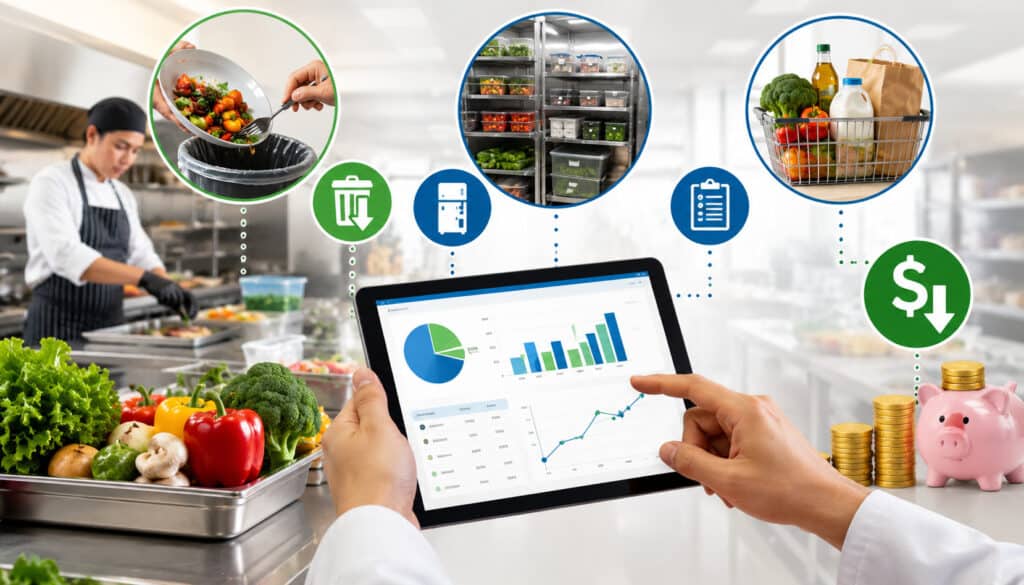
Ingredients are among the most visible catering expenses, but controlling them requires more than reviewing grocery invoices. Managers need to understand how ingredient prices, recipe yields, portions, guest counts, purchasing decisions, and production results work together.
Catering food cost management begins before an event is sold. If a menu package is priced using outdated costs or unrealistic portions, the business may start the event with an inaccurate margin expectation.
Cloud catering software can connect recipes with menu items and packages. When ingredient costs change, the team can identify affected items and decide whether to revise purchasing, portions, package design, or future pricing.
Food-waste prevention also has a financial effect because discarded food carries the cost of purchasing, storage, preparation, labor, and disposal. Official food loss and waste information identifies waste reduction as an opportunity for businesses as well as the broader food system.
Cost Savings One and Two: Better Food Cost Visibility and Less Waste
Recipe costing estimates the ingredient cost of producing a defined quantity. Accurate recipe records should include ingredient quantities, purchase units, usable yields, batch sizes, and portion assumptions.
Menu costing then connects those recipes to individual items, packages, stations, or service styles. This allows the sales and operations teams to understand the expected food cost before issuing a proposal.
Food cost percentage can be calculated as:
Food cost ÷ related food revenue × 100
This percentage is most useful when the business applies it consistently. An expected percentage can be compared with actual purchasing, waste, and production results to identify differences.
Waste tracking adds important context. Instead of recording only the dollar value, teams can classify waste as spoilage, overproduction, trimming loss, incorrect preparation, damaged product, customer changes, or returned food.
Patterns make the data actionable. Repeated overproduction may indicate incorrect batch recipes or portions. Spoilage may point to overbuying, storage problems, weak stock rotation, or canceled events.
Cost Savings Three and Four: Smarter Inventory and Purchasing
Catering inventory cost savings can come from knowing what is already available, what confirmed events require, and when ingredients must be purchased.
Inventory features may track stock levels, par levels, storage locations, counts, committed quantities, and low-stock alerts. Event-based ingredient planning can then compare demand with available inventory before creating a purchase requirement.
This helps reduce two opposite problems. Overbuying ties up cash and increases spoilage risk. Underbuying creates emergency trips, rushed substitutions, higher prices, and production delays.
A practical guide to inventory management in catering software can help teams examine how stock visibility, event demand, and waste records work together.
Purchasing tools may also organize:
- Supplier pricing
- Purchase orders
- Expected delivery dates
- Order history
- Pack sizes
- Receiving differences
- Invoice references
When supplier prices change, recipe costs should be reviewed. Purchase orders can also provide a reference when products arrive, helping the receiving team identify shortages, substitutions, quantity differences, or unexpected pricing.
Federal environmental guidance on preventing wasted food through source reduction emphasizes inventory awareness and purchasing only what is needed. That same principle can support catering cost control when it is connected with confirmed event demand.
More Accurate Proposals, Charges, Invoices, and Payments
Revenue leakage occurs when a business delivers a product or service but does not charge the customer correctly. This may happen because an item was omitted, a revision was not reflected in the invoice, or the final event record was not reviewed.
A catering proposal software workflow can help standardize pricing without eliminating flexibility. Common packages, staffing assumptions, rentals, delivery zones, and service options can be stored as reusable items.
Salespeople can still customize an event, but they do not have to remember every possible charge from memory. This is especially helpful when several employees create quotes or when new team members are learning the business.
The proposal should remain connected to the approved event order. When the menu, guest count, delivery location, service level, or equipment changes, the financial effect should be visible.
Cost Savings Five and Six: Accurate Quotes and Fewer Missed Charges
An underquoted event may look successful because it generates revenue, yet produce a weak result after food, labor, delivery, and rentals are considered.
Standard proposal templates can prompt the salesperson to review:
- Menu quantities and package minimums
- Kitchen and service labor
- Setup and breakdown time
- Rentals and service equipment
- Delivery distance or time
- Disposable items
- Special handling
- Premium or late requests
- Deposits and payment schedules
Quote version tracking is equally important. Catering events frequently change after the initial proposal. Guest counts increase, service times move, menu items are replaced, and new rentals are requested.
The current approved version should be easy to identify. Otherwise, sales, kitchen, operations, and finance teams may work from different information.
Before final invoicing, the event record should be reviewed against what was actually delivered. Approved add-ons, extended labor, extra equipment, upgraded service, or revised delivery requirements should be addressed according to the customer agreement and the business’s review process.
Cost Savings Seven: Faster Invoicing and Payment Tracking
Catering invoice software can move approved proposal information into an invoice without requiring the finance team to rebuild the event. This reduces duplicate entry and the chance that line items will be changed unintentionally.
Deposit tracking helps the team confirm whether a booking has met the business’s internal requirements. A shared payment status also helps sales and operations teams avoid conflicting information about whether an event is confirmed.
Balance-due visibility may include:
- Original event total
- Deposit requirement
- Payments received
- Approved adjustments
- Refunds or credits
- Remaining balance
- Due date
- Follow-up status
This information improves cash-flow visibility even when payment policies vary among customers. It also helps prevent an outstanding balance from disappearing inside an email thread or personal reminder.
When accepting electronic payments, businesses should evaluate processing costs, settlement timing, refund handling, access controls, and data-security responsibilities.
Official merchant payment-security resources provide educational materials for understanding payment-data protection. Specific payment, accounting, tax, privacy, and compliance questions should be reviewed with qualified professionals.
Administrative, Labor, and Kitchen Efficiency
Time spent on repeated administration may be less visible than an ingredient invoice, but it still affects capacity and labor cost. An employee who copies event details from an email into a proposal, spreadsheet, kitchen sheet, calendar, and invoice is performing the same task several times.
Every repetition creates another chance for a mismatch. One document may show the original guest count while another shows the revised number. A printed prep list may not reflect a menu change approved later in the day.
Centralized catering management software can reduce this fragmentation by using one event record as the source for customer, sales, production, delivery, and billing activities.
The objective is not to remove every specialized tool. It is to reduce unnecessary reentry and clearly define which system contains the current information.
Cost Savings Eight: Less Manual Work and Duplicate Entry
One event record can contain the customer’s contact details, venue information, menu, guest count, schedule, proposal, approvals, deposit status, production notes, delivery instructions, and invoice history.
Employees no longer need to search through several inboxes or ask which spreadsheet contains the latest update. Authorized users can review the record based on their responsibilities.
Connected workflows can move information from one stage to another:
- A lead becomes an opportunity.
- The opportunity becomes a proposal.
- The accepted proposal becomes an event order.
- Event details generate production and delivery documents.
- Approved charges become an invoice.
- Payments and event results become reports.
This does not mean every step should happen without review. Automation should reduce repetitive work while keeping appropriate approvals.
The greatest administrative savings often come from improving routine events. Saving ten minutes on one event may seem minor, but the value becomes more significant across dozens or hundreds of orders.
Cost Savings Nine and Ten: Labor Planning and Kitchen Production
Catering labor cost management requires matching staffing with event needs. A simple drop-off order and a full-service banquet should not use the same labor assumptions merely because the guest counts are similar.
Scheduling decisions may consider:
- Menu complexity
- Production volume
- Service style
- Venue access
- Setup requirements
- Travel time
- Equipment needs
- Cleanup responsibilities
- Employee skills
- Event timing
Software can help translate these details into kitchen, service, setup, and delivery roles. Managers can compare estimated staffing with actual labor after the event and refine future assumptions.
Kitchen efficiency also depends on reliable production sheets, batch recipes, and prep lists. These documents should reflect the current menu, portions, guest count, dietary notes, pickup or delivery time, and special instructions.
Batch recipes help employees prepare consistent quantities for larger events. Prep lists can group work by station, day, or production period, helping the kitchen sequence tasks rather than responding to scattered event notes.
The guide to tracking food and labor costs for each event provides additional ideas for organizing estimates and reviewing results.
Labor savings should never be pursued at the expense of service quality, employee workload, food handling, or safe operations. Employment, payroll, workplace, and food safety questions require appropriate professional review.
Delivery, Customer Communication, and Sales Pipeline Savings

The cost of a delivery mistake can extend beyond mileage. A driver may make repeated calls, return for a forgotten item, wait at the wrong entrance, or arrive before the venue is ready.
Clear delivery records can include the validated address, contact person, access instructions, delivery window, loading information, setup requirements, packing list, driver notes, and return-item instructions.
Customer communication creates similar operational effects. An unconfirmed change can result in the wrong menu, guest count, service time, or room setup. Written approvals and organized revision histories reduce ambiguity.
Sales pipeline management adds another form of cost control by helping the business use its sales time more effectively. An inquiry that receives no follow-up represents effort and potential revenue that may be lost.
Cost Savings Eleven and Twelve: Delivery Coordination and Clear Confirmations
Catering delivery management software can provide a shared schedule for drivers, kitchen teams, and managers. Everyone can see when food must be ready, when loading should begin, and when the order is expected to arrive.
For multiple deliveries, managers can compare time windows, routes, vehicle capacity, driver availability, and setup requirements. This can reduce unnecessary travel and scheduling conflicts, although specialized route-planning tools may still be needed for complex operations.
Customer confirmations should summarize the details most likely to cause rework:
- Event date and service time
- Venue and delivery location
- Guest count
- Approved menu
- Service style
- Setup expectations
- Customer responsibilities
- Payment status
- Change deadlines
Confirmations should be updated when material details change. The goal is to create a shared record, not simply send more messages.
Organized communication also helps teams identify changes early. A revised headcount received before purchasing and preparation is easier to manage than a change discovered during loading.
Cost Savings Thirteen: Lead Management and Quote Conversion
Lead management organizes inquiries by stage, owner, event date, expected value, and next action. This helps sales teams follow up consistently instead of relying on memory.
A simple pipeline may include:
- New inquiry
- Qualification
- Proposal in progress
- Proposal sent
- Revision requested
- Awaiting approval
- Booked
- Declined or lost
The system should make overdue actions visible. It should also preserve customer records so repeat clients do not have to provide the same basic information again.
Quote conversion reporting can show how many proposals become booked events. More detailed review may reveal which event types, menu packages, customer groups, or lead sources produce stronger conversion.
Conversion data should not be viewed in isolation. A package with high conversion but weak event profitability may need to be repriced or redesigned. A lower-volume event category may still be valuable if it produces repeat customers or efficient recurring orders.
Better pipeline visibility supports catering business cost savings by focusing sales effort, reducing lost follow-ups, and helping managers understand which opportunities deserve attention.
Reporting, Cloud Access, and Centralized Records

Catering reporting software turns operational activity into information managers can review. Useful reporting may include sales, food cost estimates, labor assumptions, purchasing, waste, delivery performance, deposits, unpaid invoices, and event profitability.
Reports are most valuable when they answer a business question. A dashboard filled with totals but no comparison, target, or action may create little value.
For example, managers may want to know:
- Which event types have the strongest contribution?
- Which menu items are affected by supplier increases?
- Where is food waste occurring most often?
- Which customers have outstanding balances?
- Which events repeatedly exceed labor estimates?
- Which delivery zones require excessive time?
- Which proposal sources produce booked revenue?
Cloud access can make this information available to authorized users without requiring them to be in the office. Owners and managers may review event status, production needs, approvals, payments, and reports from different locations.
Cost Savings Fourteen: Event Profitability and Better Decisions
Event-level profitability reporting compares revenue with the costs assigned to an event. Depending on the system and available data, those costs may include food, labor, rentals, delivery, disposables, and other direct expenses.
The purpose is not to produce a perfect result from incomplete records. It is to create a consistent view that becomes more useful as the data improves.
An event with a weak result should be investigated rather than judged from one number. Possible causes include:
- Underpricing
- Supplier cost changes
- Excess waste
- Additional labor
- Unrecorded customer changes
- Delivery complexity
- Omitted charges
- Incorrect cost allocation
Reports can guide menu changes, staffing assumptions, purchasing decisions, delivery policies, and sales priorities. They can also show whether an improvement actually produced savings.
Comparing periods is helpful, but teams should consider changes in event mix, volume, menu design, and market conditions. A reporting dashboard supports decisions; it does not replace operational knowledge or professional financial review.
Cost Savings Fifteen and Sixteen: Remote Oversight and Fewer Disconnected Errors
Cloud-based catering software can give managers visibility without requiring physical access to a specific office computer or paper file. They may review quote changes, event schedules, payment status, production needs, and operational exceptions through authorized access.
Faster visibility may help managers resolve conflicts before they become costly. A staffing shortage, missing deposit, unexpected guest-count change, or overlapping delivery schedule can be addressed while options remain available.
Centralized records also reduce errors created by disconnected tools. When spreadsheets, calendars, emails, and paper documents each contain part of the event, employees may use different versions.
Those differences can cause:
- Overbuying from an outdated guest count
- Underbilling from an old proposal
- Production based on a replaced menu
- Delivery using an incorrect address
- Staff arriving at the wrong time
- Missed payment follow-up
Shared records help sales, kitchen, delivery, and finance teams work from the same approved information. A practical resource on integrating catering software into business workflows explains why implementation should connect the full operating process rather than simply add another application.
Understanding Catering Software ROI
Catering software ROI compares the value created by the software with the total cost of using it. The calculation can include measurable savings, recovered revenue, time savings, and avoided errors.
A basic formula is:
Estimated benefit minus total software cost = estimated net benefit
A percentage calculation may be expressed as:
Estimated net benefit ÷ total software cost × 100
These calculations are estimates rather than guarantees. The quality of the result depends on the accuracy of the baseline and whether the benefits can reasonably be connected to the software-supported workflow.
Businesses should avoid counting the same benefit twice. For example, administrative time saved should not also be counted as reduced payroll unless payroll expense actually changed.
Simple ROI Example
Assume a catering business estimates that its improved workflow produces the following monthly benefits:
- $300 less wasted food
- $250 in administrative time redirected to other work
- $450 in previously missed charges captured
- Total estimated monthly benefit: $1,000
If the total monthly software cost is $400, the estimated net monthly benefit would be:
$1,000 − $400 = $600
The simplified ROI calculation would be:
$600 ÷ $400 × 100 = 150%
This example is hypothetical. Actual results may be lower, higher, delayed, or difficult to separate from other operational changes.
A stronger evaluation tracks each benefit independently. Waste reductions should be supported by waste records, missed charges by invoice reviews, and time savings by process comparisons.
Businesses should also consider the evaluation period. Setup and training costs may be concentrated near implementation, while operational savings may develop gradually as staff adoption and data quality improve.
Measuring Value Beyond the Subscription Cost
Subscription price is only one part of the value comparison. A lower-priced system may cost more overall if employees still depend on duplicate spreadsheets, manual invoices, disconnected production sheets, and separate payment tracking.
Potential value areas include:
- Faster proposal creation
- Fewer pricing errors
- Better food cost visibility
- Reduced overproduction
- More organized purchasing
- Less duplicate entry
- Improved labor planning
- Faster invoicing
- Better balance tracking
- Fewer delivery errors
- Clearer customer communication
- More useful reporting
Some benefits affect capacity rather than immediate cash savings. Saving management time may allow the business to handle more events without adding the same amount of administrative work.
Customer experience also matters. Accurate documents, timely confirmations, and organized delivery instructions may support repeat business even when their value cannot be assigned to one invoice.
The best catering software ROI review combines measurable financial results with operational evidence. It should also distinguish between features that are available and features the team actually uses.
Hidden Costs and Mistakes That Reduce Savings
Cost-effective catering software should be evaluated using its total cost, not only the advertised subscription. Implementation may require data cleanup, menu setup, recipe entry, employee training, process design, and integration work.
Some businesses also need additional user accounts, payment services, accounting exports, online ordering, advanced reporting, storage, support, or API connections.
These costs do not automatically make a system unsuitable. They simply need to be included in the decision so the expected value is realistic.
The business should also consider the cost of change. Employees may need time to learn new procedures, and productivity may temporarily decline while old and new processes overlap.
Setup, Training, Integration, and Payment Costs
Implementation costs may include:
- Initial subscription or licensing fees
- Setup or onboarding charges
- Menu and recipe configuration
- Customer and event migration
- Staff training time
- Integration work
- Payment-processing charges
- Optional modules
- Support plans
- Internal process documentation
Training should be role-based. A salesperson needs to know how to create proposals and manage revisions, while kitchen staff need production sheets, prep lists, and event updates. Finance users may focus on invoices, payment status, and exports.
Integration costs should be reviewed carefully. Ask whether an advertised integration is included, requires a higher plan, uses a third-party connector, or needs custom work.
Payment costs may include transaction percentages, fixed fees, refund costs, chargeback handling, hardware, and settlement considerations. Accounting, payment, tax, legal, privacy, and cybersecurity implications should be reviewed with qualified professionals.
Poor Data, Weak Adoption, and Ignored Reports
Poor data creates poor savings. An inaccurate recipe, old vendor price, wrong guest count, or unrealistic labor assumption can make an organized system produce misleading results.
Common mistakes include:
- Skipping menu and recipe setup
- Importing duplicate customer records
- Failing to update supplier prices
- Leaving event changes in email
- Using the software and old spreadsheets together indefinitely
- Training only managers
- Recording estimates but not results
- Ignoring waste and profitability reports
- Giving users unnecessary access
- Failing to assign data ownership
Reports only help when someone reviews them and responds. A waste dashboard should lead to questions about products, events, storage, portions, or production. An overdue-balance report should lead to an appropriate follow-up process.
Adoption should be evaluated by workflow, not login counts. A staff member may log in regularly but still maintain a separate record because the official process is unclear.
Management should explain why accurate entries matter. Employees are more likely to support the system when they understand how their updates prevent rework, shortages, billing mistakes, and event-day confusion.
Cloud Catering Software Cost Savings Checklist
A checklist can help businesses identify high-priority opportunities before reviewing software. It can also be reused after implementation to determine whether the expected workflow improvements are occurring.
| Cost Area | What to Review | Savings Opportunity | Priority |
| Food cost | Recipe and menu costing | Better pricing and menu decisions | High |
| Waste | Spoilage and overproduction logs | Less avoidable product loss | High |
| Inventory | Stock levels and par levels | Fewer shortages and overbuys | High |
| Purchasing | Supplier pricing and purchase orders | Better purchasing control | High |
| Quotes | Menu, labor, rentals, and delivery | Fewer underpriced events | High |
| Invoices | Deposits, adjustments, and balances | Fewer missed payments | High |
| Labor | Staffing by event need | Better scheduling decisions | Medium/High |
| Production | Prep lists and batch recipes | Less kitchen rework | High |
| Delivery | Routes, packing, and setup notes | Fewer delivery mistakes | Medium/High |
| Reports | Event profitability and exceptions | Better operational decisions | High |
Not every business should address every category at once. A focused rollout is often easier to manage and measure than an attempt to redesign every process simultaneously.
How to Use the Checklist and Organize Records
Rate each area based on current performance, cost exposure, and data availability. A high-cost problem with reliable records may be a good starting point because improvement can be measured.
Select a small number of indicators, such as:
- Waste value per event
- Emergency purchases per month
- Proposal revision time
- Missed charges per invoice
- Administrative time per booking
- Estimated vs. actual labor
- Outstanding balances
- Delivery exceptions
- Event contribution
Keep supporting records organized. Useful records include proposals, approved revisions, event orders, invoices, payment reports, production sheets, purchase orders, supplier pricing, waste logs, delivery notes, and event profitability reports.
The comparison period should be long enough to include a representative event mix. One unusually large or difficult event can distort a very short review.
Records involving accounting, payroll, employment, food safety, taxes, privacy, payment security, or other regulated matters should follow the advice of appropriately qualified professionals.
Best Practices for Maximizing Savings
The following practices can help turn software features into operating improvements:
- Start with the most expensive recurring problems.
- Configure recipes, yields, portions, and menu prices carefully.
- Review supplier prices regularly.
- Use standardized proposals and line items.
- Document quote revisions and approvals.
- Check deposits and outstanding balances consistently.
- Use current production sheets for every event.
- Record food waste and the reason it occurred.
- Plan purchasing from confirmed event demand.
- Compare staffing plans with event complexity.
- Train employees according to their responsibilities.
- Keep customer and event records current.
- Review event results after completion.
- Eliminate duplicate spreadsheets when practical.
- Use reports to make decisions, not only to store history.
- Compare total software cost with measurable benefits.
A weekly review might cover upcoming guest counts, purchasing needs, deposits, balances, staffing, production, and delivery conflicts. A monthly review might examine food cost, waste, labor differences, supplier changes, conversion, receivables, and event profitability.
Staff adoption improves when employees understand the operational purpose. Accurate guest counts protect purchasing. Updated production sheets reduce kitchen rework. Timely payment updates prevent repeated follow-up.
How to Choose Cost-Effective Catering Software
The most cost-effective catering software is not necessarily the product with the lowest monthly fee. It is the system that addresses important operational problems at a total cost the business can justify.
Begin with workflows rather than features. Document how an inquiry becomes a booked event, how menus and quantities reach the kitchen, how purchases are planned, how deliveries are coordinated, and how invoices are completed.
Then identify where information is delayed, reentered, lost, or misunderstood. Those problem points should guide demonstrations and trials.
Important capabilities may include event management, proposals, contracts, deposits, invoices, payments, recipe costing, inventory, purchasing, waste tracking, production sheets, delivery coordination, reporting, integrations, cloud access, permissions, training, and support.
Questions to Ask Before Choosing Software
Practical evaluation questions include:
- What is the full subscription cost for the required users?
- Are setup, migration, and training included?
- Can proposals include menus, labor, rentals, delivery, and add-ons?
- How are revisions, approvals, and BEOs managed?
- Can deposits, partial payments, credits, and balances be tracked?
- Does recipe costing account for yields, units, and price changes?
- Can inventory be connected with event demand?
- Are purchase orders and receiving differences supported?
- Can employees record waste reasons?
- How are production sheets and batch recipes generated?
- Can delivery notes, packing lists, and schedules be shared?
- Which event profitability reports are available?
- What integrations require additional fees?
- What support is available during implementation?
- How are access permissions managed?
- Can business data be exported in a usable format?
- What measurable improvements should be evaluated after rollout?
Use realistic test cases during a demonstration. Build a sample event, revise the guest count, add a delivery charge, generate a production sheet, record a deposit, and review the resulting report.
Comparing Workflow Fit Over the Lowest Price
A low subscription price provides little value when the software cannot represent the business’s actual menus, service styles, revisions, production needs, or billing process.
Workflow fit includes usability. Employees should be able to perform frequent tasks without excessive steps or confusing workarounds. Mobile access may matter for delivery staff, while detailed desktop reporting may matter more to finance and operations managers.
Growth plans should also be considered. A small operation may not need advanced multi-location features today, but it should understand whether the system can support additional users, menus, locations, delivery volume, and reporting needs.
Avoid choosing software only because it has the longest feature list. Features that do not solve an important problem add little measurable value.
The decision should connect cost with expected operational outcomes. A more expensive system may be cost-effective when it replaces several disconnected tools or prevents costly recurring errors. A simpler system may be the better choice when the business has limited complexity and can adopt it consistently.
Frequently Asked Questions
How can cloud catering software help reduce costs?
Cloud catering software can reduce costs by connecting event information with quoting, food planning, purchasing, production, staffing, delivery, invoicing, and reporting. This may reduce duplicate entry, waste, emergency purchasing, missed charges, and avoidable administrative work.
Actual savings depend on setup quality, staff use, event volume, and the problems being addressed. The software should be connected with specific measurements rather than assumed to create automatic savings.
What are the main cost savings with cloud catering software?
The most common opportunities include improved recipe costing, reduced overproduction, better inventory planning, more accurate proposals, fewer omitted charges, faster invoicing, improved balance tracking, more efficient staffing, clearer production documents, and fewer delivery errors.
Businesses may also save management time by centralizing customer and event records. The most important savings will vary by catering model.
Is cloud catering software cost-effective for a small catering business?
It can be cost-effective when the business handles enough operational complexity to justify the total cost. Even a small team may benefit when it processes frequent proposals, manages several event changes, tracks deposits manually, or repeatedly enters the same information.
A small business should compare the subscription, setup, training, payment, and integration costs with measurable problems. A simple system used consistently may deliver more value than a complex system that employees avoid.
How does catering software help reduce food waste?
Catering waste reduction software can connect confirmed guest counts, menu items, portions, recipes, and batch quantities with production sheets. This helps kitchen teams prepare closer to expected demand.
Waste logs can also identify whether losses come from spoilage, overproduction, trimming, preparation errors, customer changes, or returned food. Managers can then address recurring causes rather than treating all waste as the same problem.
Can catering software improve food cost management?
Yes, when recipes, yields, ingredient prices, portions, and menu prices are maintained accurately. Catering food cost management tools can estimate the cost of menu items and packages before they are quoted.
Managers can also compare expected costs with purchasing and production results. The information should be reviewed regularly because supplier pricing, portions, and menus change.
How does cloud catering software help with labor planning?
The software can connect staffing assumptions with guest count, menu complexity, service style, event schedule, delivery requirements, and setup needs. Managers may create role templates and compare planned hours with completed-event results.
Labor planning should balance cost control with service quality, workload, safe operations, and applicable workplace requirements. Specific payroll and employment questions should be reviewed professionally.
What should businesses track to measure catering software ROI?
Useful measurements include food waste, emergency purchases, administrative time, proposal turnaround, invoice adjustments, missed charges, outstanding balances, labor differences, delivery exceptions, and event profitability.
The business should establish a baseline before implementation and avoid counting the same benefit more than once. Both direct savings and operational capacity improvements can be considered.
How should businesses choose cost-effective catering software?
Start by identifying costly workflow problems and the records needed to measure them. Then test whether the software supports real event scenarios from inquiry through final reporting.
Compare total cost, usability, staff adoption, integrations, support, reporting, and expected value. The lowest price is not the best option when the system leaves important work in disconnected spreadsheets and manual processes.
Conclusion
Cost savings with cloud catering software can come from many parts of the catering workflow. Better food cost visibility can improve menu and pricing decisions, while accurate guest counts, batch recipes, and production sheets can reduce avoidable overproduction.
Inventory visibility and event-based purchasing can limit unnecessary orders and last-minute shortages. Standard proposals, reusable line items, version tracking, and final event reviews can reduce underquoting and missed charges.
Connected invoicing and payment tracking can make deposits, balances, and outstanding invoices easier to monitor. Centralized event records can reduce manual data entry, duplicate work, and confusion among sales, kitchen, delivery, and finance teams.
Labor planning, kitchen schedules, delivery coordination, customer confirmations, lead management, and event profitability reporting can provide additional operational value. Cloud access can also help authorized managers review events and make timely decisions from different locations.
However, the benefits of cost savings with cloud catering software depend on accurate setup, current data, staff adoption, consistent workflows, and regular report review. A system that is poorly configured or used by only one department may add work instead of reducing it.
Catering businesses should therefore evaluate software based on measurable operational value rather than the lowest subscription price or the longest feature list. The right solution is one that fits the organization’s real workflows, gives employees reliable information, and helps managers make better-supported decisions.
Software should support professional judgment rather than replace it. Businesses should seek qualified guidance for specific accounting, tax, payroll, employment, legal, food safety, privacy, cybersecurity, payment, and compliance matters.