Catering businesses manage far more information than menus and event dates. A cloud catering platform may contain customer names, email addresses, phone numbers, venue locations, delivery instructions, event schedules, proposals, contracts, banquet event orders, invoices, deposits, staff assignments, production sheets, and payment-related records.
Bringing this information into one connected system can improve coordination across sales, kitchen, delivery, finance, and management teams. However, centralizing important records also makes cloud catering software security an essential operational responsibility.
Security is not limited to preventing sophisticated cyberattacks. It also involves stopping former employees from retaining access, preventing staff from sending proposals to the wrong customer, protecting information displayed on mobile devices, recovering deleted event records, and ensuring payment details are handled through appropriate systems.
This guide explains how cloud catering software data protection works, which risks catering businesses should recognize, which security features matter most, and how responsible staff practices support the technology.
It is intended as general educational guidance rather than legal, financial, privacy, cybersecurity, payment-security, food safety, employment, payroll, tax, or compliance advice. Businesses should obtain qualified professional guidance for requirements that apply to their specific operations.
What Is Cloud Catering Software Security?
Cloud catering software security is the combination of technology, account settings, vendor practices, staff procedures, and monitoring tools used to protect catering information from unauthorized access, accidental exposure, improper changes, loss, or misuse.
The technology side may include encryption, secure cloud storage, individual user accounts, multi-factor authentication, role-based permissions, activity logs, backups, account recovery controls, and protected integrations.
The operational side includes creating appropriate user roles, reviewing employee access, locking devices, training staff to recognize phishing attempts, protecting exported files, and avoiding unsafe payment-handling practices.
A secure system does not depend on one feature. Strong security comes from several safeguards working together.
For example, encryption may protect stored records, but it cannot prevent an employee from intentionally sharing a password. Multi-factor authentication may reduce account takeover risk, but it will not correct permissions that allow too many users to export customer records.
Businesses learning how cloud platforms connect leads, proposals, event planning, production, delivery, and reporting may find this guide to how cloud catering software works helpful for understanding where security controls fit into everyday workflows.
What Catering Software Security Helps Protect
Catering software security helps protect information used throughout the event lifecycle. This may include inquiries, customer profiles, proposals, signed contracts, BEOs, invoices, deposits, event timelines, menu selections, production reports, delivery notes, and post-event reporting.
Some records may contain information that customers expect the catering team to handle carefully. Examples include private residential addresses, mobile phone numbers, building access instructions, gate codes, event schedules, guest details, and sensitive notes about personal celebrations.
Operational information also needs protection. Pricing rules, menu costs, recipes, labor plans, vendor details, sales reports, account balances, and financial summaries can be valuable to the business even when they do not contain customer information.
Effective catering management software security should therefore protect confidentiality, accuracy, and availability. Confidentiality means information is visible only to appropriate users. Accuracy means records cannot be changed without authorization. Availability means teams can access the information needed to operate upcoming events.
Security Is a Shared Responsibility
Software providers are generally responsible for protecting the infrastructure they operate, maintaining the application, managing cloud storage, addressing vulnerabilities, and providing security features. Catering businesses remain responsible for how their teams configure and use those features.
A provider may offer individual accounts, but the business must avoid sharing them. The platform may support role-based access, but managers must decide which permissions each role needs. Automated backups may exist, but the business should still understand recovery procedures and data export options.
Employees also influence security through everyday decisions. Opening a suspicious attachment, reusing a password, leaving a tablet unlocked, or typing a card number into an event note can bypass otherwise strong safeguards.
For this reason, secure catering management software works best when providers, owners, managers, employees, payment partners, and connected service providers understand their respective responsibilities. Security should be treated as part of normal operations rather than a one-time technical setup.
What Data Does Cloud Catering Software Store?
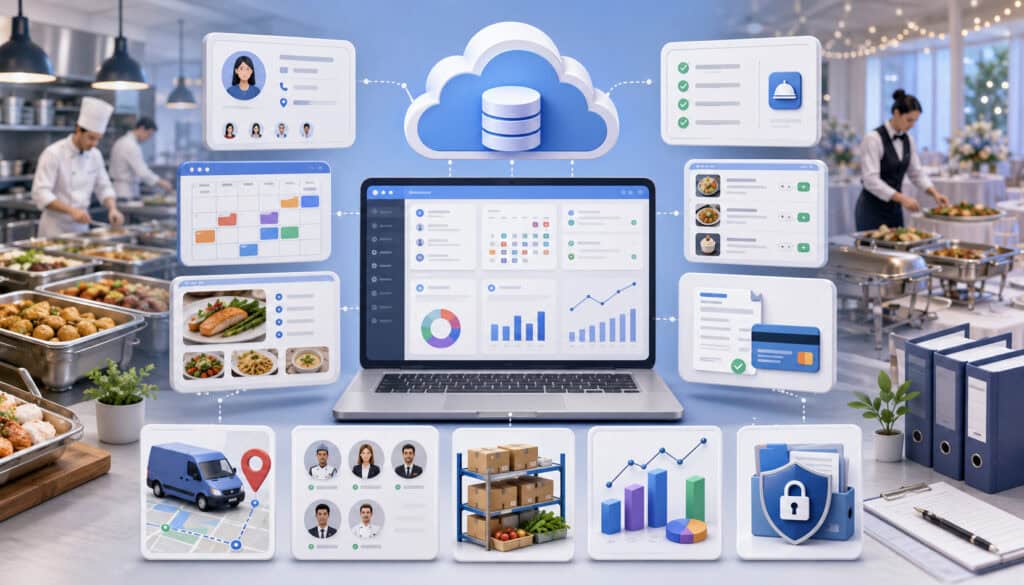
The information stored in cloud catering software varies by platform and business model. A small drop-off catering business may primarily store customer contacts, orders, delivery instructions, invoices, and payment status.
A banquet venue may also maintain detailed BEOs, room layouts, staffing plans, setup schedules, contracts, equipment assignments, and guest-service notes.
Understanding what the software stores is the first step in catering business data protection. A business cannot set suitable permissions, retention practices, or backup priorities without knowing which records exist and where they move.
Managers should identify information entered directly into the platform, uploaded as attachments, generated by the software, received through customer portals, and transferred through integrations.
They should also account for exports that leave the platform and are stored in spreadsheets, email attachments, shared drives, or local devices.
The goal is not to classify every ordinary catering note as highly sensitive. It is to recognize which information deserves stronger protection and reduce unnecessary copying between systems.
Customer and Event Data
Customer and event records commonly include names, email addresses, telephone numbers, billing contacts, event locations, guest counts, menu selections, requested service times, proposal history, and delivery instructions.
Some events may involve additional details, such as private home addresses, access codes, executive contact information, religious observances, accessibility requests, dietary requirements, or notes about high-profile attendees. These records should only be available to team members who need them.
Catering customer data security also includes protecting communications. Proposal links, approval requests, invoices, contracts, and payment links should be sent to verified recipients. Employees should be especially careful when customers use personal and work email addresses interchangeably or when several planners are involved in one event.
Teams should avoid placing unnecessary personal details in open-ended notes. When information is required, it should be entered into the appropriate field and shared only with relevant staff.
Business and Operational Data
Cloud platforms may store menu pricing, recipe quantities, food costs, supplier information, staffing plans, production schedules, vehicle assignments, delivery routes, sales results, revenue reports, customer balances, and location-level performance data.
Unauthorized changes to this information can be disruptive even when no personal information is exposed. A changed guest count can affect purchasing and production. An altered delivery time can cause an event failure. An unauthorized discount can reduce event profitability.
Businesses should therefore think beyond privacy when reviewing food service software security. Data integrity and operational continuity are equally important.
Permissions should reflect how each department works. Kitchen staff may need production sheets and dietary notes, while finance staff may need invoices and accounting exports. Delivery teams may need addresses and event contacts but not customer payment history or companywide sales reports.
Cloud Catering Software Security Risks at a Glance
Most catering software risks arise from a combination of account problems, human error, unsafe devices, inadequate recovery planning, and poorly controlled data sharing. The following table can help teams identify practical weaknesses.
| Security Risk | What Can Happen | Why It Matters | Safer Practice |
| Weak passwords | Unauthorized login risk increases | Customer and business records may be exposed | Require strong, unique passwords |
| Shared accounts | User activity cannot be attributed clearly | Errors and improper changes become harder to investigate | Create individual logins |
| Excessive access | Employees can view or change unnecessary information | More data is exposed if an account is misused | Apply role-based permissions |
| Lost devices | Logged-in event records may remain accessible | Addresses, schedules, and customer contacts may be exposed | Require screen locks and remote access controls |
| Phishing messages | Employees may disclose login credentials | Attackers may take over accounts | Provide recurring phishing training |
| Poor backups | Deleted or damaged records may be difficult to restore | Upcoming events can be disrupted | Review backup and recovery options |
| Unreviewed integrations | Data may flow into unnecessary connected tools | Exposure can occur outside the catering platform | Review connected systems regularly |
| Inactive users | Former employees may retain access | Old accounts create preventable risk | Disable access promptly |
| Unsafe payment handling | Card or bank information may appear in notes or files | Sensitive financial information may be exposed | Use approved hosted payment workflows |
| Missing activity logs | Changes are difficult to trace | Accountability and troubleshooting are weakened | Enable and review activity records |
Phishing deserves particular attention because a convincing message may appear to come from a customer, manager, software provider, or payment service. Staff should be taught to verify unexpected login requests, file-sharing notices, password-reset messages, and payment-link changes.
Authoritative phishing-prevention guidance recommends recurring employee awareness rather than relying only on technical filtering.
How to Use the Table
Begin by marking each risk as controlled, partly controlled, unknown, or unresolved. An “unknown” result is important because it identifies a question for the software provider or internal manager.
Next, prioritize issues that could affect upcoming events, payment information, administrative access, or large amounts of customer data. Shared administrator accounts, former employee access, raw card details in notes, and missing backups usually deserve immediate attention.
The table can also guide software demonstrations. Instead of asking whether a platform is “secure,” ask the vendor to demonstrate how individual accounts, permissions, logs, payment workflows, device sessions, backups, and exports operate.
Repeat the review periodically and after important changes, such as opening another location, adding online ordering, hiring seasonal staff, changing payment processors, or connecting an accounting platform.
Why Security Risks Differ by Business Size
A small catering team may have only a few users, but employees may perform several roles. This can lead to broad permissions because one person handles sales, operations, and invoicing.
A growing restaurant catering department may have more specialized roles but depend on shared restaurant devices. A commissary kitchen may coordinate several production teams, brands, or delivery zones. Event venues may involve outside planners, temporary staff, or department-specific access.
Multi-location businesses face additional challenges, including location-level permissions, centralized administration, employee transfers, and consistent access reviews. A broader discussion of centralized workflows and permissions is available in this guide to catering software for multi-location operations.
Security should therefore be based on actual workflows rather than company size alone. The right controls depend on how many people use the software, where they work, which devices they use, and what information their roles require.
Why Data Protection Matters in Catering Operations
Cloud catering data security supports customer trust, event privacy, staff accountability, payment safety, and operational reliability. A security incident does not have to involve a large technical breach to create harm. Sending a private proposal to the wrong person or exposing a residential gate code can still affect a customer’s confidence.
Data protection also helps preserve accurate operations. Catering events depend on coordinated information. Sales teams confirm the scope, kitchen teams produce the menu, delivery staff follow route and setup instructions, and finance teams track deposits and balances.
If important records are unavailable or changed without authorization, the impact may spread across several departments. Effective security reduces the likelihood of disruption and helps teams respond more efficiently when something goes wrong.
Protecting Customer Trust
Customers may share details they would not publish publicly, including home addresses, private schedules, family contact information, venue access instructions, budgets, guest requirements, and payment arrangements.
They reasonably expect this information to be used for the event and shared only with staff who need it. Catering software privacy features should support that expectation through controlled access, secure portals, protected links, appropriate retention practices, and careful exports.
Trust also depends on communication. Customers should know which payment page, proposal link, or approval request is genuine. Consistent messages and verified links reduce confusion and make impersonation attempts easier to identify.
Businesses should avoid making absolute promises that information can never be exposed. A more responsible approach is to explain that safeguards, trained staff, controlled access, and response procedures are used to reduce risk.
Protecting Business Continuity
Upcoming events depend on access to current details. Losing a BEO, delivery address, final guest count, production sheet, or payment status can create immediate operational problems.
Catering software backup and recovery features support continuity by making it possible to restore information after accidental deletion, system failure, or another disruption. However, businesses should understand what is backed up, how frequently backups occur, and how recovery requests are handled.
Continuity also requires alternatives for temporary access problems. Teams may maintain approved event-day packets, emergency contact procedures, or limited offline information for near-term events. Any copies should be protected and destroyed or deleted when they are no longer needed.
Authoritative small-business guidance recommends combining backups, encryption, logging, and recovery planning rather than treating backup as the only safeguard.
Secure Login and Authentication
Authentication confirms that the person attempting to enter the system is an authorized user. Secure login controls commonly include individual accounts, password requirements, multi-factor authentication, account lockout rules, login notifications, session controls, and protected recovery procedures.
Every user should have a separate account. Shared sales, kitchen, delivery, or manager accounts weaken accountability and make it difficult to remove access when an employee leaves.
Account recovery should also receive attention. A strong password offers limited protection when a reset link can be redirected to an outdated email account. Managers should confirm who controls recovery addresses and telephone numbers and how administrator accounts are recovered.
Strong Password Practices
Passwords should be unique to the catering platform and difficult for another person to guess. Employees should not reuse passwords from personal email, social media, online shopping, or unrelated workplace systems.
Long passwords or passphrases are generally easier to remember and harder to guess than short patterns built around the business name, location, season, or employee initials. Approved password managers can help users create and store unique credentials without relying on predictable variations.
Password policies should be practical. Rules that cause employees to write passwords on paper or share them through messages can undermine the intended protection.
Managers should also discourage password sharing during busy periods. When temporary access is needed, the safer approach is to create a limited account with an appropriate expiration or removal date.
Multi-Factor Authentication
Multi-factor authentication requires an additional verification step after the password. Depending on the system, this may involve an authentication application, security key, device prompt, or one-time code.
MFA can help protect an account when a password is stolen, reused, or entered into a fraudulent website. Current multi-factor authentication guidance recommends using stronger, phishing-resistant methods where they are supported.
Businesses should prioritize MFA for owners, administrators, finance users, remote managers, and anyone who can export records, issue refunds, change user permissions, or access multiple locations.
Role-Based Access Control and User Permissions
Role-based access control assigns permissions according to job responsibilities rather than giving every employee the same access. It is one of the most important catering software access control features.
A sales representative may need leads, customer profiles, proposals, and follow-up notes. A kitchen user may need event dates, menus, guest counts, dietary notes, and production sheets. A driver may need delivery addresses, customer contacts, and setup instructions.
Finance users may need invoices, deposits, refunds, payment reports, and accounting exports. Owners and administrators may need companywide settings, user management, integration controls, and reporting.
These roles should be designed before large numbers of employees are added. Defaulting everyone to administrator access may be convenient during setup, but it creates unnecessary long-term risk.
Least Privilege Access
Least privilege means giving each user only the access needed to perform assigned work. It does not mean making ordinary tasks unnecessarily difficult.
A kitchen employee should not need access to stored payment tokens, customer balances, or administrator settings to print a production sheet. A delivery driver should not need companywide revenue reports to view an event address.
Least privilege reduces the amount of information exposed if an account is compromised. It also limits accidental changes and makes the system easier for employees to navigate.
Permissions should be reviewed when responsibilities change. Promotions, transfers, temporary assignments, and seasonal work can all cause access to accumulate unless old permissions are removed.
Permission Levels for Sensitive Actions
Viewing a record is different from editing, deleting, exporting, refunding, or changing access. Secure systems should allow businesses to distinguish between these actions.
Sensitive permissions may include:
- Deleting customer or event records
- Changing approved proposals or contracts
- Editing invoice totals
- Applying discounts
- Issuing refunds
- Exporting customer lists
- Viewing payment reports
- Changing user roles
- Connecting integrations
- Modifying systemwide settings
These actions should be limited to clearly defined roles. Where available, approval controls can add another safeguard for refunds, unusual discounts, invoice changes, data exports, or record deletion.
Approval workflows are particularly useful when several employees handle the same event. They can reduce pricing mistakes and create a record of who authorized an exception.
Activity Logs and Audit Trails
Activity logs record actions performed within the platform. Depending on the software, logs may show logins, failed access attempts, proposal edits, invoice changes, payment-status updates, deleted records, permission changes, exports, and integration activity.
These records support troubleshooting and accountability. When a guest count unexpectedly changes, a manager can determine whether the update came from a sales user, customer portal, integration, or administrator.
Logs also help identify unusual behavior, such as repeated failed logins, large exports, access from an unexpected location, or numerous changes outside normal working patterns.
Why Activity Logs Matter
Without logs, managers may know that a record changed but not who changed it or when. This can turn a correctable mistake into a lengthy dispute between departments.
A useful log should identify the user, action, record, and time. More advanced systems may show the previous value, new value, device, or originating integration.
Businesses should ask how long logs are retained, which roles can view them, whether they can be exported, and whether administrators can alter them.
Logging is not a replacement for permissions. It is a supporting control that helps businesses detect, investigate, and learn from activity.
Reviewing Logs Without Micromanaging
Activity logs should support operational accuracy and risk reduction rather than unnecessary employee surveillance. Reviews can focus on defined events, such as invoice changes, refunds, deleted records, permission updates, and unusual exports.
Managers do not need to inspect every ordinary action. Instead, they can create exception-based reviews. For example, a monthly review might examine newly created administrators, refunds over a defined amount, large data exports, and changes to payment settings.
Employees should understand why logging exists and which actions are reviewed. Transparency can improve accountability without creating distrust.
Data Encryption and Secure Cloud Storage
Encryption transforms information so it cannot be read normally without the appropriate key or process. In catering software, encryption may protect information while it moves between a device and the cloud and while it is stored.
Encryption is an important security layer, but businesses should not evaluate it through vague claims. Vendors should be able to explain whether data is encrypted in transit and at rest, how connections are protected, and how backups are secured.
Authoritative guidance recommends protecting business information both while it is moving and while it is stored.
Encryption in Transit
Data is in transit when it moves between a browser, mobile application, cloud platform, payment processor, customer portal, or connected system.
Protected web connections help prevent information from being easily read while it travels across networks. Employees should access the platform through approved applications or secure web addresses and should not bypass browser warnings.
Integrations also create data movement. A catering platform may send customer details, invoice totals, event dates, or accounting information to another system. Vendors should explain how those connections are authenticated and encrypted.
Encryption in transit does not eliminate phishing or improper sharing. An employee can still send an encrypted email attachment to the wrong recipient. Technical protection and careful workflows must work together.
Encryption at Rest
Data at rest includes information stored in databases, file attachments, backups, exports, mobile devices, or local computers.
Businesses should ask whether primary data, backups, and uploaded documents are encrypted. They should also ask how exported files are protected after leaving the software.
A secure cloud platform can protect records on its own infrastructure, but the protection may no longer apply after a user downloads a spreadsheet to an unprotected laptop. Export procedures should therefore be included in catering software data privacy practices.
Secure storage should also include access controls, monitoring, backup protection, and appropriate deletion procedures. Encryption is important, but it is only one part of secure record handling.
Secure Payment Workflows
Catering software payment security is especially important because deposits and final balances may be substantial. Catering teams often accept card payments, ACH payments, online invoices, hosted payment links, and occasional on-site transactions.
The safest workflow generally minimizes the amount of payment information handled directly by staff. Customers should enter sensitive details into an approved payment environment rather than providing card numbers through email, text messages, proposal comments, event notes, or ordinary spreadsheets.
A practical overview of event-specific payment controls is available in this guide to payment security for catering businesses.
Avoiding Unsafe Card Handling
Employees should not store full card numbers, security codes, bank credentials, or account details in customer notes, contracts, BEOs, shared documents, email messages, or paper event files.
Even when a customer voluntarily sends card information, staff should move the customer to the approved payment process rather than copying the information into another record.
Payment-card standards emphasize protecting stored cardholder information and reducing unnecessary storage. The card-data storage guidance explains why businesses should carefully control whether card information is retained at all.
Businesses should work with their payment provider and qualified professionals to determine which requirements apply to their acceptance methods.
Payment Links and Hosted Payment Pages
A hosted payment page allows the customer to enter payment details in an environment operated by an approved payment provider. This can reduce the need for catering employees or catering software to handle raw card data.
Tokenization may replace payment details with a non-sensitive reference that can be used for permitted transactions without revealing the original account number. The exact responsibilities and protections depend on the payment configuration.
The small-merchant payment security guide notes that outsourcing payment-page handling to an appropriately validated provider can reduce direct exposure, although businesses still retain responsibilities for their overall payment environment.
Secure payment links should be generated through approved systems, connected to the correct invoice, and sent through consistent customer communications. Refund access should be restricted and recorded.
Data Backups, Recovery, Export, and Portability
Backups preserve recoverable copies of important information. Recovery is the process of restoring that information after deletion, corruption, system failure, or another incident.
Catering software backup and recovery should be evaluated in operational terms. A statement that data is “backed up” is not enough. Businesses need to know what is included, how often backups occur, how long copies are retained, and how restoration works.
Export and portability also matter. A catering business should understand how it can obtain customer lists, event histories, invoices, menus, reports, proposals, and production records for authorized business purposes.
Why Backups Matter for Event-Based Businesses
Catering operations work against fixed event deadlines. Losing information for an event taking place tomorrow can be more disruptive than losing an older record.
Critical data may include final guest counts, approved menus, allergy notes, staffing assignments, delivery instructions, venue contacts, payment status, and setup schedules. Recovery priorities should reflect event timing and operational impact.
Businesses should ask whether accidentally deleted events can be restored individually or whether a larger system recovery is required. They should also ask whether attachments, activity logs, and portal records are included.
Backups should be tested rather than assumed. Authoritative guidance recommends maintaining protected backups and regularly confirming that recovery works.
Safe Export Practices
Exports can support reporting, migration, business continuity, or authorized analysis. They can also create unmanaged copies of customer and business information.
Export permissions should be limited. Files should be stored in approved locations, shared only with authorized recipients, and deleted when the business purpose ends.
Employees should avoid sending customer lists or financial reports through personal email accounts. Portable drives and local downloads should be protected according to company procedures.
Before selecting software, ask:
- Which records can be exported?
- Which file formats are available?
- Are attachments included?
- Can exports be limited by date, location, or role?
- Is export activity logged?
- What happens to data when service ends?
- Who can request a recovery or complete export?
Secure Integrations
Catering software may connect with payment processors, accounting tools, point-of-sale systems, calendars, customer portals, online ordering services, email platforms, reporting tools, and automation services.
Integrations can reduce duplicate entry, but each connection creates another route through which information may be accessed or transferred. Secure integrations should use protected authentication, limited permissions, encrypted communication, and clear data-sharing rules.
A connected tool should not receive more information than it needs. An email integration may need customer contact details and event reminders, but it may not need payment records or internal production notes.
Integration Access and Data Sharing
Businesses should identify what data each integration reads, creates, changes, or exports. They should also know whether information is stored by the connected service after transfer.
Important questions include:
- Which user authorized the connection?
- Which records can the integration access?
- Can it edit or delete information?
- Does it access all locations?
- How are credentials protected?
- What happens when the connection is removed?
- Is integration activity visible in logs?
Integration security should be part of the initial vendor review and ongoing operational risk management. It should not be treated as a hidden technical detail.
Reviewing Connected Apps Regularly
Over time, businesses may accumulate test integrations, former accounting tools, unused calendar connections, and automation services created by employees who have since left.
A quarterly or semiannual review can identify connections that are no longer necessary. Removing unused access reduces the number of systems holding or receiving catering information.
Managers should also review integration ownership. A connection authorized through a former employee’s account may stop working unexpectedly or remain difficult to manage.
Mobile, Remote, and Customer Portal Security
Cloud-based catering software security must account for employees working outside the office. Sales staff may access proposals during venue tours, drivers may view addresses on phones, managers may approve changes remotely, and event teams may use tablets at temporary sites.
Mobile access can improve responsiveness, but devices may be lost, shared, observed by other people, or connected to unsafe networks. Security settings should reflect these conditions.
Customer portals introduce another form of remote access. Clients may review proposals, approve changes, sign documents, upload files, and make payments without contacting an employee directly.
Device Security Basics
Approved devices should use screen locks, current operating-system updates, supported browsers or applications, and available device encryption.
Employees should not remain permanently signed in on shared tablets. Automatic session timeouts can reduce exposure when a device is left unattended.
Personal devices require clear rules. Businesses should decide whether they are allowed, which records may be accessed, and what happens when an employee leaves or loses a device.
Staff should avoid displaying customer records on public screens or discussing event information where unrelated people can see or hear it.
Protecting Client-Facing Records
Customers should only see records associated with their own event, proposal, invoice, contract, or payment link. Portal links should be difficult to guess and should use appropriate identity verification.
Businesses should test the portal as a customer before deployment. Confirm that one customer cannot navigate to another customer’s documents and that canceled or expired links stop working as expected.
Customer instructions should explain how genuine proposal and payment links are delivered. They should encourage customers to verify unexpected changes to payment instructions through a known contact method.
Remote staff should apply similar care. Customer details should not be copied into personal messaging applications merely because they are convenient on event day.
Privacy and Data Retention Controls
Catering software data privacy includes deciding what information to collect, how it is used, who can access it, how long it is retained, and how it is deleted or archived.
Keeping every record indefinitely may appear convenient, but unnecessary information creates clutter and increases exposure. A better approach is to retain information for a defined business purpose and review old data periodically.
Retention decisions may be affected by contracts, legal obligations, accounting practices, payment requirements, insurance terms, and operational needs. Qualified professionals should review specific requirements.
Keeping Only Useful Data
Businesses should avoid collecting information merely because a software field exists. Each data element should support a legitimate operational purpose.
Open note fields deserve special attention because employees may enter unnecessary personal, payment, medical, or confidential details. Training should explain what belongs in the system and what should never be recorded.
The data-security guidance for businesses recommends understanding what information is held, collecting only what is needed, protecting it, and disposing of it securely when it is no longer required.
Data minimization can also improve usability. Cleaner records make it easier for staff to find current event information without sorting through outdated notes and duplicate files.
Reviewing Old Records
Periodic reviews may cover canceled events, expired proposals, inactive customer profiles, former user accounts, old exports, temporary files, and outdated attachments.
The review should distinguish between deleting information and limiting access through archiving. Some records may need to remain available to a small administrative group while disappearing from ordinary sales or kitchen views.
Businesses should document who can approve deletion, whether deleted records can be restored, and how long recovery remains possible.
Old files outside the platform should not be forgotten. Spreadsheets in download folders, proposal PDFs in personal email, and printed BEOs may remain exposed after the system record is archived.
Security for Sales and Customer Communication
Sales teams work with leads, contact details, budgets, proposals, pricing, follow-up notes, contracts, and payment requests. They often access the platform from laptops and mobile devices while moving between offices, venues, and client meetings.
Because sales teams communicate directly with customers, they may also be targeted by phishing, fake document-sharing requests, fraudulent payment messages, and impersonation attempts.
Protecting Lead and Customer Records
Sales users should verify recipients before sending proposals, contracts, invoices, and portal invitations. Auto-complete errors can send files to a similarly named contact.
Sensitive notes should be limited to information required for planning and service. Staff should avoid copying entire email conversations into open fields when a concise operational note is sufficient.
Access should be adjusted when leads are reassigned or employees leave. Personal exports of lead lists should not become an unofficial backup or prospecting database.
Managers should also review whether sales users need permission to change prices, issue discounts, delete records, or export the entire customer database.
Safe Proposal Sharing
Proposal links and PDF files may contain customer addresses, event details, prices, schedules, and contract terms. They should be shared only with intended recipients.
Where possible, use protected customer portals or links that can expire or be revoked. When PDF exports are necessary, store them in approved locations and avoid forwarding them through personal accounts.
Changes to bank or payment instructions should receive additional verification. Customers should not be redirected to a new payment destination solely through an unexpected email.
Consistent proposal templates and communication procedures make genuine messages easier for customers to recognize.
Security for Kitchen, Delivery, and Event Teams
Kitchen, delivery, and event teams need quick access to accurate operational information. Security controls should not prevent them from seeing what is required to execute the event.
The objective is to provide focused access. Production staff need menus, quantities, dietary instructions, prep schedules, and service times. Delivery staff need destinations, contacts, parking notes, load details, and setup instructions.
Neither group usually needs broad access to invoices, payment tokens, companywide reports, user administration, or complete customer histories.
Protecting Kitchen and Dietary Information
Kitchen access should emphasize production records, guest counts, recipes, equipment needs, event timelines, and relevant dietary or allergy notes.
Special-request information should be shared only with employees responsible for planning, preparation, or service. Avoid including unrelated customer details on production sheets.
Printed kitchen documents should be collected after use and disposed of appropriately. Shared kitchen screens should lock automatically and should not expose customer records to visitors or unrelated staff.
Teams should also control recipe, pricing, and production exports because these may contain confidential business information.
Handling Delivery Information Carefully
Delivery records can contain residential addresses, telephone numbers, gate codes, parking instructions, security-desk contacts, and information about when a property will be occupied.
Drivers should receive only the details needed for assigned deliveries. Access should expire or be removed when temporary workers finish their assignments.
Event-day information should not be posted in unsecured group chats or copied into personal address books. Approved communication channels provide better control and make access easier to remove.
Devices should remain locked when left in vehicles, prep areas, or loading zones. Paper route sheets should be returned or destroyed after the operational need ends.
Security for Finance and Administrative Teams
Finance and administrative users may access invoices, deposits, customer balances, payment status, refunds, accounting exports, payout reports, and companywide performance information.
These roles usually require broader access, which makes strong authentication, individual accounts, activity logs, and regular permission reviews especially important.
Restricting Financial Access
Refunds, invoice adjustments, payment exports, and integration settings should be limited to authorized users. The ability to view a payment status does not necessarily require the ability to issue a refund.
Approval controls can help with large refunds, unusual discounts, balance write-offs, and changes to payment destinations.
Administrators should avoid using their highest-privilege account for routine work when the platform supports separate operational and administrative roles.
Finance access should be removed promptly when an employee leaves or changes responsibilities. Recovery email addresses and MFA devices should also be updated.
Protecting Accounting Exports
Accounting exports may contain customer names, invoice details, event totals, payment activity, taxes, fees, and location-level results. Once downloaded, these files may no longer be protected by the catering platform.
Exports should be stored in approved folders with appropriate access restrictions. They should not be copied into personal cloud storage or sent through unapproved email accounts.
Duplicate and outdated exports should be removed according to the business’s retention procedures. Teams should also confirm whether accounting integrations eliminate the need for repeated manual downloads.
Common Cloud Catering Software Security Mistakes
Many catering software cybersecurity problems result from convenience-driven workarounds. A team shares one account because creating users takes time. A manager leaves former employees active in case they return. A customer sends a card number by email, and an employee copies it into the notes.
These choices may seem small, but they weaken otherwise useful security features.
Shared Logins and Excessive Administrator Access
Generic accounts make it difficult to know who viewed or changed a record. They also make password changes disruptive because every user must receive the new credentials.
Too many administrator accounts increase the number of people who can change permissions, integrations, payment settings, and companywide configurations.
Each employee should have an individual login and the lowest role that supports assigned work. Temporary employees should receive temporary or limited access rather than shared credentials.
Former users should be removed promptly, and inactive accounts should be reviewed regularly.
Unsafe Payment Notes and Uncontrolled Files
Raw card details should not appear in event notes, emails, spreadsheets, contracts, or paper files. Customers should be directed to the approved payment workflow.
Other common mistakes include:
- Sending proposals to the wrong email address
- Downloading reports to personal devices
- Ignoring software and device updates
- Leaving tablets unlocked
- Keeping unnecessary integrations
- Failing to test recovery procedures
- Using personal accounts for business files
- Neglecting phishing training
- Allowing old users to remain active
Security improves when safe procedures are easier than workarounds. Businesses should configure templates, roles, links, and approvals so employees can follow the correct process without unnecessary delay.
Cloud Catering Software Security Checklist
The following catering software security checklist can support software demonstrations, implementation, staff onboarding, and periodic reviews.
| Security Area | What to Review | Why It Matters | Priority |
| User accounts | Individual login for each user | Improves accountability | High |
| Passwords | Strong, unique password practices | Reduces login risk | High |
| Multi-factor authentication | Additional login verification | Helps prevent account takeover | High |
| Role-based access | Permissions matched to job duties | Limits unnecessary exposure | High |
| Payment workflows | Hosted payment links and no raw card storage | Protects sensitive payment information | High |
| Activity logs | Records of logins and important changes | Supports investigation and troubleshooting | Medium/High |
| Backups | Backup frequency and recovery options | Supports business continuity | High |
| Data exports | Export access, storage, and deletion | Controls copies outside the platform | High |
| Integrations | Connected apps and shared information | Reduces hidden access | Medium/High |
| Mobile access | Screen locks, approved devices, and sessions | Protects remote records | High |
| Former staff | Prompt removal of inactive users | Prevents outdated access | High |
| Customer portals | Record separation and link controls | Protects client-facing information | High |
| Data retention | Archived records and old files | Reduces unnecessary exposure | Medium |
| Training | Phishing, password, payment, and device awareness | Reduces human error | High |
How to Use the Checklist
During a software demonstration, ask the provider to show each feature instead of relying on a yes-or-no answer. Request examples of creating a role, limiting exports, reviewing a log, disabling a user, recovering a deleted record, and sending a hosted payment link.
During setup, assign an owner to every checklist area. Payment workflows may belong to finance, device practices to operations, and user reviews to an administrator.
Review the checklist after major operational changes. A new location, customer portal, payment provider, or accounting integration can change the security profile.
The checklist is a starting point rather than a certification or compliance assessment. Professional review may be needed for specific privacy, cybersecurity, contractual, payment, or regulatory obligations.
Records to Keep for Security Reviews
Organized documentation can help a business understand its security decisions and respond consistently. Useful records may include:
- Current user and role lists
- Access-review notes
- Former employee removal records
- Staff training attendance
- Approved device procedures
- Integration registers
- Backup and recovery information
- Export procedures
- Incident notes
- Vendor security responses
- Internal policies
- Professional review recommendations
Documentation should itself be protected. A file containing every administrator account, recovery method, and system connection should not be broadly accessible.
Best Practices for Cloud Catering Software Data Protection
Effective catering software security is built through repeatable habits rather than one large annual project. Businesses should select a manageable set of controls, assign responsibility, and review them consistently.
Core practices include:
- Give every user an individual account.
- Require strong, unique passwords.
- Enable multi-factor authentication where available.
- Match permissions to job responsibilities.
- Limit administrator access.
- Remove former users promptly.
- Review user roles after staffing changes.
- Avoid storing raw payment information.
- Use approved hosted payment links.
- Train staff to recognize phishing attempts.
- Lock and update mobile devices.
- Review integrations periodically.
- Protect downloaded reports and exports.
- Understand backup and recovery procedures.
- Keep only information needed for legitimate operations.
- Obtain professional guidance for specialized requirements.
Creating a Security Routine
A monthly review may cover new users, former users, administrators, unusual exports, refund activity, and unresolved incidents.
A quarterly review can examine roles, integrations, recovery information, device procedures, retention practices, and training needs. Larger or more complex operations may review high-risk areas more frequently.
The routine should also include a process for reporting mistakes. Employees should know whom to contact after sending a file to the wrong person, losing a device, clicking a suspicious link, or noticing unusual account activity.
Early reporting can reduce damage. Staff should not hide mistakes because they fear punishment for an honest error.
Training Staff Without Overwhelming Them
Training should be connected to each role. Sales users need guidance on proposals, customer links, and phishing. Kitchen teams need guidance on shared screens and dietary notes. Drivers need device and delivery-data procedures. Finance users need payment, refund, and export controls.
Short recurring sessions are often more useful than one long presentation. Realistic examples make the guidance easier to apply.
Training should clearly distinguish required actions from recommendations. Employees should know where to store exports, how to report suspicious messages, and which payment methods are approved.
Security awareness is strongest when managers model the same practices expected from employees.
Questions to Ask Before Choosing Secure Cloud Catering Software
Security questions should be included in software demonstrations and vendor reviews. The objective is not to collect impressive terminology. It is to understand how the controls affect daily catering work.
Security Feature Questions
Ask prospective providers:
- Does every user receive an individual account?
- Is multi-factor authentication available?
- Can it be required for selected roles?
- How detailed are role-based permissions?
- Can viewing, editing, deleting, exporting, and refunding be controlled separately?
- Are important actions recorded in activity logs?
- How long are logs retained?
- Is information encrypted in transit and at rest?
- How are backups protected?
- How often are backups created?
- Can deleted events be restored?
- Which records can be exported?
- Are exports logged?
- Does the platform store raw card information?
- Are hosted payment pages or tokenized payment methods used?
- How are integrations authenticated?
- How are security incidents communicated?
- What support is available during an account or recovery problem?
The provider should be able to explain these controls clearly and demonstrate important workflows.
Operational Fit Questions
Security must fit sales, kitchen, delivery, finance, and management operations. Ask whether kitchen roles can see production details without financial information and whether drivers can access only assigned events.
Determine how temporary staff, remote managers, outside planners, and multiple locations are handled. Ask whether permissions can be copied between similar roles and whether access can be limited by department or location.
Test how customer portals separate records and how proposal or payment links expire. Review how the platform behaves on shared tablets and mobile devices.
A platform with strong controls may still be a poor fit if ordinary tasks require employees to request administrator assistance constantly. Security should guide work without creating avoidable workarounds.
How to Compare Secure Cloud Catering Software Options
Compare platforms using actual workflows rather than feature counts. Prepare realistic scenarios involving a new lead, proposal approval, deposit, guest-count change, production sheet, delivery assignment, refund, and accounting export.
Observe which users can see each record and action. Check whether the system creates a clear history and whether sensitive tasks require appropriate authorization.
Guides comparing cloud-based and on-premise catering systems can also help teams evaluate how hosting, updates, access, backups, and internal IT responsibilities differ.
Comparing Security Features Without Getting Lost in Jargon
Ask vendors to explain each feature through a catering example. Instead of accepting “advanced access control,” ask whether a driver can view an address without seeing the customer’s payment history.
Instead of accepting “enterprise-grade encryption,” ask whether data is encrypted during browser access, storage, backups, exports, and integration transfers.
Request written answers for important questions and identify which features are included in the selected plan. Some permissions, logs, backup controls, or support options may be limited to higher service tiers.
Vendor claims should be considered alongside usability, training resources, support responsiveness, integration controls, data portability, and total cost.
Balancing Convenience and Protection
The most secure process is not useful if employees cannot complete routine work. The most convenient process is not responsible if it exposes unnecessary data.
A suitable platform should make approved behavior straightforward. Employees should be able to send a secure payment link more easily than collecting card information manually. Managers should be able to create a limited driver account more easily than sharing an administrator password.
Balance also means planning for unusual situations. Seasonal staffing, last-minute event changes, temporary device loss, and customer payment questions should have defined procedures.
The best system is not the one with the longest security feature list. It is the one that supports the business’s real workflows while providing understandable controls, reliable recovery, responsible data handling, and appropriate support.
Frequently Asked Questions
What is cloud catering software security?
Cloud catering software security is the combination of technical safeguards, account settings, vendor protections, staff procedures, and monitoring used to protect catering records.
It may include secure logins, multi-factor authentication, permissions, encryption, activity logs, backups, protected payment workflows, device controls, and staff training.
Security should protect confidentiality, record accuracy, and access to information needed for upcoming events.
What data should catering software protect?
Catering software may need to protect customer names, contact details, event addresses, schedules, contracts, proposals, BEOs, invoices, deposits, payment links, production sheets, delivery notes, staff assignments, and reports.
Some records may require additional care, including residential access instructions, dietary notes, private event details, and financial exports.
The required protection depends on the information stored and how employees, customers, integrations, and service providers use it.
What are the best security features in cloud catering software?
Important features include individual accounts, multi-factor authentication, role-based permissions, approval controls, activity logs, encryption, protected cloud storage, secure payment links, backups, recovery tools, export controls, integration management, and customer portal protections.
The best security features in cloud catering software are those that can be configured around the business’s actual roles and workflows. Features should also be understandable enough for managers to review and employees to use correctly.
How can catering businesses protect customer data?
Businesses can use individual accounts, limit permissions, enable MFA, protect devices, verify recipients, review integrations, control exports, train employees, and remove old users promptly.
They should collect only information needed for legitimate operations and avoid placing unnecessary personal details in notes. Customer and event records should be shared only with employees who need them to complete the event.
Why are user permissions important in catering software?
Catering software user permissions limit which records and actions each employee can access. A kitchen user may need production information but not invoices. A driver may need an address but not customer financial records.
A sales employee may need proposals but not user-administration settings. Appropriate permissions reduce accidental changes, unnecessary exposure, and the potential impact of a compromised account.
How should catering teams handle payment information securely?
Teams should use approved payment links, hosted payment pages, supported terminals, or other payment-provider workflows. Raw card or bank details should not be typed into event notes, emails, spreadsheets, contracts, or paper files.
Refunds, payment reports, and payment settings should be restricted to authorized users. Businesses should obtain qualified guidance regarding payment-security responsibilities that apply to their acceptance methods.
What catering software security mistakes should businesses avoid?
Common mistakes include shared logins, weak passwords, excessive administrator access, inactive former employee accounts, unsafe card notes, unlocked devices, uncontrolled exports, unused integrations, and untested backups.
Another mistake is treating security as a software-provider responsibility only. Employees and managers influence security through daily access, communication, device, and data-handling decisions.
How should businesses compare secure cloud catering software options?
Businesses should compare platforms using realistic workflows and role-based scenarios.
They should review login security, permissions, logs, encryption, payment workflows, backups, recovery, exports, integrations, customer portals, mobile access, data retention, vendor support, and incident communication.
The final decision should consider both protection and usability. A system should make responsible workflows practical for sales, kitchen, delivery, finance, and management teams.
Conclusion
Cloud catering software security protects much more than login credentials. It supports customer privacy, accurate event records, secure proposals, controlled invoices, safer payment workflows, reliable production details, protected delivery information, staff accountability, and business continuity.
A secure cloud catering software environment should provide individual user accounts, strong authentication, role-based permissions, activity logs, encryption, protected storage, safe payment workflows, backups, recovery options, controlled exports, secure integrations, mobile safeguards, and customer portal protections.
Technology alone is not enough. Catering teams must also avoid shared accounts, remove former users, protect devices, verify recipients, recognize phishing attempts, limit unnecessary data, and handle exports responsibly.
The most effective catering software security program combines suitable technology with consistent team habits. Regular access reviews, targeted training, backup awareness, careful integration management, and clear reporting procedures help transform security from an occasional technical concern into a dependable part of catering operations.
Businesses with specialized privacy, cybersecurity, payment, financial, employment, food safety, contractual, or regulatory questions should seek qualified professional guidance.
With thoughtful controls and responsible use, cloud catering software can support efficient collaboration while protecting the customer, event, payment, and operational information that keeps the business running.