By Evan Gray April 27, 2026
Implementing Catering Management Software is not just a technology project. It is an operations improvement project that touches how your team sells events, builds proposals, manages menus, schedules staff, prepares food, coordinates delivery, collects payments, and follows up after the event.
That is why successful implementation is rarely about “turning on” a system and hoping people use it. It is about replacing scattered habits with clearer workflows. It is about making sure the sales team, kitchen, event coordinators, delivery crew, finance staff, and managers all work from the same source of truth.
For caterers, restaurants with catering programs, venue operators, and event planners, the stakes are real. A missed allergy note, outdated menu price, duplicate proposal, incorrect deposit, or unclear delivery time can create costly problems. Good software can reduce those risks, but only when it is configured thoughtfully and used consistently.
This catering software implementation guide walks through the practical steps needed to plan, configure, train, test, and roll out a system in a way that supports daily operations instead of interrupting them.
What Catering Management Software Is and Why Implementation Planning Matters
Catering management software is a centralized system for managing the moving parts of catering and event operations. Depending on the platform, it may include lead tracking, CRM, proposals, contracts, menus, event orders, BEOs, prep sheets, staffing, delivery scheduling, inventory, invoicing, payments, reporting, and client communication.
The value comes from connection. Instead of entering the same customer, menu, price, guest count, and event details in multiple places, the team can manage the event lifecycle from inquiry to final invoice in one organized workflow.
For example, a lead can become a proposal. A proposal can become a contract. A contract can generate a deposit invoice. Approved event details can flow into kitchen prep sheets, delivery notes, staffing plans, and final billing. This is where catering workflow automation becomes useful: it reduces repeated entry and helps teams avoid missing steps.
However, software cannot fix unclear operations by itself. If menu pricing is inconsistent, event notes are scattered, staff roles are undefined, or sales and kitchen teams follow different processes, the software may simply expose those problems faster.
That is why implementation planning matters. A successful catering business software setup starts with decisions about how the business should operate, not just which buttons to click.
A good implementation plan should answer:
- What problems are we trying to solve?
- Which workflows need to be standardized?
- Who owns setup decisions?
- What data must be cleaned before import?
- Which teams need training?
- How will we test the system before launch?
- What old tools will be retired after rollout?
- How will success be measured?
The Biggest Risks of Poor Catering Software Implementation

Poor implementation can create more confusion than the old process. This usually happens when a business rushes setup, imports messy data, skips testing, or expects employees to change habits without enough training.
One of the biggest risks is messy data. If duplicate customer records, outdated menus, wrong prices, inactive vendors, expired tax rates, and incomplete event histories are imported into the new system, the team starts with bad information. That leads to wrong proposals, billing errors, production mistakes, and distrust in the platform.
Staff resistance is another common issue. Employees may worry that the system will slow them down, expose mistakes, or replace familiar routines. If training focuses only on features instead of real daily tasks, adoption can suffer.
Duplicate workflows also create problems. If the team keeps using spreadsheets, shared calendars, email folders, handwritten notes, and the new platform all at once, no one knows which source is current.
This is especially risky for event details that change often, such as guest counts, menu substitutions, delivery windows, floor plans, allergies, and rental needs.
Other risks include:
- Missed event details because fields were not configured properly
- Billing errors from incorrect fees, taxes, deposits, or discounts
- Inconsistent proposal formats that confuse clients
- Poor kitchen visibility because prep sheets are incomplete
- Delivery mistakes due to unclear load-out notes
- Weak reporting because staff do not enter data consistently
- Management frustration when dashboards do not reflect reality
Step-by-Step Catering Software Implementation Guide
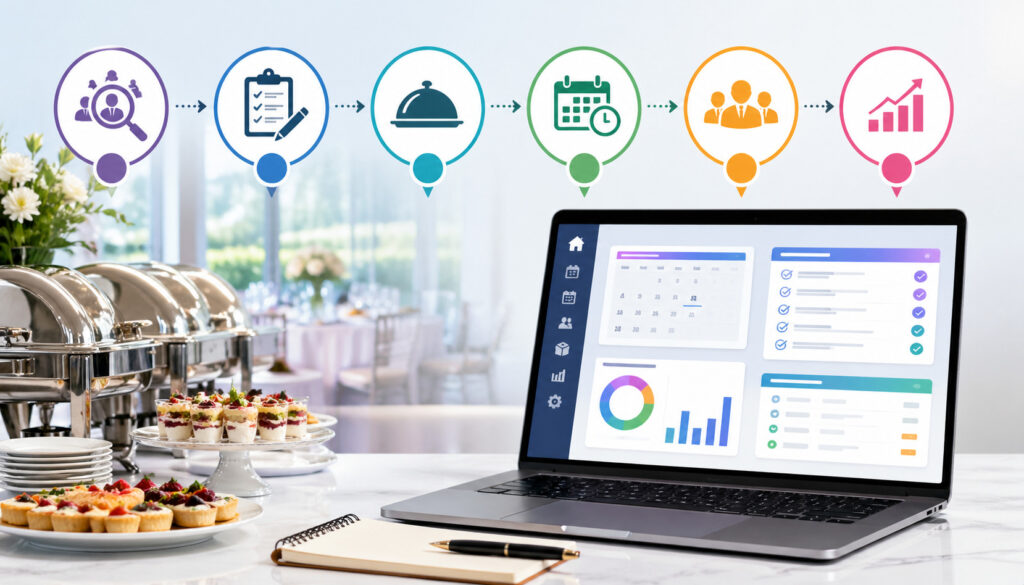
A practical implementation plan gives your team structure. It also helps prevent the common mistake of configuring software before understanding the business process it needs to support.
Define Business Goals Before Setting Up the System
Before starting the catering operations software setup, define what success should look like. Avoid vague goals like “be more efficient.” Instead, focus on measurable operational improvements.
A small caterer may want faster proposal turnaround, cleaner client communication, and fewer missed details. A restaurant adding catering may want a better way to separate dine-in operations from off-premise orders.
A venue with multiple event spaces may need stronger calendar visibility, BEO management, and staffing coordination. A growing catering company may need standard workflows so new employees can follow the same process across locations or event types.
Useful implementation goals may include:
- Reduce proposal creation time
- Standardize menus, packages, and pricing
- Improve event calendar visibility
- Reduce billing corrections
- Track deposits and balances more clearly
- Improve kitchen prep accuracy
- Reduce last-minute communication gaps
- Create better reporting by event type, lead source, or margin
Once goals are defined, use them to guide setup decisions. For example, if faster proposals are a priority, focus early on templates, menu packages, add-ons, pricing rules, and approval steps. If billing accuracy is the issue, prioritize taxes, fees, deposits, payment schedules, invoice templates, and accounting integration.
Map Current Workflows Before Changing Them
Workflow mapping is one of the most valuable parts of implementing catering management software. It helps you see what actually happens from lead intake to post-event follow-up.
Start by documenting your current process. Include every major step, even if it seems informal. How does a lead come in? Who responds? Where is the inquiry recorded? How is a quote built? Who approves discounts? When is a contract sent? How does the kitchen receive final counts? Who schedules staff? Who confirms payment? Who follows up after the event?
This exercise often reveals hidden gaps. For example, sales may assume operations sees every approved change, while operations may rely on a weekly meeting or email thread. Finance may not know when guest counts change after the deposit. The kitchen may work from a printed sheet that does not always reflect the latest revision.
After mapping the current workflow, identify what should change. The new software should support a cleaner version of the process, not a cluttered copy of the old one.
For additional context on how connected catering workflows typically move from leads to fulfillment, this guide on how cloud catering software works can help teams think through the full operational flow.
Select Implementation Owners and Decision Makers
Implementation needs ownership. Without clear owners, setup decisions get delayed or made inconsistently.
Choose one main implementation lead who understands operations and can coordinate across departments. This person does not need to be the most technical employee. They need to understand how events are sold, planned, executed, and billed.
You should also assign department owners for key areas:
- Sales or catering manager for CRM, leads, proposals, and contracts
- Chef or kitchen manager for menus, prep sheets, production notes, and inventory
- Event operations lead for BEOs, timelines, staffing, delivery, and venue details
- Finance lead for taxes, fees, deposits, invoices, payments, and accounting
- General manager or owner for reporting, permissions, and final decisions
Each owner should review the setup for their area before rollout. This prevents one person from making assumptions that create problems for another team later.
Clean Data Before Importing Anything
Data migration is one of the most important parts of catering software onboarding. It is also one of the easiest areas to underestimate.
Clean data matters because your new system will depend on the records you bring into it. If those records are inaccurate, incomplete, duplicated, or outdated, your team may lose trust in the software quickly.
Organize Customer, Menu, Pricing, Vendor, Inventory, and Event Data
Before importing records, review each data category carefully.
Customer records should include accurate names, organizations, email addresses, phone numbers, billing contacts, tax-exempt status where applicable, preferences, notes, and past event history. Remove duplicates and merge records when possible.
Menu data should be current and standardized. Review item names, descriptions, categories, allergens, dietary labels, portion sizes, minimum quantities, service styles, add-ons, and availability rules. A menu item should not appear three different ways unless there is a clear reason.
Pricing data needs special attention. Confirm package pricing, per-person pricing, delivery fees, service charges, labor rates, equipment charges, rentals, discounts, and deposit rules. Outdated pricing can damage margins and create awkward client conversations.
Vendor and inventory records should be cleaned as well. Remove inactive vendors, update contact details, confirm item units, and organize inventory categories. For teams that rely heavily on stock visibility, this article on inventory management in catering software offers useful background on reducing waste and improving purchasing decisions.
Event data may be imported selectively. Some businesses bring in only future events and active clients. Others also import historical data for reporting. Be realistic. Importing years of inconsistent history may not be worth the cleanup effort unless it supports a specific business need.
Avoid Importing Old Problems Into the New System
It is tempting to import everything because it feels safer. But unnecessary data can clutter the system and confuse staff.
Before migration, ask:
- Is this record still accurate?
- Will staff need this information after launch?
- Does this data support reporting?
- Is this duplicate information already stored somewhere else?
- Does this field create confusion or value?
For example, if you have old menu items that are no longer sold, do not import them as active items. If customer notes contain outdated preferences or informal comments, review them before moving them into a shared system. If pricing varies by salesperson without rules, standardize pricing before setup.
Configure the System Around Real Catering Operations

Configuration is where the software begins to reflect how your business works. This stage should be careful, practical, and grounded in real event scenarios.
Set Up Menus, Packages, Taxes, Fees, Deposits, and Contracts
Start with the building blocks your team uses every day. Menus and packages should be structured in a way that makes quoting easy and fulfillment clear.
For example, a drop-off lunch package may need per-person pricing, minimum order rules, delivery windows, disposable service items, and optional beverage add-ons.
A wedding buffet may need guest count ranges, staffing rules, rental notes, tasting records, service charges, and payment milestones. A corporate recurring order may need approved menu rotations, billing contacts, purchase order fields, and recurring invoice rules.
Taxes and fees must be configured carefully. Review tax categories, taxable and non-taxable items, delivery charges, service fees, gratuity handling, administrative fees, and deposit rules. Finance should approve these settings before launch.
Contracts and proposals should be clear and consistent. Use templates that include event details, menu selections, guest count, pricing, payment schedule, cancellation terms, change deadlines, and client approvals. This helps sales present professionally and helps operations know what was agreed to.
If payment collection is part of your rollout, review how deposits, invoice schedules, refunds, and reconciliation will work. This article on catering software with integrated payment solutions provides helpful context for connecting proposals, invoices, deposits, and payment reporting.
Configure Calendars, User Permissions, and Event Views
Catering scheduling software setup should make the calendar easier to understand, not more crowded. Decide what needs to appear on the calendar and who needs to see it.
Sales may need inquiry deadlines, proposal follow-ups, tastings, and contract due dates. Operations may need event dates, load-out times, delivery windows, venue access times, staffing schedules, and equipment returns.
Kitchen teams may need prep dates, production deadlines, and final count lock dates. Managers may need a high-level view of all confirmed and tentative business.
User permissions are equally important. Not every employee needs access to financial settings, pricing rules, contract edits, or customer records. Role-based permissions reduce accidental changes and protect sensitive information.
Typical permission groups may include:
- Administrator
- Sales manager
- Sales user
- Event coordinator
- Kitchen manager
- Kitchen staff
- Delivery lead
- Finance user
- Read-only management user
Integrate Payments, Accounting, Email, POS, Scheduling, and Reporting Carefully
Integrations can save time, but they should be added with discipline. Connecting too many tools too early can make troubleshooting harder.
Start with the integrations that solve immediate operational problems. For many catering teams, that means accounting, payments, email, calendar, POS, scheduling, and reporting.
Accounting integration can reduce duplicate entry, but only if chart of accounts, tax settings, invoice categories, and payment rules are mapped correctly. Finance should test sample invoices, deposits, refunds, discounts, and partial payments before launch.
Payment integration can improve cash flow visibility and reduce manual follow-up. However, the team must understand how deposits, final balances, refunds, chargebacks, processing fees, and payout timing are recorded. Never assume payment data will flow perfectly without testing.
Email integration may help centralize communication, but decide what should be tracked. Some teams log all client communication. Others track only proposal, contract, invoice, and event-related messages.
POS integration matters for restaurants adding catering because catering orders may need to be separate from daily restaurant tickets. Clarify whether catering revenue, menu items, taxes, tips, and fulfillment steps should flow into the POS or remain in the catering platform.
Scheduling integration can help prevent conflicts. For a deeper look at event timing, team coordination, and booking visibility, this guide to online catering scheduling software is a useful companion resource.
Reporting integration should be tested after workflows are stable. Reports are only as accurate as the data entered into the system.
Test Real Event Scenarios Before Launch
Testing is where many implementation problems are caught before they affect clients. Do not test only simple examples. Use real scenarios that reflect your daily operations.
Create sample events for different business types, such as:
- Corporate drop-off lunch
- Full-service wedding
- Venue banquet
- Restaurant catering order
- Recurring office meal program
- Last-minute event change
- Multi-day conference
- Event with dietary restrictions
- Event with rentals and staffing
- Event with deposit, balance, and refund activity
For each scenario, walk through the full process. Enter the lead, create the proposal, revise the quote, send the contract, collect the deposit, update the guest count, generate the BEO, create prep sheets, schedule staff, assign delivery, create the invoice, record payment, and close the event.
Testing should include people from each team. Sales should confirm proposal accuracy. Kitchen should confirm prep sheets make sense. Operations should confirm timelines and event notes are clear. Finance should confirm billing and payment records. Management should confirm reporting.
Train Staff by Role, Not Just by Feature
Catering team training software should be practical and role-based. Employees do not need to learn every feature at once. They need to learn the tasks they are responsible for.
Build Training Around Daily Responsibilities
Sales staff should learn lead entry, customer records, proposal templates, menu selection, pricing rules, follow-up reminders, contract workflows, and deposit requests. Their training should include practice building quotes and revising proposals based on client changes.
Event coordinators should learn event timelines, BEO creation, internal notes, task assignments, staffing requests, vendor details, venue information, and final detail confirmations. They need to know how changes flow to other teams.
Kitchen staff should learn how to read production reports, prep sheets, item quantities, dietary notes, packaging requirements, and final count updates. They may not need access to client financial records.
Delivery crews should learn how to access delivery times, addresses, contact names, loading notes, setup instructions, parking details, and proof-of-delivery steps.
Finance teams should learn invoice generation, deposits, taxes, fees, refunds, payment status, accounting exports, and reconciliation reports.
Managers should learn dashboards, performance reports, user permissions, exception review, and workflow compliance.
Use Cheat Sheets, Practice Events, and Internal Champions
Training should not end after one session. Give teams simple cheat sheets for common tasks. Create short checklists for lead entry, proposal review, final event confirmation, kitchen handoff, delivery dispatch, and event closeout.
Hands-on practice is essential. Staff should complete sample tasks before using the system with live events. Let them make mistakes in a training environment where no client is affected.
Internal champions can make adoption much easier. Choose employees who are respected by their teams and comfortable learning the system. They can answer common questions, collect feedback, and help reinforce good habits.
Roll Out in Phases Instead of Changing Everything at Once
A phased rollout reduces disruption and gives the team time to adjust. The best rollout plan depends on business size, event volume, and operational complexity.
A small caterer may roll out the full system quickly, but still benefit from starting with future events only. A growing event team may begin with CRM, proposals, and calendar before adding inventory and advanced reporting.
A restaurant adding catering may start with online inquiries, order tracking, and catering calendar visibility before adding deeper kitchen workflows. A multi-event operation may need a pilot group before company-wide rollout.
A common rollout sequence looks like this:
| Phase | Focus Area | Key Tasks | Success Check |
| Phase 1 | Planning and workflow review | Define goals, map processes, assign owners | Team agrees on core workflows |
| Phase 2 | Data cleanup and setup | Clean records, configure menus, pricing, taxes, templates | Sample records look accurate |
| Phase 3 | Testing | Run real event scenarios from lead to invoice | Teams identify and fix gaps |
| Phase 4 | Training | Train users by role with practice events | Staff can complete daily tasks |
| Phase 5 | Limited launch | Use system for selected events or future bookings | Issues are tracked and resolved |
| Phase 6 | Full rollout | Move active workflows into the system | Old tools are retired where possible |
| Phase 7 | Review and optimize | Measure results, refine reports, improve workflows | Adoption and accuracy improve |
During the limited launch, choose events that are meaningful but manageable. Avoid starting with the most complex event of the season. At the same time, do not test only the easiest orders, or you may miss important workflow gaps.
Set a clear date when the new system becomes the primary source of truth. If spreadsheets remain in use forever, adoption will stall.
Catering Management Software Best Practices by Team
Different teams use catering software differently. Implementation works best when each department understands how the system supports their responsibilities.
Sales and Catering CRM Setup
For sales teams, catering CRM setup should make follow-up more consistent and proposals easier to manage. Lead sources, event types, budgets, decision timelines, contact roles, and communication history should be captured in a structured way.
Sales users should avoid keeping important details only in personal inboxes or private notes. If a client mentions a dietary requirement, delivery restriction, billing preference, or decision deadline, that information should be entered where the team can see it.
Proposal templates should be standardized but flexible. Sales staff need enough structure to protect pricing and brand consistency, while still allowing appropriate customization for different event types.
Useful sales best practices include:
- Enter every qualified lead into the system
- Use standardized event types and lead sources
- Set follow-up tasks after every client interaction
- Keep proposal revisions organized
- Confirm menu, date, guest count, and service style before contract
- Avoid informal discounts without approval
- Move lost leads to the correct status for reporting
Kitchen, Prep, and Inventory Workflows
Kitchen teams need accurate, timely, and readable information. The software should help translate sold events into production work.
Prep sheets should show final counts, menu items, quantities, dietary restrictions, packaging needs, service style, and timing. Kitchen users should be able to identify what changed since the last version. This is especially important for events with late guest count changes or substitutions.
Inventory workflows should be realistic. If the team is not ready for detailed item-level tracking, start with high-value or high-risk categories first. Trying to track everything from day one may overwhelm the kitchen and produce unreliable data.
Kitchen best practices include:
- Lock final counts according to a clear deadline
- Use consistent menu item names
- Keep allergen and dietary notes visible
- Review prep sheets before production begins
- Record substitutions in the system, not only verbally
- Use purchasing reports when inventory data is reliable
Event Coordinators, Delivery Crews, and Operations
Event coordinators need software that helps them manage details, timelines, and handoffs. Event catering software implementation should prioritize clarity for the people responsible for execution.
BEOs should include event date, time, location, room, guest count, menu, service style, rentals, staffing, timeline, client contact, venue contact, setup notes, delivery instructions, allergies, and special requirements. The format should be easy to scan under pressure.
Delivery crews need practical information. Address, contact name, phone number, parking instructions, loading notes, setup location, delivery window, pickup requirements, and proof-of-delivery steps should be clear.
Operations best practices include:
- Keep event timelines updated
- Use task assignments for cross-team work
- Confirm venue access details early
- Standardize BEO formats
- Review upcoming events in regular production meetings
- Record day-of changes after the event for billing and reporting
Finance and Management
Finance teams depend on accurate setup. Taxes, service charges, discounts, deposits, invoice schedules, refunds, and payment methods must be configured and reviewed.
Invoices should match approved proposals and contracts. If event changes affect pricing, the system should show who approved the change and when. This helps reduce disputes and billing confusion.
Management should use the system to review performance, but avoid judging reports too early. During the first few weeks, data may be inconsistent as staff learn. Focus first on adoption and accuracy, then deeper analytics.
Finance and management best practices include:
- Review sample invoices before launch
- Audit deposits and balances weekly
- Confirm tax and fee settings regularly
- Track proposal-to-booking conversion
- Monitor event profitability where possible
- Review lost business reasons
- Use reports to improve decisions, not blame employees
Avoid Over-Customizing Before Teams Understand the Basics
Over-customization is a common implementation mistake. It usually happens when a business tries to solve every special case before staff have learned the core workflow.
Customization can be useful, but too much too early can make the system harder to use. Extra fields, complex approval steps, unusual templates, and department-specific workarounds may confuse users and slow adoption.
Start with the standard process for most events. Once the team is comfortable, add refinements based on real usage.
For example, you may eventually need separate workflows for weddings, corporate drop-off orders, venue events, nonprofit galas, and recurring office catering. But during the first rollout, it may be better to standardize the core path: lead, proposal, contract, deposit, event order, production, delivery, invoice, follow-up.
Ask these questions before adding customization:
- Does this solve a frequent problem?
- Will staff understand when to use it?
- Does it improve accuracy or create extra work?
- Can the same result be achieved with a simpler process?
- Who will maintain this setup over time?
Realistic Implementation Scenarios
Different catering operations need different rollout strategies. The right approach depends on volume, team size, complexity, and current process maturity.
A small caterer may be moving from spreadsheets, email, and a shared calendar. The best starting point is usually lead tracking, proposal templates, event calendar, menu pricing, and invoice basics. The owner may handle most setup decisions, but staff still need training so the system does not become one person’s private tool.
A growing event team may already have multiple salespeople, coordinators, chefs, and delivery leads. Their implementation should focus on standard workflows, permissions, BEO accuracy, event visibility, and role-based training. They may also need stronger reporting to understand lead sources, booking rates, and event profitability.
A restaurant adding catering may need to separate catering from regular restaurant operations. Their setup should clarify how catering orders are received, approved, scheduled, produced, packaged, delivered, and billed. POS, menu, and kitchen workflows need careful attention so catering does not disrupt dine-in service.
A multi-event catering operation may handle several events on the same day. Their event catering software implementation should prioritize scheduling, production planning, delivery routing, staffing, load-out sheets, inventory visibility, and management dashboards. Testing should include multiple simultaneous events because that is where conflicts appear.
In each scenario, the software should support the way the business actually operates while helping the team become more consistent.
Common Implementation Mistakes and How to Fix Them
Most implementation problems are preventable. They usually come from rushing, skipping ownership, ignoring staff feedback, or failing to retire old workflows.
| Common Mistake | Why It Creates Problems | Practical Fix |
| Rushing launch | Staff are unprepared and setup gaps affect live events | Use a phased rollout with testing and training |
| Importing messy data | Bad records cause wrong proposals, invoices, and reports | Clean and standardize data before migration |
| Skipping workflow mapping | Software reflects confusion instead of improving it | Document current and future workflows |
| Training everyone the same way | Staff learn features they do not use and miss tasks they need | Train by role and daily responsibility |
| Keeping spreadsheets forever | No one knows which source is accurate | Set a clear system-of-record policy |
| Over-customizing early | The system becomes harder to learn and maintain | Start simple and improve after launch |
| Ignoring staff feedback | Adoption suffers and workarounds grow | Create feedback loops and review issues weekly |
| No assigned owner | Decisions stall and standards drift | Assign an implementation lead and department owners |
| Not testing real scenarios | Problems appear during live events | Test full event lifecycles before launch |
| Weak reporting discipline | Dashboards do not reflect reality | Standardize data entry and audit early records |
The most damaging mistake is allowing the old and new processes to compete indefinitely. During transition, some overlap may be necessary. But after launch, the team needs clear rules about where information lives.
Measuring Success After Implementation
Implementation does not end on launch day. The first weeks after rollout are when habits form, issues surface, and improvements become visible.
Measure success based on operational outcomes, not just login activity. A team may log in daily and still use the system inconsistently. Look for signs that the software is improving real work.
Useful success measures include:
- Faster proposal turnaround
- Fewer missing event details
- Cleaner invoices with fewer corrections
- Better visibility into confirmed and tentative events
- More consistent follow-up with leads and clients
- Fewer duplicate customer records
- More accurate kitchen prep sheets
- Clearer delivery instructions
- Better deposit and balance tracking
- Stronger reporting by event type, sales source, or margin
- Reduced reliance on disconnected spreadsheets
Review both numbers and staff feedback. Ask sales whether proposals are easier to build. Ask kitchen whether prep sheets are clearer. Ask delivery whether event notes are complete. Ask finance whether invoices require fewer corrections. Ask managers whether reports are becoming more trustworthy.
Early reviews should happen frequently. Weekly check-ins during the first month can help resolve issues before they become permanent workarounds. After that, monthly reviews may be enough.
Catering Business Software Setup Checklist
Use this checklist before, during, and after rollout to keep implementation organized.
Before Setup
- Define business goals for the software
- Identify the main problems to solve
- Assign an implementation lead
- Assign department owners
- Map current workflows from lead to invoice
- Decide which workflows need improvement
- Review active and future events
- Decide what historical data should be imported
- Clean customer records
- Clean menu items and packages
- Review pricing, fees, taxes, and deposits
- Organize vendor and inventory records
- Document approval rules for discounts and changes
During Setup
- Configure CRM fields and lead stages
- Set up customer records and contact types
- Build menus, packages, add-ons, and modifiers
- Configure proposal and contract templates
- Set up tax, fee, deposit, and invoice rules
- Configure event calendars and task workflows
- Create BEO, prep sheet, and delivery templates
- Set user roles and permissions
- Connect payment, accounting, email, POS, or scheduling tools where needed
- Test data imports with sample records
- Run full event scenarios before launch
- Create role-based training materials
- Build cheat sheets for common tasks
During Rollout
- Start with selected events or future bookings
- Train staff by role
- Use practice events before live work
- Track questions and issues
- Hold short review meetings
- Confirm which system is the source of truth
- Limit spreadsheet use to approved temporary cases
- Review invoices, proposals, and BEOs for accuracy
- Adjust workflows based on real feedback
- Communicate changes clearly to the team
After Launch
- Audit data entry consistency
- Review proposal turnaround time
- Check event detail accuracy
- Review deposit and payment tracking
- Confirm kitchen and delivery teams have the information they need
- Remove outdated templates and duplicate workflows
- Review reports for reliability
- Identify phase-two improvements
- Continue training new employees
- Schedule regular workflow reviews
FAQs
How long should catering software onboarding take?
The timeline depends on business size, event volume, data quality, and workflow complexity. A small caterer with simple menus and clean records may move quickly, while a larger operation with multiple teams, integrations, and detailed reporting needs more preparation.
Should we import all historical catering data?
Not always. Historical data can be useful for reporting, repeat clients, and menu planning, but only if it is accurate and organized. Many teams import active customers, future events, current menus, current pricing, and selected historical records.
Who should own the implementation?
One person should lead the project, but implementation should include input from sales, kitchen, operations, finance, and management. The implementation lead should coordinate decisions, document workflows, track issues, and keep the rollout moving.
What should we test before going live?
Test the full event lifecycle, including leads, proposals, contracts, deposits, event orders, BEOs, prep sheets, staffing plans, delivery notes, invoices, refunds, and reports. Use realistic event scenarios before launch.
How do we get staff to actually use the system?
Staff adoption improves when employees understand how the software helps their daily work. Train by role, provide cheat sheets, allow hands-on practice, and remove duplicate workflows that compete with the new system.
Should we customize the software heavily from the start?
Usually not. Start with the core workflow and add customization after the team understands the basics. Too much customization early can make training harder and create unnecessary complexity.
What if our current workflows are inconsistent?
Implementation is a good time to standardize. Map how work happens today, identify the gaps, and design a cleaner process before configuring the system. Do not automate confusion.
How can restaurants adding catering avoid operational disruption?
Restaurants should clearly separate catering workflows from regular service where needed. Start with inquiry management, catering menus, scheduling, production notes, and billing rules so catering does not rely on informal side conversations.
What reports should management review after launch?
Management should review open leads, proposal status, confirmed events, upcoming production, deposits due, unpaid balances, sales by event type, lead source, and event profitability where available.
How often should workflows be reviewed?
Review workflows weekly during the first month after launch. After the system stabilizes, monthly or quarterly reviews may be enough to improve templates, training, reporting, and adoption.
Conclusion
Implementing Catering Management Software successfully requires more than choosing a platform and importing records. It requires clear goals, clean data, practical workflows, role-based training, careful testing, phased rollout, and ongoing review.
The businesses that get the most value from catering management software are usually the ones that treat it as an operational foundation.
They define how leads should be handled, how proposals should be built, how event details should be approved, how kitchen and delivery teams should receive information, how invoices should be checked, and how performance should be measured.
Software can support better catering operations, but it cannot replace process discipline. Clean customer records, accurate menus, clear pricing, reliable BEOs, consistent staff usage, and management follow-through are what make the system work.
Start with the workflows that matter most. Train people on the tasks they perform every day. Test real event scenarios before launch. Roll out in phases when needed. Review what is working and fix what is not.
When implementation is handled this way, catering management software becomes more than a digital filing cabinet. It becomes a shared operating system for selling, planning, producing, delivering, billing, and improving every event.