By cloudcateringmanager January 1, 2026
Recurring catering events are the backbone of many profitable catering operations. Weekly office lunches, monthly board meetings, standing school programs, rotating venue partnerships, and seasonal corporate calendars create predictable revenue—if you can run them consistently.
The challenge is that repeat business is rarely “simple.” Menus change, headcounts fluctuate, delivery windows shift, invoices need to match contract terms, and staff availability changes week to week.
That’s where recurring catering events software becomes a competitive advantage. Instead of rebuilding each event from scratch, you design a repeatable system: templates, automated reminders, standardized production workflows, controlled pricing rules, and reliable financial tracking. When your business grows, your software-driven process should scale without chaos.
This guide explains how to manage recurring catering events with software—from setup to automation to forecasting—using practical, operations-first strategies. You’ll also find future-facing predictions on how recurring catering events software is evolving, including more AI-driven planning and workflow automation.
Understanding Recurring Catering Events and Why They Break Without Systems
Recurring catering events include any booked service that repeats on a schedule: daily, weekly, biweekly, monthly, quarterly, or seasonal. The customer expects consistency, but the operational reality changes constantly.
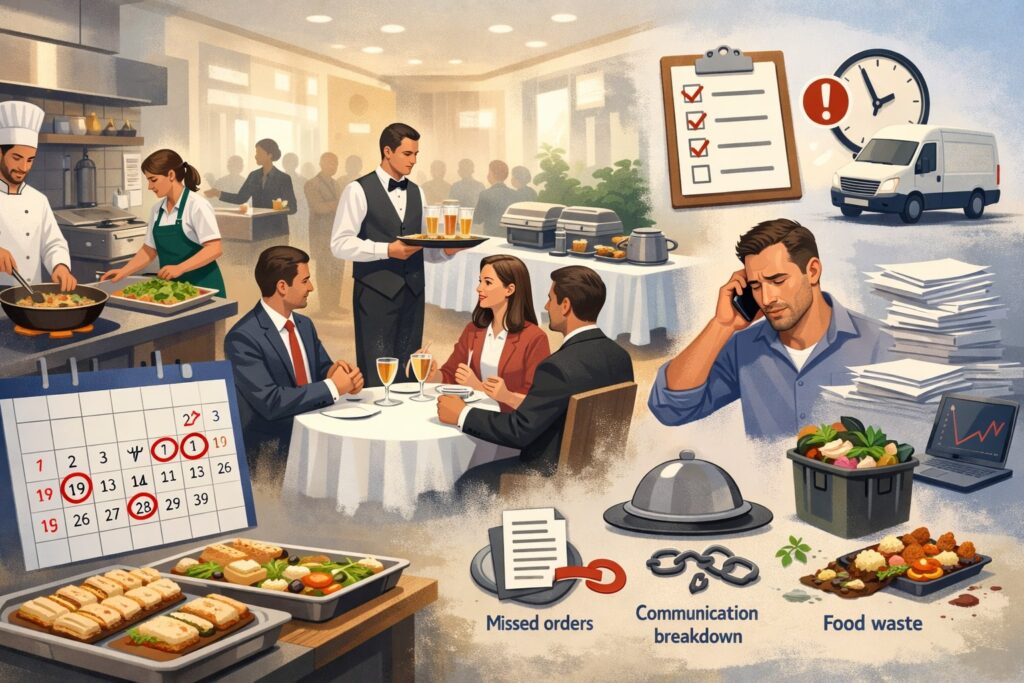
A “weekly lunch for 60” becomes lunch for 42, then 75, then gluten-free-heavy, then moved to a different building, then split into two delivery times. If your team relies on memory, email threads, and spreadsheets alone, small variations create expensive mistakes.
Recurring work also multiplies administrative load. Each cycle triggers a chain of tasks: confirm headcount, confirm menu, update dietary notes, assign staff, generate prep lists, schedule deliveries, invoice per contract terms, reconcile payments, and capture feedback. If any link breaks, you risk late deliveries, missing items, incorrect invoices, and customer churn.
Recurring catering events software solves this by turning “repeat business” into a controlled workflow. You store event rules once and let the system repeat them—while still allowing controlled edits when details change.
Done right, recurring catering events software reduces manual work, improves accuracy, strengthens customer retention, and makes your margins more predictable.
The key mental shift is this: you’re not managing “events.” You’re managing repeatable operations. Recurring catering events software becomes your operating system for sales, production, logistics, and billing.
Core Features to Look for in Recurring Catering Events Software
Not all catering platforms handle repeat business well. Some tools are great at one-off proposals but weak at high-frequency scheduling. Others excel at workforce scheduling but don’t connect to menu costing or invoicing. When evaluating recurring catering events software, focus on features that reduce repeat work and prevent repeat errors.
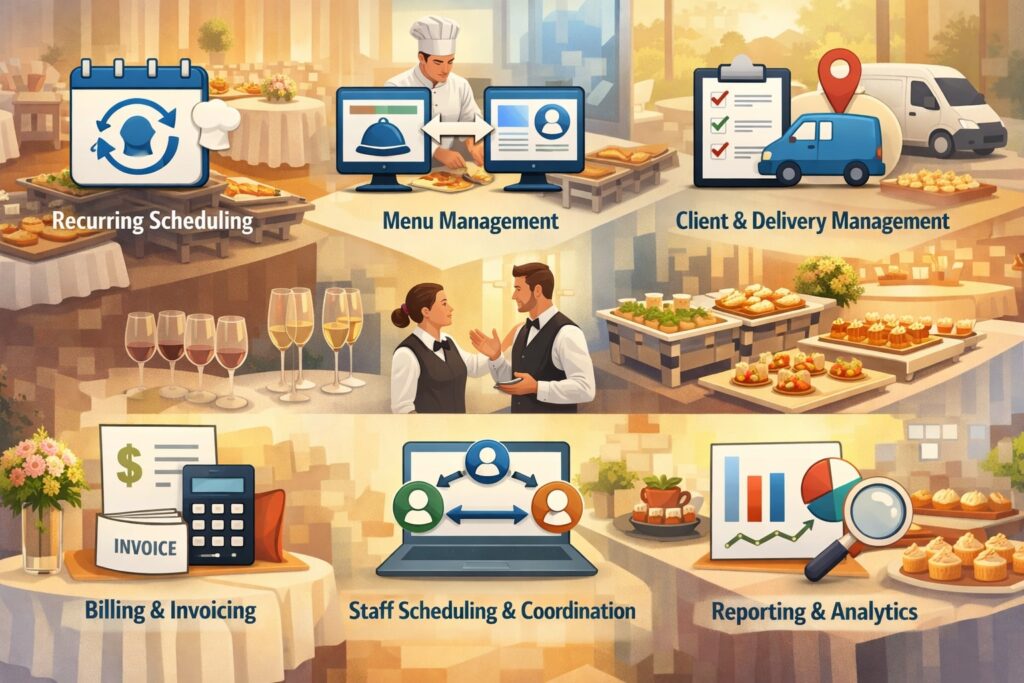
A strong system should include: event templates, recurring schedules, menu libraries, modifier rules, dietary tagging, customer profiles, automated confirmations, production sheets, kitchen prep lists, delivery routing, invoicing, payment links, reporting, and integrations.
Many modern solutions also highlight CRM, invoicing automation, and operational coordination as core value points.
You also want permission control. Recurring catering events software should allow sales to edit pricing and terms while kitchen leads control recipes and prep notes. This prevents accidental changes that quietly blow up cost or execution.
Another must-have is flexible billing. Recurring events rarely bill the same way forever. You may need per-event invoicing, monthly consolidated billing, deposits, net terms, or contract-based minimums. Recurring catering events software should handle multiple invoice styles without forcing awkward workarounds.
Finally, look for reliable reporting. The point of recurring work is stability—so your recurring catering events software must show revenue by account, profitability by menu, labor impact, waste trends, and cancellation rates. If the system can’t show what’s working, you can’t scale responsibly.
Building a Repeatable Client Profile That Prevents Mistakes

Recurring clients are valuable because you can learn them deeply—but only if the knowledge is stored centrally. One of the fastest ways to improve quality is to build a robust client profile inside your recurring catering events software. This profile becomes the single source of truth that your sales team, kitchen team, and drivers can trust.
Start with basics: decision-maker contact details, billing contact details, preferred communication channels, required lead times, and location notes.
Then add operational details: delivery instructions, loading dock access, parking rules, elevator restrictions, security desk procedures, and “do-not-do” notes (for example, “do not call the front desk” or “no branded uniforms required”).
Next, store food rules: dietary restrictions, allergen sensitivities, cuisine preferences, spice tolerance, portion style preferences, and service format requirements. Capture what the client loved—and what caused complaints. Over time, recurring catering events software becomes a relationship memory that survives staff turnover.
Also store commercial rules: contract rates, service fees, gratuity handling, minimum order amounts, cancellation windows, late-change fees, and approved upsell categories. This protects your margin and prevents awkward client disputes.
A strong client profile turns recurring catering events software into a consistency engine. Instead of “hoping the team remembers,” you create standardized execution that feels personal—because the system keeps the details organized and accessible.
Designing Recurring Event Templates That Scale Past 10, 50, and 200 Events
Templates are the secret weapon of recurring catering events software. A template isn’t just a saved menu—it’s a complete operational blueprint. If you set templates correctly, scaling becomes replication rather than reinvention.
Your template should include: event name format, location, default headcount, service style, menu package, dietary notes, equipment needs, staffing role requirements, production timing, delivery windows, and invoice rules.
The best recurring catering events software lets you clone templates and apply controlled variations, like “same menu, different date,” or “same schedule, rotating menu.”
Use a clear naming convention. For example:
Client – Location – Recurrence – Service Type
This avoids confusion when you have similar accounts.
Build multiple template types: a standard weekly lunch template, a board meeting template, a breakfast drop-off template, and a seasonal party template. Each template should have correct defaults so your team isn’t editing dozens of fields for every recurrence.
Also embed “quality-control checkpoints” inside the template workflow—like automatic reminders to confirm headcount 48 hours prior and dietary notes 72 hours prior. Recurring catering events software should make your process repeatable even when your schedule is busy.
Templates are how recurring catering events software turns complexity into a repeatable production line—without making clients feel like they’re getting generic service.
Managing Rotating Menus Without Losing Cost Control
Recurring clients often want variety. Rotating menus keep customers engaged and reduce fatigue, but they can destroy profitability if you don’t manage costs tightly. The solution is to treat menu rotation as a structured system within recurring catering events software.
Start by building a menu library that includes standardized recipes, portion rules, and ingredient cost baselines. Then create “rotation sets” such as a 4-week cycle, 6-week cycle, or seasonal rotation.
Your recurring catering events software should allow you to assign rotation logic to a recurring event schedule so menus update automatically.
To protect margins, define guardrails: approved substitutions, maximum protein cost, seasonal ingredient alternatives, and packaging standards. Keep a short list of “cost-stable” menu anchors—items you can always deliver profitably. Then mix in a controlled number of “premium” items priced appropriately.
When headcounts change, ensure the system scales quantities correctly. A common recurring-event failure is manual scaling that leads to overproduction or shortages. Recurring catering events software should generate automated quantity calculations and kitchen prep lists.
Finally, track performance by menu item. Use recurring catering events software reporting to identify high-waste items, high-complaint items, and high-margin items. Over time, your rotating menus become smarter, not just different.
Automating Confirmations, Headcount Changes, and Client Approvals
Recurring events still require confirmation because details change. The goal isn’t to eliminate communication—it’s to standardize it. Recurring catering events software should automate confirmation workflows so your team isn’t chasing updates manually.
Set a confirmation rhythm. For example:
- 5 days before: menu reminder + optional changes window
- 3 days before: headcount confirmation request
- 1 day before: final delivery confirmation + instructions
Use automated emails or client portal prompts with structured response options. Instead of “reply-all chaos,” clients click to confirm headcount, select menu variations, and acknowledge delivery instructions. This creates cleaner records and reduces disputes.
Approvals matter too. If a client requests changes beyond the contract—like extra sides or premium upgrades—your recurring catering events software should generate an updated quote or change order that the client approves digitally. That protects both parties.
Automation is also evolving fast. Many industries are adopting AI workflow support and automation trends that reduce repetitive admin tasks. In catering contexts, AI-driven planning and data-driven tools are increasingly promoted as a way to improve forecasting and coordination.
The practical takeaway: use recurring catering events software to define the cadence, reduce back-and-forth, and create a clean audit trail of every change.
Production Planning: Turning Recurring Orders into Kitchen Reality
The kitchen doesn’t need “calendar events.” The kitchen needs clear prep instructions, quantities, timing, and packaging details. One of the biggest advantages of recurring catering events software is that it can convert repeating bookings into production plans automatically.
Set your production workflow so every recurring event generates:
- prep lists by station
- recipe scaling sheets
- allergen-separated prep instructions
- packaging and labeling lists
- equipment pull sheets
- pickup and dispatch timing
Your recurring catering events software should also support batching. If you have 14 recurring lunches on the same day, the system should let you consolidate ingredient counts and prep time allocations.
Labeling matters more than most teams realize. For recurring corporate lunches, clear dietary labeling reduces complaints and builds trust. Your software process should make labeling consistent across every recurrence.
Also include “exception handling.” Some clients will occasionally request special items. Your recurring catering events software should flag exceptions clearly so they don’t get lost in the routine.
Production success is about predictability. The more your recurring catering events software can automate the translation from “booking” to “prep,” the more stable your quality becomes—even during peak volume.
Delivery, Routing, and On-Time Performance for Standing Schedules
Recurring events live or die on reliability. Clients forgive one menu miss faster than they forgive repeated late deliveries. That’s why delivery workflow must be built into your recurring catering events software strategy.
Start with delivery zones and time windows. Assign default delivery times and buffer windows per client profile. Store access instructions and drop-off procedures centrally so drivers don’t guess.
Routing can be handled in several ways: built-in route optimization, integration with routing tools, or structured driver run sheets. Your recurring catering events software should produce driver-friendly outputs: order sequence, arrival times, contact details, parking notes, and drop-off checklists.
Track on-time performance. Even a simple “arrived on time / late / early” checkbox creates valuable data. Over time, recurring catering events software helps you identify predictable bottlenecks: loading dock delays, elevator access issues, or unrealistic kitchen completion times.
Also plan for last-minute disruptions. Weather, traffic, and venue changes happen. Your recurring catering events software should allow rapid edits and instant notifications to drivers and kitchen leads.
The real win is consistency. When recurring catering events software supports routing, communication, and tracking, your business becomes known for dependable service—exactly what recurring clients pay for.
Billing and Payments: Making Recurring Revenue Actually Predictable
Recurring revenue is only “recurring” if invoicing and payment collection are consistent. Many catering businesses lose time and cash flow because billing is handled manually. Recurring catering events software should support contract-aligned billing without constant spreadsheets.
Common recurring billing models include:
- invoice per event (weekly)
- consolidated monthly invoice
- fixed monthly retainer with variable add-ons
- deposit + per-event balance
- net terms with purchase order tracking
Your recurring catering events software should generate invoices automatically based on the recurrence schedule and contract rules. It should also handle add-ons cleanly, so the monthly invoice reflects approved changes.
Payment security also matters when you accept card payments online. Payment data must be handled carefully, and compliance standards have tightened.
Sources discussing PCI DSS 4.0 note that future-dated requirements moved into full effect around the end of Q1 2025, increasing expectations for merchants and service providers handling card data.
Practically, that means your recurring catering events software should integrate with reputable payment tools and avoid storing sensitive card data in unsafe ways. Use tokenization and hosted payment pages when possible.
Finally, track accounts receivable by client. Recurring catering events software should highlight overdue invoices, upcoming billing cycles, and revenue forecasts. That’s how you turn “busy” into “bankable.”
Staffing and Labor Planning for Repeat Events
Recurring catering events look stable until you try to staff them. Labor availability changes, and the “same event” may require different staffing depending on headcount, service style, and delivery constraints. Recurring catering events software helps by translating repeat bookings into labor needs.
Start with role templates: prep cook hours, packaging hours, driver shifts, on-site attendants, and cleanup support. Attach these role assumptions to recurring event templates. Then, when volume changes, your recurring catering events software can estimate labor impacts.
Use scheduling features or integrations to assign staff. If your system supports mobile access, staff can view schedules, confirm shifts, and receive updates without confusion. This is especially important when recurring clients change times or request last-minute additions.
Track labor cost per event. If a weekly lunch is eating too many hours, you need to redesign packaging, menu complexity, or delivery method. Recurring catering events software reporting should show labor trends over time.
Also plan for cross-training. The best recurring operations don’t rely on one “hero” employee who knows everything. Your recurring catering events software processes should be documented and repeatable so new staff can step in and follow the system.
Labor is often the difference between profitable recurring work and exhausting recurring work. Software-driven labor planning helps you scale without burnout.
Inventory, Purchasing, and Waste Reduction Through Forecasting
Recurring catering events are ideal for forecasting because patterns repeat. If you treat recurring work as forecastable demand, you can reduce waste, improve purchasing accuracy, and stabilize food costs.
Start by connecting your recurring catering events software to ingredient-level recipe costing if possible. When an event repeats weekly, you can predict baseline quantities for proteins, produce, packaging, and disposables. Then adjust forecasts based on seasonal menu changes and headcount trends.
Purchasing becomes easier when you batch recurring events. Instead of buying for each event individually, you buy for the week’s recurring volume plus a buffer. Your recurring catering events software can produce consolidated shopping lists and vendor orders.
Track waste. Even simple waste logs—“overproduced 12 servings of pasta salad”—help identify where scaling rules are wrong. Over time, recurring catering events software data helps you correct portion assumptions and packaging ratios.
Many catering-focused discussions highlight how technology and data-driven decision-making are becoming critical for controlling costs and improving operations.
Forecasting turns recurring catering events software into a margin tool, not just a scheduling tool. The more consistent your recurring demand, the more you can optimize inventory and reduce expensive surprises.
Reporting and KPIs That Matter for Recurring Catering Events
If you want your recurring business to grow, you must measure it. The best recurring catering events software gives you operational and financial visibility without manual reporting.
Track account-level KPIs: revenue per client, profitability per client, churn risk signals (declining headcount, more complaints, slower payments), and upsell performance. These help you prioritize relationships that drive long-term growth.
Track event-level KPIs: on-time delivery rate, order accuracy, complaint rate, food waste estimates, and labor hours. A recurring event should become smoother over time—if it isn’t, your workflow needs adjustment.
Track menu-level KPIs: item popularity, margin by item, allergen-related issues, and prep time complexity. This helps you build a recurring menu rotation that is both enjoyable and profitable.
Also evaluate system performance. If your recurring catering events software is forcing manual workarounds, your team will drift into spreadsheets and side channels. That reduces data quality and increases errors.
Use reporting to run monthly “recurring business reviews.” Identify top accounts, accounts at risk, operational bottlenecks, and menu improvements. Data-driven reviews are how recurring catering events software becomes a growth system, not just an admin tool.
Integrations: Connecting Catering Software to POS, Accounting, CRM, and Marketing
Recurring business touches many systems: ordering, invoicing, accounting, customer management, and communications. Recurring catering events software becomes dramatically more powerful when integrated with your broader stack.
Common integration targets include: accounting platforms for reconciliation, CRM tools for account management, email marketing platforms for retention campaigns, and POS or payment platforms for transactions.
Many catering software providers emphasize integrations with accounting and marketing tools, along with invoicing and customer management capabilities.
Integrations reduce double entry. When your invoice syncs to accounting automatically, your team spends less time chasing numbers. When customer data syncs to CRM, you can track upsell opportunities and renewal timing.
Marketing integrations matter for recurring business too. If you notice a recurring client reducing orders, a proactive outreach campaign can prevent churn. Your recurring catering events software data can trigger “check-in” workflows based on declining volume.
The key is to avoid overcomplication. Choose recurring catering events software that supports the integrations you actually need, then implement them carefully. A smaller number of reliable integrations beats a messy stack that breaks during peak season.
Data Security, Compliance, and Client Trust
Recurring clients share consistent operational and billing data with you—sometimes including employee dietary preferences, location instructions, and payment details. Protecting that information is part of running a professional catering operation.
Use role-based permissions so only authorized staff can access billing information. Require strong passwords and enable multi-factor authentication where available. Ensure backups exist and that your vendor has clear uptime and support policies.
If your recurring catering events software includes payment processing, prioritize solutions that use secure payment flows rather than storing sensitive card data directly in your system.
As noted in multiple PCI-focused discussions, compliance expectations increased significantly around late Q1 2025 as PCI DSS 4.0 requirements moved from “best practice” to required.
Even beyond payments, clients care about reliability and professionalism. Secure workflows, clean audit trails for approvals, and consistent invoicing build trust. That trust is what keeps recurring catering contracts renewing year after year.
Using AI and Automation to Make Recurring Catering Smarter
The next era of recurring catering events software is smarter automation. Instead of just storing templates, software is increasingly positioned to help you forecast demand, optimize routes, predict staffing needs, and surface risk signals like churn or rising costs. AI-driven planning and reporting are frequently discussed as major catering trends heading into 2025 and beyond.
Practical use cases include:
- predicting headcount based on historical attendance patterns
- suggesting menu swaps when ingredient costs spike
- automatically generating production timelines based on kitchen capacity
- highlighting accounts likely to cancel or reduce volume
- generating client-facing updates and confirmations faster
In the broader business software world, AI workflow automation trends emphasize reducing repetitive admin work and increasing speed and consistency. Applied to recurring catering, that means fewer manual emails, fewer spreadsheet trackers, and more standardized execution.
Future prediction for recurring catering events software
Expect recurring catering events software to move toward “autopilot” operations: proactive alerts, recommended actions, and smarter forecasting. You’ll still control decisions—but the system will help you see issues before they become expensive problems.
Teams that adopt these capabilities early will likely win larger, multi-location recurring contracts because they can prove reliability at scale.
Common Mistakes to Avoid When Implementing Recurring Catering Events Software
Software doesn’t fix chaos—it can automate it. The most common implementation mistakes happen when businesses rush setup without defining how work should flow.
Mistake one: building templates without cost controls. If pricing rules are unclear, recurring events quietly become less profitable every month. Mistake two: storing client details in emails instead of in the recurring catering events software client profile. That creates inconsistency and failures when staff changes.
Mistake three: allowing unrestricted edits. Without permission control, someone will accidentally change a recipe, headcount scaling rule, or invoice term. Mistake four: failing to train the kitchen and delivery teams. If only sales uses the system, the real operational value disappears.
Mistake five: ignoring reporting. Recurring catering events software should tell you what’s working. If you don’t review KPIs monthly, you won’t catch margin leaks or account risk early.
Implementation should be done in phases: start with one or two recurring accounts, perfect templates, then scale to more accounts. That’s how recurring catering events software becomes a stable foundation.
FAQs
Q.1: What is the best way to set up recurring events inside catering software?
Answer: The best approach is to start with a template that includes scheduling rules, menu defaults, production notes, delivery instructions, and invoice settings.
Then create the recurrence schedule and attach automated confirmation checkpoints. Recurring catering events software works best when templates are complete and edits are controlled, so each new occurrence requires minimal manual work.
Q.2: How do I manage headcount changes without creating chaos?
Answer: Use automated confirmation workflows with a strict cutoff window. Your recurring catering events software should collect headcount updates in a structured way and automatically update quantities, prep lists, and invoices.
The operational rule should be: changes are easy before the cutoff and clearly billed or restricted after the cutoff.
Q.3: Can recurring catering events software handle rotating menus?
Answer: Yes, if the platform supports menu libraries and recurring schedule variations. The most effective approach is to build rotation sets (like a 4-week cycle) and assign them to the recurring schedule. Recurring catering events software should also track item-level costs so rotation doesn’t destroy margins.
Q.4: How should I bill recurring catering clients?
Answer: It depends on client preference and contract terms, but common models include monthly consolidated billing, per-event invoicing, and retainers with add-ons. Recurring catering events software should automate invoice generation, apply contract rules, and support payment links or net terms tracking.
Q.5: What security features should I expect?
Answer: Look for role-based permissions, audit logs, secure payment integrations, and strong authentication options. If payments are involved, ensure your workflow supports secure handling of card data.
Industry discussions note that PCI DSS 4.0 requirements tightened around late Q1 2025, increasing expectations for merchants and service providers handling card payments.
Q.6: What’s the biggest benefit of recurring catering events software?
Answer: The biggest benefit is consistent execution at scale. Recurring catering events software reduces manual admin work, improves order accuracy, strengthens client trust, and makes revenue forecasting more reliable. It turns repeat business into repeatable operations.
Conclusion
Recurring catering is one of the best business models in food service—predictable demand, repeat customers, and steady revenue. But it only stays profitable when operations are consistent, changes are controlled, and billing is reliable. That’s exactly what recurring catering events software is built to deliver.
When you set up strong client profiles, template-driven workflows, rotating menu systems with cost controls, automated confirmations, kitchen-ready production planning, and delivery tracking, your recurring business stops feeling hectic.
It becomes a scalable system. You spend less time rebuilding the same event and more time improving quality, strengthening relationships, and expanding accounts.
Looking ahead, recurring catering events software will likely become more predictive and automated, using AI and workflow automation to flag issues early and suggest optimizations.
Teams that treat recurring catering events software as an operational foundation—not just a scheduling tool—will be best positioned to win larger, longer contracts and grow without losing control.