By cloudcateringmanager February 19, 2026
If you’ve ever chased a last-minute headcount change across emails, texts, and a spreadsheet that “someone updated,” you already know why modern catering teams are moving to purpose-built systems.
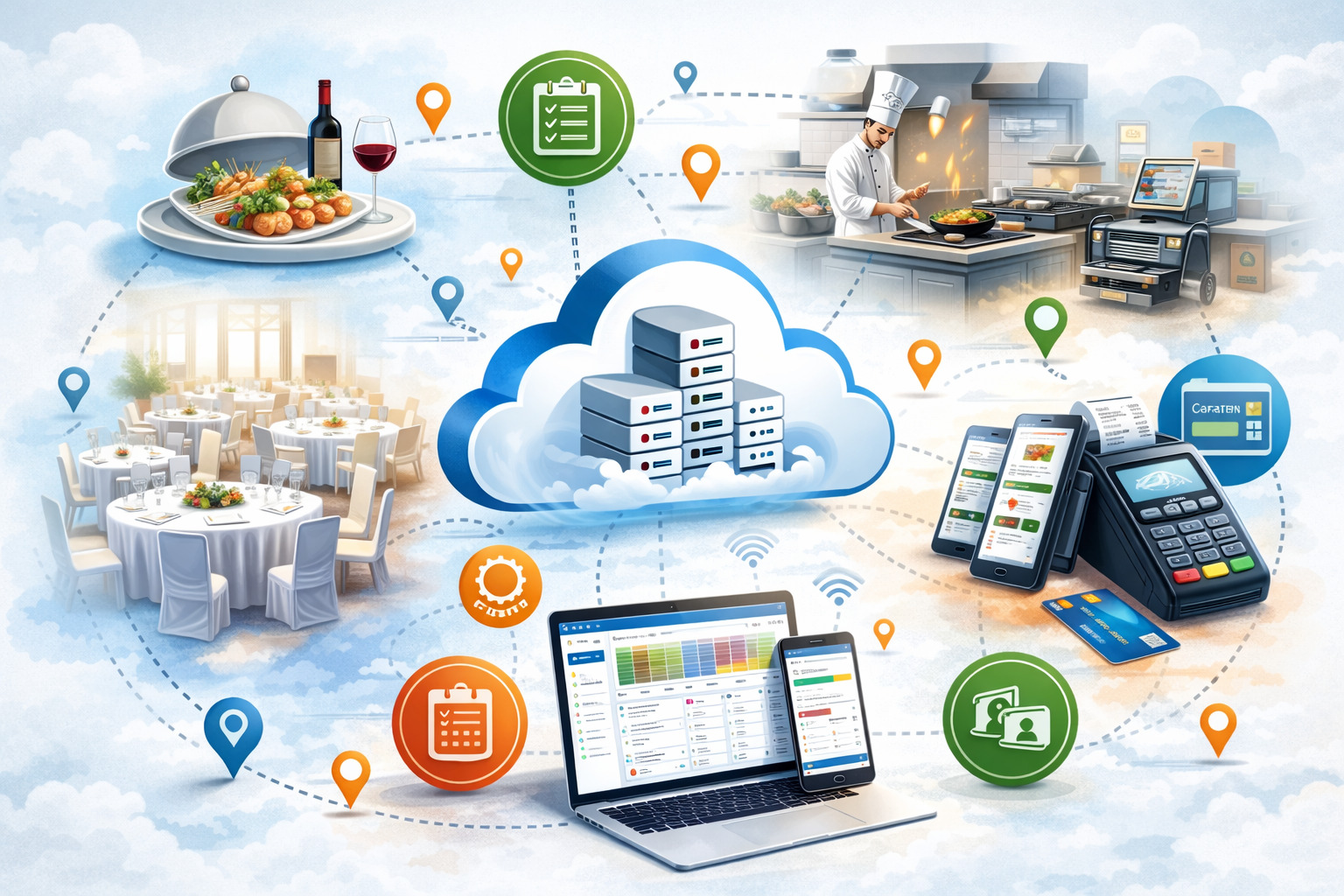
This cloud catering software guide breaks down how cloud catering software works—end-to-end—from lead capture to final reporting.
You’ll see a cloud catering management system explained at the workflow level (what your team actually does each day) and at the architecture level (how everything stays synced across sales, kitchen, and field).
This is written for catering owners, event caterers, restaurant operators with catering add-ons, corporate catering managers, and food service entrepreneurs who need catering management software for businesses that reduces errors, speeds up quotes, improves customer experience, and protects margins—without turning operations into a complicated tech project.
What Cloud Catering Software Is
Cloud catering software is an online system that helps you run catering sales and operations in one place—so the same event data drives your proposal, contract, deposit, kitchen prep, packing, delivery, staffing, and invoices.
Instead of “retyping the same information” in five different tools, a cloud platform treats an event as a single record with connected modules.
Spreadsheets can track data, but they don’t enforce process, permissions, approvals, or real-time updates. A POS-only setup is great for walk-in transactions, but catering is different: it needs event proposals and quote templates, catering contracts and terms, customer approvals, headcount adjustments, delivery logistics, and kitchen production planning—often weeks before an event.
A cloud solution is accessed through a browser and/or mobile app. Your team logs in with roles and permissions. Changes made by sales (like a menu swap) automatically flow to operations outputs (like kitchen production schedules, prep lists and packing lists, allergen labels, and driver drop sheets). This is why you’ll hear “cloud catering management system explained” in terms of “one source of truth.”
Cloud-based software vs on-premise (and why it matters now)
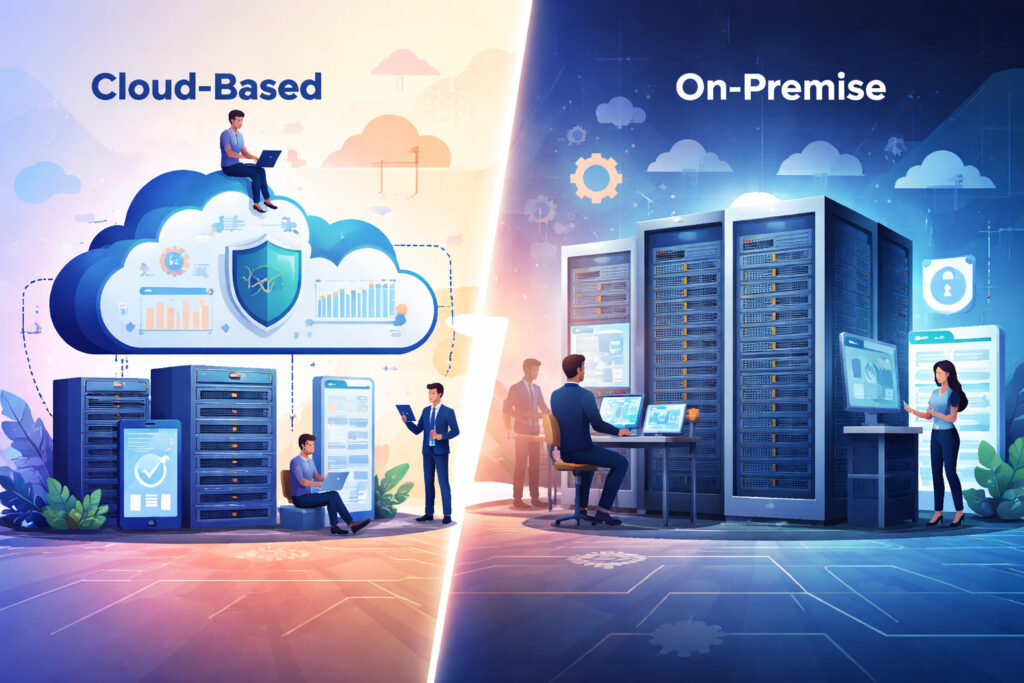
Cloud-based software runs on the vendor’s servers and is delivered over the internet. On-premise software is installed on a local computer/server you manage.
In 2026, the decision is less about “new vs old” and more about operational realities: catering teams are mobile, events are dynamic, and customers expect fast digital approvals. Cloud systems are built for that.
Key differences that matter in real operations:
- Access: Cloud works anywhere with secure login; on-premise usually ties you to a specific machine/network.
- Updates: Cloud updates automatically; on-premise updates require manual installs and can lag.
- Collaboration: Cloud supports real-time teamwork; on-premise often creates version control issues.
- Scalability: Cloud can support multiple locations/teams with consistent templates; on-premise scaling is heavier.
How Cloud Catering Software Works End-to-End (Workflow from Lead to Reporting)
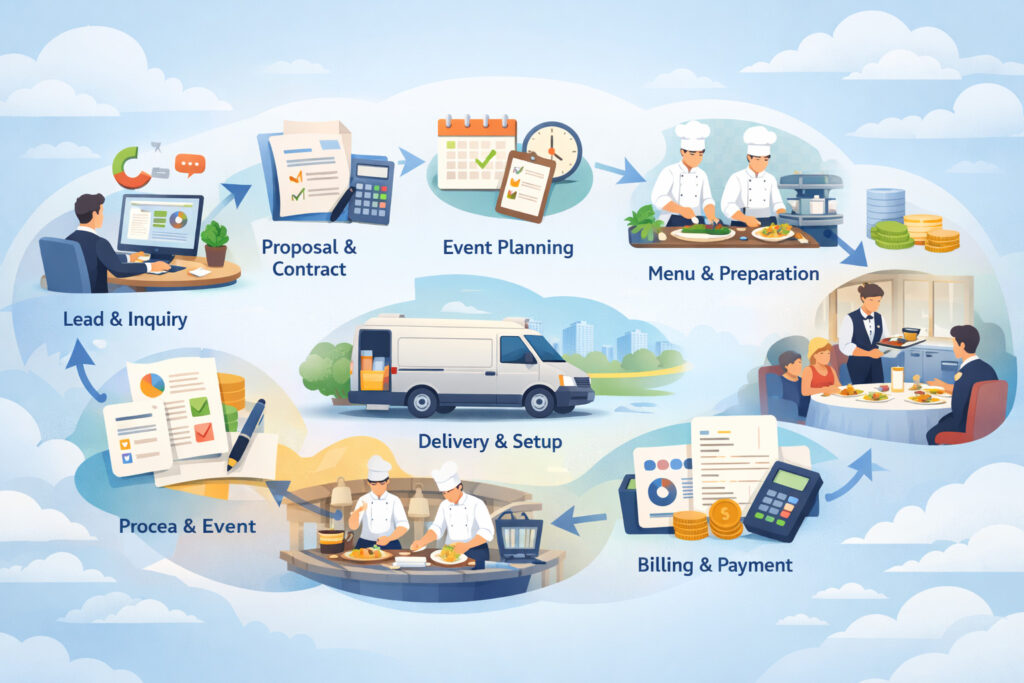
To understand how cloud catering software works, follow a single catering order through the system. A strong platform supports a consistent workflow with guardrails—so you can move quickly without missing details.
Here’s the typical end-to-end path:
- Lead capture (inbound inquiry, call, web form, referral)
- Qualification & needs (guest count, budget, service type, venue rules)
- Quoting & proposal (menus/packages, pricing, add-ons, taxes/fees)
- Client approvals and e-signatures (proposal acceptance + contract signature)
- Deposit and balance collection (payment link, schedule, reminders)
- Production planning (BEOs, prep lists, packing lists, timelines)
- Staffing and shift scheduling (roles, call times, labor estimates)
- Delivery routing and driver management (routes, drop notes, proof of delivery)
- Event execution (mobile access, run-of-show updates)
- Final invoice (post-event adjustments, gratuity, damages, overages)
- Reporting (profitability, labor %, food cost %, quote-to-book rate, error logs)
A cloud platform ties these steps together so the data is entered once and reused. If a customer changes the headcount from 90 to 105, it should update:
- ingredient quantities (if recipes are linked)
- production counts on prep sheets
- packing quantities (plates, cutlery, chafers)
- staffing estimates (servers/bartenders)
- delivery requirements (vehicle size, trip count)
- totals for deposit/final balance
Step-by-step workflow (with a simple text diagram)
Text process diagram (conceptual):
Lead → Opportunity → Quote/Proposal → Contract → Deposit → Production Pack → Delivery/Service → Final Invoice → Reports
At each arrow, the system should answer:
- What needs approval?
- Who is responsible?
- What documents/lists are generated?
- What changes trigger recalculations?
A good system also creates “states” (e.g., Inquiry, Quoted, Awaiting Approval, Booked, In Production, Completed, Invoiced, Closed) so your team sees what’s next.
Core Modules Explained: What You Actually Get (and Why Each Matters)
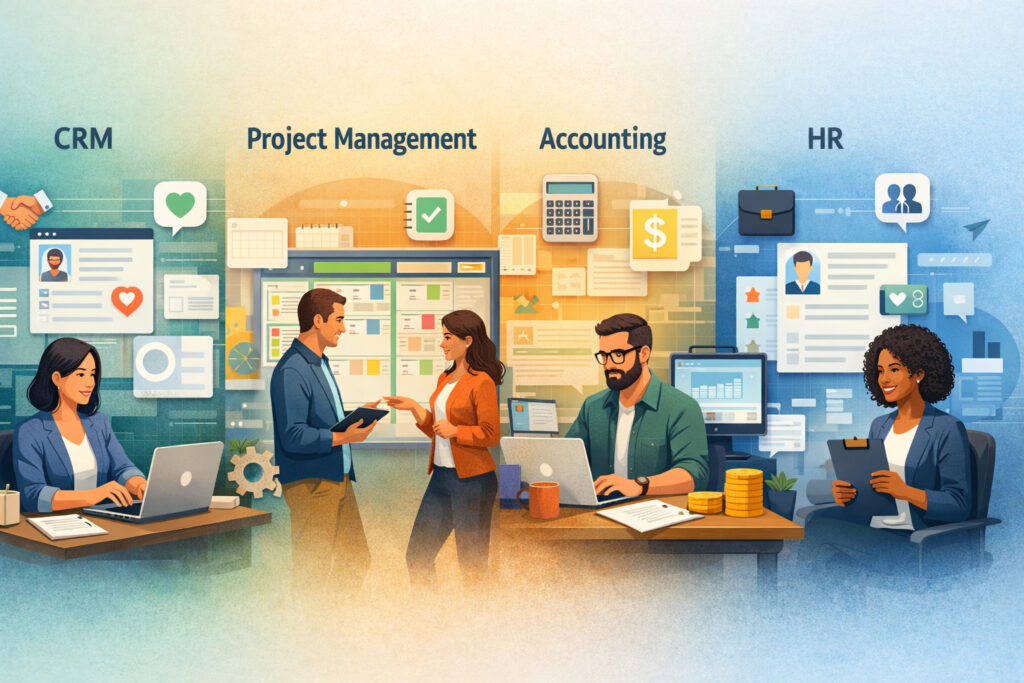
A catering platform is usually a set of connected modules. Some businesses buy “all-in-one,” while others add modules over time. The best choice depends on your service style, volume, and complexity.
Below are the core modules most buyers evaluate in 2026, with a practical view of what they do day-to-day.
CRM + catering CRM and leads pipeline
A catering CRM is not just a contact list. It’s a structured pipeline that tracks inquiries, follow-ups, and conversion stages. It helps you stop losing business to slow responses or forgotten callbacks.
In practice, a catering CRM typically includes:
- lead sources (web form, phone, venue referral, walk-in)
- pipeline stages (New → Qualified → Proposal Sent → Negotiation → Booked/Lost)
- tasks and reminders (follow-up calls, tasting scheduling, venue walkthrough)
- communication log (emails, notes, attachments)
- tagging/segmentation (corporate, weddings, drop-off, nonprofit)
This module is where catering order management begins—because the “opportunity” becomes the event record that later drives production and billing. It also improves team coordination when multiple people handle inbound inquiries.
Quoting, event proposal and quote templates, and approvals
The quoting module is the heartbeat of sales velocity. A strong platform supports:
- reusable proposal templates by event type
- menu packages (per-person, per-tray, or mixed pricing)
- add-ons (rentals, staffing, bar packages, delivery fees)
- dynamic pricing rules (minimums, service charges, venue fees)
- version history (so you can see what changed and when)
Many systems now include client approvals and e-signatures, allowing customers to accept proposals digitally and sign terms without printing. This reduces back-and-forth and speeds the quote-to-book cycle.
A practical requirement: the quote must translate cleanly to operations. If the quote shows “Mediterranean Buffet,” operations needs item-level counts for prep and packing.
Catering contracts and terms + payments (deposit and balance collection)
A contract module typically stores your legal terms and creates a signed agreement tied to the event record. It should support:
- cancellation and refund terms
- rescheduling rules
- liability and venue requirements
- payment schedules (deposit now, balance due date)
- addendum handling (if event scope changes)
Payments support varies by provider, but for catering operations the essentials are:
- catering invoicing and payments (invoices, receipts, statements)
- deposit and balance collection (partial payments, milestones)
- payment links customers can pay online
- automated reminders (especially for corporate billing deadlines)
Even if you use a separate payment processor, the system should track payment status and prevent “we forgot to collect the deposit” mistakes.
Production & Operations: BEOs, Kitchen Production Schedules, Prep and Packing Lists
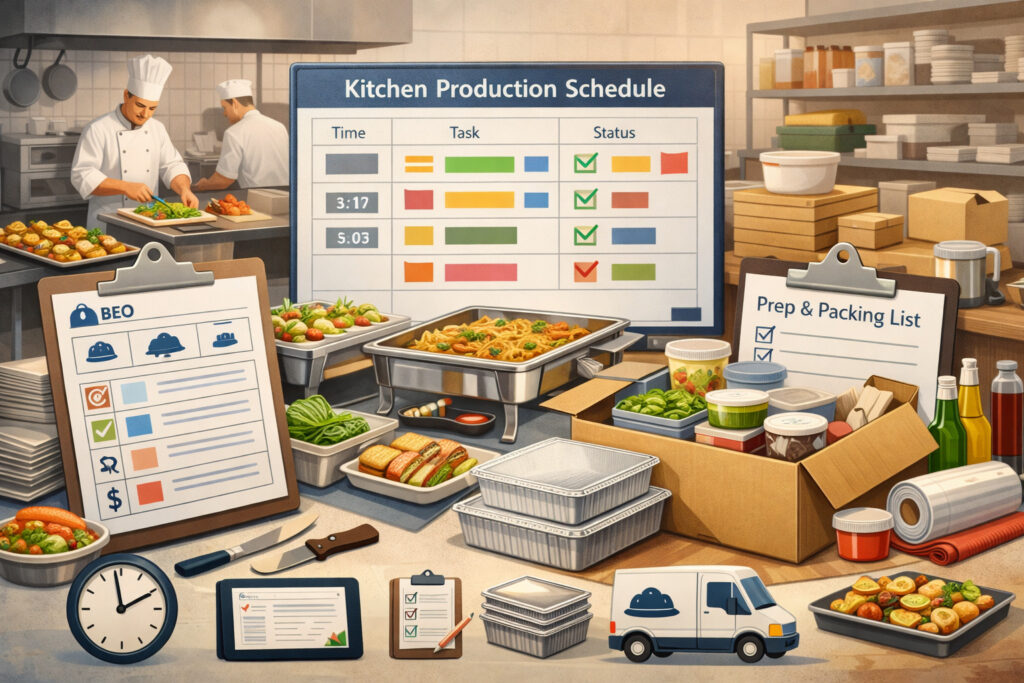
This is where catering software pays for itself operationally: taking confirmed event details and turning them into clear, consistent outputs your kitchen and field teams can execute.
Production modules typically include:
- BEOs (Banquet Event Orders) or event worksheets
- kitchen production schedules
- prep lists and packing lists
- service instructions (set-up, dietary notes, venue rules)
- equipment/rental tracking
- labeling and portioning guidance
The key is not just generating documents—but ensuring they stay current. Cloud systems help because one change updates multiple outputs.
How prep, pack, and production connect (text diagram)
Text process diagram (operational):
Booked Event → BEO → Prep List → Production Schedule → Packing List → Load Checklist → Delivery Sheet
A well-designed flow prevents common failures:
- prep list not matching the latest headcount
- packing list missing a sauce or garnish
- drivers not receiving updated drop notes
- service staff missing timeline changes
In many systems, you can filter prep by station (hot line, cold prep, pastry) and pack by container type (hotel pans, platters, disposable vs reusable).
Allergen tracking and labeling + recipe links
Modern catering requires clear dietary handling. Systems increasingly include:
- allergen tracking and labeling (built-in tags and warnings)
- dietary attributes (gluten-free, vegan, nut-free—based on your definitions)
- cross-contact notes (your internal handling procedures)
- label printing or export (depending on tools)
If recipe and ingredient data is linked, allergen flags can carry from ingredients to menu items and then to production outputs. If it’s not linked, you still want a consistent way to mark items and show warnings on BEOs and packing labels.
Staffing, Shift Scheduling, and Event Timeline Management
Staffing modules help you plan labor based on event type, guest count, service style, and venue complexity. The goal is to avoid two expensive problems: overstaffing (margin loss) and understaffing (service failure).
A strong module supports:
- staffing and shift scheduling (roles, call times, locations)
- labor templates (e.g., “Full-service wedding 100 guests” baseline roles)
- time tracking integration (optional)
- communication (shift confirmations, message blasts)
- skill tagging (bartender certified, banquet captain, driver)
Just as important is the event’s internal timeline. Many platforms include an event timeline and run-of-show feature that coordinates:
- prep start times
- loading windows
- arrival and setup times
- service start, speeches, cake cutting, breakdown
- venue access rules (elevators, loading docks, security check-in)
When the run-of-show is tied to production and staffing, your team is less likely to miss timing.
Turning event details into labor plans (practical approach)
A decision-focused way to use staffing tools:
- Create labor templates by event type (drop-off, staffed buffet, plated service).
- Add modifiers (distance to venue, stairs/elevator, rental complexity, bar service).
- Review suggested roles and hours inside the event record.
- Assign staff and push shift details to mobile views.
- Confirm roles and capture acknowledgments.
Delivery Routing, Driver Management, and Onsite Mobile Workflows
Delivery is where small issues become big. Wrong address format, missing gate code, or late departure cascades into service failures. Catering software helps by centralizing delivery data and connecting it to packing outputs.
A delivery module often includes:
- delivery routing and driver management (routes, stops, ETAs)
- delivery instructions (parking, loading dock, contact person)
- proof of delivery options (signature, photo note—varies by system)
- temperature/handling notes (internal SOP reminders)
- driver checklists (what must be loaded and confirmed)
For full-service events, mobile access matters even more. Onsite staff need event details without hunting through email threads. A cloud system can give mobile views for:
- BEO summary
- run-of-show timeline
- staff assignments
- last-minute changes logged in one place
- notes and issues captured during execution (for post-event review)
Mobile access for catering teams: what “good” looks like
Mobile should not be a “tiny desktop.” It should be role-based:
- Drivers: route, stop details, load checklist, contact info
- Captains: timeline, staffing, service notes, client requests
- Kitchen leads: prep and pack lists, allergen warnings, changes log
- Managers: real-time status across events (what’s in production, what’s out for delivery)
Inventory, Recipe Costing, and Margin Control (Without Spreadsheet Pain)
If you want better margins, you need better visibility into actual costs—food, labor, rentals, delivery, and waste. Many teams know their top-line sales but can’t see profitability by event type or client segment.
Inventory modules can range from light to robust. Common capabilities include:
- inventory and recipe costing (ingredient cost rollups, yield assumptions)
- recipe scaling by guest count
- pack unit conversions (lbs → portions → trays)
- vendor price updates (manual or integrated, depending on system)
- variance tracking (planned vs actual usage, if you capture it)
Recipe costing is most useful when it connects to quoting. If your quote uses menu packages, you still want internal costing behind each package. When the sales team builds a proposal, the system can show margin estimates or at least food-cost targets.
Allergen tracking often lives here too, because it’s tied to ingredients.
Analytics and Reporting: What to Measure (and How It Flows from the System)
Reporting should not be an afterthought. A cloud system can produce better data because your workflow is structured. The system can track timestamps, revisions, approval dates, and change logs.
High-value reporting areas for catering operations:
- Quote-to-book rate (overall and by lead source)
- proposal turnaround time (inquiry → sent proposal)
- average revision count per booking (too many can signal unclear packages)
- labor % by event type
- food cost % by menu family/package
- error rate (missed items, wrong count, late deliveries—tracked via issue logs)
- sales by day/week/month and by segment (corporate vs social)
- on-time payment rate (deposit and final balance)
The best systems let you filter by event type, venue, coordinator, and lead source—so you can improve your process, not just view totals.
Cloud Catering Management System Explained: Architecture Basics Without the Tech Jargon
You don’t need to be technical to evaluate platform architecture. You just need to know what affects reliability, access, and control.
A cloud catering system generally has:
- a web app (browser access)
- mobile app or mobile-friendly web experience
- a centralized database (the “single source of truth”)
- integrations layer (POS, accounting, email, calendar, payments)
The key architectural concept: data syncing across teams. Sales, kitchen, and delivery are all reading and writing to the same event record. The system enforces roles, workflows, and auditability.
Browser/app access: why it changes day-to-day operations
Browser access lets managers and office staff work from desktops with full views—quotes, costing, reporting. Mobile access supports field execution. A good platform designs experiences for each role rather than forcing everyone into the same screens.
Operational advantages include:
- fewer duplicate files and printed versions
- one change updates all downstream outputs
- standardized templates across locations
- faster collaboration between sales and ops
This is especially important for catering where events can change quickly, and the cost of a missed update is high.
User roles, data security and user permissions, and audit trails
In catering, not everyone should edit pricing, terms, or customer data. A secure system supports:
- role-based access (sales, kitchen, driver, admin)
- permissions by module (view vs edit)
- approval workflows for discounts or overrides
- audit logs (who changed what, when)
This matters for both security and accountability. If margins are slipping, you need to see whether pricing changes, unapproved discounts, or missing fees are causing it.
Benefits for Catering Businesses (Realistic, Operational, and Margin-Focused)
Cloud systems can improve outcomes, but only when paired with good templates and disciplined workflows. The biggest benefits show up as fewer mistakes, faster response time, better consistency, and improved visibility—not magic ROI.
Practical benefits most catering teams see when systems are implemented well:
- Fewer errors: One event record reduces retyping. Updated counts flow to prep and packing lists.
- Faster quotes: Proposal templates, packages, and pricing rules speed turnaround.
- Better margins: Costing visibility encourages smarter menu engineering and fee consistency.
- Improved customer experience: Digital approvals, clear communication, professional documents, and predictable payment flows.
- Operational consistency: Standard BEOs, checklists, and timelines reduce “tribal knowledge.”
These benefits matter most when you scale beyond a small number of events per week or when multiple people touch the same event record.
Where the savings actually come from (no hype)
Instead of claiming dramatic ROI, focus on tangible operational outcomes:
- reduced rework from incorrect lists
- fewer missed charges (delivery, staffing, rentals, service fees)
- fewer last-minute scrambles caused by unclear run-of-show
- improved conversion from faster proposal turnaround
- less time spent reconciling deposits and balances
Costs and Pricing Models in 2026 (What You’ll Actually Pay For)
Pricing for catering software varies widely, but most platforms follow subscription models. Your total cost depends on modules, user count, add-ons, and the complexity of onboarding.
Common pricing structures:
- subscription tiers (basic → pro → enterprise)
- per-user pricing (sales seats, admin seats, sometimes limited ops seats)
- volume-based tiers (events per month or orders per month)
- add-ons for premium modules (routing, online ordering, advanced reporting)
Typical add-on categories include:
- online catering ordering system (branded ordering portal)
- payment processing integrations (or built-in payments)
- advanced delivery tools (routing optimization, proof-of-delivery)
- marketing/CRM enhancements (automation, segmentation)
- multi-location controls (template governance, central reporting)
Also consider implementation costs:
- onboarding and configuration package
- template setup support
- data migration assistance from spreadsheets
- training sessions (live or recorded)
- custom integrations (if needed)
Security and Compliance Basics: What to Expect (and What to Ask)
Security is not just an IT checkbox. Catering systems store customer contact data, event details, sometimes dietary notes, and payment-related information. Your evaluation should cover access control, auditability, and practical resilience.
Access control, audit logs, and operational safeguards
Minimum expectations:
- role-based permissions (who can view/edit sensitive data)
- strong authentication options (at least robust password policies; other options vary)
- audit logs for key actions (pricing edits, contract changes, payment status updates)
- data export controls (to prevent accidental mass downloads)
- user deactivation process (for staff turnover)
Operational safeguards matter too. For example, you may want:
- discount approvals
- locking of booked events except through approved change workflows
- logging of client-approved changes
Payments security and PCI scope basics
If your system takes payments directly, the platform and payment provider should handle the heavy lifting of payment data security. In many setups, the software uses hosted payment pages or tokenization so your team does not store card details.
What to ask:
- Do we ever store full card numbers in the system? (Ideally: no.)
- Are payments processed through a secure hosted page?
- Can we restrict who can issue refunds or adjustments?
- How are payment records linked to invoices and deposits?
Even if the vendor manages payment data, you still need internal controls:
- limit access to refund permissions
- require notes for manual adjustments
- reconcile deposits and balances weekly
Backups, uptime expectations, and continuity
In a cloud model, the vendor typically manages backups and uptime. Your job is to validate that they have clear practices and support. Ask:
- how often backups occur
- how long data is retained
- how incidents are communicated
- what support response looks like during peak event weekends
Choosing the Right Catering Management Software for Businesses
Choosing software is less about feature checklists and more about matching your operating model. A drop-off operation has different needs than full-service weddings, and corporate catering has different billing workflows than social events.
Choose by business type: drop-off, full-service, corporate
Drop-off / pickup catering
- must excel at high volume catering order management
- fast quoting and repeat ordering
- clean packing lists and driver sheets
- online ordering is often a priority
Full-service events
- needs strong BEOs, staffing, rentals, run-of-show
- change management for last-minute updates
- clear roles and onsite mobile workflows
Corporate catering
- account-based pricing and billing terms
- POs, invoicing workflows, and payment terms
- recurring orders, menu cycles, and reliable delivery operations
Choose by volume: small team vs multi-location
For a small team, simplicity wins:
- quick setup
- easy templates
- minimal admin overhead
- strong proposal + production documents
For multi-location or multi-team operations:
- centralized template governance
- user permissions by location
- consolidated reporting
- consistent costing and fee structures
Comparison Tables (Cloud vs Legacy Tools, and Features by Business Type)
Below are decision-focused comparisons you can use during evaluation.
Cloud-based software vs on-premise and spreadsheets/POS-only
| Area | Cloud Catering Software | Spreadsheets + Email | POS-Only Catering Add-on | On-Premise Legacy Software |
|---|---|---|---|---|
| Single source of truth | Yes—event record drives all outputs | No—versions conflict | Partial | Sometimes—often limited |
| Real-time collaboration | Strong | Manual | Limited | Limited outside local network |
| Proposal → production flow | Connected modules | Manual re-entry | Often weak | Varies; can be rigid |
| Mobile access | Designed for field teams | Not structured | Limited | Often poor or complex |
| Permissions & audit logs | Role-based | None | Basic | Varies; sometimes outdated |
| Updates & maintenance | Vendor-managed | N/A | POS vendor managed | Your responsibility |
| Integrations | Usually robust | Manual exports | POS-centric | Often custom/expensive |
| Scaling to more volume | Easier | Painful | Medium | Harder |
Features to prioritize by business type
| Feature Area | Drop-Off / High Volume | Full-Service Events | Corporate Catering |
|---|---|---|---|
| Online catering ordering system | High | Medium | Medium–High |
| CRM & leads pipeline | Medium | High | High |
| Proposal templates | High | High | Medium |
| Contracts & e-signatures | Medium | High | Low–Medium (depends on account terms) |
| Deposits & partial payments | Medium | High | Medium (often invoiced terms) |
| Kitchen production schedules | High | High | High |
| Prep lists and packing lists | Very High | High | Very High |
| Staffing and shift scheduling | Medium | Very High | Medium |
| Delivery routing & driver management | High | High | Very High |
| Inventory & recipe costing | High | High | High |
| Advanced reporting | Medium | High | Very High |
Integrations That Matter in 2026 (POS, Accounting, Calendar, Email, and More)
Integrations are not “bonus features.” They prevent duplicate entry and keep your financials clean.
High-impact integration categories:
- integrations (POS, accounting, calendar, email) to sync customer data and event details
- accounting integration for invoices, payments, and reconciliation
- calendar sync for tastings, site visits, and event schedules
- email integration to log communications and send templates reliably
- POS integration if your restaurant and catering share menus or inventory
- payment integrations for smooth deposit and balance collection
- delivery tools integration if you use specialized routing or third-party dispatch
What to validate during evaluation:
- Does the integration sync one way or two ways?
- How are conflicts handled (duplicate contacts, changed addresses)?
- Can you map revenue categories (food vs service vs delivery fees)?
- Does it support your real billing workflows (deposits vs invoices, terms, POs)?
Implementation Guide: From Spreadsheets to a Live System Without Chaos
Implementation is where most teams either win quickly or get frustrated. The most successful rollouts treat software as a process redesign, not a data import project.
Data migration from spreadsheets (what to move, what to leave)
Move only what supports active operations:
- current bookings (future events) with accurate details
- active client lists and corporate accounts
- menu items, packages, pricing rules
- standard terms, contract templates
- venue list (if you rely on venue rules and logistics)
Avoid importing old clutter:
- outdated leads
- inconsistent pricing history that won’t be used
- messy event notes that aren’t actionable
A clean starting point is often more valuable than “everything.”
Templates: menus, packages, pricing, and documents
Template setup is the engine of speed and consistency. Prioritize:
- top-selling packages and menus (start small, expand monthly)
- add-ons that are commonly forgotten (service fees, rentals, staffing)
- proposal templates by event type
- BEO formats that match how your kitchen reads information
- packing list templates by service style (drop-off vs staffed)
This is also where you configure:
- catering contracts and terms
- cancellation policies
- payment schedules and due dates
- standard run-of-show structures
Team training and go-live checklist
Training should be role-based:
- sales: CRM, quoting, approvals, contracts, payment requests
- ops/kitchen: BEOs, prep lists, packing lists, changes workflow
- delivery: routes, drop notes, proof-of-delivery steps
- managers: reporting, permissions, template governance
Go-live checklist:
- finalize top templates (packages, proposal, BEO)
- set user roles and permissions
- test a full workflow using a sample event
- confirm payment flow (deposit, balance, receipts)
- verify reporting basics (sales totals, event profitability framework)
- establish “change control” rules (how edits are made after booking)
- set weekly admin cadence (template review, reconciliation)
30/60/90-Day Implementation Plan (Milestones + KPIs)
Here’s a practical rollout plan you can adapt. The goal is steady adoption, quick wins, and measurable improvement.
First 30 days: foundation + first live bookings
Milestones
- configure user roles and permissions
- build initial proposal and BEO templates
- set up core menus/packages and pricing rules
- connect key integrations (accounting and/or payments, calendar)
- migrate active events (future bookings) and key clients
- run 2–5 real events fully through the system
KPIs to track
- proposal turnaround time (inquiry → proposal sent)
- quote-to-book rate for new leads
- number of revisions per booked event
- deposit collection timeliness (deposit requested → received)
Days 31–60: operational depth + consistent execution
Milestones
- expand templates (more menus, add-ons, venue notes)
- implement standardized change workflow after booking
- launch production outputs (prep/pack lists) as primary operational docs
- train drivers and onsite teams for mobile workflows
- start issue logging for errors and misses
KPIs to track
- error rate (missing items, wrong counts, late departures)
- labor % trend by event type (even if estimated at first)
- food cost % targets by package (based on costing assumptions)
- on-time delivery rate (internal tracking)
Days 61–90: optimization + reporting confidence
Milestones
- refine recipe costing for top menu items
- implement advanced reporting views (by segment/event type/venue)
- add online ordering (if relevant) or corporate ordering workflows
- formalize monthly operations review meeting (KPIs + template updates)
- evaluate add-ons (routing optimization, marketing automation) if needed
KPIs to track
- quote-to-book rate by lead source
- average margin estimate by event type (even if directional)
- labor % variance (planned vs actual, if tracked)
- repeat order rate for corporate accounts
Common Mistakes to Avoid (So the Software Doesn’t Become “Just Another Tool”)
Even strong platforms fail when implementation choices create unnecessary complexity. Here are mistakes that commonly derail adoption:
- Overcomplicating workflows too early: Adding every approval rule, every template variation, and every menu item on day one slows adoption. Start with core event types.
- Poor template setup: If proposals confuse clients or BEOs confuse the kitchen, teams revert to old habits. Templates are the system.
- Ignoring costing: Without basic costing, you can’t make confident pricing decisions. You don’t need perfect inventory—just directional costing on top sellers.
- Allowing parallel processes: If sales uses the software but kitchen uses spreadsheets, you reintroduce retyping and errors. Set clear “source of truth” rules.
- Not defining change control: Catering changes happen. Define how they’re logged, approved, and reflected in production outputs.
- Overbuying add-ons: Routing, marketing automation, and advanced portals can help—but only after core workflows are stable.
Real-World Examples (3 Short Scenarios)
These scenarios show how the workflow connects across modules without pretending every business runs the same way.
Scenario 1: Wedding catering with last-minute changes
A couple books a 120-guest wedding with a plated dinner and bar service. The sales team uses proposal templates with package options and staffing add-ons. The couple approves and signs digitally. Deposit is collected immediately through a payment link.
Two weeks before, guest count moves to 135 and one entrée changes. The system updates the BEO, prep lists, packing lists, staffing estimate, and final totals. The event captain views the run-of-show on mobile, and the kitchen prints station-based prep sheets. The bar lead sees updated consumption assumptions and pack notes.
Outcome: the team executes consistently because changes are captured once and flow everywhere.
Scenario 2: Corporate lunch program with recurring orders
A corporate client orders lunch three times a week with rotating menus and delivery windows. The CRM stores billing terms and contacts. Orders are created from templates, and the system generates packing lists and driver routes daily.
Invoices are generated weekly (or per agreed schedule) and synced to accounting. Delivery notes include security check-in instructions and floor access details. Reporting shows the account’s order volume, on-time delivery, and item popularity.
Outcome: operations stay predictable and billing stays clean—critical for corporate retention.
Scenario 3: Restaurant catering add-on (small team, high velocity)
A restaurant adds catering to grow revenue. They need fast quotes for trays and drop-off, with minimal overhead. The system uses simple packages, an online ordering portal for common items, and automated payment collection.
Kitchen prep lists print by pickup time. Packing lists reduce missing sides and utensils. Delivery is handled by a small driver pool with clear drop notes.
Outcome: the restaurant expands catering without drowning in spreadsheets and phone tag.
FAQs
Q1) What does cloud catering software do?
Answer: It centralizes the full catering workflow—CRM, quoting, contracts, deposits, production planning, packing, delivery, invoicing, and reporting—so your team uses one event record instead of retyping details across multiple tools.
Q2) How does catering software handle quotes and contracts?
Answer: Most platforms use proposal templates and packages to generate quotes quickly, then convert approved proposals into contracts. Many include digital acceptance plus e-signatures, and they store signed documents inside the event record for easy reference.
Q3) Can customers order catering online?
Answer: Yes, many platforms offer an online catering ordering system. Some support simple tray ordering; others support more complex ordering with date/time selection, minimums, and delivery rules. The best fit depends on whether your operations are high-volume drop-off or custom full-service.
Q4) Does catering software integrate with accounting tools?
Answer: Often, yes. Common integrations sync invoices, payments, and customer records. The key is confirming how categories map (food vs service fees vs delivery) and whether the sync is one-way or two-way.
Q5) How does it help with kitchen prep and packing lists?
Answer: Once an event is booked, the system generates kitchen production schedules, station-based prep lists, and prep lists and packing lists tied to the latest headcount and menu selections. Changes made in sales can flow into updated production outputs.
Q6) Can it handle deposits and partial payments?
Answer: Most modern platforms support deposit and balance collection, allowing you to request deposits, collect partial payments, and track remaining balances. Some support automated reminders and rules (e.g., “balance due X days before event”).
Q7) Is cloud software secure for customer data?
Answer: A secure platform uses role-based permissions, controlled access, and audit logs. You should evaluate data security and user permissions carefully—especially around pricing, customer details, and payment actions like refunds.
Q8) How much does catering management software cost?
Answer: Costs vary by tier, user count, modules, and add-ons like routing or online ordering. Budget for ongoing subscription costs plus onboarding, template setup, and training in year one.
Q9) What features matter most for small catering businesses?
Answer: For smaller teams, prioritize: fast proposals, clear BEOs, reliable prep/packing lists, simple deposits and invoicing, and easy-to-use mobile views. Avoid overbuying advanced modules before core workflows are stable.
Q10) How long does implementation take?
Answer: A basic rollout can be done in weeks if you keep templates simple and migrate only active events and key clients. More complex operations (multi-location, deep costing, many templates) usually take longer. A 30/60/90-day plan is a practical approach.
Q11) Can it support catering CRM and lead pipeline workflows?
Answer: Yes. Most platforms include pipeline stages, tasks, reminders, and communication logs to help you respond faster and improve conversion.
Q12) How does it handle client approvals and e-signatures?
Answer: Typically by sending a shareable proposal link for approval and a contract link for signature. The signed agreement is stored in the event record, and the status updates your pipeline (e.g., “Booked”).
Q13) Does it support delivery routing and driver management?
Answer: Many systems include routing, stop details, and driver checklists. Some add route optimization, proof-of-delivery, and driver mobile workflows. Confirm it matches your real delivery complexity.
Q14) Can it help with inventory and recipe costing?
Answer: Many platforms support inventory and recipe costing, letting you estimate food cost by menu item/package and monitor margins. Even light costing is useful if it’s connected to quoting and reporting.
Q15) What should we ask in a demo?
Answer: Ask the vendor to run a real scenario: inquiry → quote → approval → contract → deposit → updated headcount → prep/pack list changes → delivery plan → final invoice → profitability report. This reveals whether the system truly stays connected end-to-end.
Conclusion
Cloud platforms work best when you treat them as the operating system for catering—not just a sales tool. The real value comes from connected workflows: the quote becomes the contract, the contract drives production, production drives packing and delivery, and the final invoice and reporting reflect what actually happened.
If you’re evaluating options now, focus your decision on operational clarity, template strength, and change management—not just feature lists. The right system makes it easier for your team to execute consistently while protecting margins and improving customer experience.