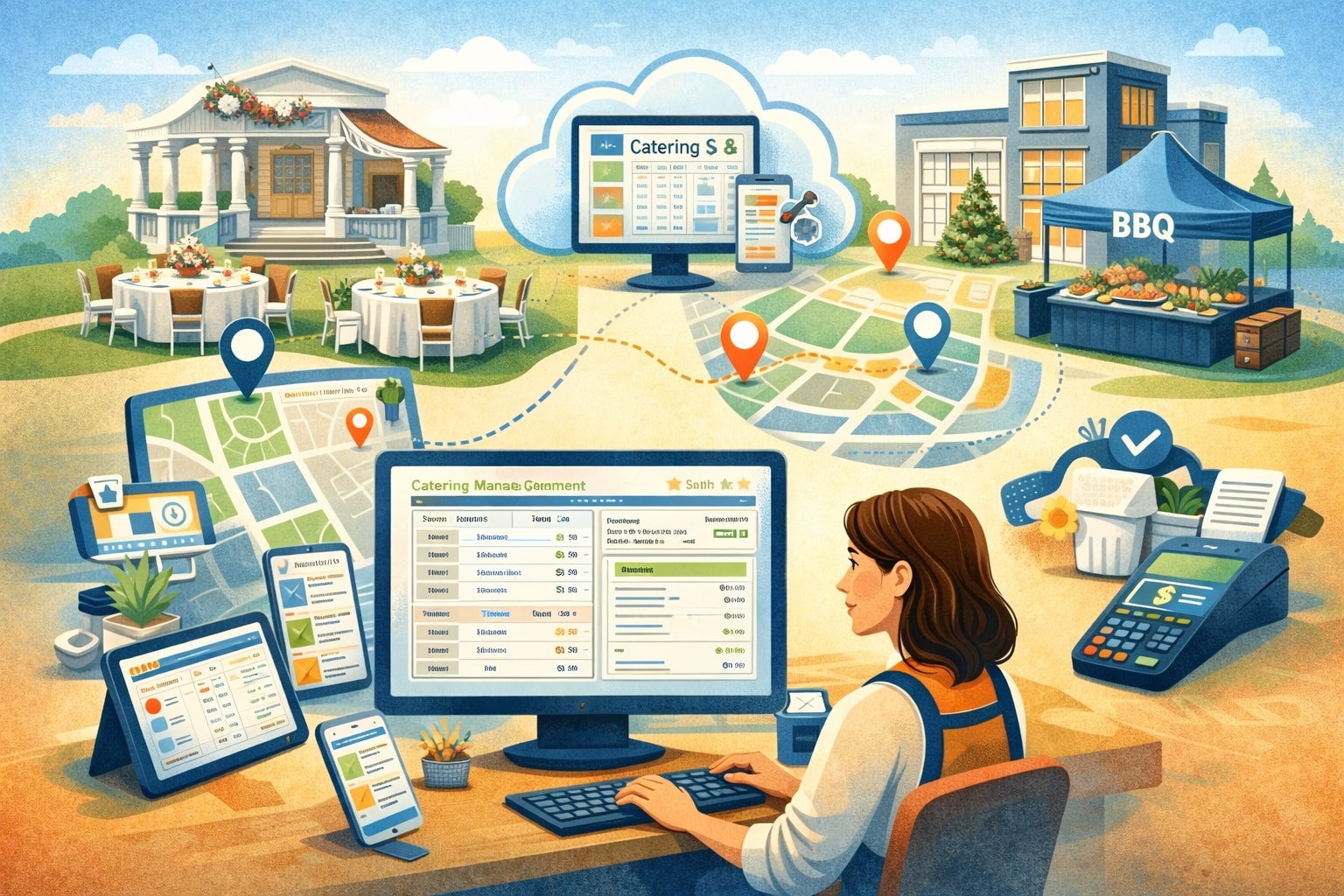
Running a multi-location catering business is a different sport than running a single kitchen. You’re balancing sales pipelines across territories, production across kitchens, delivery routes across cities, staffing across schedules, and customer expectations across every event type—from office lunches to weddings to stadium suites.
The “glue” holding all of that together is catering software that can standardize the way you quote, plan, prep, dispatch, and collect payments—without forcing every location to operate like a clone.
Modern catering software is no longer just a calendar plus invoices. The best platforms combine lead management, proposals, Banquet Event Orders (BEOs), contracts, production and prep tools, delivery logistics, staffing coordination, payment collection, and performance reporting in one workflow.
Solutions like Toast’s catering and events tools emphasize BEOs, contracts, lead management, calendar views, reporting, and invoicing with deposits and reminders.
Many long-established catering platforms also focus on end-to-end event documents—proposals, contracts, invoices, and operational prints—because that’s where multi-location teams win or lose consistency.
This guide explains how to choose and implement catering software for multi-location catering businesses so every branch operates with shared standards—while still giving each location the flexibility to handle local menus, staffing realities, and client preferences.
The multi-location reality: why ordinary tools break at scale
Multi-location catering businesses don’t fail because they can’t cook. They struggle because the “handoffs” multiply. A sales rep books the event at one location, production happens at another kitchen, rentals ship from a third warehouse, and delivery and setup are handled by a floating team.
If your catering software isn’t built for this reality, you’ll see the same predictable failures: duplicate data entry, missed dietary notes, outdated menus attached to contracts, conflicting event times, and invoices that don’t match what was delivered.
Multi-location operations also create a “version control” problem. One location updates a menu price, another uses last month’s package, and a third quotes a custom add-on that accounting can’t reconcile.
Centralized catering software helps solve this by keeping your menu logic, pricing rules, and document templates consistent—while still allowing location-level overrides for regional labor rates, seasonal ingredients, and venue partnerships.
Another scale pain is visibility. Owners and directors need a single view of the pipeline, booked revenue, kitchen load, labor hours, and delivery capacity across all locations. When those numbers live in separate spreadsheets, leadership decisions become reactive instead of strategic.
Cloud-based catering software—especially systems emphasizing consolidated calendars, production tools, and sales reporting—exists to make multi-location performance measurable and repeatable.
What “multi-location catering software” should mean in 2026 and beyond
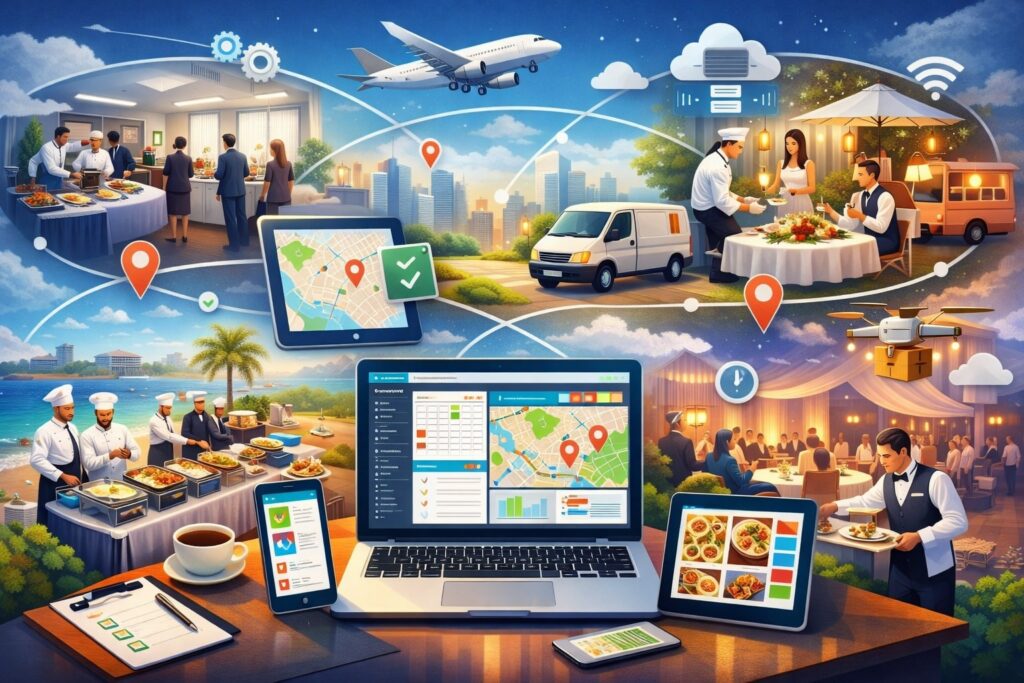
A lot of vendors claim multi-location support, but true multi-location catering software typically includes: centralized admin controls, location-based permissions, shared templates, and data separation where needed.
It should let you choose which things are global (brand contracts, proposal designs, core menus, standard operating checklists) and which things are local (tax rules, delivery zones, kitchen inventory, venue restrictions, staffing pools).
It should also work like a connected system—not a patchwork. Multi-location catering businesses need unified lead capture, standardized quoting, automatic BEO generation, and real-time updates that propagate to the right teams.
Platforms in the market highlight central access to bookings and streamlined planning workflows, which is essential when events flow between locations and teams.
Just as important: the software should support “controlled flexibility.” If every location can edit everything, your brand will drift. If nothing can be customized, locations will work around the system and you’ll lose accuracy.
The best catering software gives you role-based approvals, locked templates, audit trails, and location-specific catalogs—so your organization stays aligned without feeling trapped.
Finally, multi-location doesn’t just mean “more users.” It means higher stakes. One wrong BEO can impact multiple departments and destroy margins on a high-value event.
That’s why catering software must support conflict checks, reminders, and structured workflows that reduce human error—especially when you’re scaling fast and onboarding new staff frequently.
Core modules every multi-location catering business needs
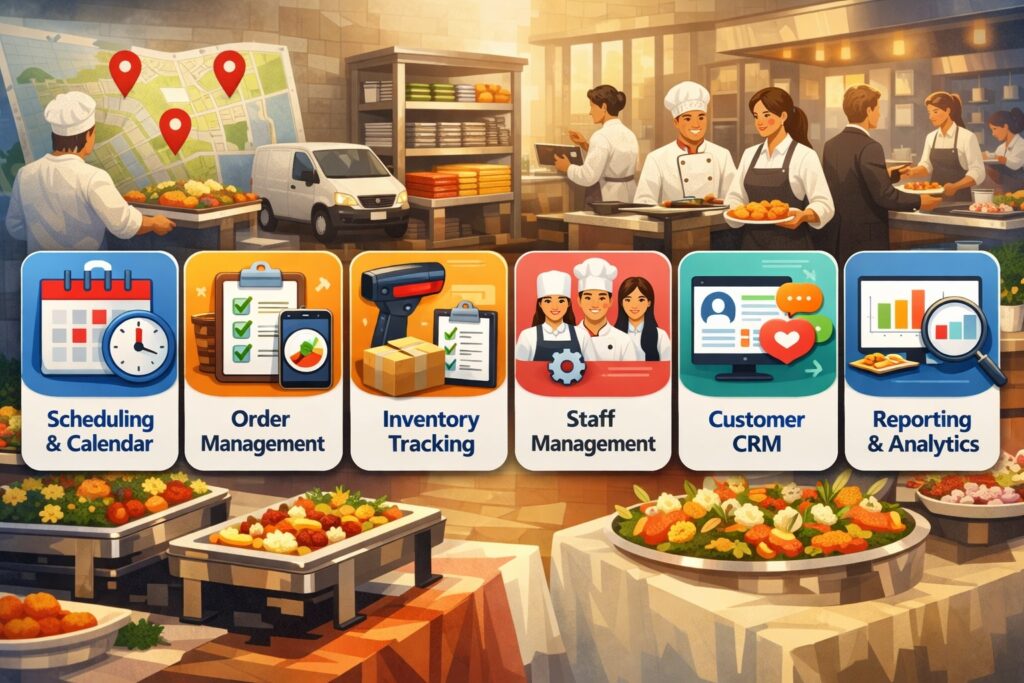
Multi-location catering businesses should start with a simple question: what modules must be native, and what can be integrated?
At a minimum, your catering software should manage the full lifecycle: inquiry → quote → contract → BEO → production → delivery → invoicing → reporting. If any step is handled outside the system, you create gaps where mistakes hide.
You also need strong document outputs. Catering is document-heavy: proposals, contracts, BEOs, packing lists, prep sheets, and invoices. Vendors commonly emphasize one-click generation of branded proposals, BEOs, and contracts because that’s the fastest way to keep every location consistent.
If your software can’t standardize these documents, your brand voice and operational clarity will vary by location—and clients will notice.
Other “must-have” modules include: a centralized calendar, task checklists, menu and package builders, contact management, reporting dashboards, and payment tools (deposits, partial payments, and automated reminders).
Many platforms now market deposits and payment reminders as part of the catering workflow because cash flow discipline matters more when you’re managing multiple locations and multiple event seasons.
The event lifecycle workflow that prevents multi-location chaos
A multi-location catering business should design its catering software workflow so that each step produces structured data for the next step. The inquiry should capture event type, guest count range, venue, date/time windows, dietary needs, service style, and delivery setup requirements.
The quote should pull from standardized packages and pricing rules while allowing controlled customization. The contract should lock scope and payment schedule. The BEO should translate the sold scope into execution details.
This matters because “execution” isn’t just food. The BEO should include load-in times, venue contact info, equipment needs, staffing roles, timeline, and client notes—so production, dispatch, and onsite staff are aligned.
Tools that promote customizable BEOs, estimates, contracts, and lead management are trying to solve exactly this chain-of-custody problem from sales to operations.
For multi-location operations, the workflow must also support reassignment. Maybe the event was sold by Location A, but Location B has kitchen capacity. Your catering software should allow you to reassign production or fulfillment without losing document integrity or client communication history.
That requires permissions, change logs, and automated notifications to the right departments. When the workflow is consistent, you can scale training and quality across locations because staff learn one way of doing things—and the software enforces it.
Standardization vs. local flexibility: designing your operating model in software

Multi-location catering businesses win when they standardize the repeatable parts and localize what truly needs to be local. Your catering software is where you encode that decision.
For example, you might standardize proposal designs, core packages, allergen disclaimers, service language, and payment terms. You might localize delivery zones, labor rates, venue rules, and seasonal add-ons.
This is also where many rollouts fail. If headquarters over-standardizes, locations will create side systems (spreadsheets, text messages, personal templates). If headquarters under-standardizes, your brand becomes inconsistent and margins become unpredictable.
Your software configuration should reflect a clear governance policy: who can create new menu items, who can approve price changes, who can override contract clauses, and who can comp events or discount packages.
Modern platforms often promote “all-in-one” control over proposals, contracts, and invoices because those items are the backbone of standardization. In a multi-location catering business, document governance is margin governance.
Multi-location permissions, approvals, and audit trails that protect margins
In multi-location catering businesses, permissions are not “IT stuff.” Permissions are how you prevent revenue leakage. Your catering software should support role-based access (sales, event planner, kitchen lead, dispatcher, accounting, administrator) with location-level boundaries.
A planner in one branch should not be able to edit the master contract template for all branches. A kitchen lead should not be able to discount pricing without approvals.
Approvals are equally critical. For example, you may require approvals for: discounts above a threshold, custom menu pricing, waived delivery fees, free add-ons, last-minute changes after contract signature, and cancellations/refunds.
Your catering software should record who approved what and when, so disputes can be resolved quickly and coaching can be data-driven.
Audit trails also support quality control. If a dietary note was removed, you need to know why. If an invoice doesn’t match the BEO, you need to see the change history. This is especially important when multiple locations share clients, and client satisfaction depends on predictable execution.
Multi-location software that emphasizes centralized tracking and streamlined event planning aims to reduce “lost context” across teams—permissions and audit logs are how that reduction becomes real.
Menu engineering, packages, and pricing rules across multiple locations
Menus are where catering brands express identity, but they’re also where multi-location complexity explodes. One location substitutes ingredients because of availability, another tweaks portion sizes, and a third introduces a local favorite.
If your catering software treats menus like static PDFs, you’ll spend your life cleaning up inconsistencies. Instead, you need structured menu data: ingredients (optional), allergens, prep steps, portion logic, and modifiers.
Multi-location catering businesses should define “global packages” (your signature bundles) and allow local variants. For example, the “Executive Lunch Package” can be global, but protein options and per-person pricing might vary by region.
Your software should support modifier logic, upsells, and add-ons without breaking the document flow from proposal to BEO to invoice.
Strong menu tools also support profitability. When menu items are standardized, you can compare margins across locations, identify waste patterns, and run smarter purchasing. Some vendors emphasize reporting and dashboards as part of the platform because menu performance and forecasting are only visible when menu data is consistent.
Recipe, allergen, and dietary management that scales safely
Dietary management becomes harder—not easier—when you add locations. More staff touches the order, more substitutions happen, and more venues have their own restrictions.
Your catering software should make dietary notes unmissable and repeat them across documents: proposal, BEO, prep sheet, packing list, and onsite checklist. If dietary notes live only in a salesperson’s email, you’re relying on memory—and memory fails.
A scalable approach uses structured tags (gluten-free, dairy-free, nut-free, vegan) and ingredient-level allergen flags where practical.
Even if you don’t maintain full recipes in the system, you should maintain allergen disclosures and cross-contact notes. Multi-location businesses also benefit from “approved substitutions” lists—so when a local kitchen replaces an ingredient, the allergen profile stays accurate.
This is where AI features are starting to show up in catering software. Industry messaging in 2025 frequently points to AI-assisted planning, forecasting, and coordination—especially around inventory prediction and operational optimization.
While you should not trust AI blindly for allergen safety, AI can help surface risk factors (like last-minute menu swaps) and trigger additional checks. Over the next few years, expect more catering software to add “smart warnings” for dietary conflicts when changes occur.
Production planning and kitchen load balancing for multi-location operations
In multi-location catering businesses, the kitchen is your factory. Production planning is where profitability is made. The right catering software translates booked events into prep timelines, batch production lists, and kitchen capacity plans—so you can decide when to shift production to another kitchen, when to cap bookings, and when to add staff.
A multi-location view is essential: Location A may have sales demand, Location B may have unused kitchen capacity, and your commissary may be the best place for bulk prep.
Your software should support centralized prep lists by date, production site, and station, along with packaging and labeling standards. Some platforms highlight “prep tools” and centralized management of all orders in one place, which aligns with the need to operationalize production across units.
Also, production planning must tie to purchasing. If your events across five locations require 1,200 chicken portions on Saturday, you need that visibility early enough to buy correctly. Better catering software systems use forecasting reports to guide procurement decisions rather than relying on last-minute “run to the store” fixes.
Inventory, purchasing, and waste reduction with smarter forecasting
Inventory challenges get expensive at scale. When each location orders independently, you lose bulk purchasing leverage and you increase waste. Multi-location catering software should let you track high-level inventory categories and purchasing needs by location, then roll those needs into centralized purchasing plans.
Even if you don’t manage every ingredient, you can manage key cost drivers: proteins, disposables, rentals, beverages, and specialty items.
Forecasting is the big unlock. If your software can show booked guest counts by week, menu mix by package, and seasonal event trends, you can plan purchasing and staffing earlier.
This is one reason AI and predictive reporting are being marketed heavily in catering tech conversations in 2025—smart routing, predictive reporting, and data-driven planning are increasingly framed as competitive advantages.
Waste reduction also improves when production data is consistent. If every location uses the same portion logic and packaging standards inside your catering software, you can compare outcomes.
Which locations overproduce? Which menu items drive leftovers? Which event types cause last-minute changes? This feedback loop helps you refine packages and improve margins without lowering quality.
In the near future, expect more catering platforms to integrate sustainability dashboards (waste, packaging usage, and donation tracking) because clients increasingly ask for “responsible catering” options.
Delivery logistics, routing, and onsite execution across multiple branches
Logistics is where multi-location catering businesses either look elite—or look sloppy. The right catering software supports delivery zones, travel time buffers, driver assignments, vehicle capacity notes, and on-site setup checklists.
It should also support “multiple drops” for corporate clients and campus-style venues, where one order may need staged deliveries.
Routing becomes complex when you manage dozens of simultaneous events across locations. If dispatch is manual, one late delivery can cascade into multiple failures. Modern tech narratives increasingly highlight smart routing and coordination as an area where AI can help, particularly for scheduling and delivery optimization.
Even without full AI routing, your catering software should support clear dispatch boards, driver instructions, and real-time status updates so leadership can intervene early.
Onsite execution also matters. A multi-location brand must feel consistent to clients. That means standardized “day-of” checklists, staffing roles, uniform service timelines, and clear venue communication. If those standards live in the catering software, you can train faster, reduce mistakes, and make quality measurable.
Staffing coordination, labor controls, and training consistency
Labor is often the largest controllable cost in catering, and multi-location complexity can turn labor into chaos. Your catering software should help translate event requirements into staffing plans: how many servers, bartenders, chefs, drivers, setup crew, and breakdown staff are needed—based on guest count, service style, and venue constraints.
Multi-location businesses benefit from shared staffing pools, especially for peak seasons. Your software should allow you to assign staff across locations, track availability, and avoid double-booking. Some catering platforms emphasize scheduling optimization and staff planning as part of their operational toolkit.
Training consistency is the hidden benefit. When staffing plans and checklists are standardized in catering software, new team members learn “the company way,” not “this one manager’s way.”
Over time, you’ll build repeatable playbooks: what “wedding buffet for 150” requires, what “corporate drop-off for 40” requires, and what “full-service gala” requires. That repeatability is how multi-location catering businesses scale without losing quality.
Payments, deposits, and invoicing that work for multi-location cash flow
Multi-location catering businesses can be profitable and still feel broken if cash flow is unmanaged. That’s why catering software must handle deposits, milestone payments, final payments, refunds, and automatic reminders.
Vendors in this space often market online invoicing, deposits, and payment reminders because those features reduce admin time and protect cash flow.
In a multi-location model, payment workflows must also handle location-based accounting. Which location books the revenue? Which location fulfills it? How do you allocate labor and delivery costs? Your software should support location tags, department codes, and reporting views that align with your accounting structure.
A strong invoicing module also reduces disputes. When the invoice automatically reflects the contracted scope and approved changes, clients are less likely to challenge charges. And when clients do challenge, you have a paper trail: quote → contract → BEO → change log → invoice. That’s one of the biggest benefits of end-to-end catering software.
Client portals and self-service tools that reduce admin load
Multi-location catering businesses can unlock scale by reducing back-and-forth. A client portal can allow clients to review proposals, sign contracts, pay deposits, view event details, and approve changes. When clients can self-serve, your team spends less time on repetitive communication and more time on high-value planning.
This is also where consistency improves. If every client experiences the same polished digital flow—branded proposals, clear payment schedules, transparent add-ons—your brand feels premium across all locations. Many platforms emphasize automated and streamlined workflows for planning and invoicing because those are the pieces clients notice.
Self-service tools also reduce errors. Clients confirm details in writing, dietary notes are captured directly, and event timelines are clearer.
Over the next few years, expect more catering software to include guided upsells (like adding staff, rentals, beverage packages) and smarter “change request” flows that protect margins. AI may also help by suggesting options based on event type and prior bookings, but the real value will come from structured workflows—not gimmicks.
Reporting and analytics: what multi-location leaders should track weekly
A multi-location catering business should run like a performance organization. That requires dashboards that answer real questions: How much pipeline do we have by location? What’s our conversion rate? What is our average revenue per event by segment? How often do we discount? What is our labor cost ratio? Where are we running over capacity?
Many platforms in this space highlight reporting and forecasting features because catering is seasonal and capacity-driven. If your catering software can’t segment performance by location, event type, lead source, and package, you’ll make decisions based on anecdotes instead of data.
Multi-location reporting also helps you identify best practices. If one location has a high conversion rate, study their proposal response time and follow-up cadence. If one location has better margins, analyze their staffing model and menu mix. Data turns operations into a replicable system.
Forecasting demand, capacity planning, and smarter expansion decisions
Forecasting is the difference between growing smoothly and growing painfully. Good catering software helps you forecast demand by reading your booked events, tentative pipeline, seasonality, and historical patterns. When you can see demand trends early, you can hire earlier, negotiate vendor capacity, and plan kitchen utilization.
Capacity planning is where multi-location shines. With the right visibility, you can route production to the best kitchen, schedule deliveries with better buffers, and prevent overbooking.
Some 2025 industry discussions emphasize predictive reporting and data-driven coordination because catering operations increasingly compete on planning excellence, not just menu quality.
Expansion decisions should also be data-driven. If your reporting shows that one area consistently has high lead volume but low fulfillment capacity, you may justify a new kitchen or a satellite pickup hub.
If one location’s delivery zones are too large, you may justify a second branch to shorten routes. In the next few years, expect “network-style” multi-location catering software to get better at modeling these expansion scenarios, especially as AI forecasting tools mature.
Integrations and tech stack: connecting catering software to the rest of your business
No catering software lives alone. Multi-location catering businesses often need integrations with POS systems, accounting tools, payroll, email marketing, online ordering, and sometimes event venue systems. The goal is not “more tech.” The goal is fewer duplicate entries and fewer points of failure.
When evaluating software, map your data flows. Where do leads come from (website forms, marketplaces, phone calls, referrals)? Where do payments get processed? Where does revenue reporting happen? Where do labor hours get tracked? If your catering software doesn’t integrate cleanly, you’ll end up with manual exports and imports.
Some vendor ecosystems position catering tools as part of a larger platform, emphasizing unified planning, invoicing, and reporting within that environment. That can be powerful for multi-location businesses, because fewer integrations often means fewer sync issues. The trade-off is vendor lock-in, so you want to confirm portability and reporting flexibility.
Data security, privacy, and operational continuity in cloud systems
Multi-location catering businesses store sensitive customer data: contact details, event addresses, payment records, and sometimes notes related to dietary needs.
Your catering software should support secure access controls, strong password policies, and clear user management. Operational continuity is also critical—if your system goes down on a Saturday, you need offline access to key documents, or at least reliable exports and backups.
Cloud tools are popular because they allow every location to access the same information in real time. But cloud also means you must take security seriously: role-based permissions, audit trails, and careful user onboarding/offboarding. Multi-location teams have higher turnover and more seasonal staff, which increases risk if access isn’t managed tightly.
In the future, expect more catering software vendors to add deeper security features by default (like better audit logs and more granular permissions) because multi-location customers demand enterprise-level controls.
Also expect stronger mobile access because onsite teams need information where the event is—not where the office is. Some platforms already emphasize mobile access and operational consistency to keep teams aligned across events.
Implementation roadmap for multi-location catering software
Rolling out catering software across multiple locations is a change management project, not just a software project. The biggest risk is partial adoption: one location uses it fully, another uses it “only for invoices,” and a third continues with spreadsheets. You must build a rollout plan that includes training, process standardization, and accountability.
Start by documenting your ideal workflow: inquiry fields, quote templates, contract terms, BEO format, kitchen prints, dispatch notes, and invoicing rules. Then configure the software to match that workflow. Avoid copying bad old habits into the new system. Your catering software should represent your “future state,” not just digitize your current mess.
Next, choose a rollout model: one pilot location first, then expansion; or a “big bang” rollout if your org is aligned and can support heavy training. Pilot rollouts are safer for multi-location businesses because you can refine templates and permissions before scaling.
Migration, training, and governance that actually stick
Migration is where many multi-location rollouts stall. Decide what data truly needs to move: active leads, booked events, client lists, templates, and key reporting history. You don’t always need to migrate every old record, but you do need a clean starting point so staff trust the new catering software.
Training should be role-based. Sales teams need lead handling and quoting. Planners need BEO creation and task workflows. Kitchen leads need prep sheets and production views. Dispatchers need routing and checklists. Accounting needs invoicing and reporting. Don’t train everyone on everything—train each role on what they use daily.
Governance keeps adoption from decaying. Assign a system owner (or small admin committee) responsible for template updates, permission changes, and workflow improvements. Create a feedback loop: issues are logged, prioritized, and fixed on a schedule. Vendors often promote ongoing tips and improvements because long-term success comes from continuous optimization, not a one-time setup.
Future predictions: where catering software is heading for multi-location businesses
The next generation of catering software will likely feel more like an operations intelligence platform than a scheduling tool. AI will increasingly assist with forecasting, routing suggestions, staffing recommendations, and anomaly detection (like events that look underpriced or overstaffed compared to historical patterns).
Industry content in 2025 repeatedly highlights AI-driven coordination, predictive reporting, and smarter operational planning as the direction of travel.
At the same time, the market will reward systems that reduce complexity. Multi-location catering businesses want fewer apps, fewer logins, and fewer sync problems.
That pushes vendors toward more unified platforms and deeper native modules. Expect stronger client portals, better mobile execution tools, and richer reporting that ties together sales, operations, and finance.
Sustainability and transparency will also influence software features. Clients increasingly ask about sourcing, packaging, and waste. As that demand grows, multi-location catering software may include sustainability checklists, packaging options, and reporting dashboards that help caterers win bids—especially for corporate and institutional clients.
Finally, multi-location businesses will want “playbooks in software.” Instead of training every manager from scratch, the software will guide teams through standardized workflows for common event types, with smart templates and automation. That’s how multi-location catering businesses will scale quality while reducing burnout.
FAQs
Q.1: What is the best catering software for multi-location catering businesses?
Answer: The “best” catering software depends on your operating model, but multi-location businesses should prioritize: centralized calendars, standardized proposals and BEOs, location-based permissions, strong reporting, and payment tools (deposits and reminders).
Many catering and events tools emphasize lead management, BEOs, contracts, calendar views, and reporting because those elements are foundational for multi-location scale.
The best approach is to shortlist a few options, run demos using your real workflows, and evaluate how well the system supports reassignment across locations without breaking documents or communication history.
Q.2: How much does catering software cost for a multi-location catering business?
Answer: Costs vary widely based on users, locations, modules, and whether the vendor bundles features into a larger platform. Some vendors use custom pricing for event management platforms, especially when serving larger hospitality groups.
You should budget not only for subscription costs but also for implementation: training time, template creation, migration work, and ongoing admin ownership. Multi-location businesses often see the best ROI when the software replaces multiple disconnected tools and reduces labor spent on rework.
Q.3: Can catering software help prevent double-booking across locations?
Answer: Yes—if it provides a centralized calendar with conflict checks and controlled permissions. Multi-location catering software should allow you to see all events across branches and prevent collisions on shared resources (like commissary kitchens, delivery vehicles, or key staff).
Vendors that emphasize conflict checks and centralized event planning are solving this exact issue. The key is proper setup: shared resources must be defined in the system, and staff must be trained to rely on the calendar as the source of truth.
Q.4: How does catering software improve profitability for multi-location catering businesses?
Answer: Profitability improves when catering software reduces leakage and rework. Leakage comes from uncontrolled discounts, missed add-ons, incorrect staffing, and poor purchasing. Rework comes from mistakes—wrong menus, wrong timing, missing dietary notes, incorrect invoices.
The right system standardizes pricing rules, creates consistent BEOs, improves forecasting, and gives leaders clear margin signals across locations. Reporting tools and dashboards are often highlighted by catering platforms because data-driven decisions protect margins.
Q.5: Should we choose an all-in-one platform or best-of-breed integrations?
Answer: Multi-location catering businesses often benefit from fewer moving parts, so all-in-one platforms can reduce sync problems and training burden. Some ecosystems emphasize unified catering workflows, invoicing, and reporting inside one platform.
Best-of-breed stacks can be powerful too, but only if you have strong integration support and someone accountable for systems maintenance. The decision comes down to your internal resources: if you don’t have a dedicated ops/IT owner, simpler is usually better.
Q.6: What features will matter most in catering software over the next few years?
Answer: Expect the biggest gains from: smarter forecasting, improved routing and scheduling support, better mobile execution tools, and more advanced reporting tied to labor and purchasing.
AI-driven planning and predictive reporting are already being positioned as major trends in catering tech for 2025 and beyond. The winners won’t just add “AI” labels—they’ll embed automation into real workflows like quoting, prep planning, delivery coordination, and change management.
Conclusion
Multi-location catering businesses don’t just need catering software—they need a system that turns excellence into a repeatable process.
The right platform standardizes your documents, workflows, pricing rules, and operational handoffs, while still allowing local flexibility for menus, staffing realities, and venue constraints. It gives leadership the visibility to balance kitchen capacity, protect margins, and coach teams using real data.
When you evaluate catering software, focus on the lifecycle: inquiry to invoice. Demand strong BEO and contract workflows, centralized calendars, reporting that rolls up across locations, and payments that support deposits and reminders.
Then implement with governance: clear roles, permission controls, training by department, and a continuous improvement loop.
The future is moving toward smarter, more unified systems—where forecasting, routing, and operational guidance get more automated, and where multi-location quality becomes measurable and coachable at scale.
If you choose and deploy your catering software with that future in mind, you won’t just run more events—you’ll run a stronger, more consistent brand across every location.