By cloudcateringmanager January 20, 2026
If you run a catering company, billing is never “just invoicing.” You’re quoting variable headcounts, tracking menu upgrades, rentals, staffing, delivery windows, taxes, service charges, and deposits—often across multiple revisions before an event is confirmed.
That’s why the best billing software for catering businesses isn’t only about sending an invoice; it’s about connecting proposals, approvals, deposits, payment schedules, and final invoices so you don’t lose margin through missed line items or last-minute changes.
In this guide, you’ll learn how to choose billing software for catering businesses, what features matter most for real-world catering workflows, which platforms fit different catering models (drop-off, full-service, venues, multi-location), and how billing tech is likely to evolve over the next few years.
What “Billing Software for Catering Businesses” Really Means (And Why Generic Invoicing Often Fails)
When people search for billing software for catering businesses, many assume they only need an invoice tool. But catering billing usually starts before the invoice exists.
You may begin with a menu-based proposal that doubles as a client-facing sales document, then move into a contract, then collect a deposit to lock the date, then manage change orders, then finally issue a balance-due invoice after the event.
If your system can’t connect those steps, you end up retyping details into invoices, which is where errors happen—wrong headcount, missing rentals, incorrect service charge, or inconsistent tax settings.
A modern billing workflow for caterers should reduce duplicate data entry and make every revision traceable so you can answer the inevitable questions: “What changed?”, “When did we approve that upgrade?”, and “Why is the final total different?”
The right billing software for catering businesses also protects cash flow. Catering is deposit-driven for a reason: you’re buying inventory and reserving labor in advance. Tools that support deposits and payment schedules help you get paid earlier, reduce cancellations, and keep accounts receivable clean.
Platforms like Toast mention deposits and payment reminders for catering and events, reinforcing how essential staged payments are in this category.
Finally, the best solutions help you price accurately. Catering margins can evaporate when you miss labor, delivery zones, rentals, or setup fees. Catering-specific systems typically bake those into the workflow, while general invoice tools often require manual workarounds.
How to Choose the Best Billing Software for Catering Businesses
Choosing billing software for catering businesses is easier when you match the tool to your catering model and your “billing complexity.” A high-volume drop-off caterer often needs fast online ordering, automated confirmations, and simple invoice collection.
A full-service caterer needs banquet event orders (BEOs), staffing and production outputs, rentals, and detailed costing. A venue or hospitality group needs event pipelines, contracts, and document templates with standardized payment terms.
Start by mapping your “billing journey” from lead to paid-in-full:
- Lead → quote/proposal: Do you need interactive menus, packages, minimums, and add-ons?
- Approval → contract: Do you need e-signatures, cancellation clauses, and event rules?
- Deposit → payment schedule: Do you require a percentage down, staged payments, or milestones?
- Change orders: Do you need revision history and approvals to avoid disputes?
- Final invoice → receipts → reporting: Do you need accounting-grade reporting, tax handling, and integrations?
If you’re frequently missing billable items or dealing with complex revisions, prioritize catering-specific workflow over generic invoicing. Some industry guidance emphasizes that catering billing is “job-based logic,” not just invoice templates, and the best approach can be a hybrid: a catering platform for proposals/events plus an accounting tool for the books.
Also consider the operational reality: your team may be quoting from phones during venue walkthroughs, or editing orders on-site. A system that’s easy to use (and easy to train on) often beats a “powerful” tool that nobody updates correctly.
Must-Have Features in Billing Software for Catering Businesses
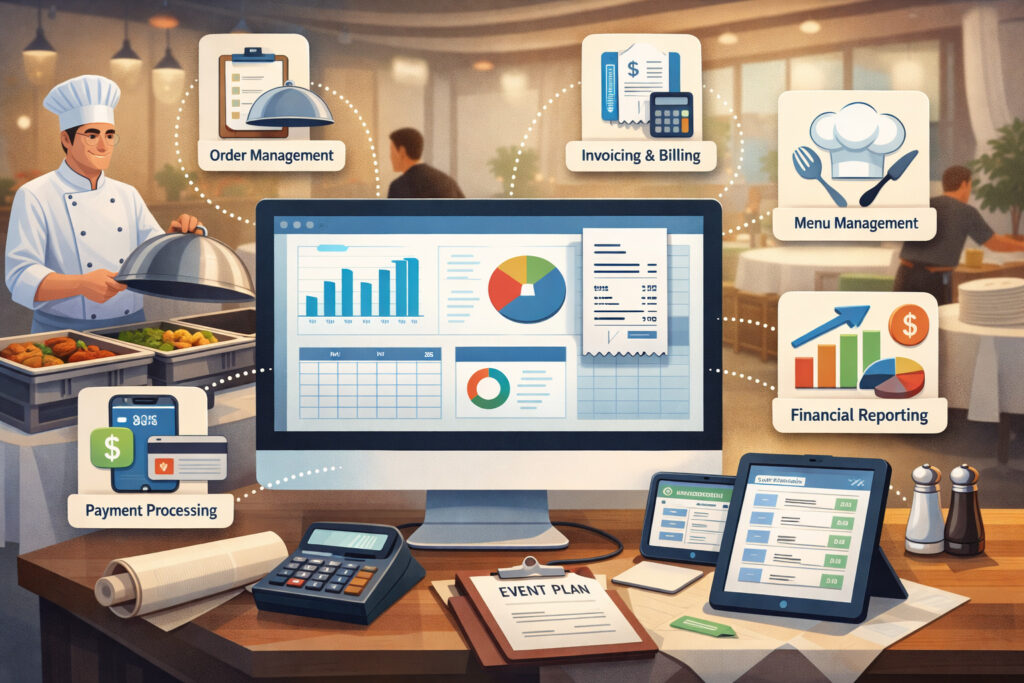
The best billing software for catering businesses tends to include a specific set of features that match how catering work actually happens. Here are the capabilities that usually matter most:
- Deposits and payment schedules: Catering billing thrives on staged payments. Tools like Square Invoices support requesting deposits and managing payment schedules, which is crucial when you need to secure a date and fund upfront costs.
- Estimates/proposals that convert into invoices: You want to avoid rebuilding an invoice from scratch. Toast specifically highlights estimates and an invoicing workflow tied to catering and events.
- Revision control and change orders: If clients revise guest counts or add a late-night station, your billing software should keep a clear trail of approvals and changes so disputes don’t turn into write-offs.
- Integrated payments and faster collection: Online payments reduce friction and shorten your days-sales-outstanding. QuickBooks notes that invoices can include online payment options (like cards and bank transfer methods) when payments are enabled, helping clients pay directly from the invoice.
- Tax, service charges, gratuity, and fees: Catering often involves multiple charges (delivery zones, setup fees, venue fees). Your system should handle consistent rules so staff doesn’t improvise.
- Reporting that protects margins: A caterer doesn’t only need “invoice totals.” You want reporting that helps you understand profit drivers—top items, labor-heavy packages, delivery efficiency, and seasonal demand.
Best Billing Software for Catering Businesses (Catering-Specific Platforms)
This section focuses on solutions built for catering workflows—proposals, event planning, deposits, and invoices in one connected flow. For many operators, this is the fastest path to fewer billing errors and higher margins.
CaterZen (Best for end-to-end catering workflow with invoicing built in)
CaterZen positions its product as catering software that can handle multiple catering models (including drop-off and full-service) and includes invoice creation and online payments. Its invoice feature set emphasizes creating and sending invoices, accepting online payments, and producing accounting reports to track sales and reduce collection issues.
CaterZen can work well as billing software for catering businesses is the way it ties billing to a larger operational system. Instead of treating invoicing as a standalone step, it’s typically part of the same environment where menus, event details, and customer information live—reducing the “copy/paste tax” that causes missed line items.
This matters most when you handle frequent changes. When your team updates an order, you want billing to reflect the latest approved version without rebuilding documents. It also matters for payment collection: allowing clients to pay online immediately after receiving an invoice can meaningfully improve cash flow, especially for drop-off catering where speed and volume matter.
CaterZen is often a strong fit if you want a single system to standardize quoting and billing across a team, particularly when multiple staff members touch the same event lifecycle.
Total Party Planner (Best for full-service catering with costing + proposals + invoicing)
Total Party Planner is an all-in-one catering and event management platform that highlights operational streamlining across orders, event planning, and billing workflows.
As billing software for catering businesses, it’s frequently chosen by caterers who need detailed event workflows—especially when billing depends on accurate costing and structured packages. Reviews and overviews describe it as centralizing leads, proposals, menus, invoicing, scheduling, and reporting.
What that means in practice: you can build menus and packages that reflect real costs, then generate client-facing proposals and invoices that protect your margin. If you’ve ever undercharged because staff forgot a rental item or underestimated labor, systems with deeper catering logic can pay for themselves.
Total Party Planner is often best when you’re beyond “simple invoices” and need a more controlled process: consistent pricing, standardized documents, and reporting that helps you understand profitability across events.
Caterease (Best for proposals + contracts + invoices in one place)
Caterease is marketed as advanced catering and event management software and explicitly references having proposals, BEOs, contracts, and invoices in one place.
For billing software for catering businesses, that “single system” approach is valuable when your operation is document-heavy. Many caterers don’t just send one invoice; they send a proposal, a contract, a payment schedule, and sometimes internal documents for production and staffing.
A platform that handles those documents in one environment reduces mistakes and gives you consistent templates across the company.
Caterease can be a particularly good fit when your events are complex—multiple service areas, rentals, staffing roles, and venue constraints. With those complexities, billing mistakes are rarely small.
They’re usually “we forgot the bar package upgrade,” “we forgot the staffing surcharge,” or “we forgot the overtime clause.” Document-driven systems help you lock in terms and pricing so the final invoice matches what was approved.
If your goal is to improve billing accuracy, reduce disputes, and keep an audit trail of what was agreed, Caterease is often a strong contender.
Flex Catering (Best for drop-off + event catering with online ordering and invoicing)
Flex Catering describes itself as all-in-one catering management software for drop-off and events, including CRM, online ordering, proposals, payments, and delivery.
This matters because for many modern caterers, billing is tied to online ordering. You don’t want a disconnect between what customers order on your site and what shows up in invoices.
Flex also highlights “house account invoicing” and workflows intended to run catering as a dedicated revenue stream for restaurants, which can be useful if your catering program is growing inside a larger food operation.
As billing software for catering businesses, Flex is often a strong option for operators who need both B2C ordering (one-time catering orders) and B2B ordering (repeat corporate clients), with billing that supports approvals and payments.
If your bottleneck is admin time—building quotes, collecting approvals, sending invoices, and chasing payments—an online-order-driven system can reduce work dramatically by moving customers into a more self-serve flow while keeping your team in control of pricing rules, cutoffs, and availability.
CaterTrax (Best for organizations needing consolidated invoice workflows)
CaterTrax appears frequently in catering software directories and is positioned as catering management software used in foodservice environments.
One billing-related concept associated with CaterTrax is consolidated invoicing via “Master Invoice,” which can help when you need to group multiple orders under one payer—common in corporate accounts, campuses, or repeat clients placing separate orders for multiple departments.
For billing software for catering businesses, consolidated billing can be a big advantage because it reduces friction for clients. Instead of sending five invoices to five different coordinators, you can present one professional billing package to accounts payable—making it easier to get paid.
CaterTrax is often considered when catering billing is part of a larger operational environment (like high-volume programs) and when billing structure matters as much as menu structure.
Tripleseat (Best for venues and hospitality groups managing event documents + billing terms)
Tripleseat is widely used in hospitality event management and is positioned around capturing leads and managing event workflows. Overviews describe the ability to create proposals, contracts, event orders, and invoices.
Tripleseat’s support resources emphasize event “documents” and customizing billing fields in document templates—useful when your billing terms differ by venue, room, or event type.
As billing software for catering businesses, Tripleseat is especially relevant when catering is tied to private dining rooms, venues, hotels, or hospitality groups where the “document set” (contract + event order + payment schedule) is central to revenue operations.
If your biggest billing pain is managing event paperwork, approvals, and consistent templates—rather than building a catering menu—Tripleseat can be a strong fit. It’s often less about “invoice features” alone and more about how billing terms live inside your event documents.
Best Billing Software for Catering Businesses (General Invoicing + Accounting Tools That Work Well for Caterers)
Not every caterer needs a catering-specific platform. If your quotes are simple, or if your team already uses an accounting suite, you may want general billing software for catering businesses that excels at invoices, deposits, and payments—especially if you pair it with strong internal processes.
QuickBooks Online (Best for accounting-first billing with online payment options)
QuickBooks Online is commonly used when your priority is bookkeeping accuracy and standardized accounting workflows. It includes invoicing management (tracking invoices, reminders, recording payments) and supports adding online payment options when payments are enabled.
For caterers, QuickBooks can be a practical center of gravity for billing when you want clean financial reporting, consistent customer records, and a system your accountant already understands. It can also support progress-style billing workflows (invoicing over time off an estimate) which can mirror staged catering payments in a simplified way.
The tradeoff: QuickBooks is not inherently catering-specific. You’ll need strong itemization (menu items, rentals, staffing) and disciplined procedures so staff doesn’t miss charges. But if your catering operation is relatively standardized—and you want your billing software to live inside the accounting system—QuickBooks is often one of the most effective choices.
Square Invoices (Best for fast deposits, payment schedules, and easy client payments)
Square’s invoicing tools are popular for speed and simplicity. Square support documentation describes managing invoice deposits and payment schedules—directly relevant to how caterers secure dates and manage balances due.
Square can work well as billing software for catering businesses when you want:
- quick invoice creation,
- easy payment links,
- recurring invoices for repeating corporate clients,
- and clear “amount paid / amount due” visibility.
For drop-off caterers and small teams, this can be enough—especially if the operational side (menus, staffing) is handled elsewhere or doesn’t require complex software. The main limitation is that Square is not built as a full catering event management suite, so more complex workflows may require add-ons or a separate system for proposals and BEOs.
FreshBooks (Best for service-style invoicing, recurring templates, and deposits)
FreshBooks positions its invoicing features around professional invoices, recurring templates, and retainers, and it explicitly notes the ability to add deposits and payment schedules.
If your catering business behaves more like a service provider—custom packages, frequent client communication, and ongoing relationships—FreshBooks can serve as billing software for catering businesses with a friendly client experience.
It’s often used by teams that want an approachable interface and strong invoicing automation without the heavier complexity of an accounting-first system.
The key is how you structure items and packages. If you standardize your menu packages as line items, you can reduce billing errors and improve consistency. FreshBooks is best when your operational needs don’t require a catering-specific platform but you still need deposits, payment schedules, and a polished client payment flow.
HoneyBook (Best for proposals + contracts + invoices in one clientflow)
HoneyBook is often used by service businesses and includes invoices, proposals, contracts, and workflow management in one flow.
For caterers, HoneyBook can be excellent when your billing challenges are tied to client experience: slow approvals, scattered communication, and inconsistent paperwork. HoneyBook’s approach helps keep the proposal → contract → invoice journey unified, which reduces “Where do I sign?” confusion and can speed up booking.
HoneyBook isn’t a catering menu-costing system. But as billing software for catering businesses, it can be a strong choice for boutique caterers, wedding caterers, and teams where branding, proposals, and client communication are the main drivers of bookings—and where operational complexity is manageable through internal processes.
Toast Catering & Events (Best for restaurants expanding into catering with deposits + invoicing built in)
Toast highlights catering and events capabilities that include managing catering orders with a calendar view, document workflows, and an invoicing tool with deposits and payment reminders.
If you’re a restaurant with an expanding catering program, Toast can act as billing software for catering businesses because it ties catering orders to the broader restaurant ecosystem. That can reduce friction when your catering menu is connected to your core POS menu, discounts, and operational data.
Toast also clarifies that Toast Catering & Events is a more robust module compared with basic invoicing, which matters if you’re choosing between “simple invoices” and a catering workflow that includes lead management and event documents.
Best Billing Software for Catering Businesses by Use Case
The phrase best billing software for catering businesses changes meaning depending on how you sell and deliver catering. Here’s a practical matching framework:
Best billing software for drop-off catering businesses
Drop-off catering rewards speed: quick quoting, online ordering, easy payment links, and automated receipts. Flex Catering is designed for drop-off and events with online ordering + payments in one system.
If you’re keeping operations simpler, Square Invoices can be strong for deposit requests and payment schedules.
Best billing software for full-service catering businesses
Full-service needs staffing, rentals, timelines, and detailed documents. Total Party Planner and Caterease both emphasize all-in-one catering workflows with proposals and invoicing, supporting more complex event operations.
Best billing software for catering businesses with venues or private dining
If you run a venue or hospitality group, document templates and event pipelines are often the heart of billing. Tripleseat focuses on event docs and customizable billing fields inside templates.
Best billing software for catering businesses prioritizing accounting accuracy
If you want billing to live in accounting, QuickBooks Online is a practical anchor due to invoice management and online payment options (when enabled).
Implementation Tips: How to Switch Billing Software Without Breaking Cash Flow

Even the best billing software for catering businesses can fail if implementation is rushed. The goal is to protect cash flow and prevent event-day confusion while you migrate.
Start by migrating only what you need:
- your active clients,
- standard menu packages as items,
- your templates (proposal/invoice/contract),
- tax and service charge rules,
- and payment terms (deposit percentage + due dates).
Then run a “parallel billing” process for a short period: send a few real proposals/invoices in the new system while keeping your old process available as a safety net. This helps you catch missing fields (like delivery zones or service charges) before your team relies on the new tool for every booking.
Standardize your payment schedule templates. Tools that support deposits and schedules (Square and FreshBooks) work best when your schedules are consistent across event types.
Finally, train your team on why the workflow matters. The purpose of billing software for catering businesses is margin protection. A missed labor line item is not “a small mistake.” It’s a margin leak that repeats until the process is fixed.
Future Predictions: Where Billing Software for Catering Businesses Is Headed
Billing tech for caterers is moving toward “connected commerce” rather than standalone invoices. Over the next few years, expect the best billing software for catering businesses to improve in these ways:
1) Smarter deposit automation: Deposits won’t just be a manual line item. Systems will recommend deposit amounts based on lead time, event size, and seasonality—then enforce policies automatically.
2) Approval-based change orders as the default: Catering margins depend on controlling scope. More platforms will treat change orders like mini-contracts: client approval required, timestamped, and automatically reflected in the balance due.
3) More embedded payments and faster settlement: Tools will keep pushing “pay from the invoice/proposal” experiences—because reducing friction is the simplest way to reduce late payments. QuickBooks and catering platforms already emphasize payment-enabled invoices, and this direction will intensify.
4) Stronger integrations across event ops: Catering billing will integrate more tightly with calendars, staffing schedules, kitchen production outputs, and delivery routing. Toast already frames catering as a lifecycle—from invoicing to operational execution—hinting at the direction of the market.
FAQs
Q.1: What is the best billing software for catering businesses overall?
Answer: The best billing software for catering businesses is usually the one that matches your workflow complexity.
Catering-specific tools like CaterZen, Total Party Planner, Caterease, and Flex Catering often win when you need proposals, deposits, and invoices tied to event operations. If you’re accounting-first, QuickBooks Online is often the practical core billing system.
Q.2: Should billing software for catering businesses handle deposits and payment schedules?
Answer: Yes—deposits and staged payments are foundational in catering. Square explicitly supports invoice deposits and payment schedules, and FreshBooks notes deposits and payment schedules within invoicing workflows.
If your billing tool can’t handle deposits cleanly, you’ll spend time reconciling payments manually and dealing with client confusion.
Q.3: Is it better to use catering software or general invoicing software?
Answer: If you lose money through missed items, change orders, or document chaos, choose catering-specific billing software for catering businesses. If your biggest pain is bookkeeping accuracy and reporting, general invoicing inside an accounting system can work—especially with strong internal templates and itemization.
Q.4: What’s the biggest mistake caterers make when choosing billing software?
Answer: Choosing only based on price or choosing an invoice tool that doesn’t reflect real catering workflow. Catering billing is connected to proposals, deposits, and event execution. When those are disconnected, errors multiply.
Q.5: Can I use a hybrid approach (catering platform + accounting tool)?
Answer: Yes, and it’s common. Many caterers use a catering platform for proposals and event workflows and then sync totals to accounting. Industry commentary often suggests the “hybrid approach” when you need both workflow and accounting rigor.
Conclusion
The best billing software for catering businesses does three things consistently: it reduces billing mistakes, speeds up getting paid, and protects profit through repeatable workflows.
Catering-specific platforms (CaterZen, Total Party Planner, Caterease, Flex Catering, CaterTrax, Tripleseat) shine when billing is intertwined with proposals, event documents, and operational complexity.
General billing tools (QuickBooks, Square Invoices, FreshBooks, HoneyBook) can be excellent when your primary needs are clean invoicing, deposits, and an easy client payment experience—especially if you’re disciplined about templates and itemization.