Catering is one of the hardest service businesses to bill correctly because every job is a mini–project: custom menus, changing headcounts, rental add-ons, staffing, delivery windows, venue requirements, and deposits that convert into a final balance.
The right billing software for catering businesses does more than create invoices—it connects proposals, contracts, scheduling, and payments so you don’t lose margin or time.
This guide breaks down what to look for, which platforms work best by catering style, and how to choose billing software for catering businesses that can scale with you—without turning your back office into a full-time job.
Why catering billing is different from “normal” invoicing
Most invoicing tools were designed for simple services: send invoice, collect payment, done. Catering is rarely that clean.
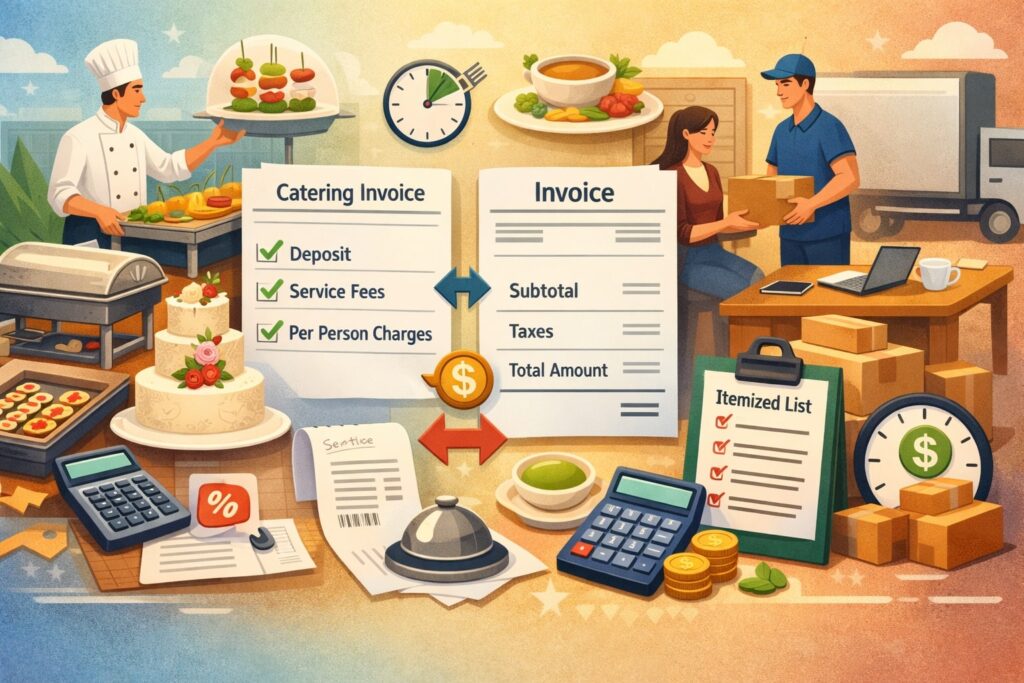
A single event can involve a quote that changes three times, multiple payment milestones, several service dates, and separate line items for food, rentals, labor, and delivery. That’s why billing software for catering businesses needs job-based logic, not just invoice templates.
In catering, billing starts before the invoice. You often need a proposal that looks like a menu, a deposit request that confirms the booking, and a contract that locks terms like cancellation windows, minimum guest counts, and venue rules.
If your billing system can’t connect those steps, you end up retyping details into invoices—and that’s where mistakes happen: wrong headcount, missing rentals, incorrect service charge, or forgotten tax settings.
Catering also has a bigger cash-flow challenge than many industries. Deposits and progress payments are common, and a strong billing software for catering businesses should support partial payments, auto-reminders, and clear balance tracking. The goal is simple: fewer “where’s my invoice?” emails, fewer disputes, and faster paid-in-full events.
The real cost of using the wrong billing software for catering businesses
Bad billing systems don’t just create inconvenience—they quietly drain profit. The obvious cost is lost time: manually building invoices, chasing signatures, sending payment links, and reconciling deposits. But the hidden cost is worse: pricing errors and missed billable items.
When you handle event billing across spreadsheets, email threads, and generic invoicing, you’ll eventually undercharge. It might be small—an extra server hour, an overlooked rental fee, a missing delivery surcharge—but those small leaks add up across a busy season.
The wrong billing software for catering businesses also increases chargebacks and disputes because customers can’t see what they’re paying for, what’s already paid, and what’s due next.
There’s also a reputation cost. Catering is relationship-driven. If your invoice looks confusing, your payment process is clunky, or you can’t provide receipts quickly, it creates friction in what should feel like a premium experience.
Good billing software for catering businesses improves client confidence by making everything clean: itemized charges, professional branding, clear payment steps, and automated confirmations.
Must-have features in billing software for catering businesses
The “best” platform depends on your model, but the best billing software for catering businesses usually shares a core set of features that protect margins and speed up collections.
First, you need quote-to-invoice workflows. Many caterers start with a proposal or estimate, then convert it into an invoice when the client approves. Industry-focused catering platforms often emphasize this lifecycle, moving from inquiry to final invoicing inside one system.
For example, Caterease positions itself as event management software designed to streamline the sales process and operations for catering teams, which is why it’s frequently evaluated in catering software shortlists.
Second, you need deposit and installment billing. Your software should handle booking deposits, progress payments, and final balances without manual math. Look for: partial payments, automatic receipts, payment schedules, and a clear “remaining balance” view.
Third, you need flexible line items. Catering invoices should break out food packages, beverage, staffing, rentals, service charges, delivery, and discounts—without becoming unreadable. Strong billing software for catering businesses also supports notes like allergies, venue restrictions, and service windows (even if those aren’t billed).
Fourth, you need tax and fee controls. Service charges, gratuity, and state/local sales tax rules vary widely. Your system should allow different tax rules by item type and let you define fees consistently.
Finally, you need integrations—especially accounting and payments. Even if your billing software for catering businesses does invoicing perfectly, you still need bookkeeping that’s accurate and fast.
Billing workflows that top caterers automate first
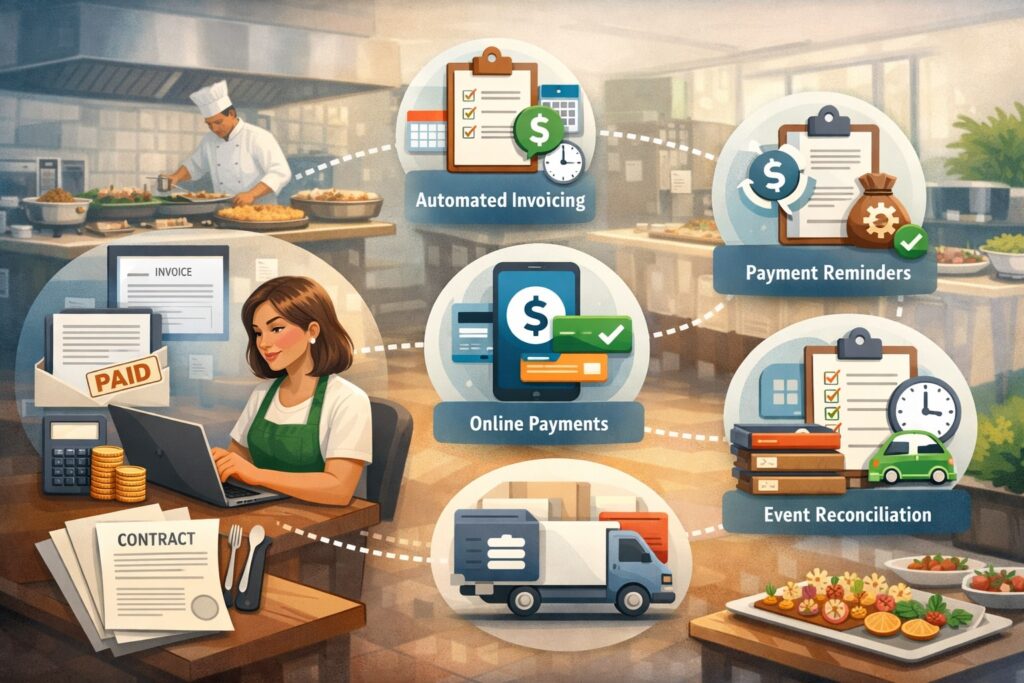
When you implement billing software for catering businesses, you’ll get the fastest ROI by automating a few high-impact workflows before trying to optimize everything.
1) Inquiry → proposal → approval
You want a fast path from “Can you cater my event?” to “Here’s the quote—approve and pay the deposit.” Catering-focused tools like Total Party Planner emphasize invoices as part of a larger event management workflow (not just billing), aiming to streamline payments and reduce friction.
2) Deposit collection + confirmation
The deposit should trigger an automated confirmation: payment receipt, event booked message, and next steps. The right billing software for catering businesses makes the deposit feel like a secure checkout, not a manual transaction.
3) Change orders without chaos
Headcount changes, menu swaps, added rentals—these should update the balance automatically and leave a clean audit trail. If your system forces you to “just send a new invoice,” clients get confused and disputes rise.
4) Final invoice timing
Many catering teams bill a final balance a certain number of days before the event. Your billing software should schedule reminders and prevent last-minute scrambling.
5) Post-event closeout
After the event, you may need to add overtime, damage fees, or bar consumption. Good billing software for catering businesses lets you finalize quickly and send a clear, defensible bill.
Two main categories: catering-specific platforms vs general invoicing tools
Most caterers choose between two paths, and the best billing software for catering businesses depends on which path matches your operations.
Catering-specific software (best for complex events)
These systems are built around events. Billing is tightly linked to menus, staffing, rentals, and schedules. They typically support proposals, invoices, and event production in one place. Marketplaces that review catering software often highlight “billing & invoicing” as a key filter because it’s so central to caterers.
This approach is ideal when you manage many moving parts and want one operational hub.
General invoicing/accounting tools (best for simpler catering or mobile teams)
These tools are strong at invoicing, recurring billing, payment links, and bookkeeping—but they may not understand menus, headcount logic, or event timelines. They’re often more affordable and easier to learn, and they can be perfect billing software for catering businesses that do drop-off catering, boxed lunches, or smaller events.
A practical strategy many caterers use is: event platform for proposals and planning + accounting tool for books, or a single general tool if operations are straightforward.
Caterease as billing software for catering businesses
Caterease is widely recognized as an end-to-end catering and event management platform. Its appeal as billing software for catering businesses comes from the idea that invoices aren’t separate documents—they’re outputs of an event workflow.
In catering, you’re not just billing “a service.” You’re billing a customized experience: food, staffing, rentals, and timing.
Caterease focuses on customization and operational streamlining, which matters when you have multiple packages, optional upgrades, and venue-specific rules. Its product messaging emphasizes powerful tools designed to streamline operations and improve planning efficiency.
Caterease can be a strong match if you:
- Produce weddings, corporate events, or high-touch experiences
- Need proposals/menus that convert cleanly into invoices
- Want one system to coordinate sales and execution before billing
The tradeoff is that catering-specific platforms can take longer to configure. But once set up, billing software for catering businesses like Caterease can reduce admin work dramatically because pricing, items, and terms flow through the pipeline rather than being rebuilt each time.
Total Party Planner as billing software for catering businesses
Total Party Planner is often described as an all-in-one catering and event management system where invoicing is part of the operational workflow, not a separate module. Reviews commonly emphasize that it centralizes catering tasks from proposals to invoicing, reporting, and management.
From a billing perspective, this matters because the best billing software for catering businesses keeps financials aligned with what actually happens on the event. If your staff schedule changes, rentals change, or menu quantities change, you need billing to reflect reality.
Total Party Planner is a strong candidate when you want:
- Detailed event structure with menus and production detail
- Billing connected to event execution and reporting
- A workflow that supports scaling beyond “owner does everything”
Like most robust catering systems, you’ll want to invest time in building templates: packages, add-ons, service charges, and standardized terms. The payoff is consistency—your invoices look professional and you protect margins because fewer items slip through.
HoneyBook as billing software for catering businesses that sell experiences
HoneyBook is popular in event-driven service businesses because it combines client management, invoices, contracts, and workflows.
Platforms that review business software often point out HoneyBook’s strengths around invoice customization, CRM features, and payment collection, which can fit caterers who sell premium, relationship-based experiences.
As billing software for catering businesses, HoneyBook shines when your success depends on a polished client experience: inquiry forms, branded proposals, contracts, automated reminders, and easy payment links.
It can be especially useful for boutique caterers, private chefs, and teams that want their process to feel high-end and organized.
Where HoneyBook can fall short for some caterers is deep operational complexity—menu costing, inventory, production schedules, and rental logistics are not its core. But if your catering model is “small team, high touch, fewer events, higher ticket size,” HoneyBook can work extremely well because it reduces friction between sales and billing.
A good way to evaluate HoneyBook as billing software for catering businesses is to ask: Do you need an event operations engine, or do you need a client journey engine? If your biggest bottleneck is communication, approvals, and payments, HoneyBook can deliver major wins.
Square Invoices and payment-first billing software for catering businesses
Some caterers don’t need a complex event platform—they need fast invoices and fast payments. That’s where payment-first tools come in. Lists of top invoicing software for small businesses often include Square Invoices among leading options, alongside other established invoicing tools.
Square-style billing can be a great fit if you:
- Do drop-off catering, pop-ups, food trucks, or simple event packages
- Need quick payment links and easy card acceptance
- Want a lightweight system your team can learn fast
The advantage of payment-first billing software for catering businesses is speed: create invoice, send link, collect deposit, done. The limitation is that deeper catering workflows—menus, rentals, staffing, headcount changes—may require separate tools or manual processes.
If you choose this route, you’ll want strong internal templates to prevent underbilling. For example, build standard packages with add-ons so you’re not constructing invoices line by line every time.
QuickBooks as billing software for catering businesses that need job costing and accounting control
Many caterers end up using accounting-first software because bookkeeping accuracy matters as they grow. QuickBooks is commonly used by service businesses for invoicing, expense tracking, and reporting, and it remains a major reference point in small business accounting conversations.
As billing software for catering businesses, QuickBooks can work well when:
- You want invoices tightly connected to your accounting system
- You track expenses by event (job costing) and want clean profitability reporting
- You have a bookkeeper or structured accounting process
QuickBooks can be especially useful for managing deposits correctly, tracking unpaid balances, and producing financial statements for lending, expansion, or owner clarity.
The tradeoff is that QuickBooks is not catering-native. You’ll likely need separate systems for proposals, menu planning, staffing schedules, and production management.
Many caterers solve this by using a catering platform for proposals and event management, then pushing invoice/payment data into QuickBooks for final accounting. In that hybrid setup, QuickBooks becomes the financial “source of truth” while your billing software for catering businesses workflow remains event-driven.
Zoho Invoice, FreshBooks, and modern invoicing tools for catering teams
If you want simplicity without sacrificing professionalism, modern invoicing platforms like Zoho Invoice and FreshBooks can be strong billing software for catering businesses—especially for growing teams that want clean estimates, invoices, recurring billing, and online payments.
Many “best invoicing software” roundups for small businesses consistently include Zoho Invoice and FreshBooks among top options.
These tools are a good match if you:
- Need estimates that convert to invoices
- Want automated reminders and late fees
- Prefer a modern interface that staff can learn quickly
- Don’t need deep menu/rental/staff scheduling in the billing tool itself
The key is to standardize your catering offer. If you rely on structured packages (per-person pricing tiers, standard add-ons, standard service charges), general invoicing tools can feel almost custom-built.
To make general billing software for catering businesses work better, build your catalog inside the tool: packages, staffing rates, delivery zones, rental bundles, and optional upgrades. The more you can invoice from pre-built items, the fewer pricing errors you’ll have.
How to choose billing software for catering businesses by your catering model
The fastest way to pick the right billing software for catering businesses is to match it to your most common event type, not your most complicated “once a year” event.
If you do weddings and premium full-service events
Choose catering-specific platforms (Caterease / Total Party Planner type systems) or experience-focused CRMs (HoneyBook) if you’re a boutique. You need deposits, contracts, change orders, and a polished approval flow.
If you do corporate catering with repeating clients
You’ll benefit from strong account management, saved client profiles, recurring invoices, and purchase-order friendly invoicing. Accounting-first tools can shine here, especially if you need reporting and clean AR processes.
If you do drop-off catering and simple packages
Payment-first invoicing and lightweight tools can be ideal. Speed matters more than complex operational detail. Your billing software for catering businesses should create a fast path to paid.
If you’re scaling to multiple crews and many weekly events
This is where catering-specific platforms usually win, because billing must stay aligned with scheduling, staffing, and production.
Pricing and ROI: what “best” really costs
Pricing for billing software for catering businesses ranges from free invoicing tools to premium catering platforms. The mistake is choosing based on subscription price alone. You should calculate ROI in three areas:
1) Time saved per event: If a better billing workflow saves you 30–60 minutes per event, that can pay for itself quickly during busy seasons.
2) Margin protected: The right billing system reduces missed add-ons and underbilling. Even a small improvement per event can exceed software cost.
3) Cash flow improved: Automated reminders, easier online payments, and structured deposit schedules can reduce late payments and increase predictability.
When comparing, ask vendors about:
- Payment processing fees and payment methods
- Deposit handling and partial payment tracking
- Integrations with your accounting tool
- Template and automation capabilities
- Support quality and onboarding assistance
A “cheaper” tool that causes underbilling is not cheaper. The best billing software for catering businesses is the one that gets you paid faster while keeping invoices accurate and professional.
Implementation: how to switch billing software for catering businesses without disruption
Switching billing software for catering businesses doesn’t have to be painful, but you should treat it like an operations project, not an “install and go.”
Start by mapping your current process: inquiry, quote, deposit, contract, planning changes, final invoice, post-event adjustments. Then choose the system that best supports your real workflow.
Next, build templates before going live:
- Proposal/invoice templates
- Package line items and add-ons
- Service charges, delivery fees, staffing rates
- Payment schedule rules
- Standard terms and cancellation policy language
Then run a short parallel phase. For a few weeks, create billing inside the new system while still tracking outcomes in your existing method. This helps you catch missing fees and confirm taxes and deposits behave correctly.
Finally, train your team on “minimum viable process.” Don’t train every feature. Train the path that produces correct invoices and collects payment reliably. Once billing is stable, expand into automation, reporting, and deeper integrations.
A smooth transition is part of choosing the best billing software for catering businesses—because the best tool is useless if your team avoids it.
Compliance, taxes, and payment security for catering billing
Catering billing touches multiple compliance realities: state/local sales tax, card payment security, refunds, and record retention. The best billing software for catering businesses makes these easier, not harder.
You need clear tax configuration because food, service charges, rentals, and delivery may be treated differently depending on your jurisdiction.
Your software should support different tax rules per item type and allow you to document how charges are calculated. If you operate across multiple states, you’ll want location-based tax settings or a repeatable way to apply the correct rules.
Payment security is also critical. Use systems that tokenize card data and provide secure payment links. Don’t accept card numbers via email or store them in spreadsheets. Your billing software for catering businesses should provide receipts, payment confirmations, and clean transaction histories.
This is also one of the rare times it’s necessary to mention the country name: if you operate in the United States, payment tools and accounting systems often follow widely adopted security frameworks and tax reporting expectations, and you may need tools that support 1099-style workflows for contractors or integrated reporting depending on your setup.
Future trends: where billing software for catering businesses is going next
The next generation of billing software for catering businesses is becoming more predictive, automated, and integrated—especially as AI features spread across CRMs, invoicing, and operations platforms.
Here’s what’s coming (and already starting to appear):
1) Smarter proposals and pricing support: Software will increasingly recommend pricing adjustments based on margin targets, staffing needs, and historical costs. Catering businesses that standardize package structures will benefit most.
2) Automated change-order intelligence: When headcount changes or rentals are added, systems will auto-generate a change order, update balance due, and notify clients with a clear approval step.
3) Tighter client journey automation: CRMs are trending toward workflow automation across the client lifecycle, including invoicing, scheduling, and communications.
4) More embedded payments and financing options: Expect more “pay now” links, partial payment plans, and integrated deposit scheduling—especially for higher-ticket events.
The practical takeaway: choose billing software for catering businesses that already supports automation and integrations. Even if you don’t use every feature today, you’ll want the platform to grow with your volume and complexity.
FAQs
Q.1: What is the best billing software for catering businesses overall?
Answer: The best billing software for catering businesses depends on your workflow. Catering-specific platforms (like Caterease-style or Total Party Planner–style systems) often fit full-service caterers best because billing connects directly to event planning and operational details.
If you run a boutique, experience-driven catering brand, a client workflow platform like HoneyBook can be a strong fit because contracts, invoices, and payments sit inside the client journey.
Q.2: Can general invoicing tools work as billing software for catering businesses?
Answer: Yes—especially for drop-off catering, standardized packages, and smaller teams. General invoicing tools can be excellent billing software for catering businesses when you don’t need menu costing, rental logistics, or production scheduling inside the billing tool.
Many small-business invoicing guides consistently list tools like Zoho Invoice and FreshBooks as strong options, which can translate well to simpler catering billing needs.
Q.3: Should I prioritize accounting integration or catering-specific features?
Answer: If you’re losing money through missed items or complex change orders, prioritize catering-specific workflow first. If your biggest pain is bookkeeping accuracy, job costing, and reporting, prioritize accounting integration.
The best billing software for catering businesses often ends up being a hybrid approach: catering platform for proposals/events + accounting tool for the books.
Q.4: How do I handle deposits and progress payments correctly?
Answer: Choose billing software for catering businesses that supports partial payments, tracks deposit balances, and shows clear “amount due” and “amount paid.” You also want automated receipts and reminders. This reduces confusion and improves cash flow because clients always know what’s next.
Q.5: What’s the biggest mistake caterers make when choosing billing software?
Answer: Choosing based on price alone. The wrong billing software for catering businesses can cost far more through underbilling, wasted admin time, and slower collections. The right tool should pay for itself by protecting margin and speeding up payments.
Conclusion
The best billing software for catering businesses is the system that matches your catering reality: your event complexity, your sales process, your deposit structure, and your team’s ability to adopt consistent workflows.
If you run complex full-service events, catering-specific platforms can be worth it because billing stays tied to event details and change orders. If you’re boutique and client-experience driven, an all-in-one client workflow platform can make billing feel premium and effortless.
If you’re high-volume and standardized, modern invoicing tools can be efficient, clean, and profitable—especially when you build strong templates and item catalogs.
No matter which platform you choose, focus on the outcomes that matter most: accurate invoices, fewer missed charges, faster deposits, easy online payments, and clear final balances. When those are in place, your billing software for catering businesses becomes a growth tool—not just a back-office necessity.