By cloudcateringmanager February 19, 2026
If you’re serious about scaling, “integrating catering software into your business model” is not a tech project—it’s an operating model upgrade. It’s the difference between taking orders and running a repeatable catering machine that can handle more events without your margins, service quality, or team sanity collapsing.
This Catering software integration guide is written for operators who want practical steps: how to map your workflow, configure tools, connect payments and accounting, train staff, and track the right catering KPIs and analytics—without hype, fluff, or unrealistic promises.
You’ll learn how to integrate catering software into your business in a way that supports pricing strategy, staffing capacity, production planning, delivery execution, and client experience.
You can buy software in a day. Implementing it so it actually changes outcomes—quote speed, errors, food cost control for catering, labor efficiency, and cash flow predictability—takes a deliberate catering software business integration strategy.
What “integrating catering software into your business model” really means in 2026
Most teams think integration is “we signed up for a cloud-based catering system and imported contacts.” That’s installation, not integration. True integration means your software becomes the system of record for how your business sells, produces, delivers, bills, and learns.
Your packages, pricing rules, service policies, staffing approach, and delivery standards should be reflected in your configuration—not in someone’s memory or a messy inbox.
When you integrate correctly, your tech stack and operating model reinforce each other:
- Pricing and proposals reflect real costs, staffing needs, rental add-ons, delivery zones, and minimums.
- Sales workflow is standardized with a catering CRM and lead pipeline, so leads aren’t lost and follow-ups don’t depend on one person.
- Production planning generates consistent catering production sheets and BEOs, plus kitchen prep lists and packing lists that match each event.
- Deposit and installment payment processing is policy-driven (due dates, non-refundable rules, balance schedules).
- Delivery routing and driver tracking is connected to event data, not a separate set of notes.
- Accounting software integration aligns invoices, deposits, refunds, and payouts with your books and reporting.
In 2026, the expectation for buyers is also higher: fast quoting, clear menus, frictionless approvals, online payments, and real-time communication.
An online catering ordering platform can support smaller, repeatable orders—but only if it ties back to production, staffing, inventory, and billing. That’s why implementing catering management software is ultimately a business design decision: you’re building a reliable “quote-to-cash-to-service” engine.
Why catering businesses struggle without proper integration
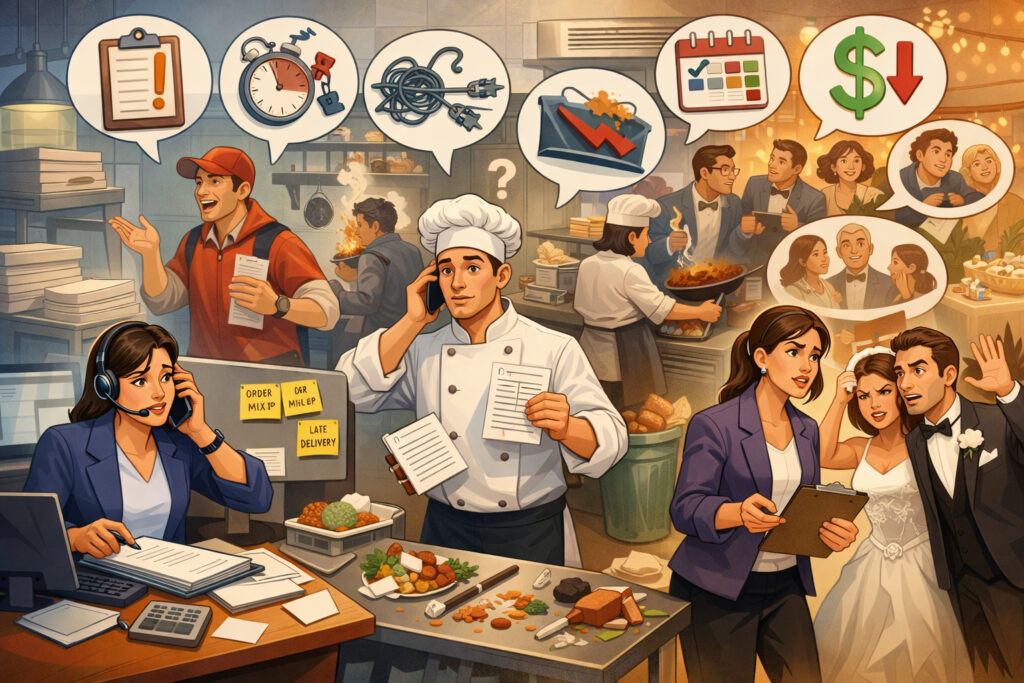
Catering often breaks first when a business grows because it’s a high-variation service with a lot of moving parts: menu customization, timelines, staffing, rentals, delivery constraints, and client expectations. When the workflow is fragmented across email threads, spreadsheets, and messaging apps, small mistakes scale into expensive ones.
Manual quoting delays and lost opportunities
A common failure point is the time between inquiry and quote. If quoting requires chasing menu pricing, checking availability, and calculating labor, you’re slow—and slow loses deals. Even worse, the quote quality varies by who wrote it, which creates inconsistent pricing and margin outcomes.
Miscommunication between sales and kitchen
Without a centralized catering order management system, sales promises can drift from what the kitchen is planning. Menu items change, allergens aren’t flagged, service style is unclear, and event details live in multiple places. The kitchen ends up improvising with incomplete information, which increases waste and stress.
Deposit tracking and cash flow issues
Deposits and installment schedules are easy to mishandle manually. Teams forget to request deposits, apply them incorrectly, or don’t see which events are not fully paid. That creates last-minute disputes, delayed payments, and unpredictable cash flow—especially during busy seasons.
Inaccurate costing and shrinking margins
Catering margins don’t disappear in one big mistake—they leak through dozens of small ones: underpricing labor, missing delivery charges, forgetting rentals, ignoring setup time, or not updating ingredient costs.
Without inventory and recipe costing tied to proposals and production, you can’t reliably measure or manage food cost control for catering.
When these problems persist, the business becomes “owner-powered.” The owner is the integration layer: they remember details, fix mistakes, and keep the machine moving. That model caps growth.
Manual workflow vs software-integrated workflow (comparison table)
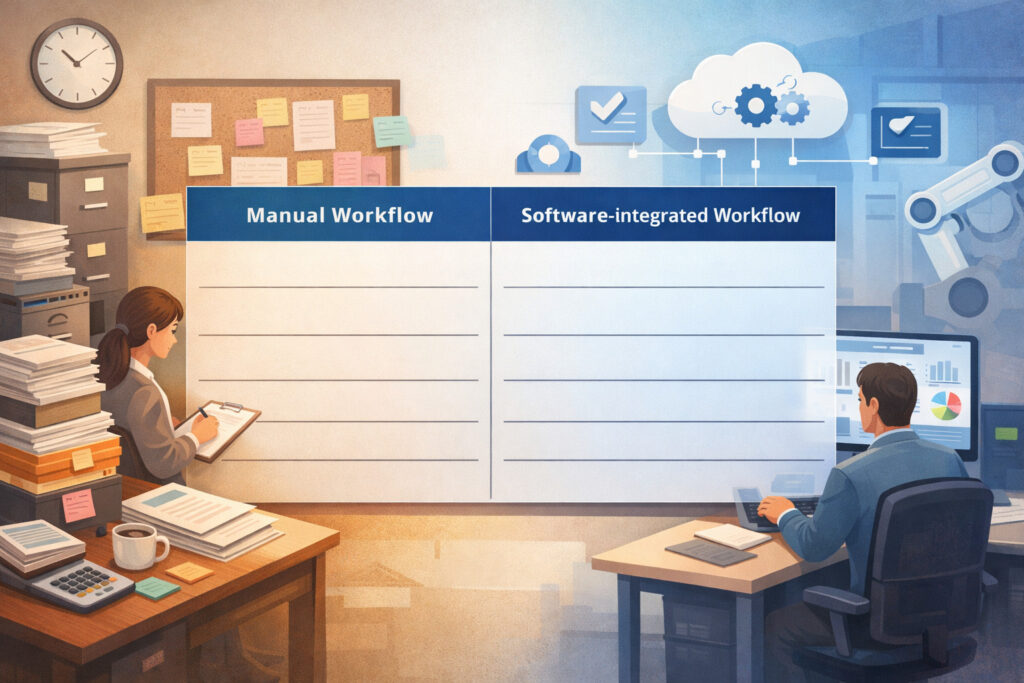
Below is the practical difference between a manual operation and one built around catering workflow automation. The goal isn’t to “automate everything.” The goal is to automate what must be consistent, and to make exceptions visible and controlled.
| Workflow Stage | Manual Workflow (Common Reality) | Software-Integrated Workflow (Target State) |
|---|---|---|
| Lead capture | Inquiries scattered across email, DMs, phone notes | Central intake forms + auto-created lead in CRM with tags and source |
| Qualification | Memory-based (“I think we can do it”) | Capacity checks + rules (minimums, lead times, delivery zones) |
| Proposal | Custom doc every time; slow revisions | Catering proposals and quoting tools with templates, add-ons, upsells |
| Approval | Emails back and forth; unclear version control | Client portal for approvals; tracked revisions and timestamps |
| Contract | PDF attachments; signatures delayed | Catering contracts and e-signatures in the same record |
| Deposits | Manual reminders; unclear application | Deposit and installment payment processing with automated reminders and posting |
| Production | Kitchen interprets emails; inconsistent info | Auto-generated BEOs, prep lists, packing lists |
| Staffing | Text threads; unclear call times | Staffing and scheduling software connected to event requirements |
| Delivery | Separate routing apps or paper directions | Delivery routing and driver tracking tied to event schedule and contacts |
| Final billing | Invoices made after the event; missed charges | Automated final invoices with change orders and balance rules |
| Reporting | End-of-month guesswork | Dashboards for quote-to-book conversion rate, food cost %, labor %, on-time delivery |
A software-integrated workflow doesn’t remove judgment—it frees judgment for higher-value decisions: pricing strategy, menu design, client experience, and team development.
The complete catering workflow transformation: lead → follow-up loop
If you want a scalable catering operation, your workflow must be built end-to-end. The core sequence looks like this:
- Lead capture
- CRM tracking + qualification
- Proposal + quote building
- Contract + policy confirmation
- Deposit collection
- Production planning + BEOs
- Staffing + scheduling
- Delivery + execution
- Final billing
- Reporting + margin review
- Follow-up + repeat business
Each step should have:
- A clear owner (role-based, not person-based)
- A standard output (what “done” looks like)
- A time target (SLA)
- A quality check (what prevents errors)
- A data point (what you measure)
Lead capture → CRM → qualification (stop losing inquiries)
Leads are easiest to lose when they arrive in multiple channels and get answered inconsistently. In a strong setup, all inquiries funnel into one place—your catering CRM and lead pipeline—even if they originate from calls, website forms, referrals, or social messages. This isn’t about forcing clients into a rigid process; it’s about protecting response speed and follow-up discipline.
Your qualification step should be simple and repeatable:
- Event date/time, guest count, service style, venue address
- Budget range or package tier preference
- Dietary restrictions and key menu preferences
- Decision timeline (when they need the proposal)
Then apply rules early:
- Minimum order thresholds by day/time
- Lead-time requirements for complex events
- Delivery zones and fees
- Capacity limits by guest count and staffing
This is where catering workflow automation pays off: auto-tagging leads, assigning owners, and triggering follow-up reminders. Your goal is to respond quickly with clarity—not to overwhelm the client with questions.
Proposal → contract → deposit (reduce friction, protect margin)
The quote is where your margin is either protected or quietly given away. Your catering proposals and quoting tools should be built from templates that reflect your real operating costs and service policies. Instead of writing proposals from scratch, you assemble from standardized components:
- Packages (per-person tiers, buffet vs plated, add-on stations)
- Service fees (staffing, setup, teardown)
- Rentals (chafers, linen, tableware)
- Delivery fees by zone and time window
- Taxes and administrative fees if applicable in your market
Once the proposal is approved, the contract should follow immediately, with policies clearly baked in:
- Change cutoffs (menu changes due by X days)
- Guest count guarantees (final headcount due by X days)
- Cancellation policies
- Deposit and payment schedule
Then deposits must be linked to the event record—not tracked in a separate spreadsheet. With catering contracts and e-signatures and deposit and installment payment processing integrated, you reduce back-and-forth, shorten the sales cycle, and stop “soft bookings” that block your calendar.
Production planning → prep/packing → delivery execution (make service repeatable)
Operations win when the kitchen and service team work from one truth. Your system should generate consistent catering production sheets and BEOs, and translate those into kitchen prep lists and packing lists. These documents shouldn’t be manually rebuilt; they should flow from the approved proposal and event details.
Production planning needs:
- Menu items with quantities and portions
- Prep timeline (what starts when)
- Allergen notes and special instructions
- Equipment and rental checklist
- Service style notes (buffet layout, plating, drop-off instructions)
- Venue constraints (elevator, loading dock, setup restrictions)
Then delivery becomes execution, not improvisation:
- Routes, ETAs, contact names, parking/loading info
- Driver instructions and proof-of-delivery steps
- On-site checklists for setup and handoff
When delivery routing and driver tracking is tied into your event schedule, you can measure on-time delivery rate, reduce missed details, and quickly see where issues arise.
Strategic impact on your business model: what changes when software is truly integrated

When integration is real, your business model evolves in ways that are measurable and durable. You aren’t just “more organized”—you become more predictable, and that is what enables growth.
Standardized packages and structured upselling
A well-configured system makes it easier to sell consistent packages and add-ons. Upselling becomes a guided process rather than an awkward pitch. For example:
- Add-on stations (beverage bar, dessert tray)
- Service upgrades (staffed buffet, plated service)
- Delivery windows or premium setup times
- Rentals and décor packages
The key is that upsells must be operationally deliverable. If the kitchen can’t execute it consistently, don’t put it in your quoting flow.
Improved margin tracking and data-driven pricing decisions
With inventory and recipe costing tied to sales and production, you can see what you think you’re earning versus what you’re actually earning. Over time, you can adjust:
- Portion standards
- Package pricing
- Labor assumptions
- Delivery fee structure
- Minimums by day/season
This is how you stop pricing by instinct and start pricing by evidence.
Scalable event volume without chaos
Scaling isn’t about booking more events—it’s about delivering more events with stable quality. Integrated workflows help you:
- Reduce error rates (missing items, wrong quantities)
- Improve handoffs (sales → kitchen → service)
- Identify capacity bottlenecks (prep time, driver availability, staffing)
Predictable cash flow
Deposits and installment schedules create steadier cash flow when they’re enforced consistently. Integrated payment reminders reduce the time spent chasing balances and increase your confidence in upcoming revenue.
Step-by-step catering software business integration strategy (implementation framework)
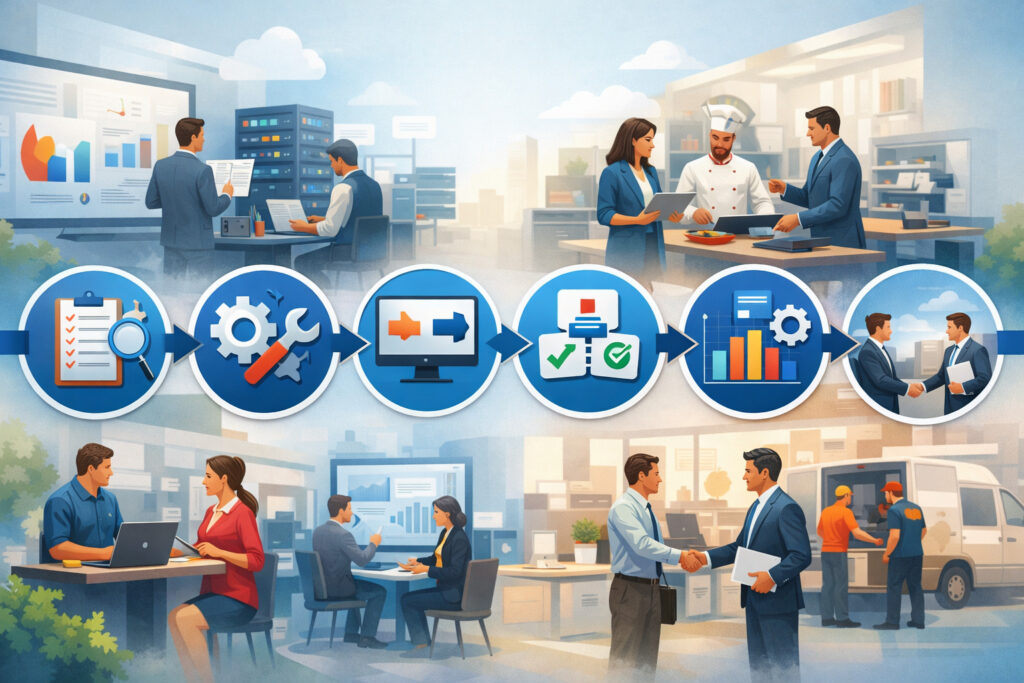
This section is the core of the guide: a practical sequence you can follow to integrate catering software into your business without overbuilding or stalling.
Step 1 — Audit your current process (and measure the baseline)
Before you configure anything, you need a clear baseline. Audit how work moves today—what happens, who does it, where it breaks, and what it costs you in time and mistakes. Don’t aim for a perfect process map; aim for clarity.
Document:
- Lead sources and response times
- Quote creation steps (and average time to quote)
- Common revision patterns and approval delays
- Where deposits get tracked and missed
- How production sheets are created
- How staffing is scheduled
- How delivery routes are planned
- How final invoices are generated and reconciled
Define 3–5 baseline metrics to compare later:
- Quote turnaround time (hours)
- Quote-to-book conversion rate
- Food cost percentage (estimate if needed)
- Labor percentage (estimate if needed)
- On-time delivery rate (simple yes/no for last 20 events)
This baseline stops you from relying on “it feels better.” You’ll be able to verify what changed.
Step 2 — Map the workflow (design the target state first)
Now map your target workflow end-to-end. The objective is not to mirror your current process—it’s to design the process you want to run at higher volume.
Use a simple mapping approach:
- Stage (lead, quote, contract, deposit, production, staffing, delivery, billing, follow-up)
- Owner (role)
- Inputs (what information is needed)
- Output (what “done” looks like)
- SLA (time target)
- Tools (which module/system)
- Quality check (what prevents errors)
This is where you decide what gets automated and what stays manual. A good rule: automate repetition, standardization, and reminders. Keep human review for exceptions and quality control.
Step 3 — Define pricing logic and service policies (make rules explicit)
Software can’t fix unclear pricing. If you don’t define the rules, your team will still improvise—just inside a new tool.
Make these policies explicit:
- Minimum order size by day/time and service style
- Delivery zones, fees, and minimum lead times
- Staffing requirements by guest count and service type
- Overtime thresholds and premium time charges
- Change order cutoffs and revision fees (if you use them)
- Deposit amount rules and payment schedules
- Cancellation and refund rules
Then translate policies into pricing logic:
- Per-person pricing tiers
- Package inclusions and exclusions
- Add-on pricing (fixed vs per person)
- Rentals pricing and deposit requirements
- Taxes/fees handling (according to your local rules)
This is the foundation for consistent quoting and margin control.
Configure software modules, roles, and permissions (control how work happens)
Once you know your target workflow and policies, configure your system in a way that matches real responsibilities.
Key setup actions:
- Create templates for proposals, contracts, and emails
- Build package catalogs and add-ons
- Configure event types (drop-off, staffed buffet, plated, corporate recurring)
- Set up deposit schedules and reminders
- Build BEO and production sheet layouts that match your kitchen and service process
- Create standard prep and packing list categories
Roles and permissions matter more than most teams expect:
- Sales shouldn’t edit recipe cost assumptions without approval
- Kitchen shouldn’t alter contract terms
- Finance should control refunds and deposit application rules
- Managers should have visibility across the pipeline and production schedule
This reduces “tool chaos” where everyone can do everything, and nobody is accountable.
Integrations that matter: payments, POS, accounting, and the event ecosystem
Catering is rarely a single-system operation. You may need POS integration for catering, payment acceptance, scheduling tools, and accounting connectivity to keep the business consistent.
Payment processing integration (deposits, installments, and final billing)
Your payment setup should support your policies, not fight them. At minimum, you want:
- Deposits tied to the specific event record
- Automated payment links inside proposals/invoices
- Installment schedules with reminders
- Clear handling for refunds, cancellations, and charge adjustments
The operational benefit is not just convenience. It’s visibility:
- Which events are fully paid
- Which are at risk (due dates missed)
- What your near-term cash position looks like based on confirmed events
If you offer an online catering ordering platform for simpler orders, ensure payment rules still align: lead time cutoffs, minimums, and fulfillment windows.
POS integration for catering (when and how it helps)
POS integration for catering can be useful when your catering sales need to tie into store operations, inventory, and reporting. But a POS is not a replacement for catering operations. A POS is designed for fast transactions; catering needs event-specific planning, BEOs, staffing, and delivery.
Use POS integration when:
- You need unified product/menu data across dine-in and catering
- You want consolidated sales reporting
- You want inventory deduction alignment (if your setup supports it)
Avoid forcing catering into the POS when:
- Your proposals require complex bundles and service fees
- Your contracts, deposits, and scheduling aren’t supported
- Your production planning needs event detail and changes over time
Accounting software integration (reduce reconciliation pain)
Accounting software integration is often the difference between “we’re busy” and “we’re profitable.” Without it, deposits and final payments get messy, revenue recognition is inconsistent, and you spend hours reconciling.
A strong accounting integration supports:
- Automated invoice posting (with correct customer/event references)
- Deposit application and liability handling (based on your local accounting rules)
- Refund tracking and audit trails
- Cleaner month-end close with fewer manual journal entries
Even with integration, you’ll still need a reconciliation routine. But it becomes a controlled process, not a scramble.
Choosing the right platform: must-have features, scalability, integration capabilities, and security basics
Choosing software is less about brand names and more about fit. You’re selecting the operating backbone of your catering division, so the evaluation should be systematic.
Must-have features checklist (non-negotiables)
For most growing catering operations, the “must-have” list looks like this:
- CRM pipeline with lead tracking and follow-ups
- Proposal creation with templates and add-ons
- Contract generation with catering contracts and e-signatures
- Deposits and installments (with payment links and reminders)
- Event calendar with capacity visibility
- Catering production sheets and BEOs
- Kitchen prep lists and packing lists
- Delivery scheduling tools (ideally with routing support)
- Reporting dashboards for key KPIs
- Basic integrations (payments, accounting, potentially POS)
Scalability considerations (what breaks when you grow)
Ask what happens when:
- You double event volume
- You add multiple kitchens or prep locations
- You introduce multiple sales reps
- You add drivers or third-party delivery
- You run recurring corporate orders across sites
Look for:
- Role-based permissions and audit trails
- Flexible templates that can vary by event type
- Ability to handle multiple locations or departments
- Reliable mobile access for on-site teams
Integration capabilities and the event ecosystem
A caterer’s stack can include:
- Event management software for caterers (planning and coordination)
- Payment processing
- Accounting systems
- POS
- Staffing and scheduling software
- Delivery tracking tools
- Inventory tools
Your platform doesn’t need to do everything—but it must integrate cleanly where it matters, and the data must flow in a controlled way.
Security and data protection basics (2026-ready)
You don’t need to be a cybersecurity expert, but you do need a baseline:
- Role-based access and strong password policies
- Multi-factor authentication if available
- Data backups and export options
- Clear vendor policies around data ownership and portability
- Secure handling of payment data (use reputable payment processors; don’t store sensitive card data yourself)
Operational modules explained: what each module should do (and what to avoid)
Your software modules should map directly to operational outcomes. Here’s how to think about them without getting lost in feature lists.
CRM and sales tracking
A strong CRM module should:
- Capture lead source, event type, budget indicators
- Track pipeline stages with clear definitions
- Trigger follow-ups automatically
- Provide visibility into upcoming demand and capacity needs
Avoid CRM setups where:
- Stages are vague (“In progress”)
- Follow-up depends on personal habits
- Notes are unstructured and inconsistent
Proposal automation and quoting tools
Your proposals should be:
- Fast to assemble from templates
- Clear to the client (what’s included, what’s optional)
- Easy to revise without losing version control
- Linked to your costing and staffing assumptions
This is the heart of your quote-to-book conversion rate improvement—not through gimmicks, but through speed and clarity.
Event production sheets (BEOs)
Your BEO should be the “single page truth” for execution:
- Event timeline and service style
- Final guest counts and guarantees
- Menu with quantities and notes
- Allergens and special requests
- Staffing plan and call times
- Venue contacts and setup constraints
- Delivery instructions and load-in details
If your BEO is longer than needed, teams won’t read it. If it’s too short, teams will improvise. Aim for “complete and scannable.”
Staffing and scheduling
Staffing modules should connect labor planning to the event type:
- Suggested staff ratios by service style
- Role definitions (captain, server, bartender, runner)
- Call times and shift notes
- Confirmation and availability tracking
This is where staffing and scheduling software can either be built-in or integrated, depending on your complexity.
Inventory and food costing
To support inventory and recipe costing, the module should:
- Store recipes with yield and portion standards
- Track ingredient costs (update routinely)
- Estimate food cost per event based on the final menu
- Support variance review after the event (even if approximate)
Perfect inventory is rare in catering. The goal is directional accuracy and improved decision-making—not perfection.
Reporting dashboards
Dashboards should answer operational questions:
- Are we quoting fast enough?
- Are we winning the right deals?
- Where are the margins leaking?
- Are deliveries on time?
- Which clients come back?
If reports don’t drive decisions, they’re noise.
Feature priorities by catering business type (comparison table)
Not every operator needs the same priorities. Use this table to focus on what will make the biggest impact first.
| Business Type | Top Priorities | Secondary Priorities | Nice-to-Have Later |
|---|---|---|---|
| Small/home-based caterer scaling | Proposal templates, deposits, BEOs, packing lists, simple CRM | Basic costing, delivery scheduling | Full inventory system, advanced analytics |
| Restaurant adding catering | POS integration for catering, CRM pipeline, BEOs, staffing coordination | Accounting software integration, delivery tracking | Advanced client portal, multi-location workflows |
| Corporate catering program | Online catering ordering platform, recurring order tools, delivery routing and driver tracking | Costing discipline, staffing automation | Advanced forecasting, custom integrations |
| High-end events (weddings/galas) | Contracts + e-signatures, detailed BEOs, revision control, deposit schedules | Staffing planning, rental tracking | Complex inventory, deep analytics automation |
| Multi-location caterer | Role-based permissions, standardized templates, location-level reporting | Accounting integration, centralized CRM | Advanced capacity planning, forecasting |
Pro Tip: Prioritize what reduces errors and speeds execution first. Fancy reporting won’t matter if the BEO is unreliable.
KPIs to track after implementation (what “better” looks like)
Software is only valuable if it produces measurable operational improvements. Track a small set of KPIs consistently and review them on a cadence.
Core KPIs (weekly review for managers)
- Quote-to-book conversion rate (quotes sent vs booked events)
- Quote turnaround time (average hours from inquiry to quote)
- Average event revenue (by event type)
- On-time delivery rate (events delivered/setup on time)
Margin KPIs (biweekly or monthly)
- Food cost percentage (estimate and improve over time)
- Labor percentage (based on scheduled vs actual hours where possible)
- Gross margin by event type and package tier
- Add-on attachment rate (how often upsells are included)
Client KPIs (monthly)
- Repeat client percentage (of total bookings)
- Referral rate (if you track it in your CRM)
- Complaint/issue rate (simple count by event type)
- Post-event review completion rate (if you use surveys)
How to review KPIs without drowning in data
The mistake is tracking everything and acting on nothing. Use a simple review framework:
- Pick 1–2 KPIs to improve this month: Example: quote turnaround time and on-time delivery rate.
- Identify the workflow step that controls the KPI: Quote turnaround time is controlled by lead intake, qualification, and template readiness.
- Set a process change and a target: Example: “All leads get a first response within 4 business hours” and “Standard proposal sent within 24 hours for package events.”
- Review exceptions weekly: Look at the events where you missed the target and ask why.
This keeps your team focused and prevents dashboards from becoming a distraction.
Common integration mistakes to avoid (and how to prevent them)
Most integration failures are not technical. They’re design and adoption failures.
Automating broken processes
If your process is unclear, software will only help you do unclear work faster. Fix the logic first: policies, roles, quality checks.
Overcomplicating workflows
Teams often build a “perfect” workflow that nobody can follow. Keep the first version simple and enforceable. Add complexity only when needed and justified by volume.
Skipping staff training
Training is not “we showed them the software.” Training is:
- Role-based workflows
- What to do when something is missing
- How to handle exceptions
- Where to find the source of truth
- How performance will be measured
Ignoring data analytics
If you don’t review KPIs, the system becomes a fancy filing cabinet. Start with a small weekly review and one monthly margin review.
Preventing failure with a governance routine
Build a light governance routine:
- Weekly operations review (pipeline, upcoming events, risks)
- Monthly margin review (food cost, labor, pricing notes)
- Quarterly template refresh (packages, pricing, BEO formats)
This is what keeps your system aligned with reality as your business changes.
Real-world scenarios: how integration looks in different operations
Scenario 1 — Small home-based caterer scaling operations
Your biggest risks are inconsistency and time. You need a system that makes quoting and execution repeatable without hiring a large team.
High-impact setup:
- CRM with simple pipeline stages and reminders
- Proposal templates and standardized packages
- Contracts + e-signatures
- Deposits with automated reminders
- BEO + packing list templates
What to keep simple:
- Inventory: start with recipe costing for top sellers
- Delivery: simple scheduling and checklists before advanced routing
Operational habit:
- Weekly review of upcoming events + unpaid balances
- Monthly pricing review on top 10 menu items
Outcome to target:
- Faster quoting
- Fewer missed items
- More predictable prep and pickup/delivery execution
Scenario 2 — Restaurant launching a catering division
Your main risk is treating catering like “big takeout.” Catering requires a different workflow, even if the food is similar.
High-impact setup:
- Catering CRM separate from dine-in flow
- Proposal and contract process with clear policies
- POS integration for catering where it helps financial consolidation
- Production sheets that translate sales promises into kitchen steps
- Staffing coordination between restaurant shifts and event shifts
Operational habit:
- Capacity planning: don’t overbook the kitchen
- Clear pickup/delivery windows and lead times
Outcome to target:
- Catering revenue grows without disrupting core restaurant service
- Clear accountability and fewer last-minute kitchen emergencies
Scenario 3 — Corporate catering program expanding locations
Your risks are coordination, consistency, and delivery reliability across sites.
High-impact setup:
- Online catering ordering platform for repeatable orders
- Menu governance (standard offerings + controlled local variations)
- Delivery routing and driver tracking
- Location-level reporting and permissions
- Accounting integration for cleaner reconciliation
Operational habit:
- Standard SLAs (response times, delivery windows, change cutoffs)
- Monthly performance review by location (on-time delivery, issues, repeat rates)
Outcome to target:
- Consistent client experience
- Reliable execution across locations
- Data to guide staffing and menu decisions
30/60/90-day integration roadmap (practical rollout plan)
You don’t need a perfect system on day one. You need a working system that improves quickly.
First 30 days: setup, data migration, templates (foundation)
Focus: build the minimum viable workflow.
- Choose your core modules and integrations to start
- Import contacts and basic client data (clean as you go)
- Set up your pipeline stages and lead sources
- Build proposal templates and 2–4 standardized packages
- Configure contract templates and signature flow
- Set deposit rules and payment schedules
- Create your first BEO and packing list templates
- Define roles and permissions
Deliverables by day 30:
- One standardized quote-to-book workflow
- A working proposal + contract + deposit flow
- A basic production sheet template
KPIs to begin tracking:
- Quote turnaround time
- Quote-to-book conversion rate (even if rough)
Days 31–60: automation, integrations, training (adoption)
Focus: make the system usable and consistent across the team.
- Add automated follow-ups and reminders
- Integrate payment processing fully
- Begin accounting software integration (or at least a consistent export routine)
- Add delivery scheduling and checklists
- Configure staffing workflows or integrate scheduling tools
- Train by role: sales, kitchen, delivery, finance
- Run a controlled pilot (select event types or a subset of clients)
Deliverables by day 60:
- Team using the system daily (not “sometimes”)
- Deposits tracked consistently
- BEOs generated from approved proposals (not manual retyping)
KPIs to track:
- On-time deposit collection rate (payments received by due date)
- Event error rate (missing items, wrong quantities—simple tracking)
Days 61–90: KPI monitoring, optimization, scaling (performance)
Focus: use data to improve pricing, execution, and capacity.
- Add recipe costing for top menu items
- Review food cost percentage and labor assumptions
- Tighten templates and reduce revision cycles
- Improve upsell structure and package clarity
- Expand to additional event types (staffed events, plated service)
- Build dashboards for managers and owners
- Establish the governance routine (weekly + monthly reviews)
Deliverables by day 90:
- Standardized workflows across key event types
- Reliable reporting for sales and operations
- A plan for next-phase enhancements (inventory depth, multi-location, advanced routing)
KPIs to track:
- Food cost percentage trend
- Labor percentage trend
- On-time delivery rate
- Repeat client percentage
FAQs
Q1) What does it mean to integrate catering software into a business model?
Answer: It means your software reflects and enforces how you price, sell, plan, staff, deliver, and bill catering—so the system drives consistency, not individual memory. It’s aligning technology with your operating rules and client experience.
Q2) How long does implementation take?
Answer: A functional rollout can happen in 30–90 days for most teams, depending on complexity, event volume, and integrations. Deep costing and multi-location standardization typically take longer and should be phased in.
Q3) Can catering software improve profit margins?
Answer: It can support margin improvement by enforcing pricing rules, reducing missed charges, improving food and labor planning, and enabling better reporting. The software doesn’t create margin by itself—your policies and adherence do.
Q4) Do I need software if I only handle small events?
Answer: If your volume is low and simple, you may not need a full suite. But even small-event caterers benefit from templates, deposit tracking, and consistent production checklists—especially if you want to grow.
Q5) How does catering software handle deposits and payments?
Answer: Most systems support deposit requests tied to the event, installment schedules, payment links, reminders, and balance tracking. The key is configuring your deposit policy and “no production without deposit” checkpoints.
Q6) What integrations are most important?
Answer: For many operators: payment processing, accounting software integration, and (when relevant) POS integration for catering. Next priorities are staffing scheduling and delivery routing tools.
Q7) How can I measure ROI after implementation without exaggerating?
Answer: Track operational metrics you already feel: quote turnaround time, quote-to-book conversion rate, missed-charge frequency, on-time delivery rate, and time spent on admin tasks. Compared to your pre-implementation baseline.
Q8) Is cloud-based catering software secure?
Answer: Security depends on the vendor and your internal practices. Look for role-based access, strong authentication options, clear data ownership policies, and reputable payment processing. Also train staff on secure passwords and access control.
Q9) What KPIs should I monitor first?
Answer: Start with quote turnaround time, quote-to-book conversion rate, on-time delivery rate, and an estimated food cost percentage. Add deeper margin analysis as costing data improves.
Q10) Can restaurant POS systems replace catering software?
Answer: A POS is great for transactions; it typically doesn’t manage the full catering workflow (contracts, BEOs, staffing, delivery, change control). A POS can complement catering software through integration, but it rarely replaces it.
Q11) What if my team resists the new system?
Answer: Resistance usually comes from unclear workflows or extra steps that don’t feel valuable. Train by role, simplify templates, and show how the system reduces errors and last-minute stress. Assign an integration owner to drive adoption.
Q12) How do I prevent overcomplicating my setup?
Answer: Start with one event type and a minimal workflow. Use templates and checklists first, then add automation and advanced modules in phases after the team is consistent.
Q13) What’s the best way to handle menu changes and revisions?
Answer: Set clear change cutoffs and use version control in proposals. Make change requests visible and tied to pricing adjustments when needed. Ensure the final approved version is what drives production sheets.
Q14) Should I use an online catering ordering platform?
Answer: It’s useful for repeatable, lower-variation orders (corporate lunches, standard trays). It works best when it connects to production, staffing, and delivery—not when it creates a separate workflow.
Q15) What’s the biggest sign that my integration is working?
Answer: Fewer last-minute surprises. Quotes go out faster, deposits are visible and collected on schedule, production sheets are consistent, deliveries are more predictable, and your team can handle more volume with less chaos.
Conclusion
Integrating catering software into your business model is about designing a repeatable operating system for sales, production, delivery, and financial control. In 2026, clients expect speed, clarity, and reliability—and your team deserves workflows that reduce rework and protect margins.
If you follow this Catering software integration guide, your win isn’t “we use a tool.” Your win is a business that can scale event volume while maintaining quality, cash flow predictability, and operational consistency.